AI Character Generator
Create unique characters from text prompts or reference images in seconds. Adjust appearance, style, poses, and scenes to match your needs. Easily animate them into videos ready to publish in one workflow.







Create AI Characters You Can Keep Building With

Design Original Characters in Any Style
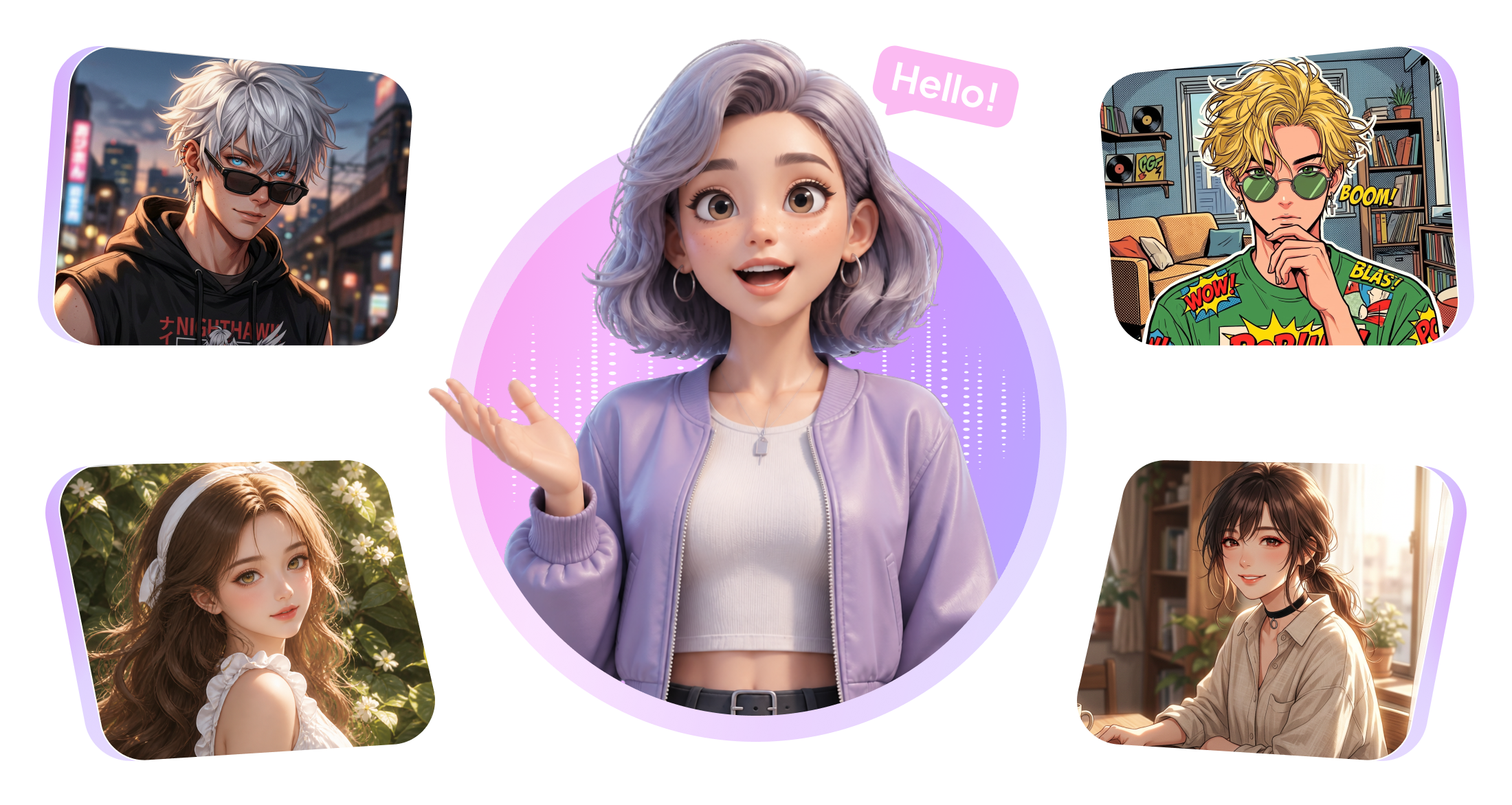
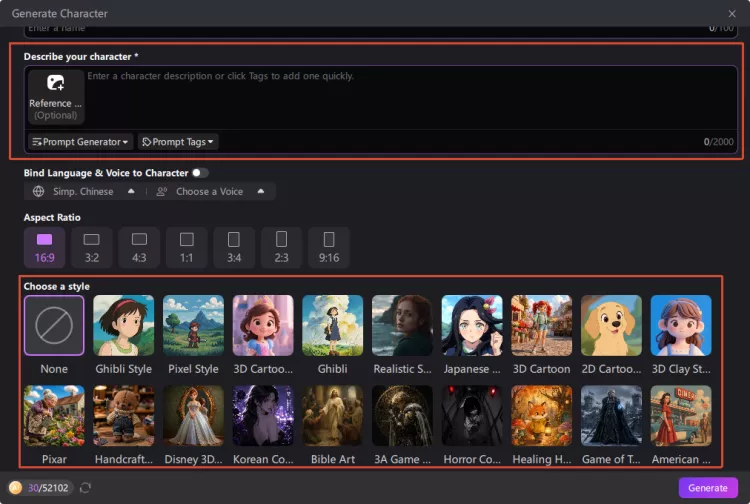
Turn prompts or reference images into original characters in any style, from realistic to cartoon. Create different images such as realistic avatars, anime characters and cute animals. Use advanced AI models to shape the look you envision.
Reuse the Same Character Every Time
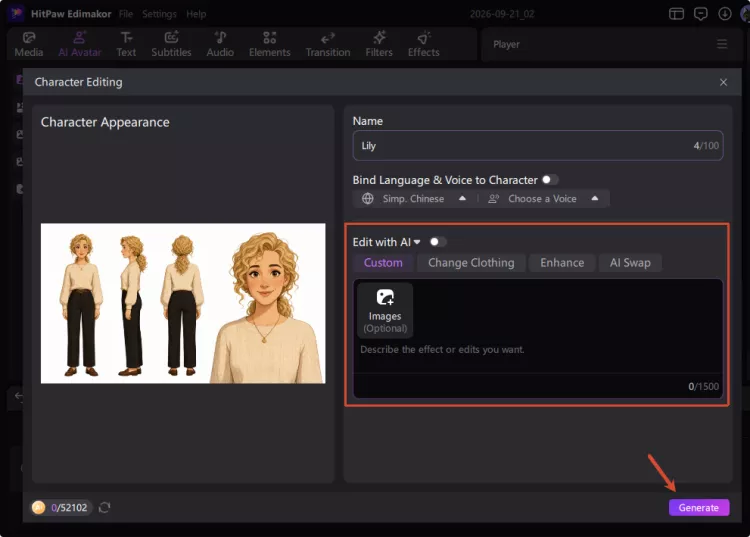
Save and reuse your favorite anime characters across different projects. You can edit the characters each time. Change hairstyles, outfits, poses, and more while keeping the facial features consistent. Make the characters recognizable in every scene.
Give Your Characters Unique Voices
Add unique voices to your cartoon characters. Choose voices across languages, ages, and genders. Pick those that match your characters' personality and style. Let your characters speak naturally and bring the visual characters to life.
Bring Characters Into New Scenes
Take your characters beyond individual images and build stories around them. Describe your idea and let AI develop the script, scenes, and visual details for you. Add props and settings to turn your character concepts into complete videos.
AI Character Generator for Every Kind of Creator

I'm a short film writer, and HitPaw Edimakor is a dream come true. Keeping my protagonist's look consistent across twelve different scenes used to take hours of reference hunting. Now I generate everything in one style and my visual continuity is guaranteed. Honestly, Edimakor saves my entire pre-production week. Can't wait to try it on my next project!

As an indie game dev, I'm blown away by how Edimakor builds a full NPC reference library in minutes. Expressions, outfits, poses—everything matches, and I can hand a complete style sheet to my artists before production starts. The villain and hero sets came out stunning. This cuts weeks of concepting down to a single afternoon. A must-have for visual novel creators.

Ansel
I've wanted to launch a virtual influencer for months, and HitPaw Edimakor finally made it happen. My character has a distinct look and personality that fans recognize instantly in every post. I've already built a whole content series around her using Edimakor's AI tools. Engagement on my channel has doubled since I started. Best creative investment I've made all year!

Carey
More Features & More Possibilities
AI Video Generator
Create professional marketing videos from text, images, or product links in minutes.
AI Script Generator
Turn product ideas into high-converting video scripts, ad copies, and UGC concepts instantly.
AI Image Generator
Generate stunning product visuals, ad creatives, and brand assets with simple prompts.
AI Voiceovers & Royalty-Free Music
Create engaging videos with natural AI voices and a built-in library of royalty-free music.
Built-in Video Editor
Edit, subtitle, enhance, and perfect your videos in one powerful workspace.
Hyper Realistic AI Avatars
Generate stunning product visuals, creator-style ads and commercial videos with realistic avatars.
FAQs about Edimakor AI Character Generator
The right AI character generator depends on your creative needs. Look for flexible styles, reference images, character consistency, and easy customization. Edimakor combines these capabilities with voice and video creation for character-based content. It's a good choice for you.
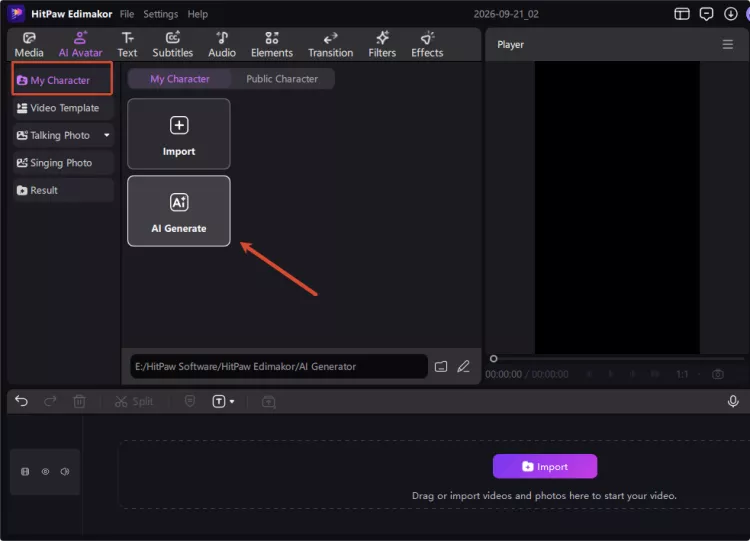
Yes, you can create an AI character from a reference photo. Upload your image and use it to guide the character's appearance. Edimakor can then help you develop the character in different styles like cartoon, 3D, Ghibli, and more.
Yes, you can turn your AI character into an animated video. With different AI tools, you can give your character a voice and add dialogue to make them speak. You can then create videos around your character and ideas.
Commercial use depends on the tool's terms, generated content, and applicable laws. Before publishing, check the current terms of different social platforms for commercial use. You should also confirm that your inputs do not infringe others' rights.
Save your character in Edimakor after creating the design you want. You can reuse it across different creative features and adjust its look when needed. The character's key features remain consistent across new scenes.
 Edimakor
You
+ Edimakor - Turn ideas
into dynamic
videos
Elaine