AI Video Editor - Edimakor
 AI-powered
AI-powered
AI Motion Tracking with Precision
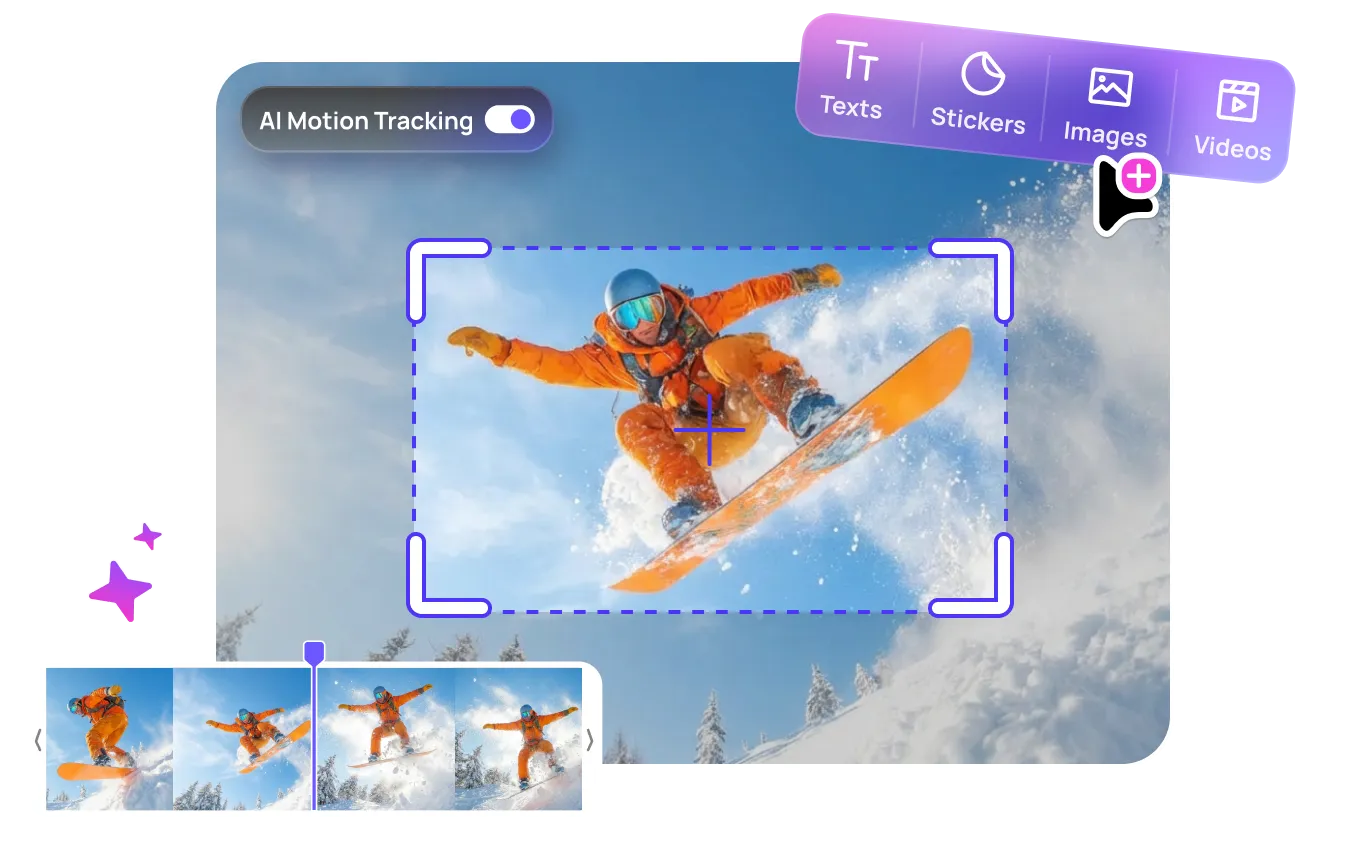
Automatically track objects, people, or text in your video with AI precision. Add effects, elements, or texts that follow your target seamlessly — no keyframes needed.






Key Features of Edimakor AI Motion Capture Tool
AI-Powered Motion Tracking
Effortlessly detect and track moving objects with any speed like people, cars, or logos in your footage with intelligent AI. Say goodbye to manual keyframing and hello to effortless precision.

Add Texts, Stickers, or Videos/Images That Follow Movement
Bring your scenes to life! Seamlessly attach dynamic text, engaging stickers, or even other video clips and images directly to moving elements within your footage. Perfect for tutorials, vlogs, and social media videos.
Blur Moving Objects
Easily blur faces, license plates, logos, or any moving objects in your footage to protect privacy or create cinematic effects. Edimakor's AI accurately tracks the object across frames and applies smooth, consistent blurring — no need for tedious manual masking. Whether you're censoring sensitive content or drawing focus to your subject, it's just one click away.
Frame-Accurate and Fully Editable
Enjoy pixel-perfect tracking that you can refine at any point. Our intuitive interface allows you to adjust, correct, and fine-tune your tracking paths with complete control.
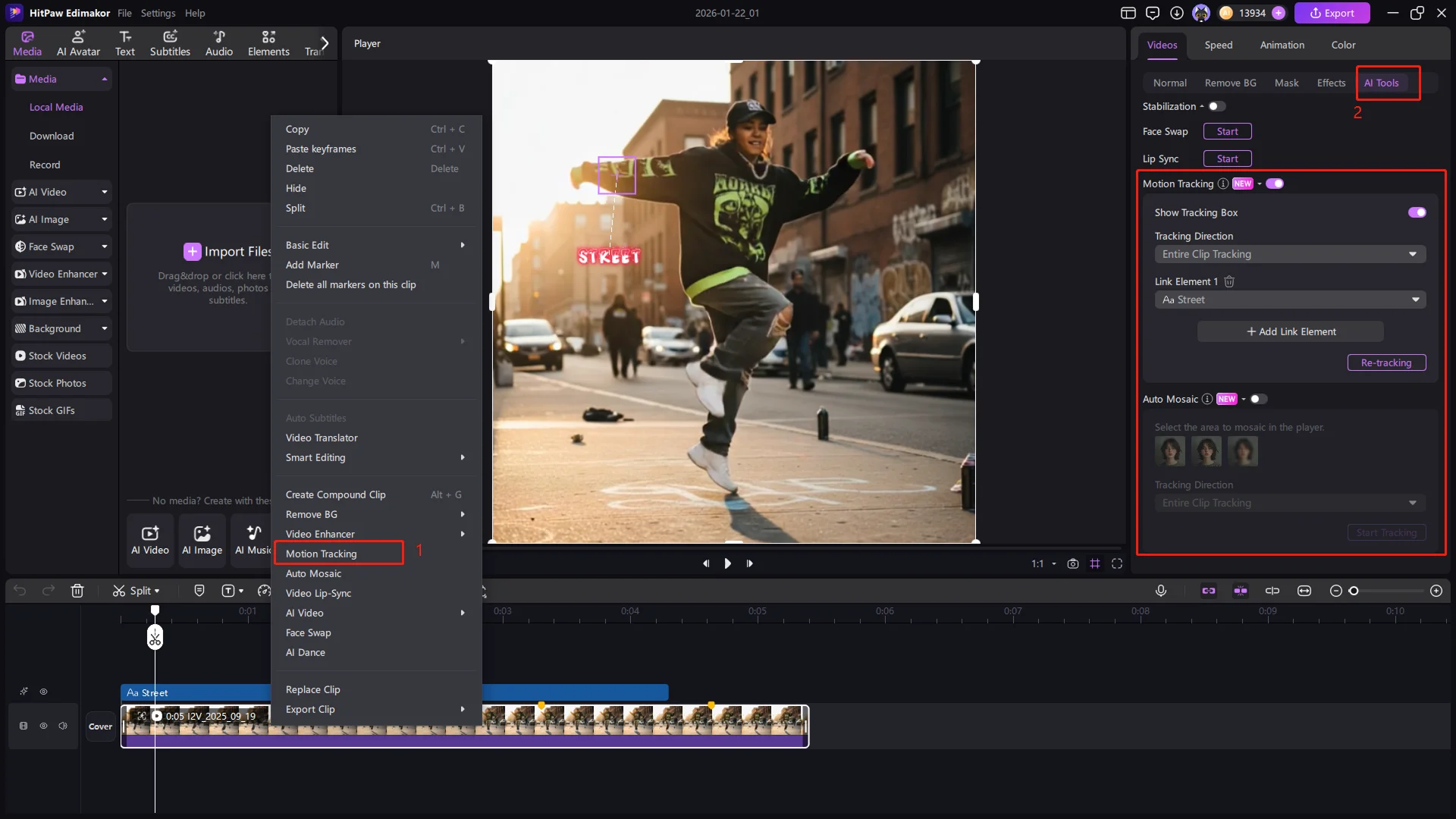
How to Do Motion Tracking in Edimakor
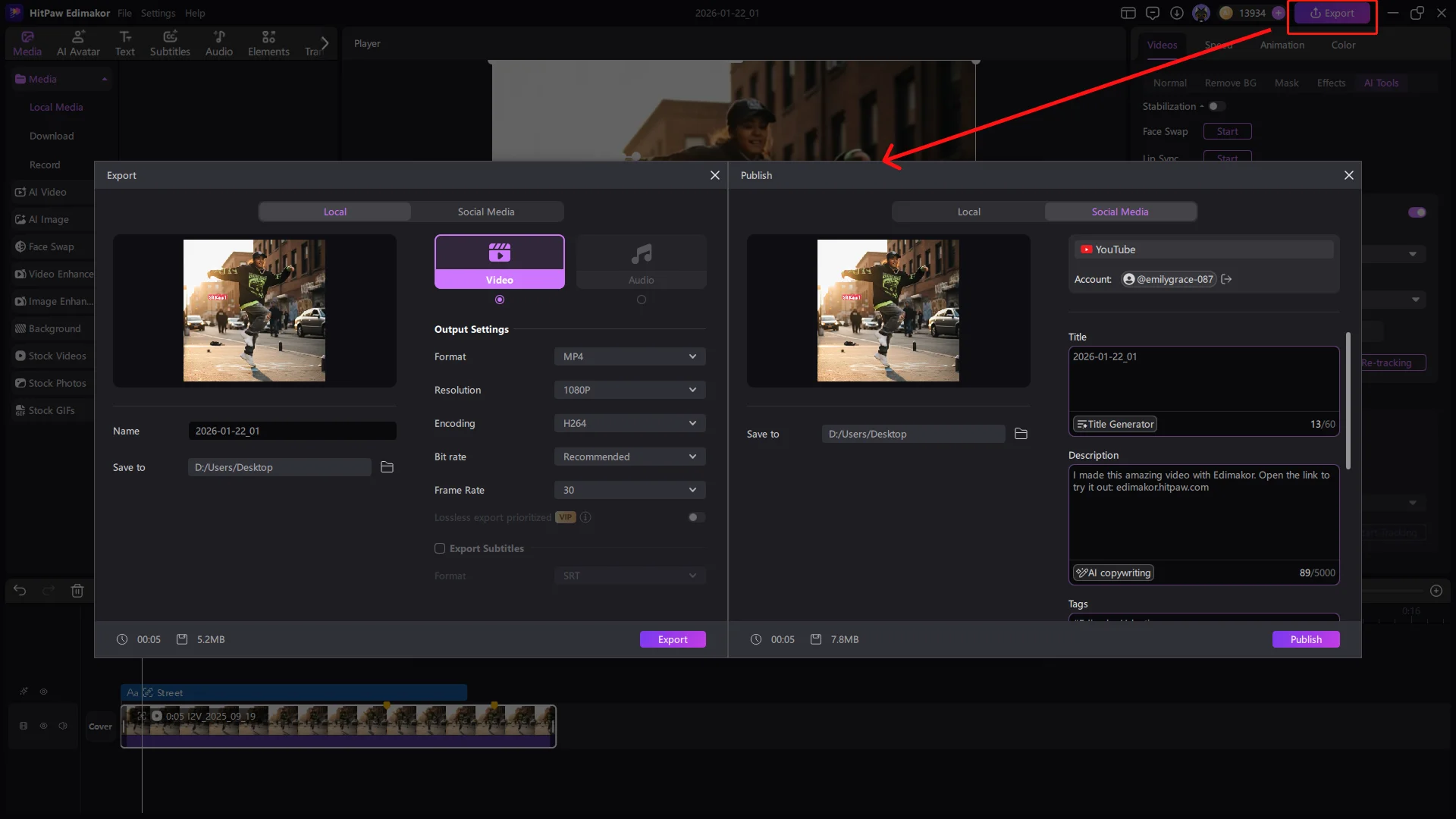
Real-World Use Cases of Motion Tracking
Product Spotlights
Highlight key features by having text or graphics move with your product.
Privacy Protection
Easily blur faces or license plates in your footage.
Creative Overlays
Add engaging visual effects that interact with the movement in your videos.
Action Cam Enhancements
Add graphics or data overlays that sync perfectly with your extreme sports footage.
The Smarter Choice for AI Motion Tracking

AI Precision without Complexity
Track movement automatically with high accuracy — no need for manual keyframes or masking.

Beginner-Friendly, Pro-Level
Our intuitive interface helps you achieve professional-quality tracking with ease.

All-in-One Editing Solution
Go beyond tracking — add effects, text, filters, and transitions in one seamless workflow without switching between tools.

Finally, a tracker that doesn't require manual keyframing. The AI logic handles occlusions perfectly, keeping my text pinned to the target.

I love how easy it is to attach funny emojis to my cat's head in my vlogs. It adds such a professional touch with just a few clicks!

Chloe Richardson
We use this to highlight product features in our ads. The tracking is smooth and makes our call-to-action text look integrated into the video.

Sarah Jenkins
Edimakor AI Motion Tracking VS Other Motion Tracking Tools
 Most Popular
 Edimakor
|
 Capcut
|
 Premiere Pro
|
 Final Cut Pro
|
|
| Al Auto Tracking | Yes | Yes | Manual Setup | Manual Setup |
| Add Motion-Following Media | Yes | Limited | Yes | Yes |
| Blur Moving Objects | One-Click | Manual Mask | Yes | Yes |
| Frame-by-Frame Editing | Full Control | Limited | Yes | Yes |
| Beginner-Friendly Interface | Very Easy | Easy | Complex | Easy |
| Price | Affordable | Free | 400 Minutes | 400 Minutes |
One-Stop Tools, Personalized Videos


FAQs about Edimakor AI Motion Tracking Video Editor
AI Motion Tracking is a feature in Edimakor that uses artificial intelligence to automatically identify and follow a specific object or person throughout a video clip and attach text, emojis, mosaic, or stickers.
HitPaw Edimakor AI motion capture tool is optimized for high-speed action, ensuring the tracker stays locked on even during rapid movements or camera shakes.
Absolutely. Simply track the face or plate and apply a mosaic or blur effect to the tracked area for automatic privacy protection.
Yes, you can apply motion tracking to multiple objects within the same scene for complex visual storytelling.
The AI intelligently stops tracking when the object leaves the frame and you should track it again.
Yes, Edimakor allows you to fine-tune keyframes manually if the AI requires specific adjustments for artistic reasons.
Yes, Edimakor AI motion tracking is free to all VIP users, but only once for an unpaid user.
Edimakor
You
+ Edimakor - Turn ideas
into dynamic
videos
David Wu