Product Demo Video Maker
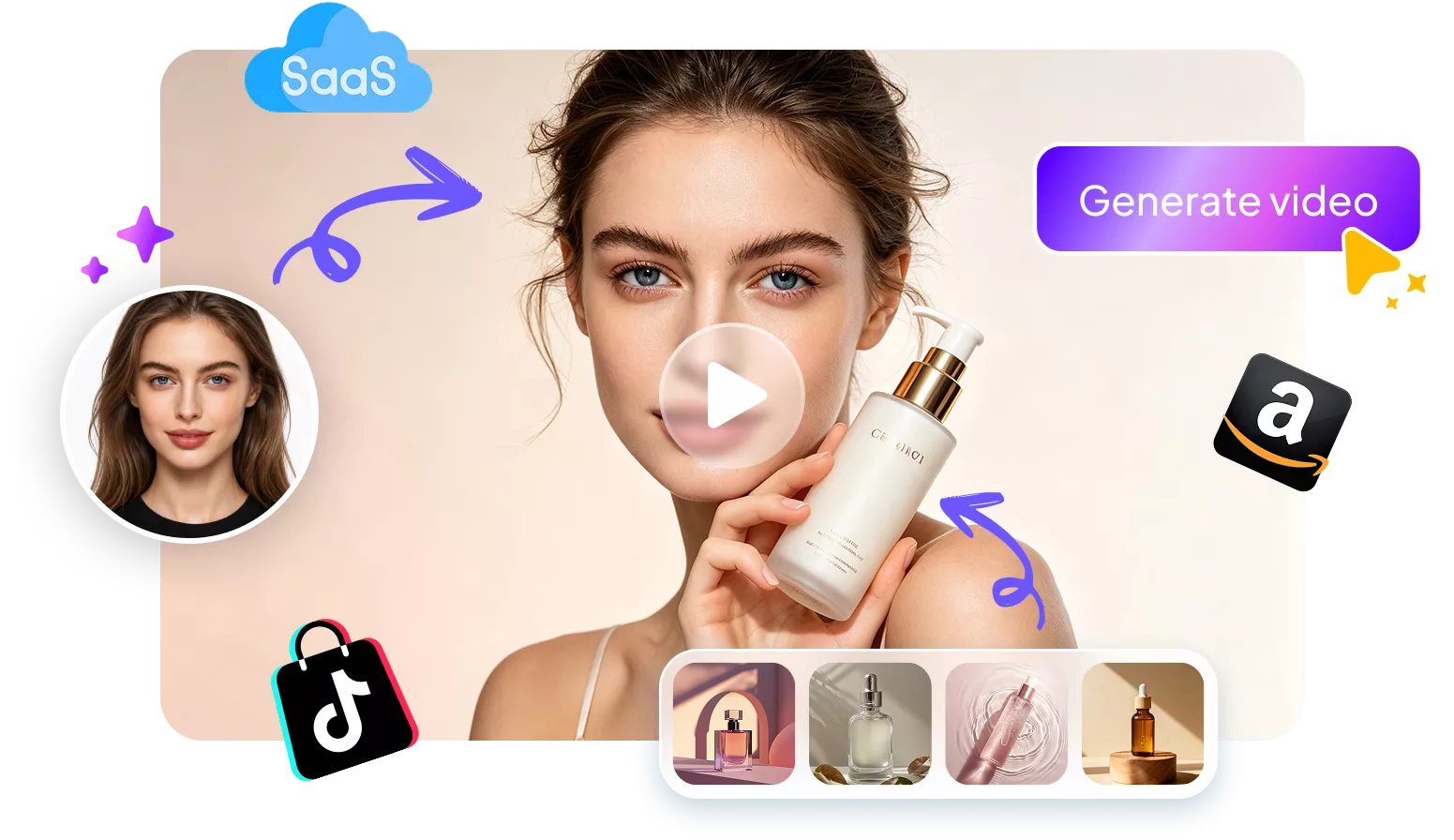
Turn your product photos into engaging demo videos in minutes. Edimakor lets you create polished videos for SaaS tools, skincare products, and online stores without big budgets. Use AI avatars, screen recordings, and multi-language subtitles without complex editing.







Key Features of Edimakor Product Demo Video Maker
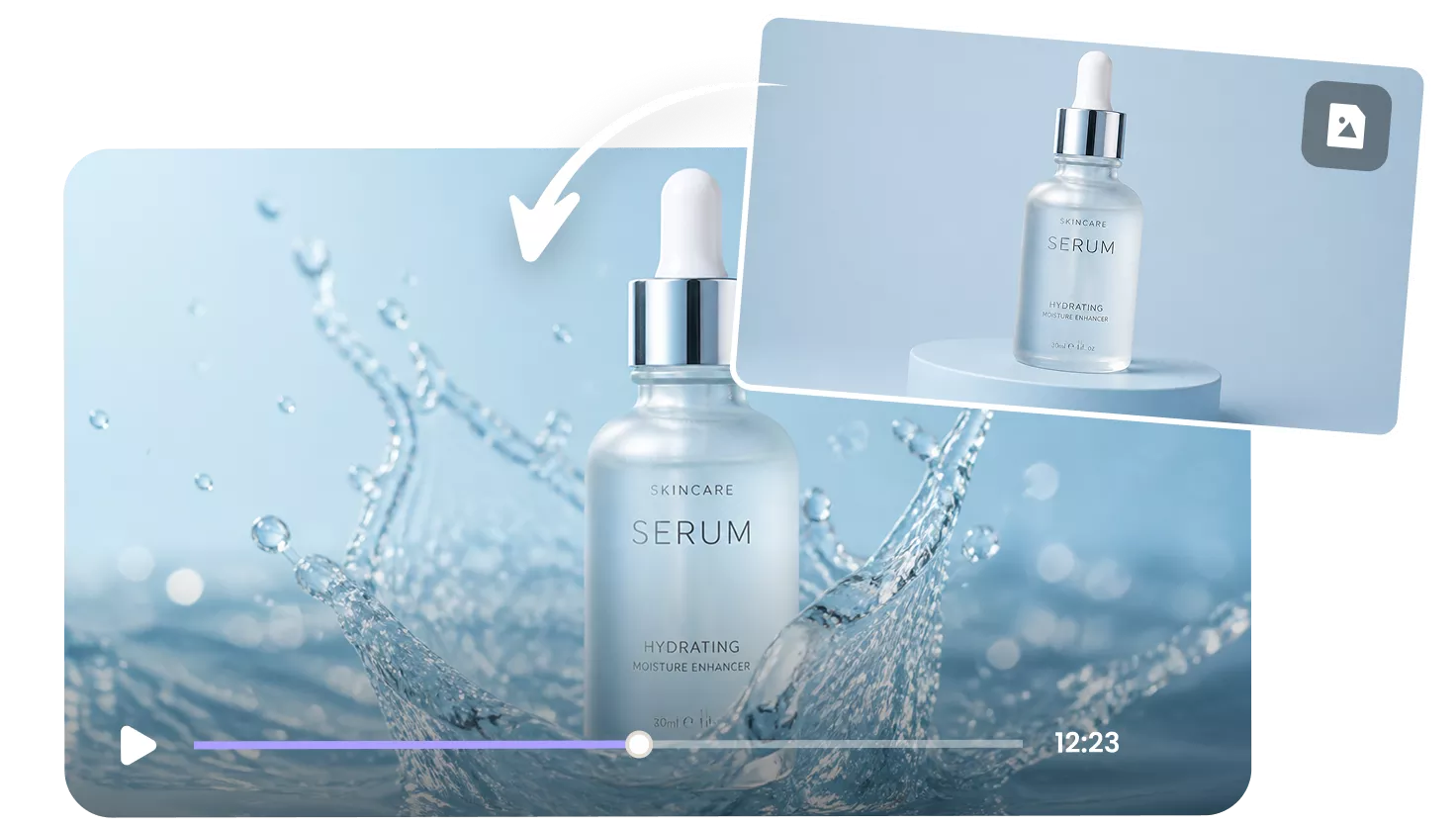
Convert Product Photos into Dynamic Demos
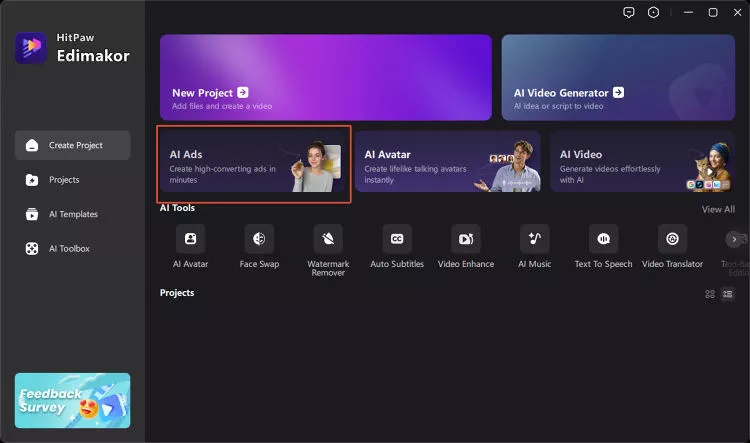
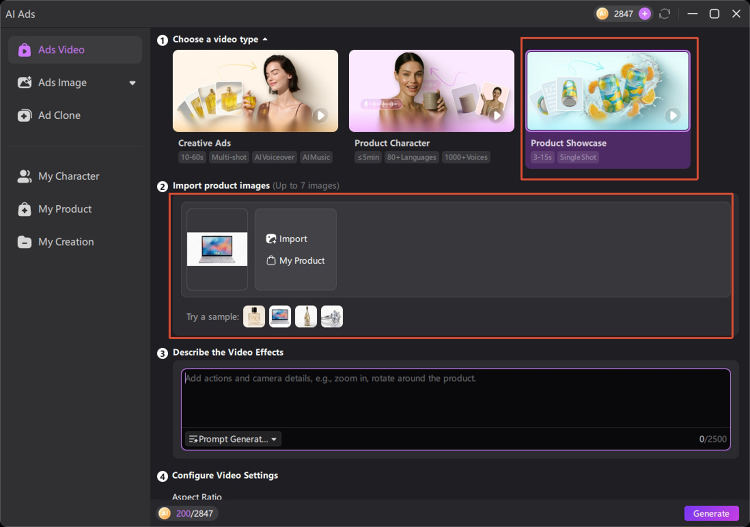
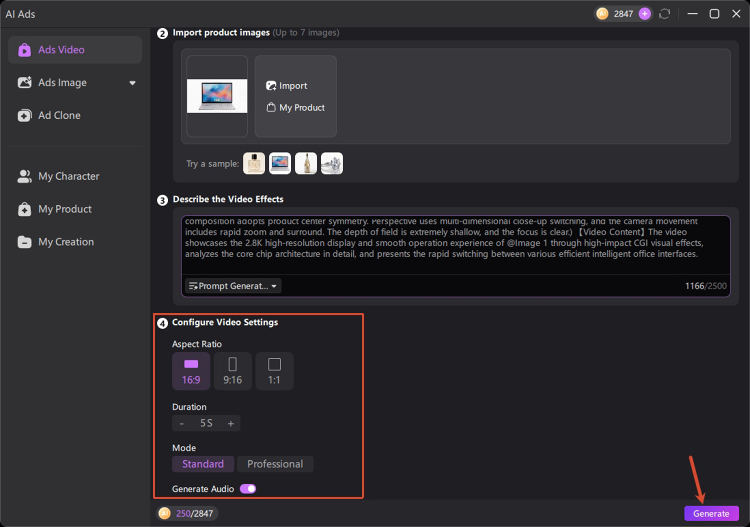
Upload your product images and create showcase videos with AI. Describe the visual effects or camera movements you want, then let Edimakor create dynamic scenes to highlight your products. No cameras, studios, or complex setups needed.
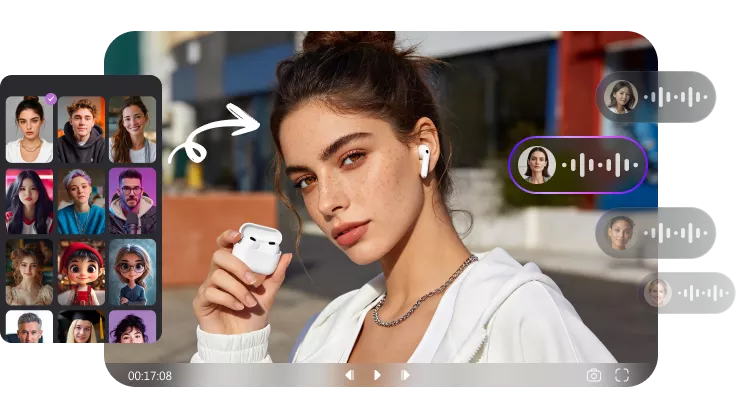
Build Product Demos with AI Avatars
Combine your products with realistic AI avatars and natural voices. Edimakor helps you create presenter-style demo videos to guide your buyers. Explain the product features, usage steps, and key benefits in a convincing manner.
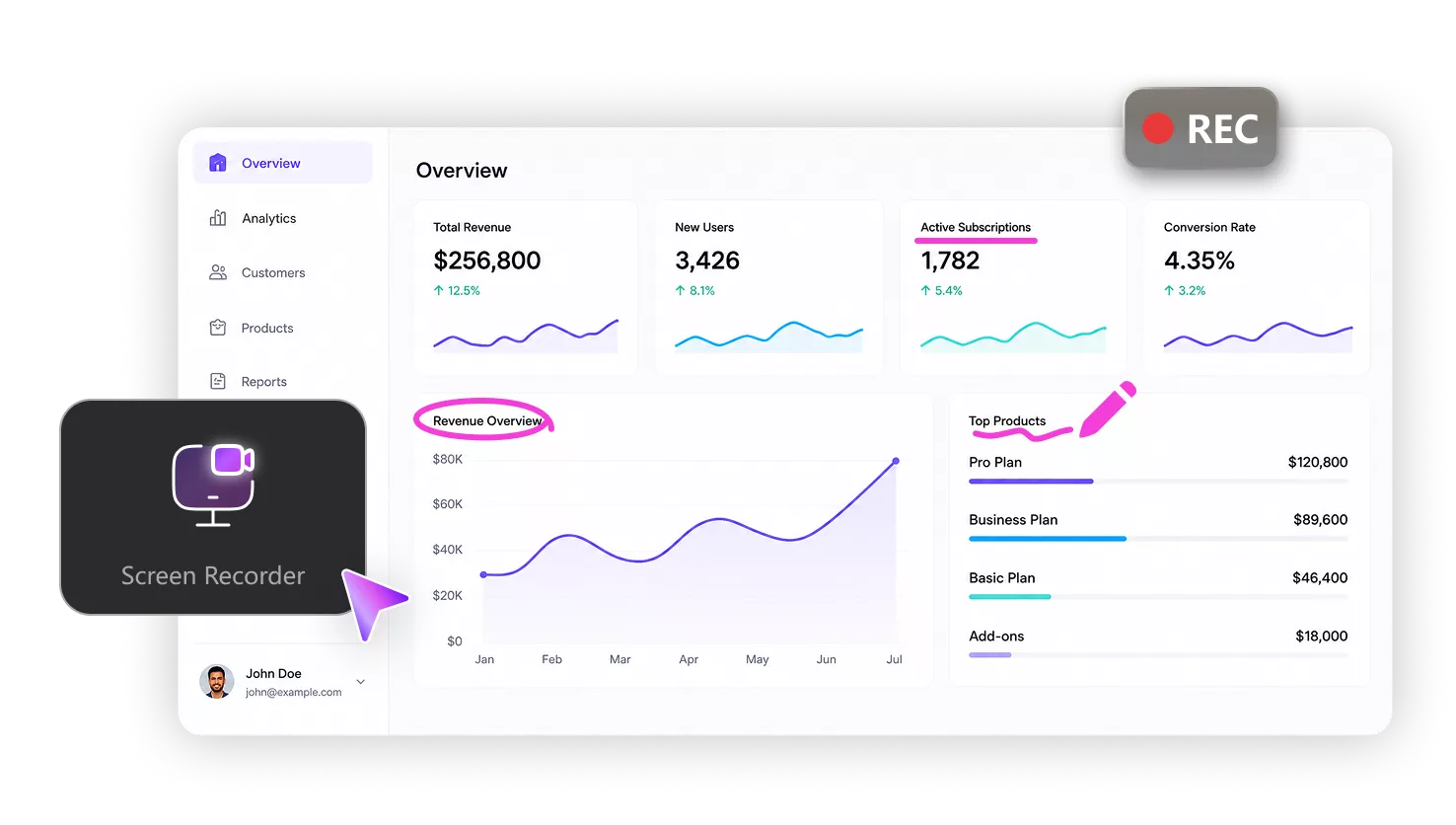
Record HD Screens for SaaS Demos
Capture your software interface with the free built-in screen recorder. Draw arrows, pen marks, and highlights to guide viewer attention easily. Show users how your digital platform works step by step. Perfect for SaaS walkthroughs and online tutorials.
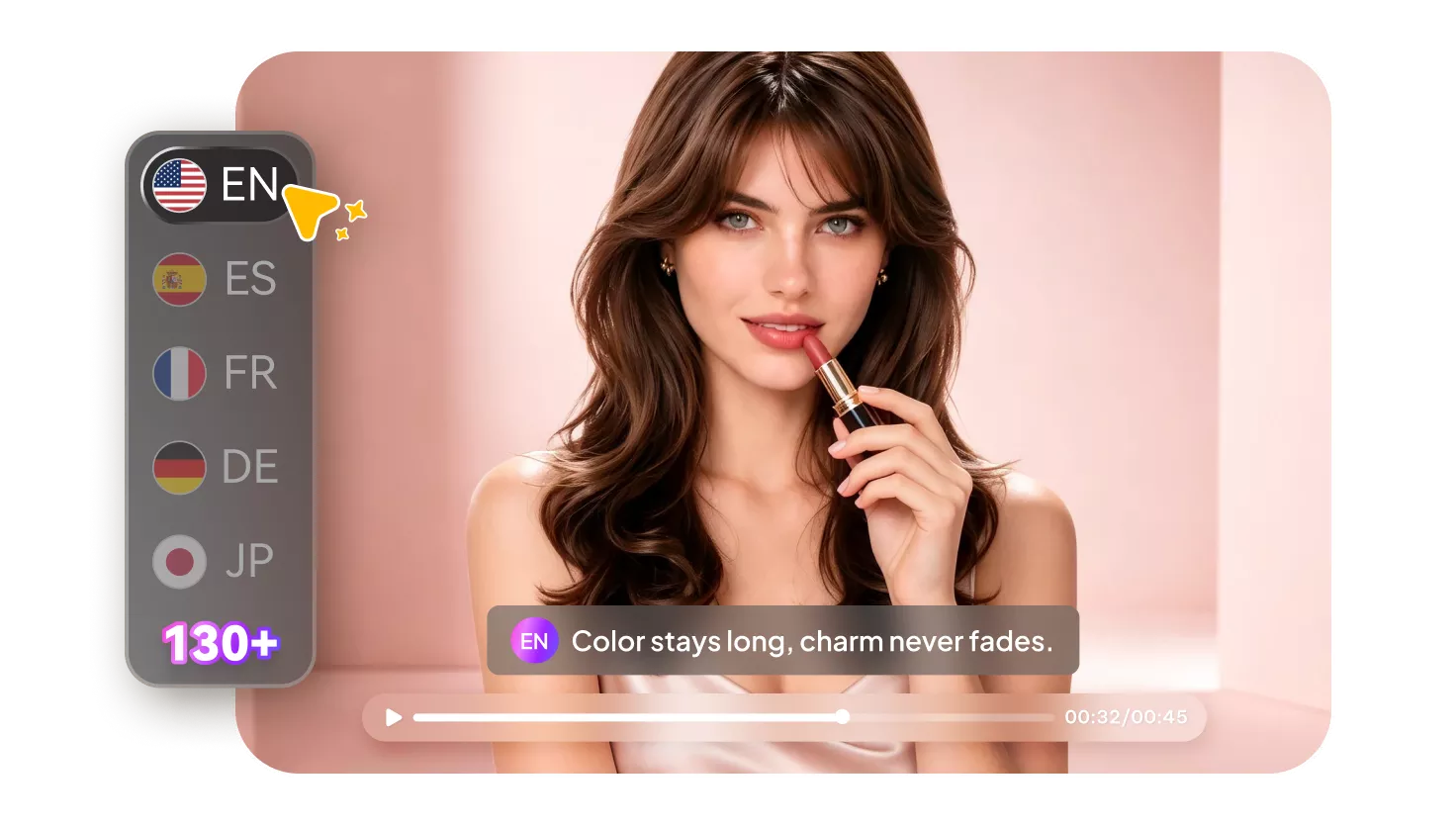
Localize Product Demo Videos with Subtitles
Generate accurate subtitles in 130+ languages with one click. Translate your video captions automatically to reach international buyers. Edimakor lets you expand your sales into foreign markets without paying for extra translation services.
Product Demo Videos Generated by Edimakor
Why Choose Edimakor to Make a Demo Video

Fast & Easy Creation
With Edimakor, turn your photos and recordings into clear product demos in minutes.

Studio-Quality Results
Create polished product demo videos that elevate your brand image.

All-in-One Toolkit
From screen recording to AI avatars and multilingual subtitles, Edimakor covers everything you need for product demo videos.

The built-in screen recorder works great for SaaS walkthroughs. It is simple to highlight UI movements. I recorded our dashboard features in minutes. Then I added clear captions with one click. We created our software demo video without any hassle.

Edimakor completely transformed our skincare video marketing. I just uploaded a few product photos. The AI generated dynamic showcase clips right away. It saved us a lot of production time. Now we post professional video ads every week.

Olivia Chen
This tool makes global marketing so much easier. The multi-language subtitles are surprisingly accurate. We localized our product demos for overseas clients. The AI voiceovers also sound very real. It really improved our campaign conversion rates.

Isabella Torres
One-Stop Tools,Easy Video Editor


FAQs about Product Demo Video Maker
It is an online software tool that creates video demonstrations. It helps businesses showcase product features or explain software functions. With a good product demo video maker, you can turn images or screen recordings into finished videos in minutes. No professional editing skills are required.
With Edimakor, start a New Project and launch its built-in screen recorder. Record your software screen while highlighting key steps with drawing tools. Import the recorded footage into the editor to add AI subtitles. Finally preview and export your video.
Yes, you can upload your own physical product photos. Then AI wil process your images to create custom promotional clips. You can display product details from different visual angles. It works great for e-commerce items and physical goods.
Yes, Edimakor includes an AI script generator. Simply enter your product name and a few basic feature details. The tool generates clear script options within a few seconds. You can edit the text before converting it into voiceovers.
Start by introducing the main problem your product solves. Then show the core features and actual operation steps clearly. Add on-screen text or natural voiceovers to explain each action. At last, end your video with a clear call to action for viewers.
 Edimakor
You
+ Edimakor - Turn ideas
into dynamic
videos
Ryan Mitchell