AI Product Video Generator
Turn flat product images into dynamic videos while keeping your product details accurate. Edimakor handles motion, music, and editing, so you can launch faster on TikTok, Instagram, and Amazon without touching a camera.
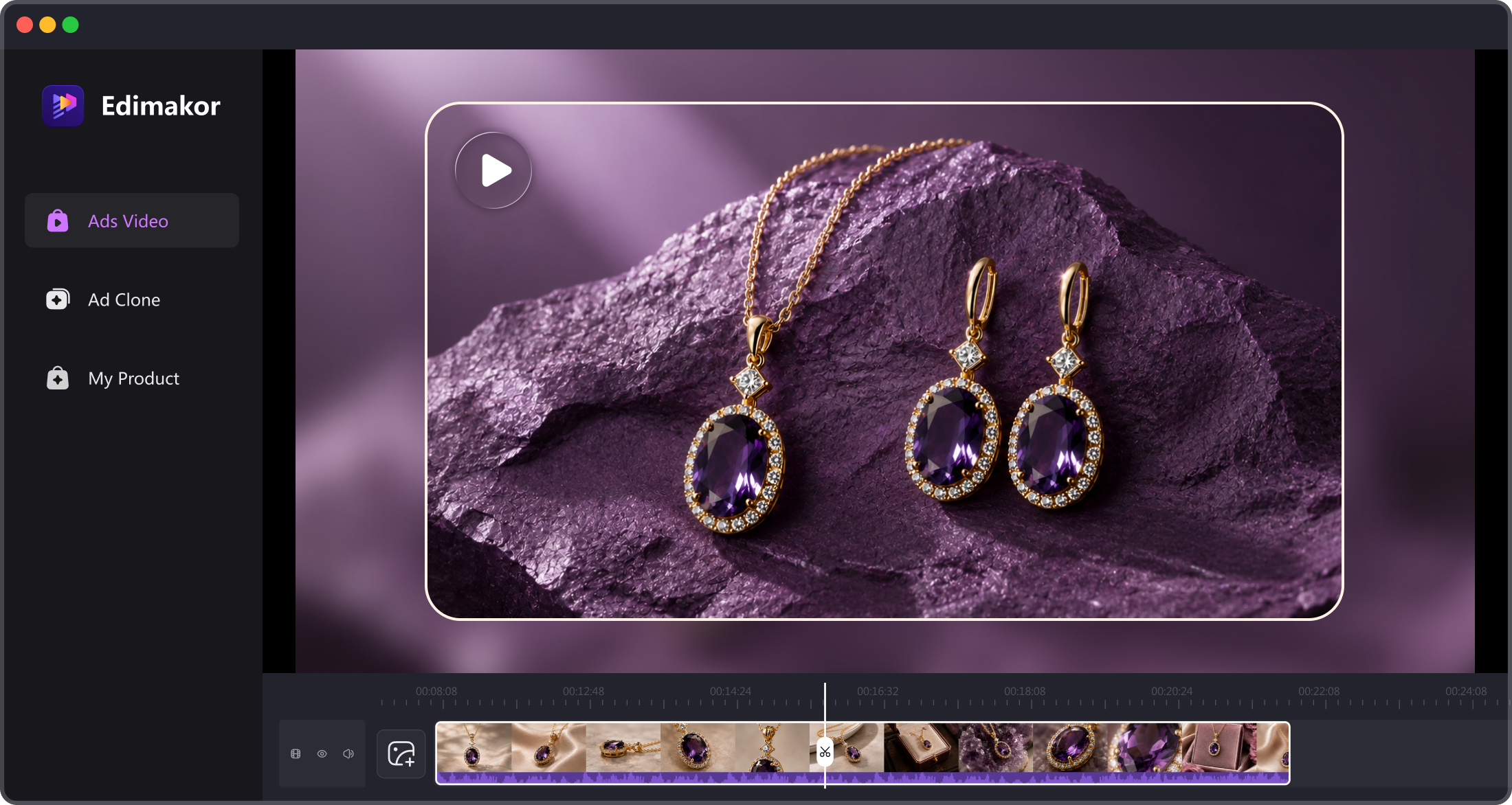







Key Features of Edimakor AI Product Video Generator

Turn Product Images Into Selling Videos Fast
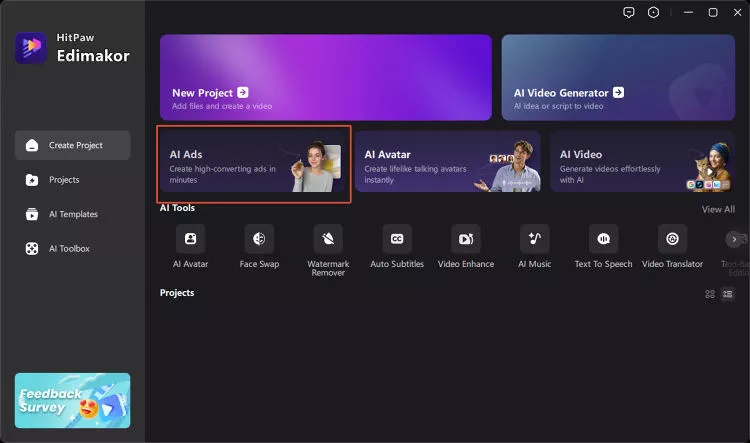
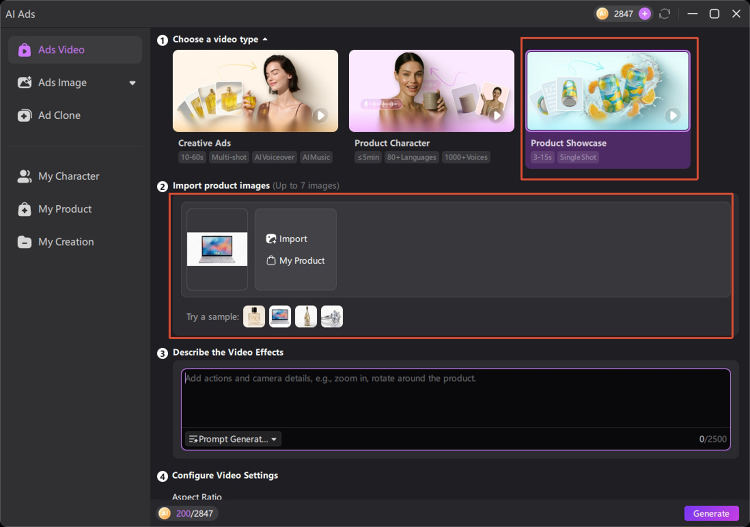
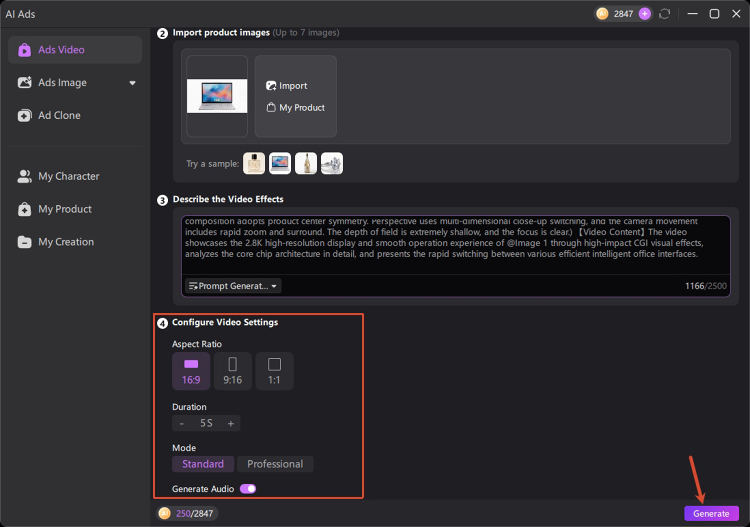
Turn product images into videos in a few clicks. Drag and drop your product images, describe the video effects, and let AI generate a polished video. No shooting required.
Lock In Every Product Detail Automatically
Guide generation with prompts and images. Edimakor allows you to give AI references for materials, colors, shapes, and more. This helps to ensure that your product remains consistent across different scenarios.
Save and Reuse Your Brand Assets Anytime
Save product images as “My Product” for future projects. In Edimakor, you can refine them whenever needed. Enhance, change the background or redraw your product assets with AI, making them easy to reuse.
Clone Viral Videos, Showcase Your Products
Powered by AI Video Clone, you can easily recreate high-performing product videos. Replace the products in the original video with your own. Generate professional marketing videos faster using proven visual formats.
AI Product Video Generator Built for Ever Business

As a DTC seller, I love turning product images into scroll-stopping videos in minutes. No studio needed—just upload and let AI do the magic. My ad conversions jumped significantly since I started using this tool. The AI-generated visuals look professional and cost a fraction of traditional production. It's a game-changer for my ecommerce store.

Selling on Amazon means fighting for attention every second. With Edimakor, I create high-converting product videos that stop the scroll. The AI swaps my products into proven visual templates effortlessly. My listing clicks and sales have improved noticeably. It's the easiest way to stand out without hiring a pro.

Daniel Brooks
Managing video production for multiple brands used to be a nightmare. Edimakor helps us deliver polished product videos faster than ever. We keep every asset on-brand while slashing production time. The AI cloning feature lets us reuse winning formats for different clients. Our team loves how easy it is to stay consistent and efficient.

Laura Bennett
More Features & More Possibilities
AI Video Generator
Create professional marketing videos from text, images, or product links in minutes.
AI Script Generator
Turn product ideas into high-converting video scripts, ad copies, and UGC concepts instantly.
AI Image Generator
Generate stunning product visuals, ad creatives, and brand assets with simple prompts.
AI Voiceovers & Royalty-Free Music
Create engaging videos with natural AI voices and a built-in library of royalty-free music.
Built-in Video Editor
Edit, subtitle, enhance, and perfect your videos in one powerful workspace.
Hyper Realistic AI Avatars
Generate stunning product visuals, creator-style ads and commercial videos with realistic avatars.
FAQs about AI Product Video Generator
An AI product video generator turns product images, descriptions, or other materials into videos with AI. You can create product showcases, demos, ads, and social media content without the need for filming.
Yes. Upload a clear product image and use AI to add movement, camera effects, scenes, or other visual details. Edimakor helps to turn static product assets into engaging video content in minutes.
Yes. Edimakor allows you to upload reference images to keep every video consistent. It is very helpful to use clear, high-quality product images that show details such as colors, logos, and shapes.
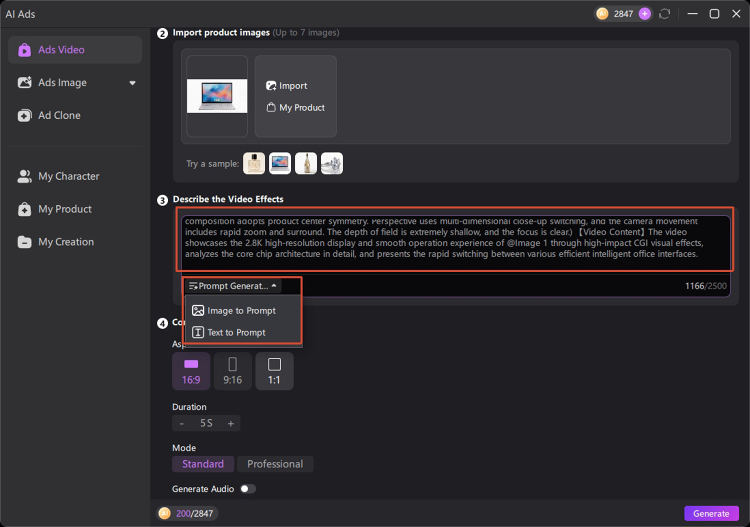
A prompt can guide the AI on camera movement, lighting, background, and visual style. Stuck on wording? Edimakor's Prompt Generator crafts the perfect description for you. It can simplify your creation process when you do not know what to write.
Yes, you can use AI generated product videos for advertising and commercial content. With Edimakor, you can create product showcases, promotional videos, and social media ads for your marketing campaigns.
 Edimakor
You
+ Edimakor - Turn ideas
into dynamic
videos
Rachel Miller