Make an AI Avatar of Yourself
No Camera. No Studio. With Edimakor's AI Twin Generator, you can create your digital twin avatar in minutes. Simply paste your script, let your AI twin appear on camera for you. Best for creating high-quality marketing videos, training courses, social media content, and more.


Create Your Lifelike AI Twin for Videos With Edimakor

Customizable Twin Avatar for Any Scene
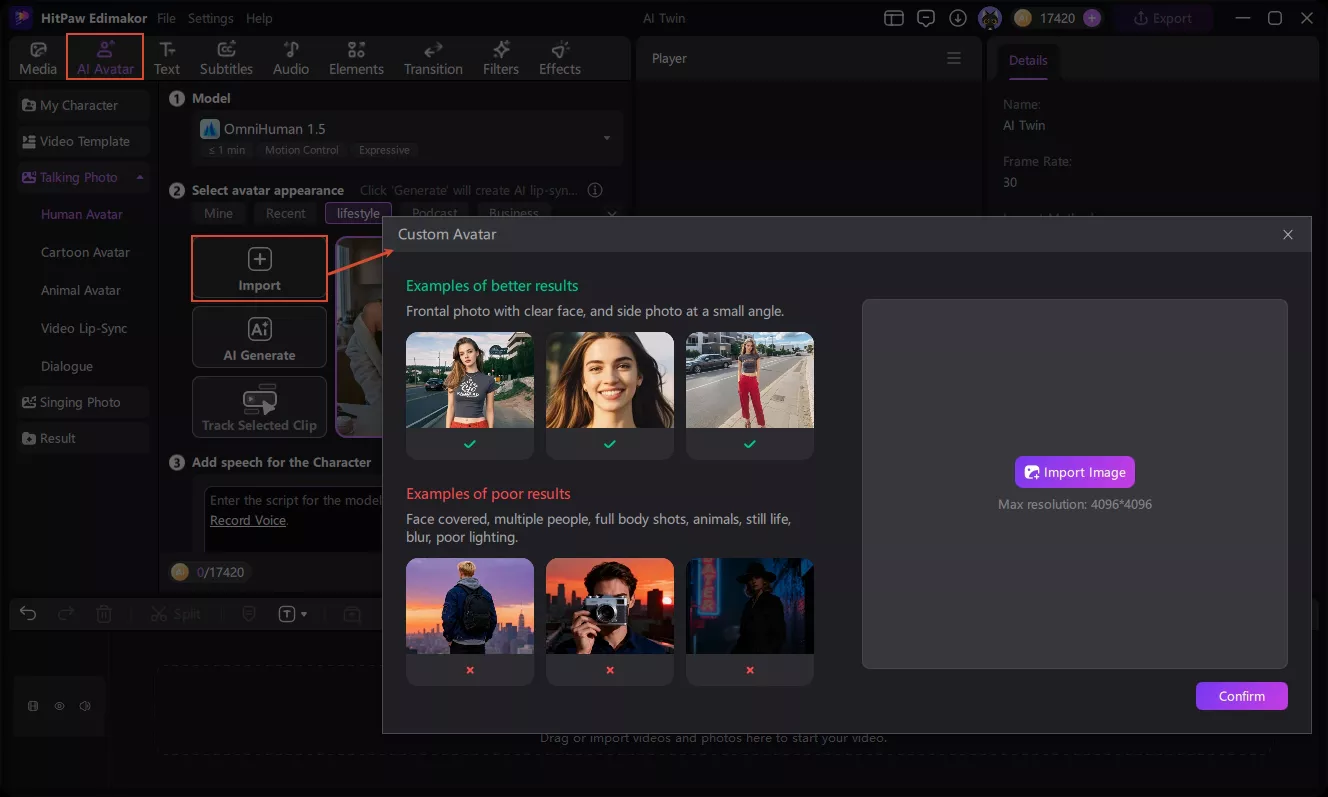
Upload a photo to create an AI twin of you. You can edit the avatar with AI. Adjust the character’s clothing, hairstyle, and other features. No repeated filming or uploading required—your digital persona will fit perfectly in every scenario.
AI Twin with Your Voice in 80+ Languages
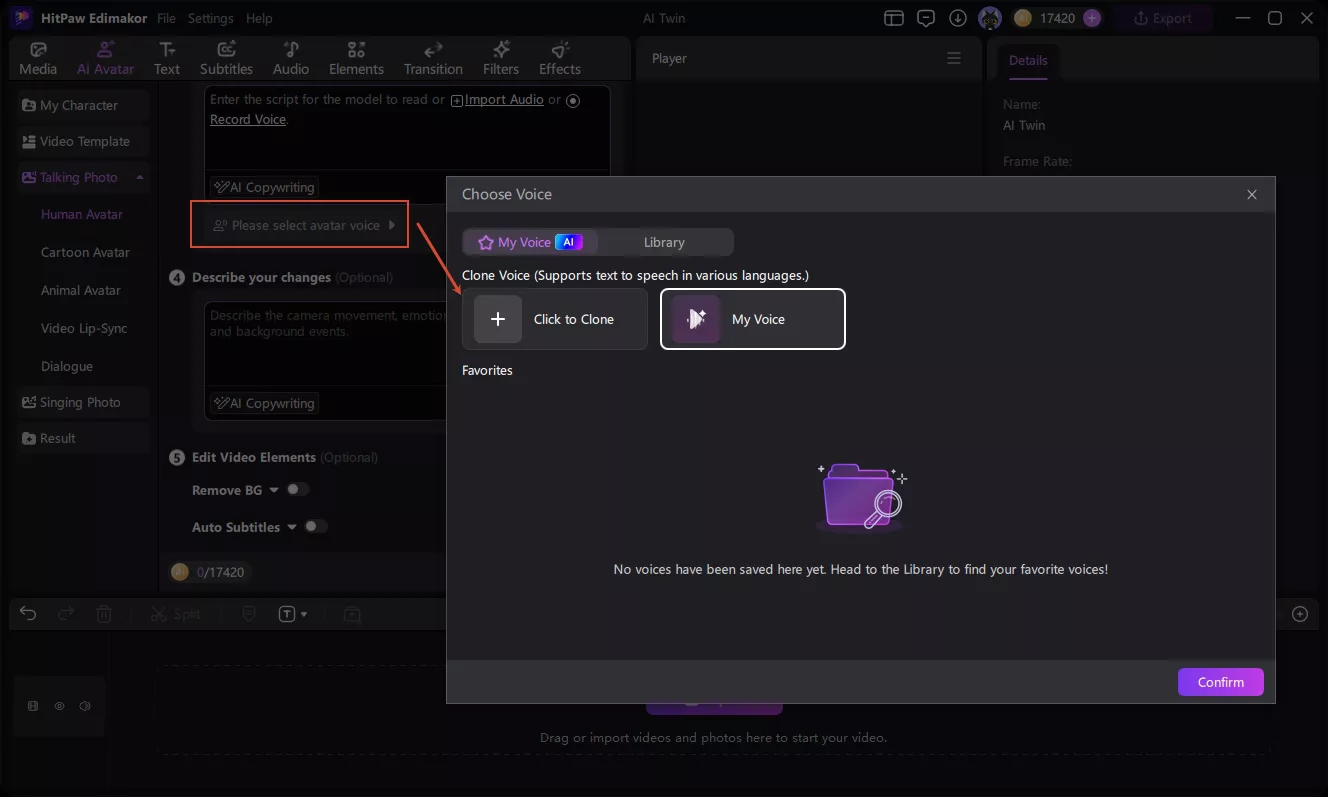
Say goodbye to the recording process. Based on advanced voice cloning technology, your personal avatar can read scripts with emotion in your voice. It also supports voice output in multiple languages, so your AI twin can take your content global.
AI Twin with Natural Lip-Sync and Expressions
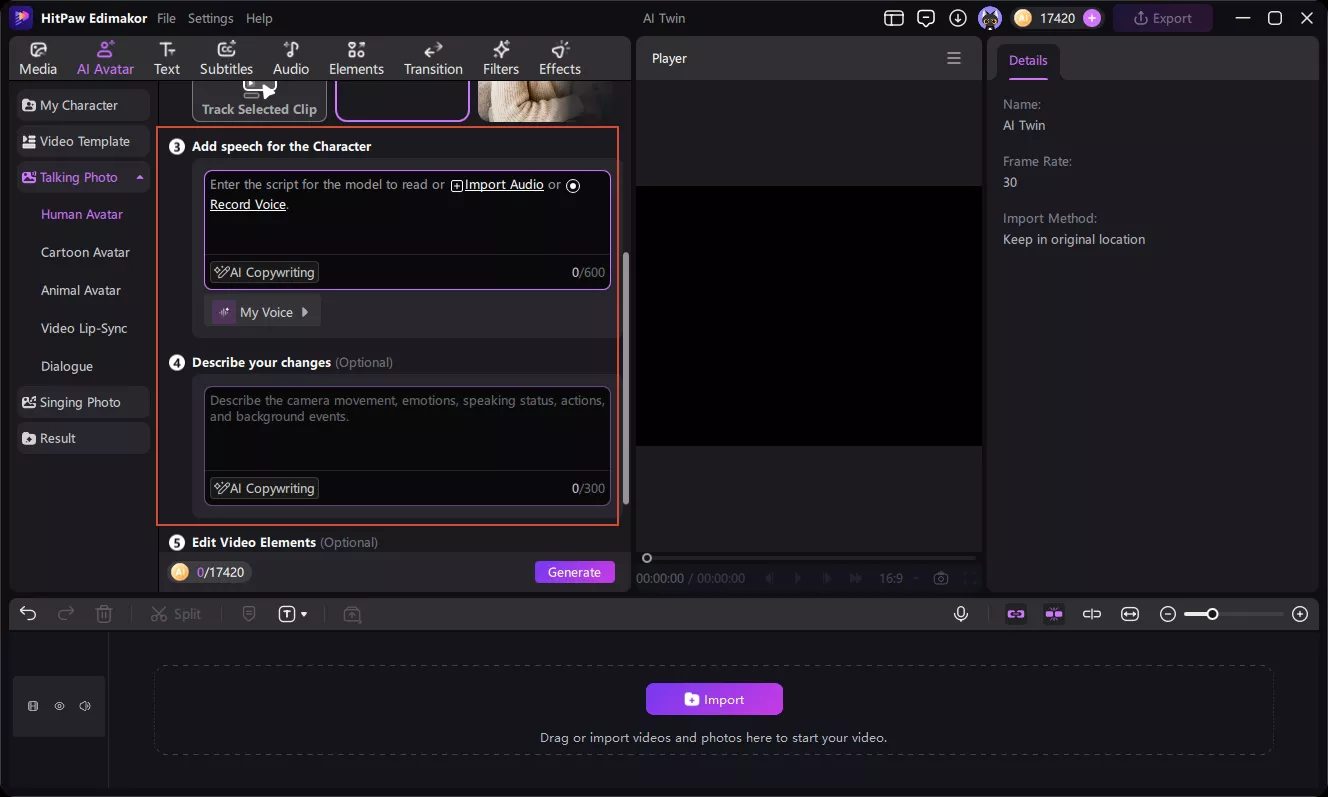
Edimakor gives your AI twin precise lip-sync, natural expressions, and body movements. This makes your digital persona more approachable on camera. It helps enhance audience trust and video retention rates.
AI Twin Avatar Presets for One-Click Videos
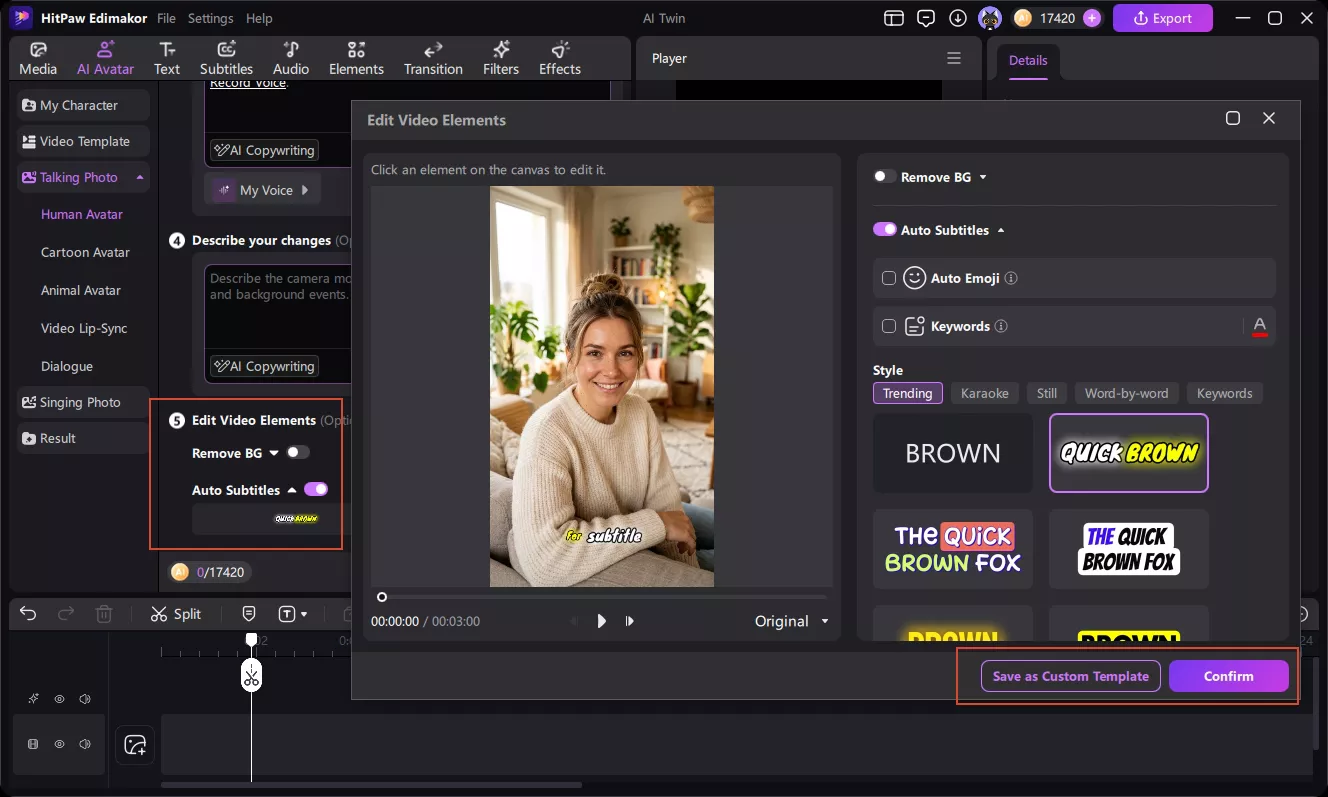
Bind your AI twin avatar to your exclusive voice and subtitle presets. For future projects, simply paste your script to generate a complete video in one click. Turn hours of complex editing into minutes and achieve batch production of on-camera content.
Who is using Edimakor AI Twin Avatars?

I’ve been using Edimakor’s AI twin generator for my Shorts and Reels. It saves me a lot of filming time. The avatar looks pretty natural, though I still tweak the script. Uploading once and reusing the same look keeps my channel consistent. Worth trying if you post often.

I use Edimakor’s AI twin generator for quick product follow-ups. Instead of recording the same intro again, I just update the script. Prospects seem to respond well to short personalized videos. It feels more personal than plain text emails. Good fit for sales teams that send a lot of updates.

Matt Reynolds
I tried Edimakor for a short training module. Updating the script was much easier than re-recording by myself. The AI twin's lip-sync is decent for clear course videos. I’d still review every video before publishing. It could help schools update content without a full production day.

Laura Bennett
More Features & More Possibilities
AI Video Generator
Create professional videos from text, images, and videos in minutes.
AI Script Generator
Turn creative ideas into engaging video scripts, stories, and content for any project instantly.
AI Image Generator
Create high-quality images from simple text prompts for any creative project.
AI Voiceovers & Royalty-Free Music
Create engaging videos with natural AI voices and a built-in library of royalty-free music.
Built-in Video Editor
Edit, subtitle, enhance, and perfect your videos in one powerful workspace.
Hyper Realistic AI Avatars
Generate stunning product visuals, creator-style ads and commercial videos with realistic avatars.
FAQs about AI Twin Generator
An AI twin is a digital version of yourself created with artificial intelligence. It replicates your appearance and voice to create realistic talking videos. You can use scripts or voice recordings to make your twin deliver messages without filming yourself.
The best AI twin generator depends on your content needs and budget. Look for tools with realistic facial movements, accurate lip sync, voice cloning, and multilingual support. Edimakor makes it easy to turn a single photo into talking videos.
Yes, Edimakor allows you to customize your AI twin to match your creative needs. Adjust the character's appearance, voice, and video settings. You can also regenerate your video whenever you want to try different content.
Yes, Edimakor's AI twin generator includes automatic lip sync. AI analyzes your audio and generates matching mouth movements for your digital twin. This helps create more natural talking videos without manually adjusting facial movements.
Yes, Edimakor's AI twin generator supports multiple languages. You can create videos for different audiences using supported AI voices and scripts.
 Edimakor
You
+ Edimakor - Turn ideas
into dynamic
videos
Rachel Collins