Lyric Video Maker
Create a lyric video with lyrics synced to your music. HitPaw Edimakor generates lyrics and lets you choose from animated caption styles. You can also build engaging visuals and export your video directly. Save hours on every video.
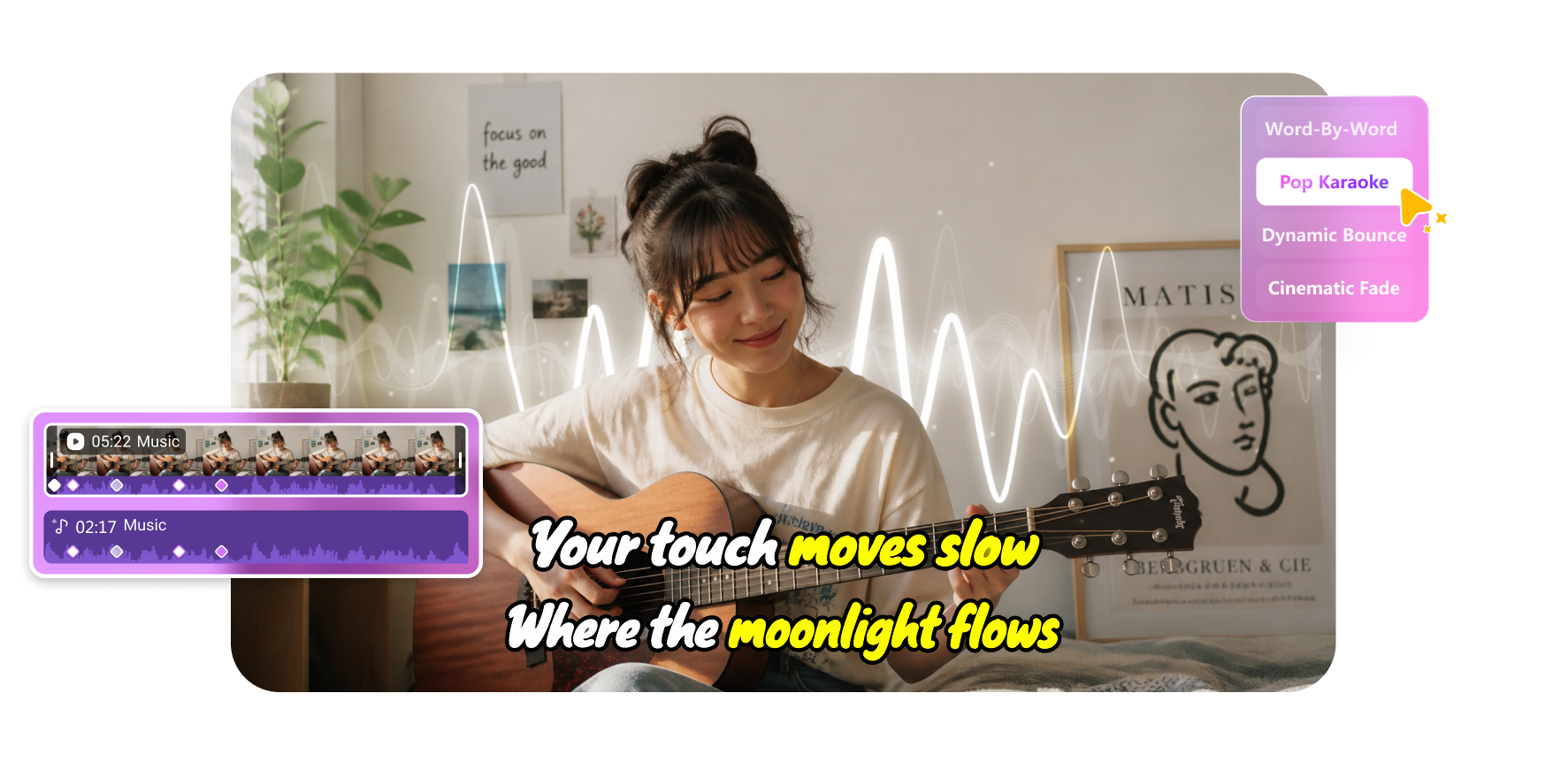







Turn Any Track into Captivating Lyric Videos with AI

Create Lyric Videos with Auto Sync
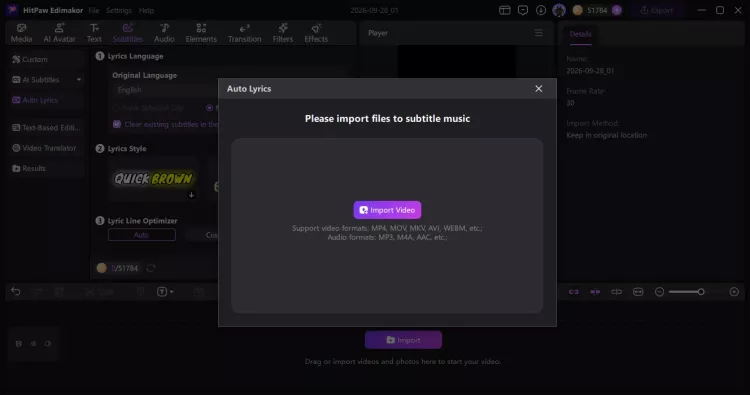
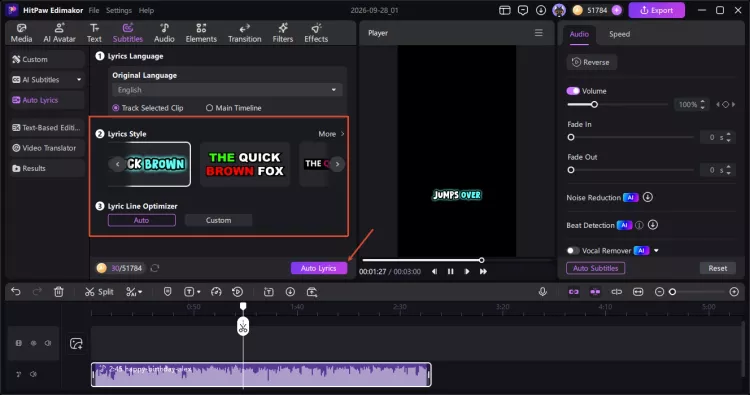
Let AI recognize lyrics from your song and sync them to the audio automatically. Supports lyrics in multiple languages. You can review and edit the lyrics anytime. Skip hours of manual typing and timing.
Animate Karaoke Lyrics with Style
Give your lyric video an instant karaoke feel with dynamic captions and motion effects. Words highlight one by one and move with the rhythm of your music, making the lyrics easier to follow.
Enhance Lyric Videos with AI Visuals
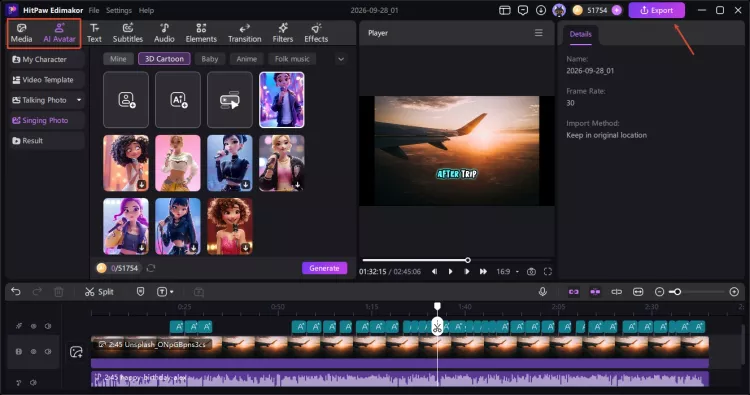
Make engaging lyric videos with more visuals. Add your own photos and clips, or let AI generate original content that matches your music. You can also turn portraits into singing videos with natural lip sync.
Export Lyric Videos for Every Platform
Your lyric video doesn't have to stop at one format. Prepare your video for different platforms with flexible aspect ratios and export options. You can even publish it directly to YouTube and TikTok without leaving Edimakor.
Edimakor Lyric Video Maker Not Just for Musicians

As an independent artist with zero budget, HitPaw Edimakor is a lifesaver. I turned my latest single into a lyric video in under an hour—no crew, no filming, no editing headaches. My fans are sharing it like crazy on TikTok. Honestly, Edimakor's lyric templates look more professional than videos I've paid hundreds for. Exactly what broke musicians need.

I teach English to kids online, and Edimakor's word-by-word highlighting is pure magic. My students actually sing along now instead of zoning out during lessons. I built an entire alphabet lesson series with catchy songs, and engagement has never been higher. Parents keep asking what my secret is—it's HitPaw Edimakor! Thank you for making learning this fun.

Lily
Trends wait for no one, and HitPaw Edimakor keeps me ahead of every viral sound. I jumped on a trending song yesterday and had a polished lyric video posted within the hour—while everyone else was still downloading editing software. My views tripled overnight. Edimakor's templates are gorgeous and so easy to customize. I'm never missing a trend again!

Emma
More Features & More Possibilities
AI Video Generator
Create professional videos from text, images, and videos in minutes.
AI Script Generator
Turn creative ideas into engaging video scripts, stories, and content for any project instantly.
AI Image Generator
Create high-quality images from simple text prompts for any creative project.
AI Voiceovers & Royalty-Free Music
Create engaging videos with natural AI voices and a built-in library of royalty-free music.
Built-in Video Editor
Edit, subtitle, enhance, and perfect your videos in one powerful workspace.
Hyper Realistic AI Avatars
Generate stunning product visuals, creator-style ads and commercial videos with realistic avatars.
FAQs about Lyric Video Maker
Yes, you can use your own music in Edimakor. Simply upload your song and add lyrics to create a lyric video. Edimakor also offers an AI Music Generator for you to create original tracks.
Yes, Edimakor supports karaoke-style lyric effects. Words can highlight one by one as the song plays. This makes it easier to follow lyrics and sing along with the music.
Yes, you can review and edit the lyrics in Edimakor. Change the text when needed, then adjust the timing to keep your lyrics synced with the music.
No, you do not need video editing skills. Edimakor simplifies lyric video creation with AI. It automatically syncs lyrics and provides ready-to-use styles for beginners to choose.
Edimakor is ideal for creating lyric videos with AI-powered features. It auto-syncs lyrics, provides karaoke-style animations, and supports direct publishing to YouTube and TikTok. No editing experience required.
 Edimakor
You
+ Edimakor - Turn ideas
into dynamic
videos
Jake