RedNote Video Transcript
Get accurate transcripts from RedNote videos with timestamps. Edit and translate the content into multiple languages in Edimakor. Export your transcripts as SRT, VTT, ASS, or TXT.
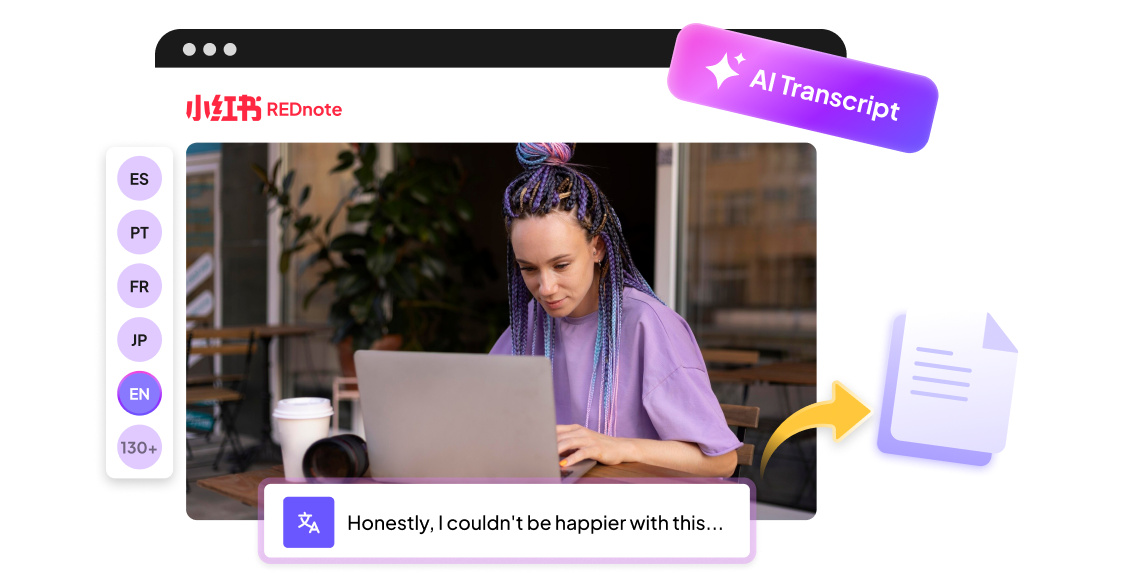







Turn Any RedNote Video into Text with HitPaw Edimakor

Convert RedNote Videos to Text with AI
Turn any RedNote video into accurate text, even without existing captions. AI analyzes the audio and generates timestamped transcripts for you in minutes. You can review and edit the text for better accuracy.
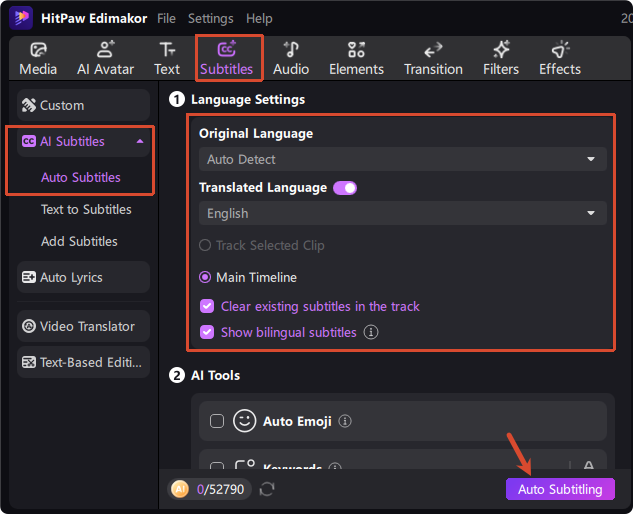
Easily Translate Your RedNote Transcripts
Translate your video transcripts into multiple languages. Create bilingual subtitles to compare original and translated content. Help you understand videos better and share to more audiences.
Create Multilingual RedNote Voiceovers
Make the RedNote transcripts heard by new audiences. You can clone your voice or use our expressive AI voices in multiple languages. Add natural voiceovers to the transcribed text in a few clicks.
Export Transcripts in Multiple Formats
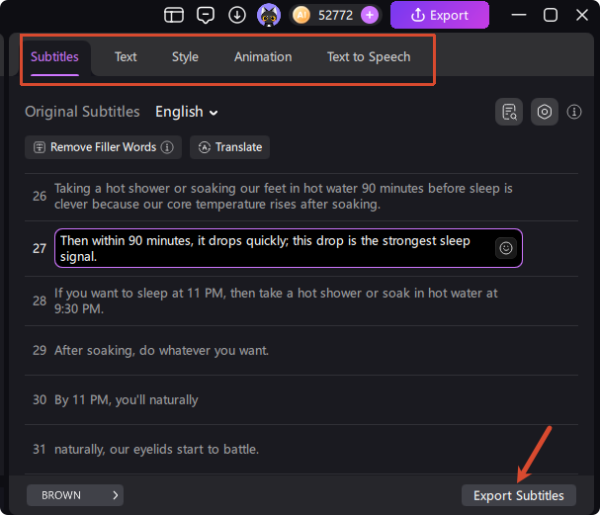
Export your transcripts in popular formats like SRT, VTT, ASS and TXT with one click. You can also create videos with subtitles in Edimakor. Save your time by avoiding manual format adjustments.
RedNote Video Transcripts Work for Everyone

I use HitPaw Edimakor mainly to track what's trending on RedNote before I pick products for my shop. The transcripts are surprisingly accurate, even with fast-paced videos. Being able to export everything as a TXT file saves me a lot of note-taking. It's not perfect on slang, but still the fastest workflow I've found. Worth it if you source from Chinese platforms.

I've been learning Mandarin for two years and RedNote videos are great listening practice, but I always missed words. Edimakor's transcripts let me read along and catch what I couldn't hear. I usually export to PDF and mark up new vocabulary. The timing isn't always exact, but it's close enough for study. Much better than pausing and rewinding fifty times.

Daniel Kim
I make reaction and commentary videos, so I go through a lot of RedNote content every week. Edimakor pulls the transcript in seconds and I can grab quotes directly instead of rewatching. The SRT export is handy when I need subtitles for my own cuts. Doesn't replace my editing software, but it fits right into the workflow. Solid tool, fair price.

Jane Morrison
More Features & More Possibilities
AI Video Generator
Create professional marketing videos from text, images, or product links in minutes.
AI Script Generator
Turn product ideas into high-converting video scripts, ad copies, and UGC concepts instantly.
AI Image Generator
Generate stunning product visuals, ad creatives, and brand assets with simple prompts.
AI Voiceovers & Royalty-Free Music
Create engaging videos with natural AI voices and a built-in library of royalty-free music.
Built-in Video Editor
Edit, subtitle, enhance, and perfect your videos in one powerful workspace.
Hyper Realistic AI Avatars
Generate stunning product visuals, creator-style ads and commercial videos with realistic avatars.
FAQs about RedNote Video Transcription
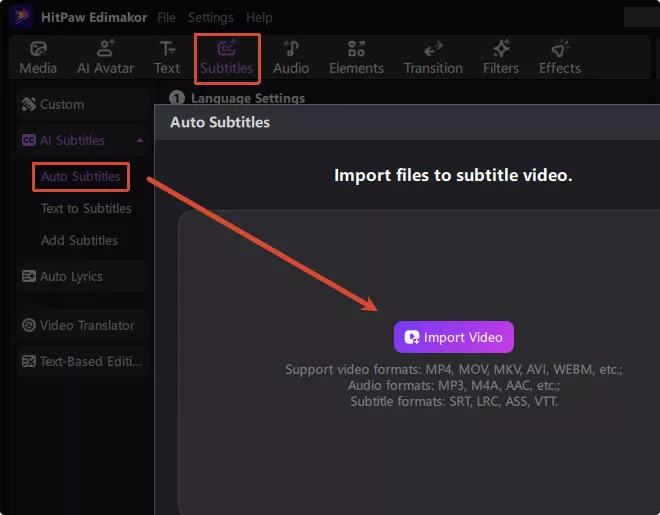
Yes. Simply upload your RedNote video to HitPaw Edimakor. AI will transcribe it and generate an accurate transcript with timestamps.
Yes. You can use Edimakor's text-to-speech generator to create natural AI voiceovers from the translated script. Perfect for repurposing the content in a new language.
Of course. With HitPaw Edimakor, you can edit the text directly. Let AI add emojis, highlight keywords and refine wording to improve the quality of transcribed the transcript.
Edimakor transcribes RedNote (Xiaohongshu) videos and translates the text into 130+ languages, including English, Hindi, Spanish, and more. You can easily understand Chinese-language content no matter what language you speak.
Yes. Edimakor uses AI speech recognition to directly transcribe the audio. It works well even if the original RedNote video doesn't have built-in subtitles.
 Edimakor
You
+ Edimakor - Turn ideas
into dynamic
videos
Priya Sharma