AI Subtitle Editor
Use Edimakor's Subtitle Editor to adjust your subtitles faster. Get accurate, auto-generated subtitles in minutes. Easily edit text, adjust timing, and customize subtitle styles. Works with a variety of file types, so you can spend less time on manual editing.
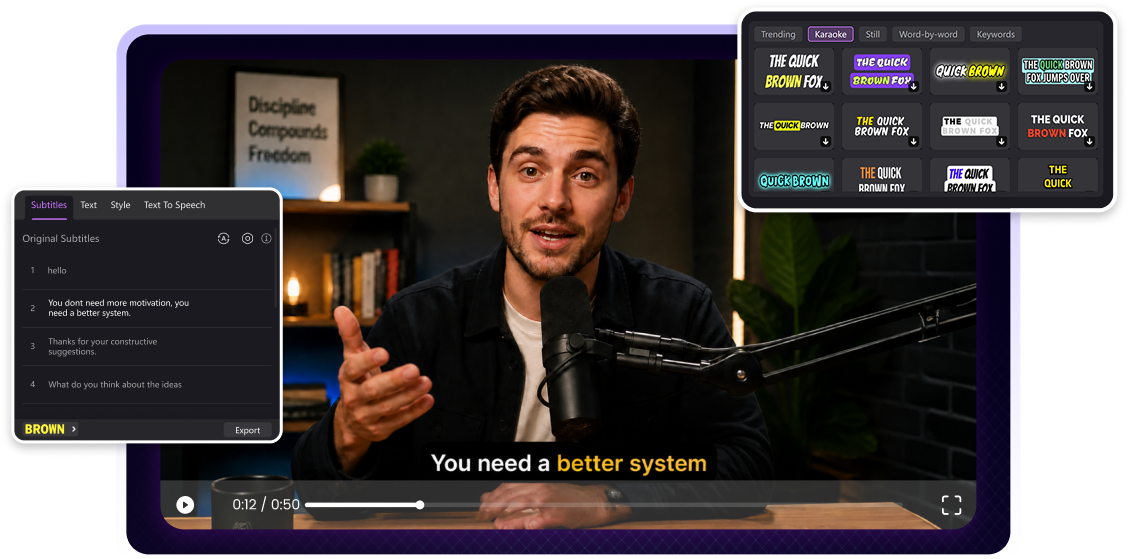







Key Features of Edimakor AI Subtitle Editor

AI Subtitles and Text-Based Video Editing
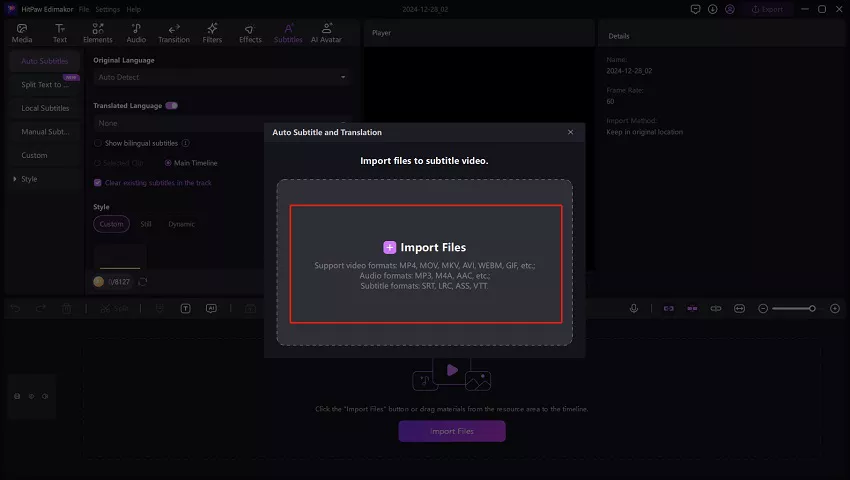
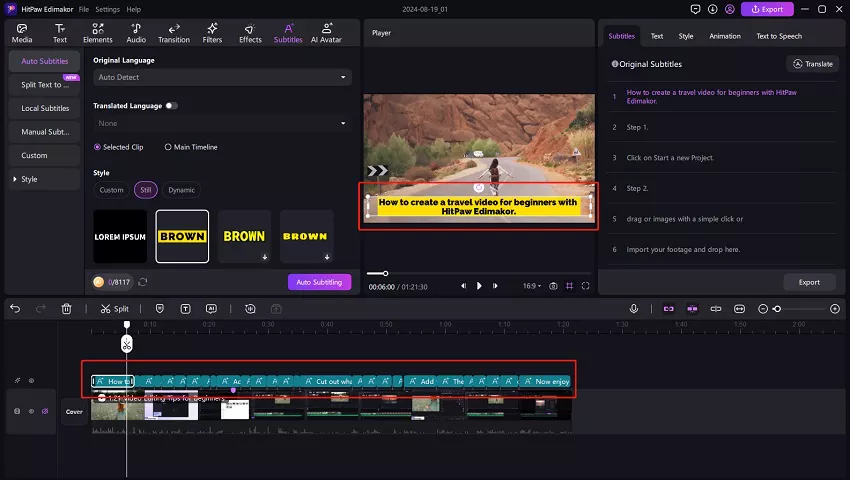
Stop wasting time aligning subtitles manually. Edimakor transcribes your speech into accurate, timeline-synced captions automatically. With the text-based editor, you can trim your video while editing subtitles. No more mismatched subtitles.
Dynamic Subtitle Styles with Reusable Templates
Choose fonts, colors, and animation effects that match your video. Save your favorite subtitle style as a template for future use. Edimakor helps you reduce repetitive subtitling design work and maintain a consistent look across videos.
AI Translation for Multilingual Subtitles
Translate subtitles into multiple languages with a few clicks. Add bilingual subtitles to your videos, and easily reach a global audience. Edimakor provides accurate translations for you, reducing your translation costs.
Flexible Subtitle Export for Every Platform
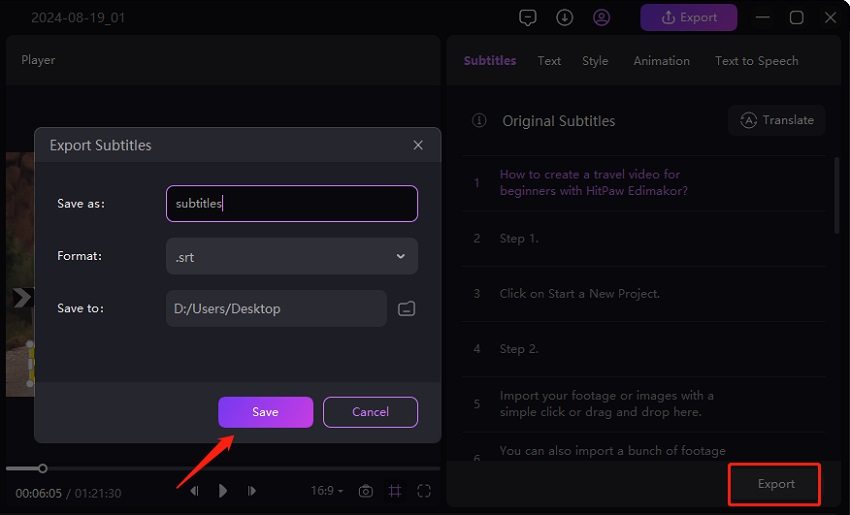
Export subtitles as SRT, ASS, VTT, or TXT files, or burn them directly into your video. Whether you’re publishing to YouTube, TikTok, or other social platforms, there’s no need to convert formats. Your subtitles will be ready for any platform.
Make Every Video Clear with an AI Subtitle Editor

I create weekly tech reviews and Edimakor's AI subtitle editor saves me at least two hours per video. The auto-transcription is incredibly accurate, even when I speak fast. It generates SRT files instantly for my YouTube uploads. The multi-language support helped me reach Spanish audiences effortlessly. Highly recommend for any serious creator.

As a TikTok creator, I need eye-catching captions fast and Edimakor delivers perfectly. The animated subtitle templates make my videos pop and boost engagement instantly. I customize fonts and colors to match my brand in seconds. This tool is essential to my daily workflow.

Liam Vance
Edimakor's subtitle editor is excellent! I produce training videos for my team. The AI handles technical jargon well and supports 130+ languages for our global offices. Exporting clean VTT files for our LMS takes one click. What used to take a full day now finishes in minutes. It's truly indispensable for corporate production.

Helen Bennett
More Features & More Possibilities
AI Video Generator
Create professional marketing videos from text, images, or product links in minutes.
AI Script Generator
Turn product ideas into high-converting video scripts, ad copies, and UGC concepts instantly.
AI Image Generator
Generate stunning product visuals, ad creatives, and brand assets with simple prompts.
AI Voiceovers & Royalty-Free Music
Create engaging videos with natural AI voices and a built-in library of royalty-free music.
Built-in Video Editor
Edit, subtitle, enhance, and perfect your videos in one powerful workspace.
Hyper Realistic AI Avatars
Generate stunning product visuals, creator-style ads and commercial videos with realistic avatars.
FAQs about Edimakor AI Subtitle Editor
An AI subtitle editor helps you generate, edit, and customize captions with AI. Edimakor lets you refine subtitle text, adjust timing, and style captions directly in one editor.
Yes. You can adjust the start and end time of individual subtitles to keep them synchronized with speech. Edimakor makes it easy to fine-tune caption timing directly on the timeline.
Yes. Edimakor supports transcription and translation across 130+ languages. Our AI handles popular languages like English and Spanish with high precision, while less common languages may benefit from minor manual adjustments.
Absolutely. Edimakor provides animated templates, custom fonts, colors, and positioning presets optimized for TikTok, YouTube Shorts and more. You can match your brand aesthetic and boost engagement without any design skills.
Edimakor AI Subtitle Editor lets you export subtitles in SRT, ASS, VTT, and TXT formats. Choose the format that best fits your editing or publishing workflow.
 Edimakor
You
+ Edimakor - Turn ideas
into dynamic
videos
Emily Carter