AI Talking Head Video Generator
Bring your words to life with HitPaw Edimakor AI Talking Head Video Generator. Turn scripts into realistic talking head videos with expressive AI avatars, natural-sounding voiceovers, and synchronized lip movements. Create engaging videos for tutorials, presentations, marketing, and social media.
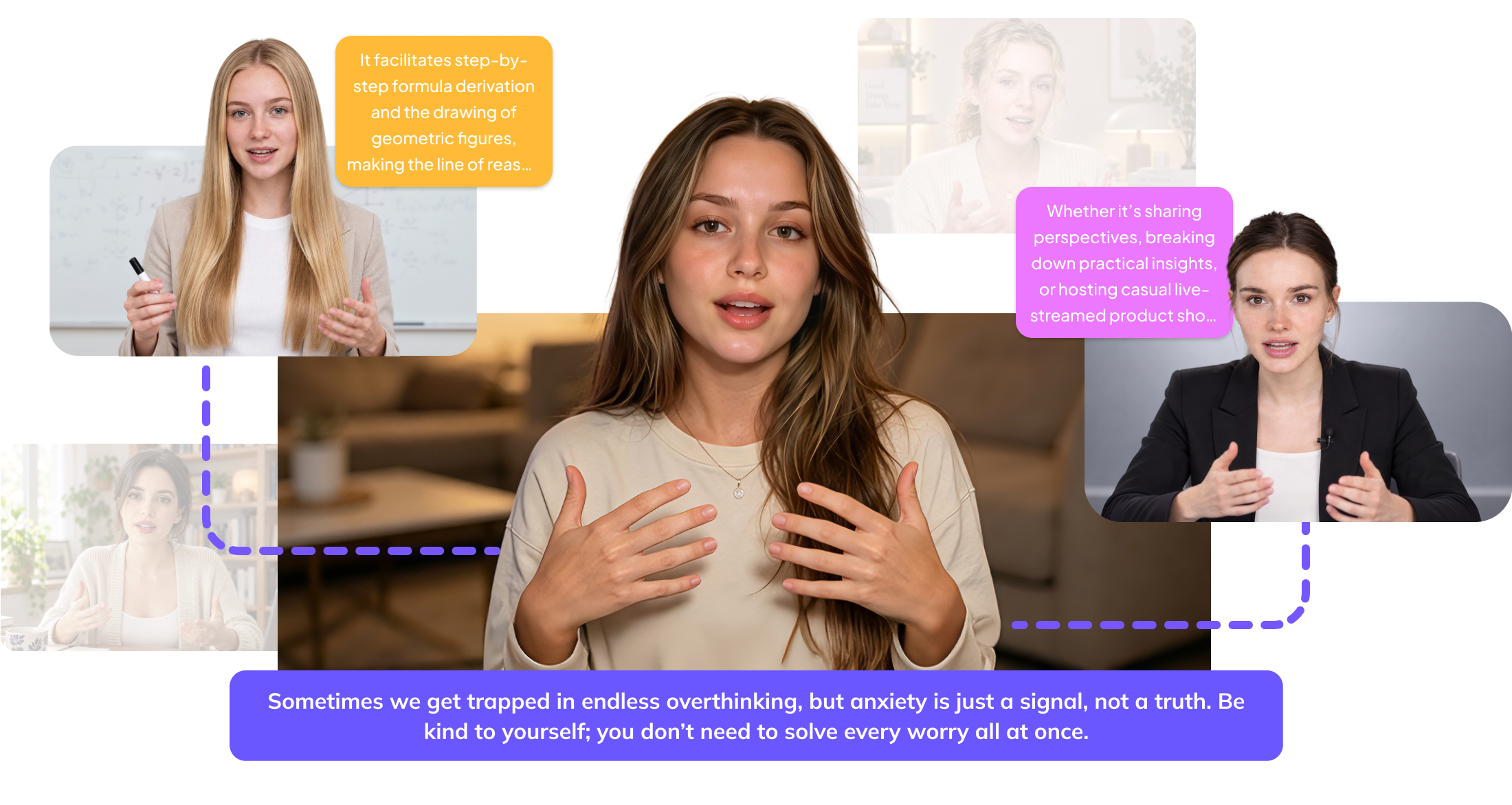


Create Realistic Talking Head Videos with AI Avatar Features

Explore and Create AI Avatars for Every Style
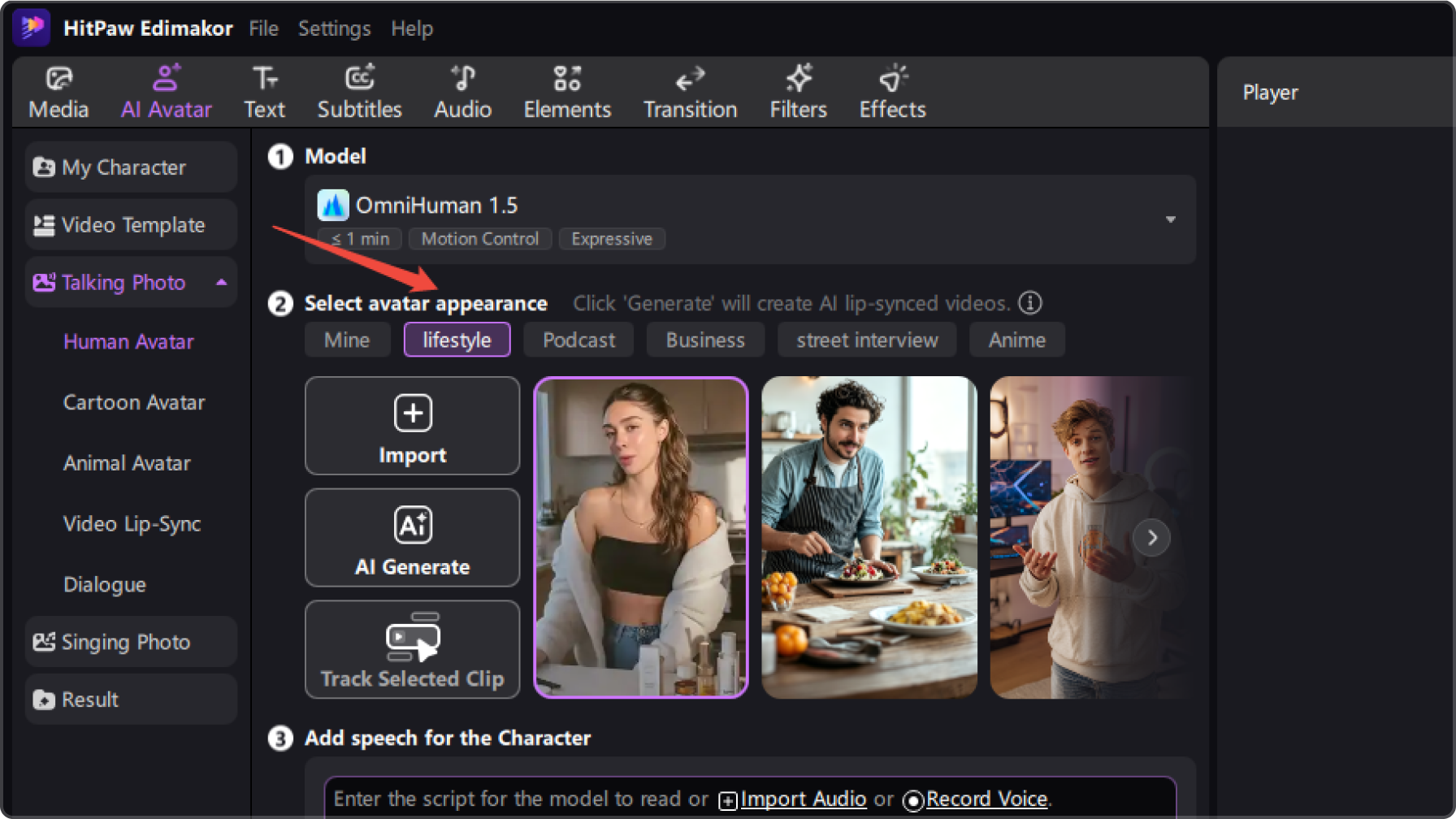
Choose from a variety of AI avatar styles for lifestyle videos, podcasts, business presentations, street interview, anime, and more. You can also upload your own photos or create custom AI avatars to match your preferred look and bring unique talking head videos to life.
Create Realistic Talking Head Videos with Natural Lip Sync
Turn your audio or video recordings into realistic talking head videos with AI-powered lip synchronization. Watch your AI avatar naturally match spoken words with accurate lip movements, facial expressions, and gestures for a more lifelike presentation.
Make Multilingual Talking Head Videos with Diverse Voices
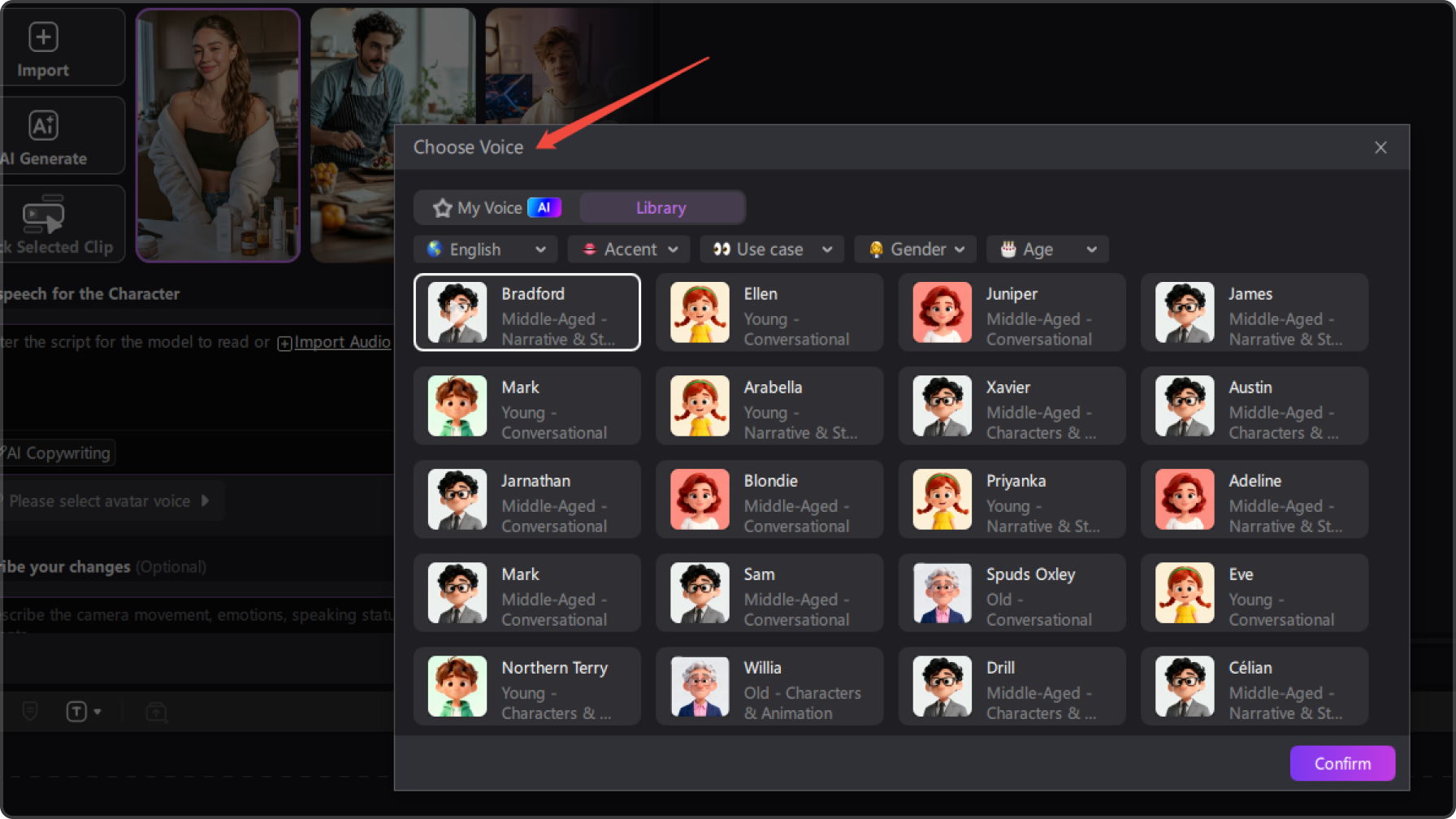
Make talking head videos in different languages using your own audio or video recordings, or record your voice directly. Explore diverse voice options across different languages, accents, age groups, and speaking styles to connect with audiences worldwide.
Customize and Edit Your Talking Head Videos
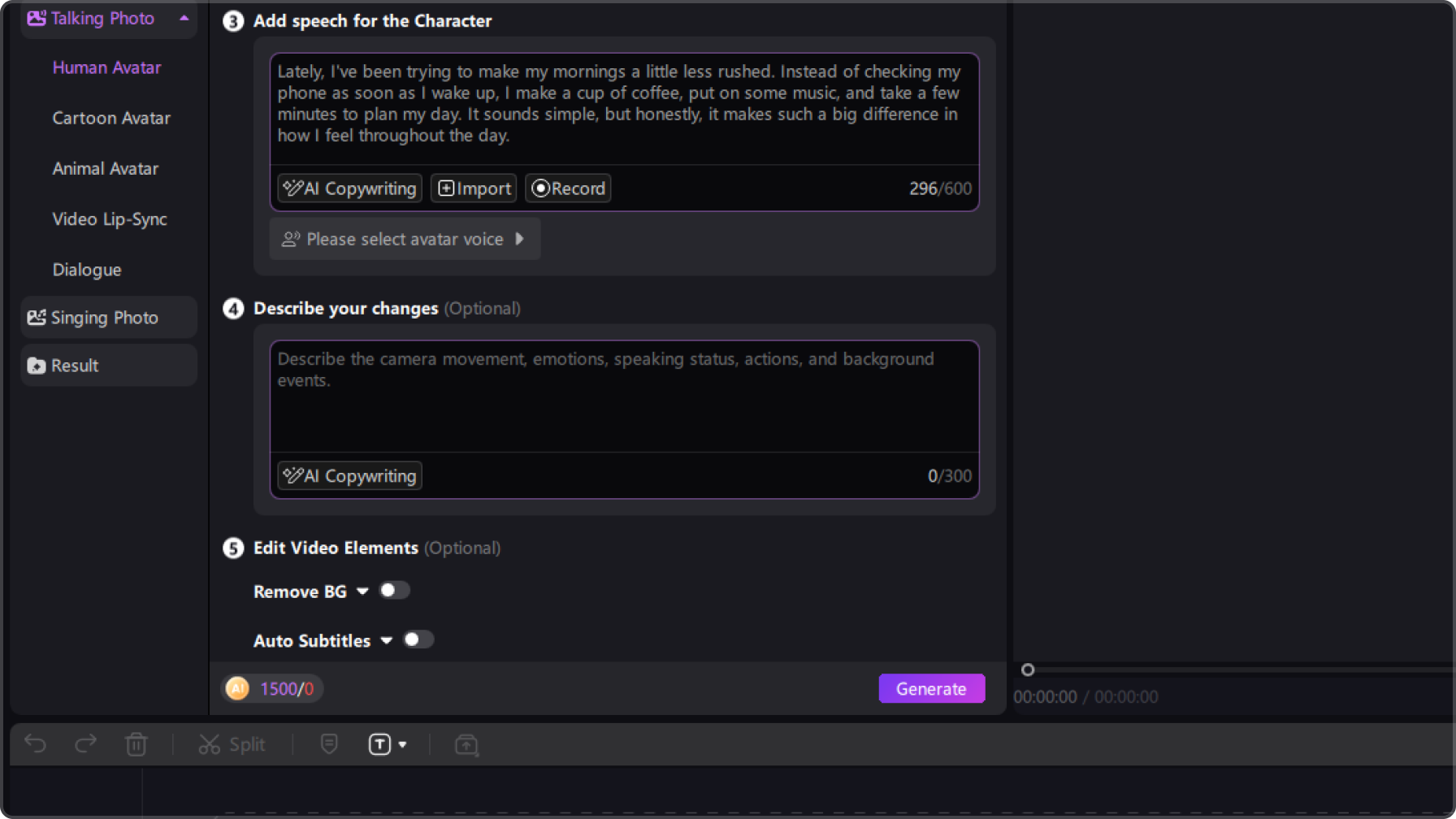
Make every AI talking head video your own with built-in video editing tools. Add and customize subtitles, change video backgrounds, insert background music, and adjust visual elements to enhance your content. Polish your videos and get them ready for social media, presentations, tutorials, and more.
Create Engaging Talking Head Videos for Every Audience

I love how easy it is to choose an AI avatar that fits my content. There are so many different styles to explore, and I can even upload my own photo to create a personalized avatar. It makes creating talking head videos much more flexible!

The lip sync looks surprisingly natural! I uploaded an audio recording, and the avatar matched the speech with realistic mouth movements and expressions. I also like the multilingual options, which make it easier to create videos for different audiences.

Daniel Brooks
What I like most is that I can edit my talking head videos after generating them. Adding subtitles, changing backgrounds, and inserting music are all straightforward. I can finish and polish my videos without switching between multiple editing tools.

Olivia Bennett
More Features & More Possibilities
AI Video Generator
Create professional marketing videos from text, images, or product links in minutes.
AI Script Generator
Turn product ideas into high-converting video scripts, ad copies, and UGC concepts instantly.
AI Image Generator
Generate stunning product visuals, ad creatives, and brand assets with simple prompts.
AI Voiceovers & Royalty-Free Music
Create engaging videos with natural AI voices and a built-in library of royalty-free music.
Built-in Video Editor
Edit, subtitle, enhance, and perfect your videos in one powerful workspace.
Hyper Realistic AI Avatars
Generate stunning product visuals, ad creatives, and brand assets with simple prompts.
FAQs about Edimakor AI Talking Head Video Generator
A talking head video features a person speaking directly to the camera, often used for tutorials, presentations, interviews, and educational content. With AI technology, you can also create this type of video using a virtual presenter instead of filming yourself.
You can use an AI avatar to present your content without appearing on camera. With HitPaw Edimakor, choose an available avatar or create your own, then upload an audio or video recording, or record your voice directly, to generate a talking head video.
You typically need an AI avatar and a clear audio or video recording. If you use an audio file, make sure the speech is easy to understand. For video recordings, a clearly visible face and minimal background noise can help improve the result.
AI talking head videos are commonly used for online courses, employee training, product explainers, business presentations, social media content, and marketing videos. They offer a practical way to deliver information through a virtual presenter without arranging a traditional filming session.
When choosing an AI talking head video generator, consider avatar customization, lip-sync quality, voice options, language support, and editing capabilities. HitPaw Edimakor combines AI avatar creation with video editing tools, allowing you to generate and refine talking head videos in one workflow.
 Edimakor
You
+ Edimakor - Turn ideas
into dynamic
videos
Emily Carter