Text to Speech Avatar
Turn your scripts into engaging avatar videos with natural AI voices and accurate lip sync. With HitPaw Edimakor, choose an AI avatar, enter your text, customize the voice and speaking style, and create professional videos without recording yourself.
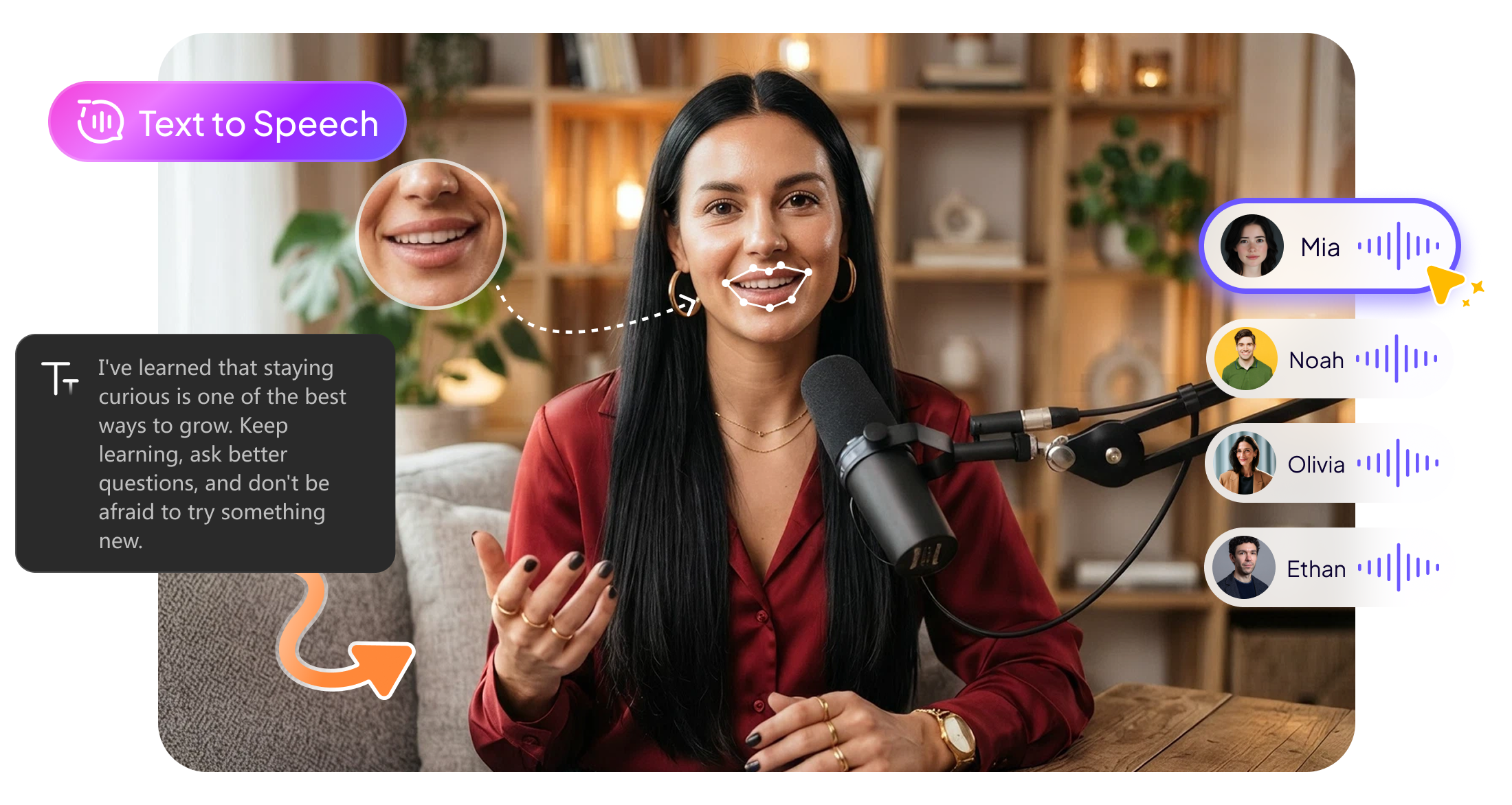







Make Your Content Speak with Text to Speech Avatar

Turn Text into Natural Speech
Bring your scripts to life with realistic AI voices that sound natural and expressive. Simply enter your text and let your AI Avatar deliver your message clearly and naturally.
Create Natural Lip Sync Videos
Make every AI Avatar speak with accurate lip movements that match the generated voice. Create more convincing talking videos with smooth expressions and natural-looking speech.
Customize Voice and Speaking Style
Choose the voice that fits your content and adjust its tone, style, and delivery. Create different speaking experiences for marketing, education, presentations, social content, and more.
Create Videos Without Recording
Skip microphones, cameras, and repeated takes. Turn your written scripts into polished talking-avatar videos in minutes, making it easier to create content whenever you need it.
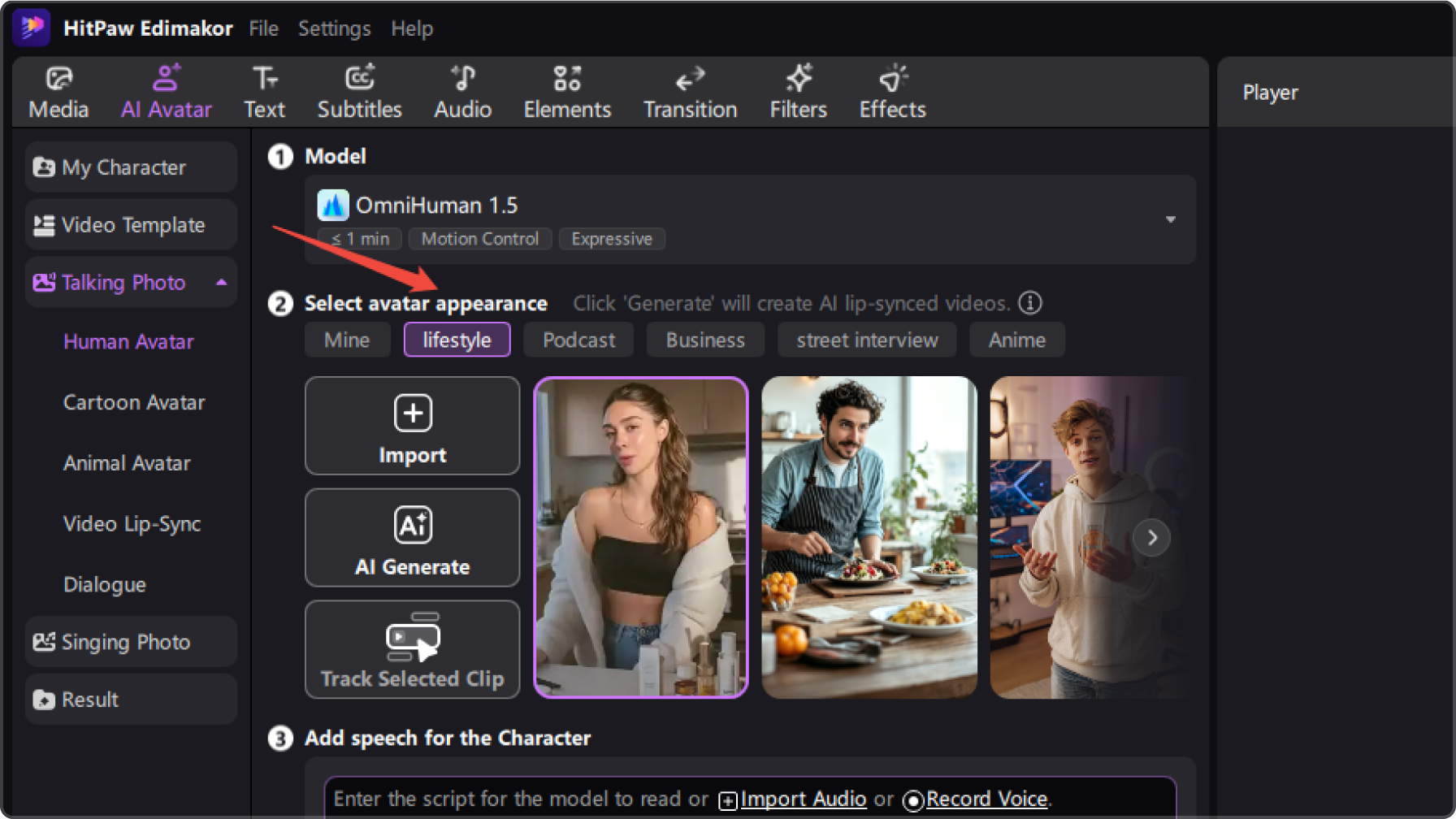
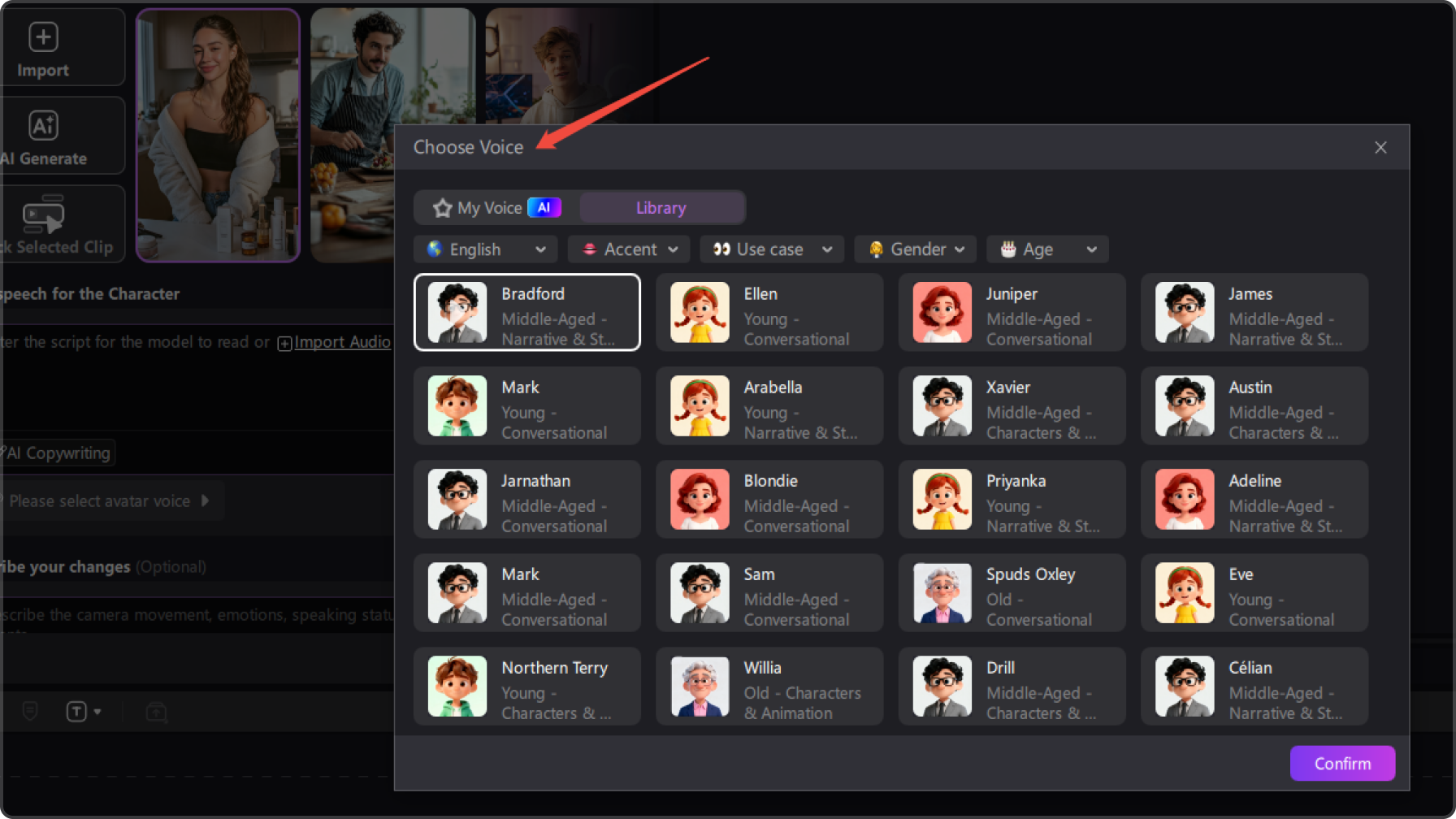
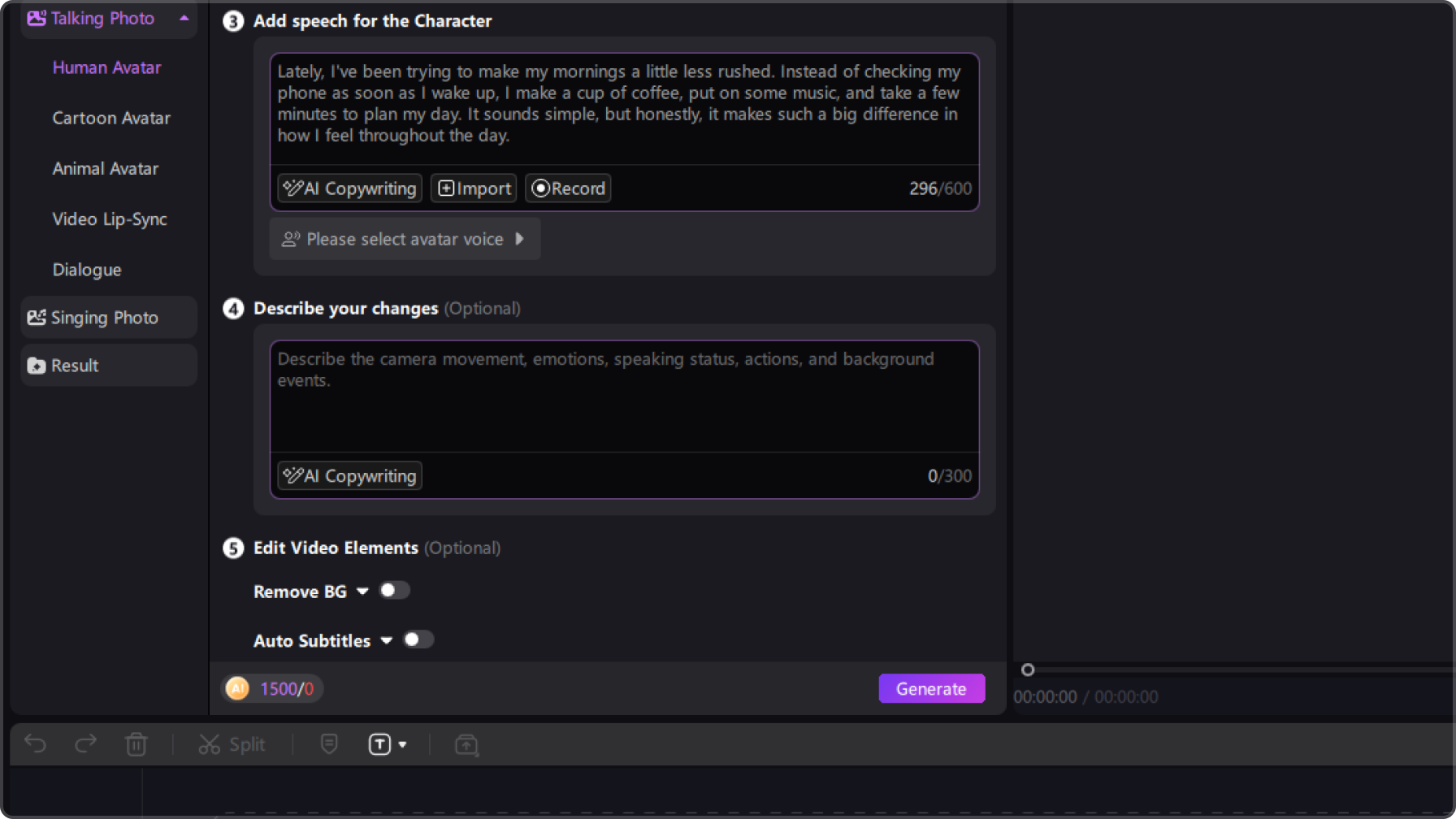
Bring Every Content Idea to Life with an Avatar

I was looking for a simple Text to Speech Avatar tool for explainer videos. Being able to paste my script, choose a voice, and generate the avatar video in one workflow makes content production much easier.

What I find useful is that I can change the script without recording the voice again. The Text to Speech Avatar workflow makes it much easier to create different versions of the same video.

Ethan Collins
I use AI avatars for educational content, and the text-to-speech feature saves me from recording every lesson myself. I can prepare the text, pick a suitable voice, and turn it into an avatar video much faster.

Grace Wilson
More Features & More Possibilities
AI Video Generator
Create professional marketing videos from text, images, or product links in minutes.
AI Script Generator
Turn product ideas into high-converting video scripts, ad copies, and UGC concepts instantly.
AI Image Generator
Generate stunning product visuals, ad creatives, and brand assets with simple prompts.
AI Voiceovers & Royalty-Free Music
Create engaging videos with natural AI voices and a built-in library of royalty-free music.
Built-in Video Editor
Edit, subtitle, enhance, and perfect your videos in one powerful workspace.
Hyper Realistic AI Avatars
Generate stunning product visuals, ad creatives, and brand assets with simple prompts.
FAQs about Edimakor Text to Speech AI Avatar
Edimakor Text to Speech Avatar combines an AI avatar with text-to-speech technology. Enter your text, select a voice, and generate a video where the avatar delivers your script with synchronized speech and lip movements.
You provide the text you want the avatar to say, choose an available AI voice, and generate the video. The selected avatar then delivers the script using AI-generated speech.
Yes. You can choose from available AI voices and select one that better matches the tone, audience, and purpose of your video.
Yes. The Text to Speech Avatar uses AI-generated speech, so you can create avatar videos directly from your written script without recording your own voice.
Yes. Edimakor Text to Speech Avatar can be used for educational lessons, product presentations, marketing videos, tutorials, social content, and other videos that require a digital presenter.
 Edimakor
You
+ Edimakor - Turn ideas
into dynamic
videos
Mia Thompson