Voice Recording Transcription
Transcribe voice recordings into accurate, editable text and translate your content into different languages with HitPaw Edimakor. Turn spoken words into clear, shareable content without the hassle of manual transcription.
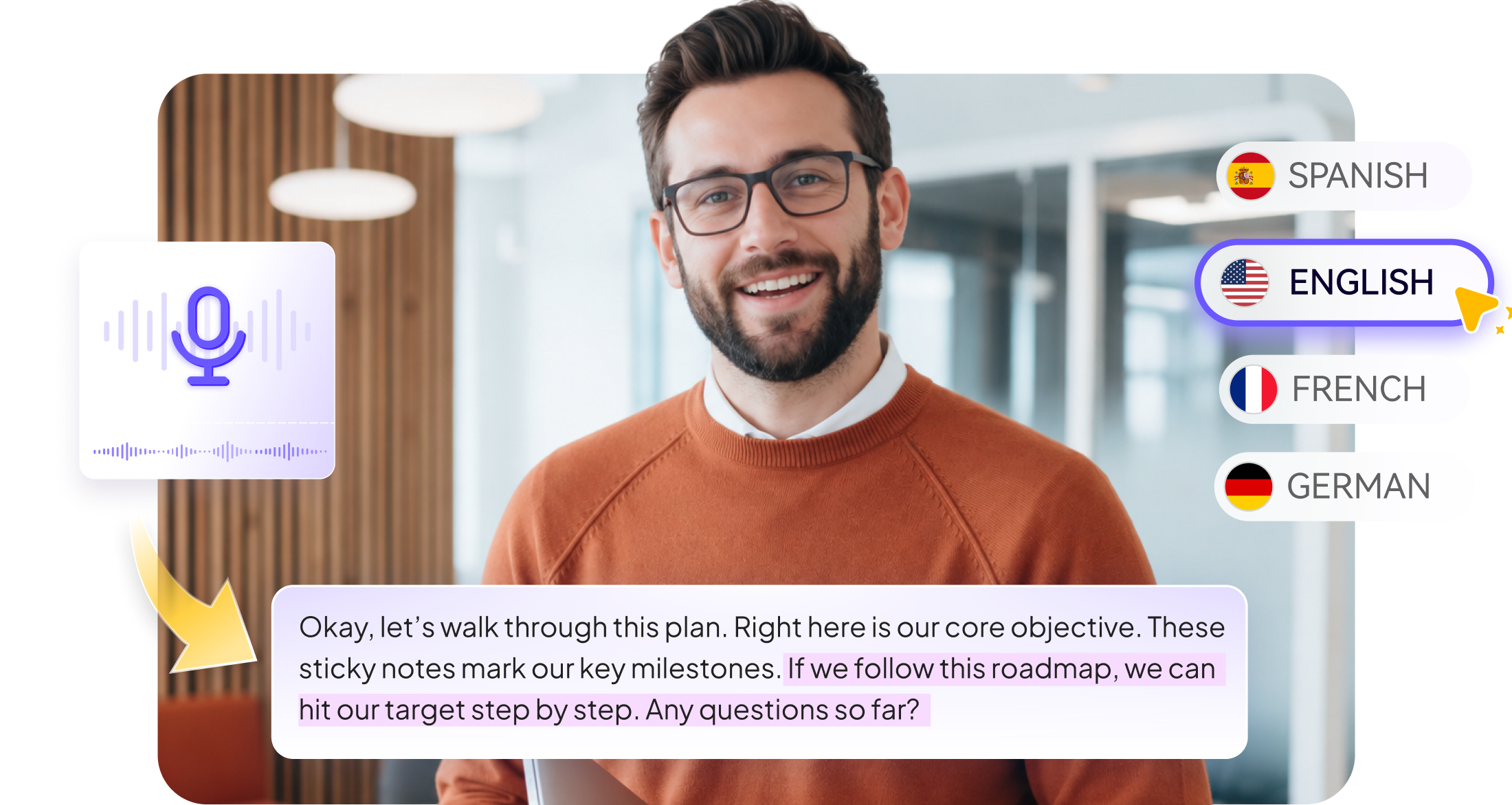







Transcribe Voice Recordings into Content You Can Work With

Transform Voice Recordings into Text
Convert spoken words from your recordings into readable text with speech-to-text technology. Capture interviews, meetings, lectures, and everyday conversations in written form, giving you a practical starting point for further editing and reuse.
Edit and Refine Your Transcriptions
Review the generated text and make changes whenever needed. Fix wording, remove unnecessary content, or refine details after transcription, giving you greater control over the final text instead of relying entirely on the first generated result.
Reach Audiences in Multiple Languages
Translate your transcribed content into multiple languages to make recorded speech easier to understand and share. Move from one voice recording to multilingual text without having to manually transcribe the original audio again.
Keep Your Voice-to-Video Workflow Moving
Take your transcribed and translated text into the next stage of your editing workflow. Refine dialogue, prepare subtitles, and build video content around your original recordings without switching between disconnected tools.


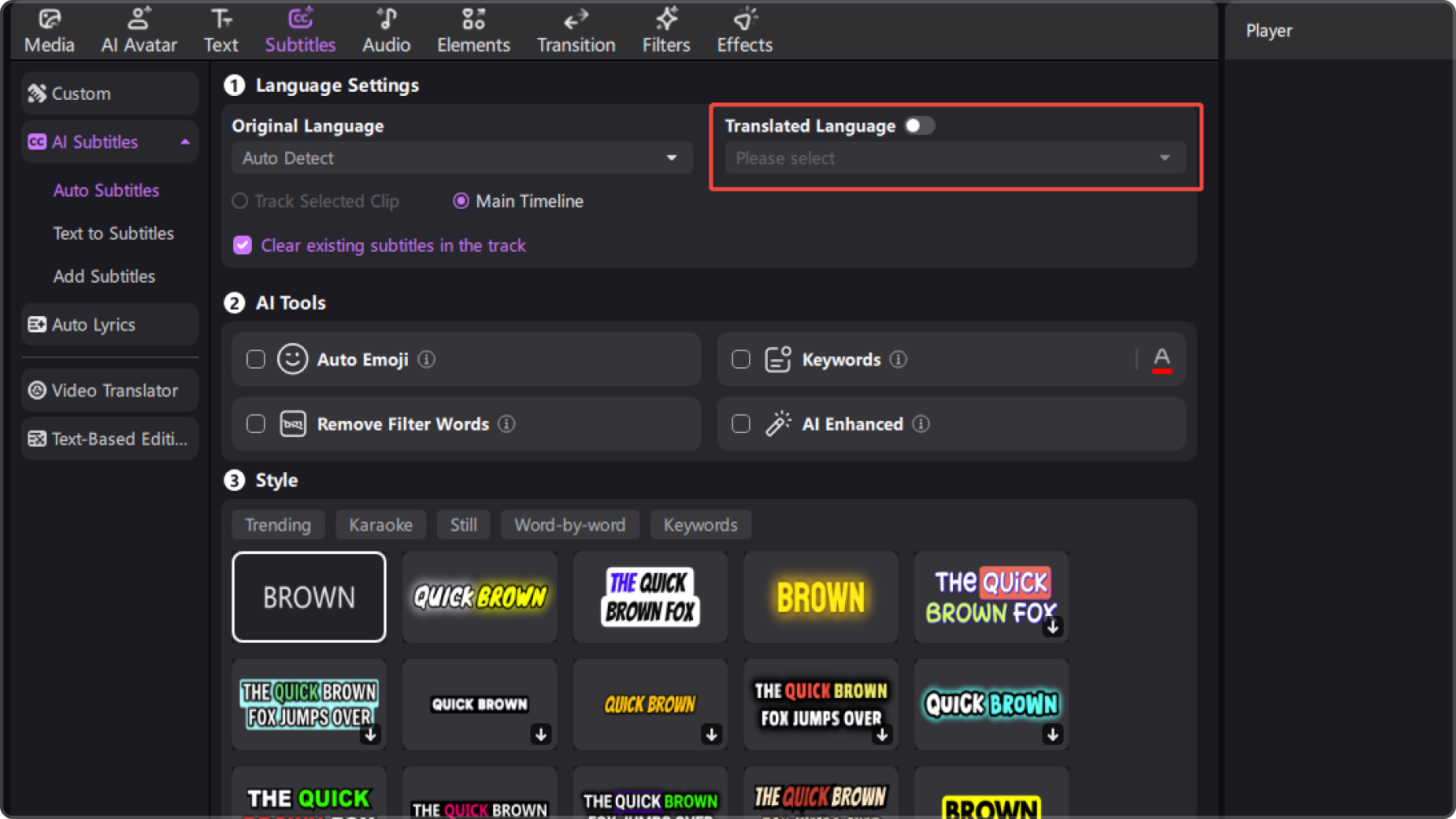
Get More From Every Voice Recording

I regularly record interviews for my work, and manually going through every recording to write down what was said used to take forever. Edimakor gives me a solid transcription to start with, and I can quickly edit the text afterward instead of typing everything from scratch.

I use voice recordings to capture ideas when I’m away from my desk. The generated text gives me a quick written version of those thoughts, and I can clean it up, remove parts I don’t need, and adjust the wording before using it in a video project.

Daniel K.
I create videos for audiences in different countries, so translating spoken content is part of my workflow. I like being able to work from the transcription first and then translate the text into another language, rather than starting the whole process over for every version.

Sofia M.
More Features & More Possibilities
AI Video Generator
Create professional marketing videos from text, images, or product links in minutes.
AI Script Generator
Turn product ideas into high-converting video scripts, ad copies, and UGC concepts instantly.
AI Image Generator
Generate stunning product visuals, ad creatives, and brand assets with simple prompts.
AI Voiceovers & Royalty-Free Music
Create engaging videos with natural AI voices and a built-in library of royalty-free music.
Built-in Video Editor
Edit, subtitle, enhance, and perfect your videos in one powerful workspace.
Hyper Realistic AI Avatars
Generate stunning product visuals, ad creatives, and brand assets with simple prompts.
FAQs about Edimakor Voice Recording Transcription
Voice recording transcription converts spoken words from an audio recording into written text. It can be useful for turning interviews, meetings, lectures, conversations, and voice notes into text that is easier to read, search, edit, and reuse.
Yes. Online transcription tools can convert recorded speech into written text without requiring you to type everything manually. The right option depends on factors such as supported audio formats, transcription quality, language support, and how you plan to use the resulting text.
Yes. A voice recording can first be converted into text and then translated into another language. This approach is useful when you need to understand or reuse spoken content in another language without manually writing down the original recording.
Yes. Transcribing interviews, meetings, lectures, and conversations can make spoken information easier to review and organize. Instead of listening through an entire recording to find specific information, you can work from a written version of the conversation.
Yes. Transcribed voice recordings can be useful when creating video content, especially for preparing dialogue, subtitles, captions, or other text-based elements. Editing the transcription first can also help you refine the content before adding it to a video project.
 Edimakor
You
+ Edimakor - Turn ideas
into dynamic
videos
Maya R.