YouTube Subtitle Generator
Stop spending hours on manual captioning. Edimakor’s AI transcribes your YouTube videos and syncs subtitles to the timeline in minutes. You can edit with ease, translate them into 130+ languages, and upload directly to YouTube – all from one place.
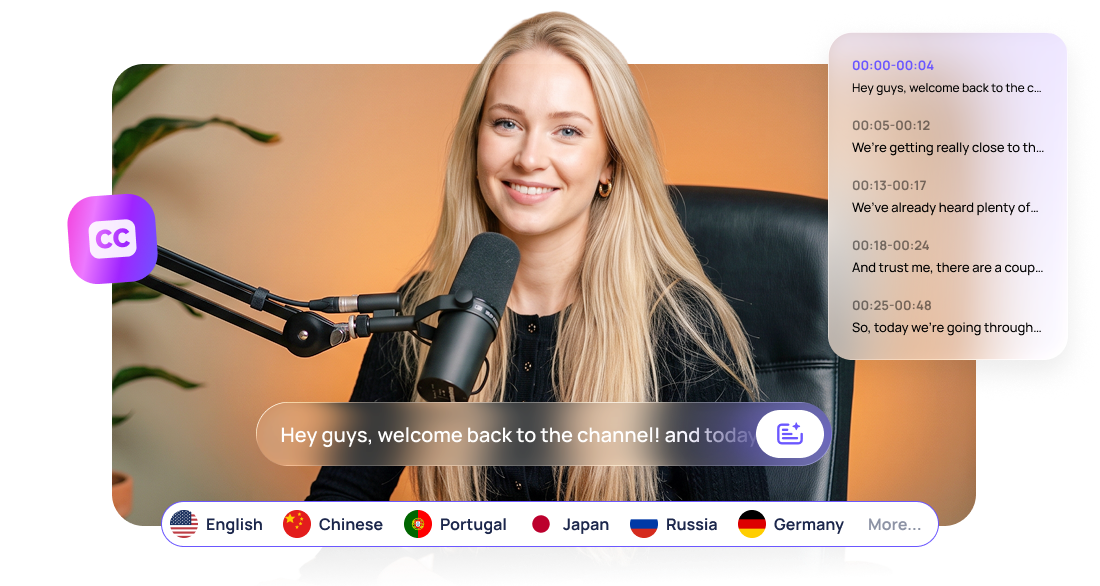







Simplify YouTube Subtitle Editing with HitPaw Edimakor

Generate Accurate YouTube Subtitles with AI
Upload your video and let AI generate subtitles in minutes. The speech is transcribed into accurate text, with each line synchronized to the video. So you can spend less time transcribing and editing subtitles manually.
Fix YouTube Subtitle Errors with Text Editing
Stop looking for wrong words frame by frame. Edit subtitle text directly to fix the errors, or cut unwanted parts by deleting their subtitle text. The matching clip is removed automatically, so trimming footage is as easy as editing text.
Translate YouTube Subtitles for Global Viewers
Expand your YouTube reach with AI-powered subtitle translation. Translate your subtitles into 130+ languages while keeping the timing aligned. Create localized versions of your videos to boost your video views.
Export YouTube Ready Videos with Subtitles
Finish your subtitle editing and video adjustments in one place. Get your hardcoded‑subtitle videos or save subtitles as SRT or VTT files for flexible use. Then publish straight to YouTube. No need to switch between tools.
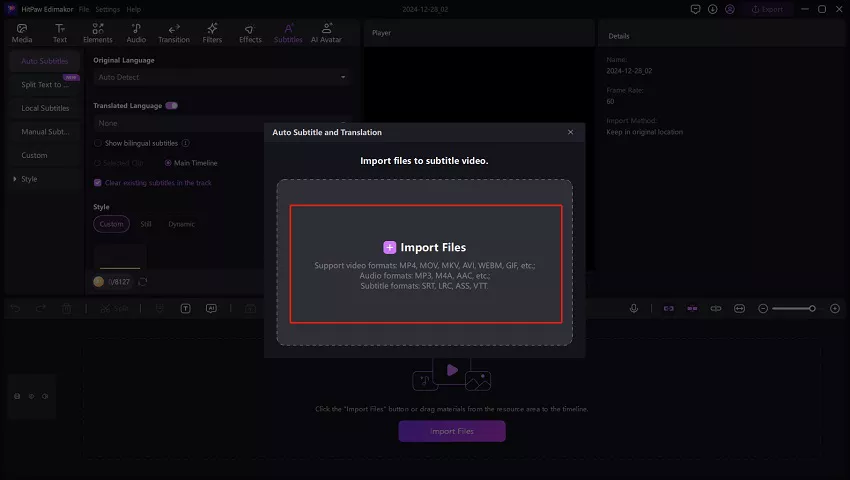
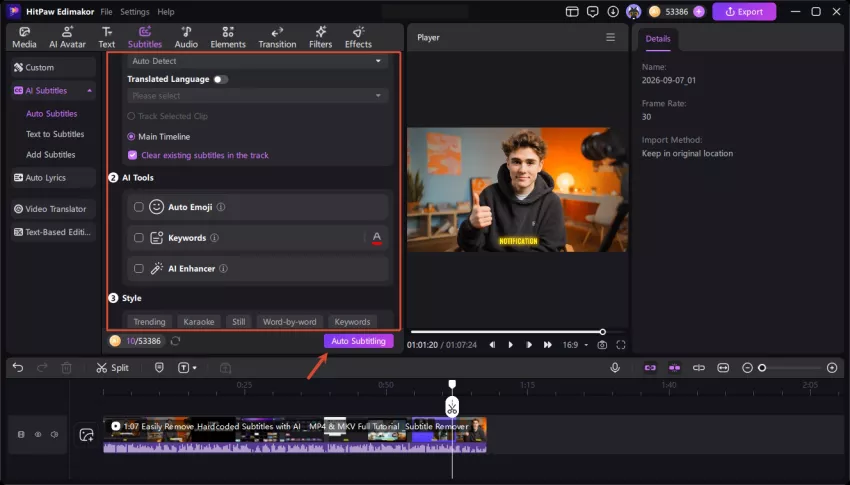
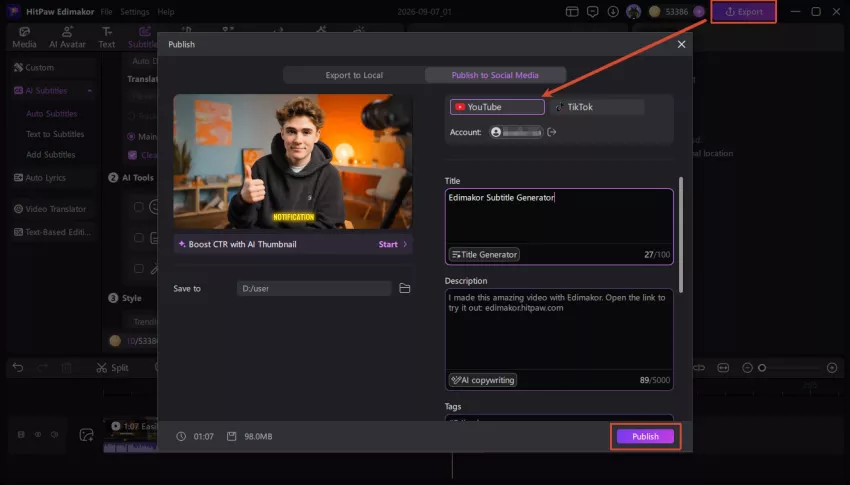
YouTube Subtitle Generator Built for Every Type of Creator

Honestly HitPaw Edimakor saved me so many late nights. I used to spend hours typing captions for my travel vlogs. Now I just upload to the YouTube Subtitle Generator and the AI does most of the work. Timing is pretty solid and editing is super easy. My viewers love being able to watch without sound. Definitely sticking with Edimakor.

I make a lot of product reviews and software tutorials. Technical terms used to mess up other tools constantly. HitPaw Edimakor handles them surprisingly well. Editing the text in the YouTube Subtitle Generator is straightforward and the export options are convenient. Saves me a ton of time every week. Highly recommend Edimakor for anyone doing tech content.

Jack Wilson
I film a lot of interview-style podcasts and people always ask for captions. Edimakor’s YouTube Subtitle Generator gets the dialogue right most of the time and keeps the timing tight. Easy to clean up any small errors. Now my clips are much more shareable on YouTube. Really practical tool from HitPaw Edimakor for long-form talk content.

Nora Hughes
More Features & More Possibilities
AI Video Generator
Create professional marketing videos from text, images, or product links in minutes.
AI Script Generator
Turn product ideas into high-converting video scripts, ad copies, and UGC concepts instantly.
AI Image Generator
Generate stunning product visuals, ad creatives, and brand assets with simple prompts.
AI Voiceovers & Royalty-Free Music
Create engaging videos with natural AI voices and a built-in library of royalty-free music.
Built-in Video Editor
Edit, subtitle, enhance, and perfect your videos in one powerful workspace.
Hyper Realistic AI Avatars
Generate stunning product visuals, creator-style ads and commercial videos with realistic avatars.
FAQs about YouTube Subtitles
YouTube's automated translation relies on existing subtitles, so it may fail if none are uploaded. It can also fail due to certain languages, browsers, or slow connections. Uploading your own translated subtitles can avoid the instability.
With Edimakor, you can adjust subtitle timing directly in the editor to match the spoken audio. You can also use Auto Subtitle to generate accurately timed subtitles from the start, reducing manual adjustment.
You can manually type subtitles, upload SRT files, or use the AI tool. Edimakor automatically transcribes and syncs your speech into subtitles. You can then review and edit the text before exporting them.
The automatic translation of YouTube often produces crude results. Edimakor allows you to translate subtitles into more than 130 languages while keeping timing intact. This provides a more efficient solution for viewers who do not speak the original language.
AI-generated subtitles may be erroneous due to accent, background noise, or unclear speech. Edimakor allows you to view and edit the generated subtitles directly, so you can quickly correct errors before exporting.
 Edimakor
You
+ Edimakor - Turn ideas
into dynamic
videos
Hannah Cooper