Gemini AI Diwali Photo Prompts
Create Stunning Diwali Festival Photos Instantly (Copy & Paste Prompts)
Diwali is brighter when your creativity comes to life. With HitPaw Edimakor, you can instantly transform simple ideas into breathtaking AI-generated Diwali photos using Gemini AI prompts. From glowing lights to festive portraits, everything is just copy, paste, and generate — no design skills required. Create, enhance, and share stunning festival visuals all in one powerful AI editing platform.
Copy & Paste AI Diwali Photo Prompts for Images
Explore a curated collection of Gemini AI Diwali photo prompts for festive image creation. Instantly create stunning portraits, glowing diya scenes, and vibrant celebration visuals with HitPaw Edimakor’s AI-powered image generation.

What Is a Gemini AI Diwali Prompt?
A Gemini AI Diwali prompt is a text-based instruction used to generate festive Diwali images using AI models, including Gemini-powered capabilities inside HitPaw Edimakor. It combines traditional clothing, warm lighting, decorations, and cultural elements to create cinematic festival visuals instantly.
 Powered by Google Veo3
Create AI-Generated Diwali Images with Edimakor

Text-to-Image Diwali Creation
Generate stunning Diwali festival images from text instantly. Simply describe your idea and create beautiful AI-generated visuals featuring traditional outfits, glowing diyas, fireworks, and cinematic lighting effects in seconds.
- Seedream 5.0
- Wan 2.7 Image
- Google Nano Banana 2
- GPT Image 2
Multi-Format Festival Image Generation
Create Diwali visuals in multiple sizes and aspect ratios. Generate and preview images optimized for different platforms, including social media posts, stories, portraits, and banners — perfectly adapted to any format you need.
High-Realism AI Festival Rendering
Produce ultra-realistic Diwali portraits with cinematic quality. Enjoy consistent, high-quality outputs with natural skin tones, warm festive lighting, glowing lamps, and professional photography-style depth and detail.
One-Click Creation & Social Sharing
Export and share your Diwali creations instantly. Download and publish your AI-generated festival images directly to platforms like Instagram, TikTok, and more — showcase your festive creativity effortlessly.
How to Create Diwali AI Images in HitPaw Edimakor
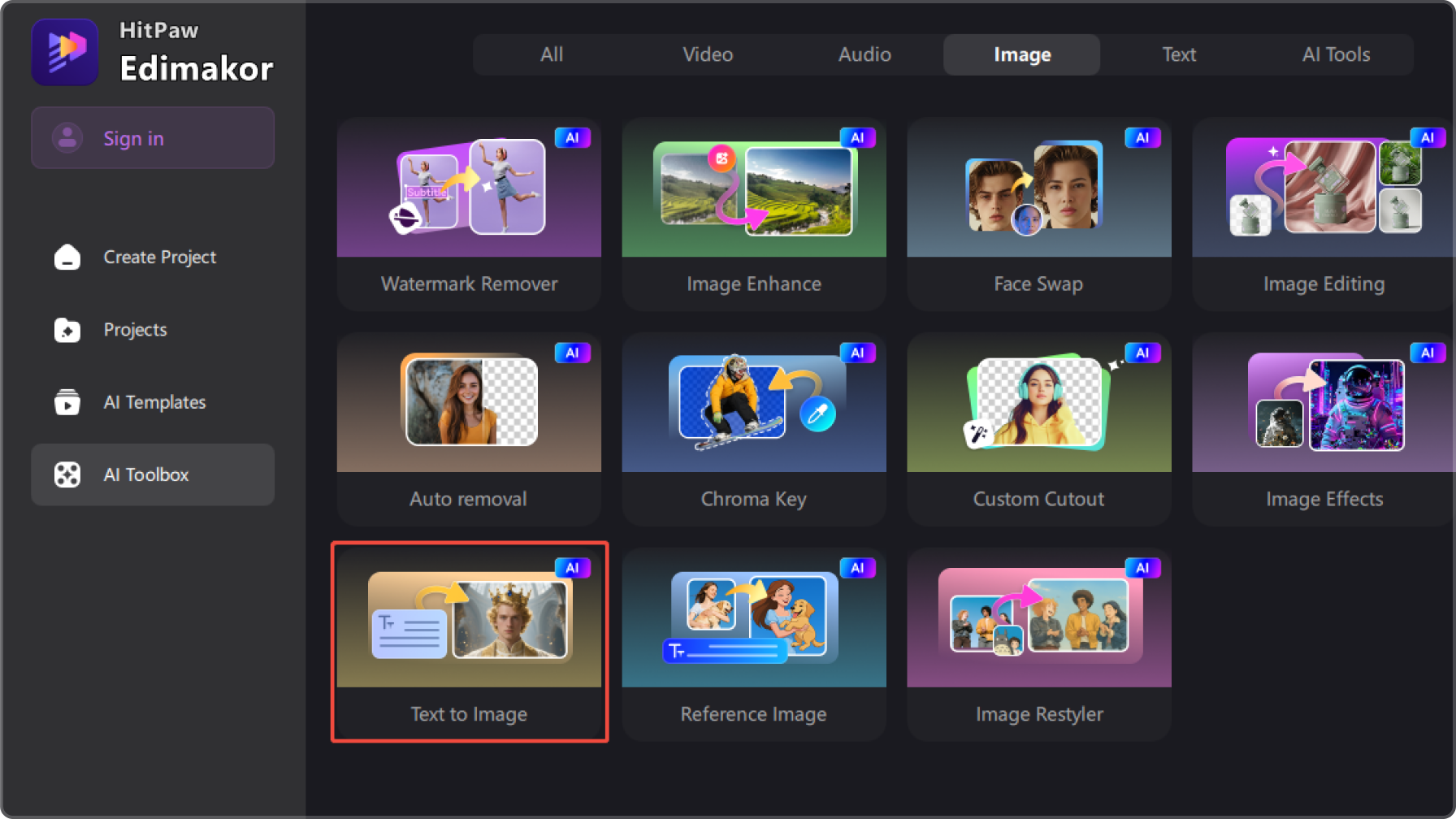
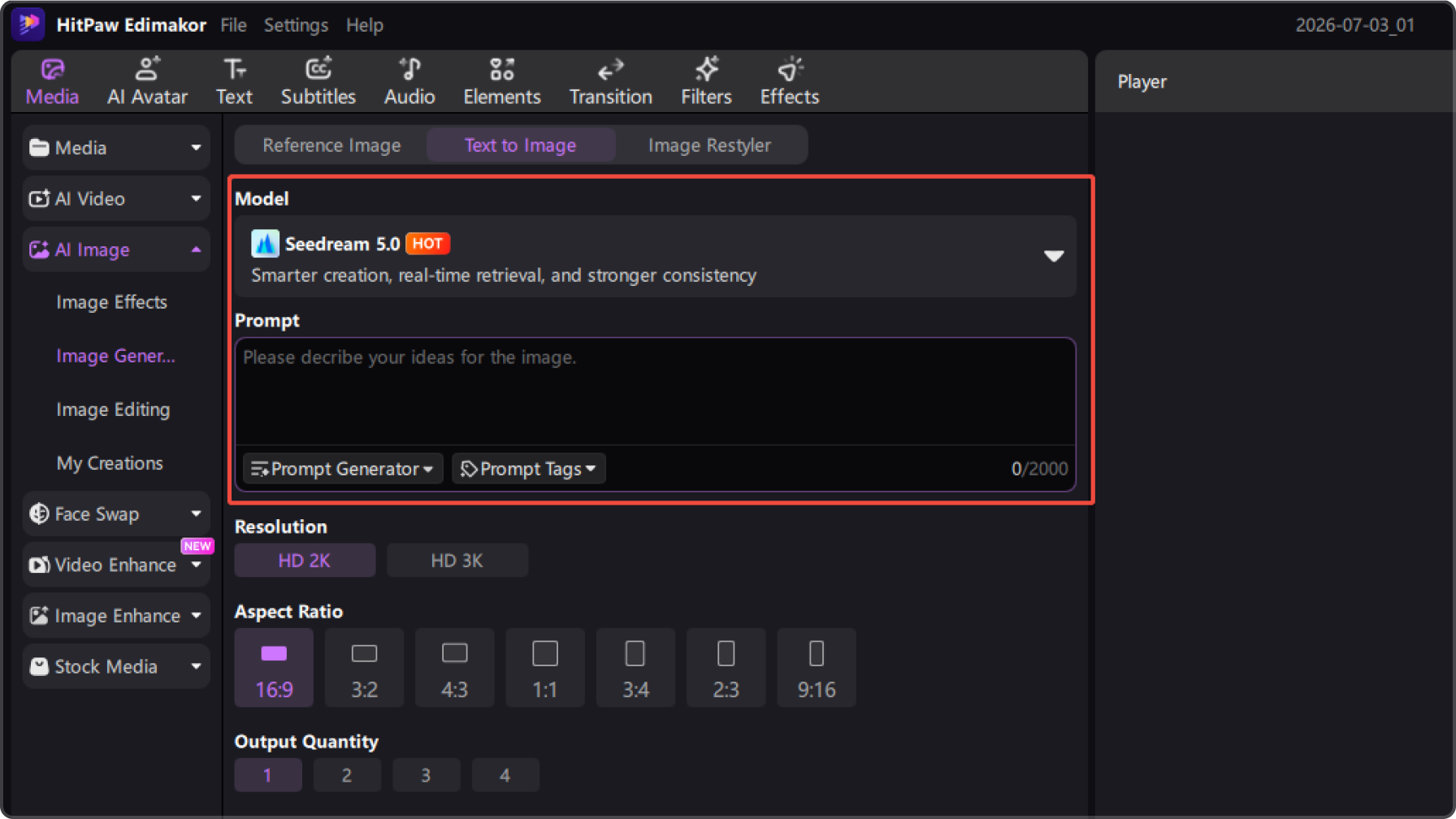
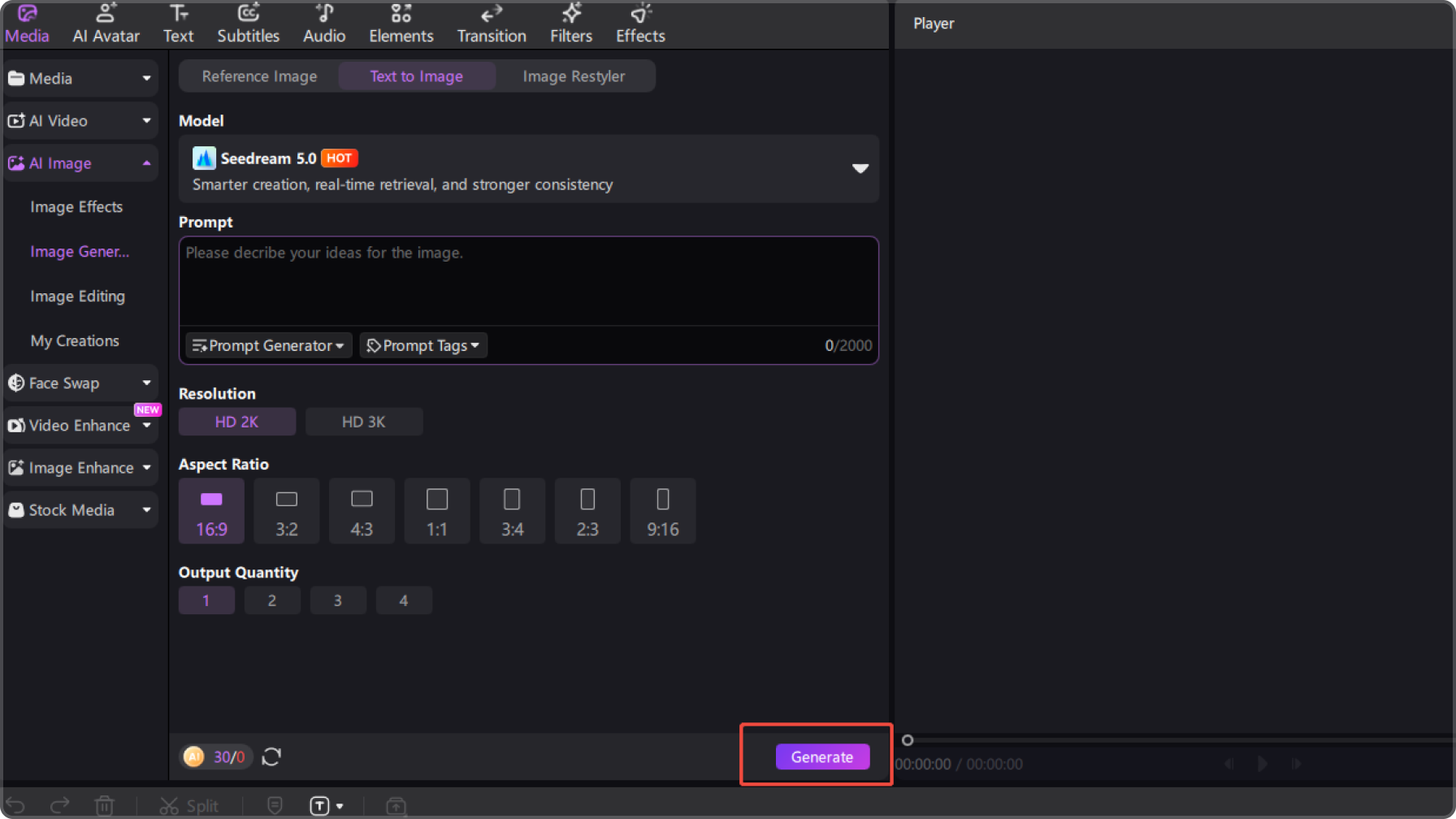
See What Users Say About AI Diwali Creation in Edimakor

FAQs about Gemini AI Diwali Photo Prompts
Gemini AI Diwali prompts are ready-to-use text instructions used to generate festival-themed images. They can be used in AI image tools such as HitPaw Edimakor to create Diwali celebration visuals featuring diyas, fireworks, traditional outfits, and festive lighting.
Simply copy a Diwali prompt, upload your image if required, select a model in HitPaw Edimakor or another AI tool, and paste the prompt. The AI will generate a festival-style image with warm lighting, decorations, and traditional aesthetics.
Yes. Most Diwali AI prompts support selfie-based generation. The AI preserves your facial features while transforming the scene with festive outfits, glowing lamps, and cinematic Diwali backgrounds.
No. You don’t need any design or editing experience. Just enter a prompt into HitPaw Edimakor or another AI tool, and the system will automatically generate high-quality Diwali images in seconds.
Yes. Modern AI models can produce highly realistic festival images with natural lighting, accurate skin tones, and detailed festive environments that often look like professional photography.
Explore More Features Beyond AI Diwali Photo


 Edimakor