AI Caption Generator
Add animated captions to your videos instantly. Upload a video and generate sync captions with speech. Customize their styles and animations to make every word stand out. Perfect for lyric videos, Shorts, Reels, and social media content.
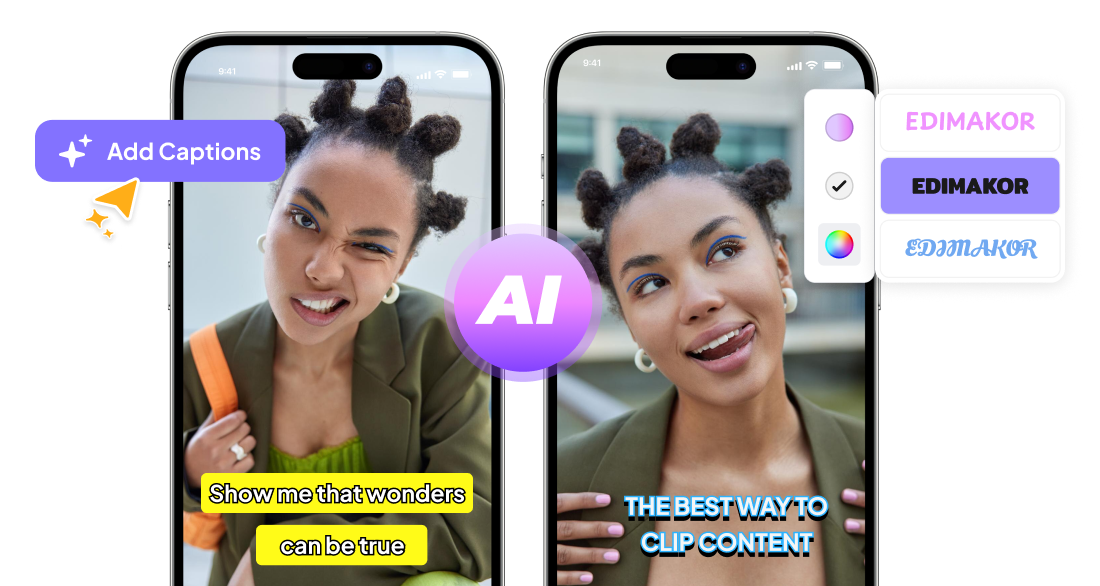







Why Creators Choose Edimakor for AI Captions

Perfectly Timed Captions Save Time
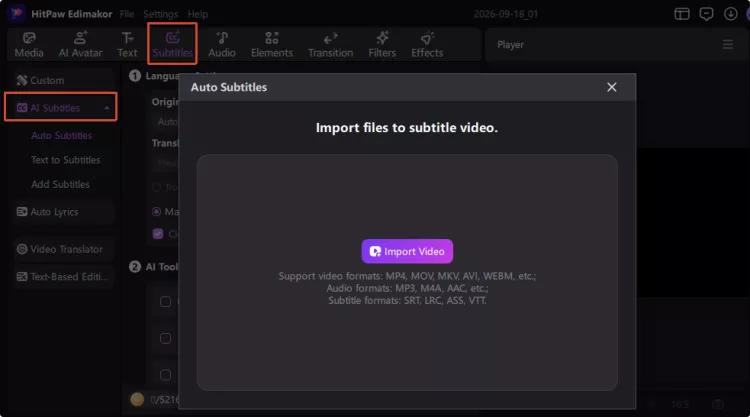
Skip manual transcription and timing work with auto subtitle generation. Let AI detect speech and create time-synced subtitles automatically, or upload a TXT file to turn your script into timed captions.
Highlighted Keywords Grab Attention
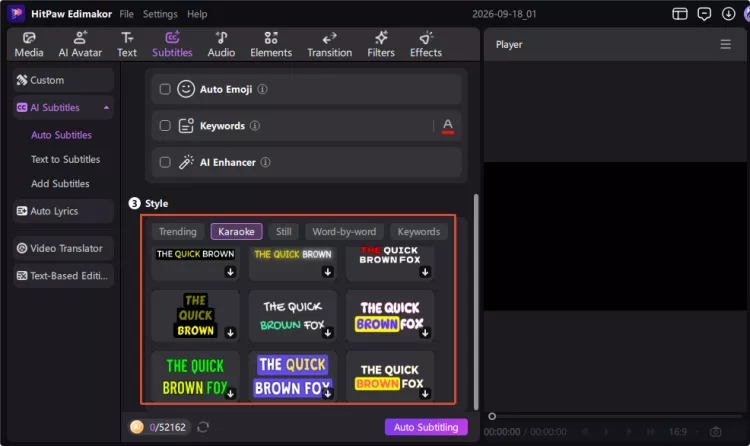
AI detects important words and highlights them in your captions. Add emojis with AI to make your captions eye-catching. Keep viewers engaged on TikTok, Reels, and YouTube Shorts.
Styled Captions That Match Any Video
Give your captions a style that fits your content. Choose from various dynamic caption templates, including word-by-word and karaoke effects. Customize the font, curve, and animations for a unique look.
Translated Captions Extend Your Reach
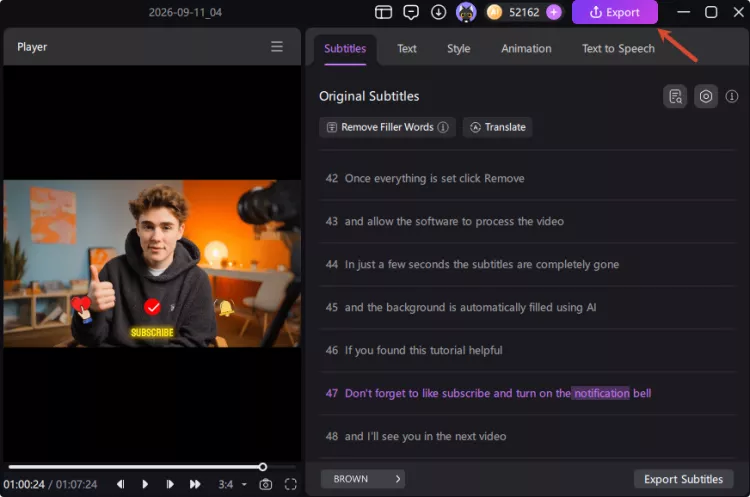
Reach viewers in more languages with AI powered caption translation. Translate your captions while keeping their timing aligned. Make your videos easier to understand.
Powerful AI Caption Generator for Every Creator

I make short videos to teach kids new words. HitPaw Edimakor puts each word on screen as I say it, which helps children follow along. The fonts are bright and easy to read. I used to spend hours adding text by hand. Now I finish a video much faster. Parents have told me the lessons feel clearer.

I turn my podcast episodes into short clips with Edimakor. The captions sync well with the audio, even when guests talk fast. I like that I can highlight quotes in a different color. It saves me from typing out every episode myself. The clips get more views now that people can watch without sound. It's a simple tool that does what I need.

Derek Coleman
I add captions to our product ads with Edimakor before we post them online. The text styles look clean and match our brand colors. Setting up a video only takes a few minutes. Our message comes across even when people watch with the sound off. The team finds it easy to use with no training. It's now a regular part of our workflow.

Megan Torres
More Features & More Possibilities
AI Video Generator
Create professional videos from text, images,and videos in minutes.
AI Script Generator
Turn creative ideas into engaging video scripts,stories, and content for any project instantly.
AI Image Generator
Create high-quality images from simple text prompts for any creative project.
AI Voiceovers & Royalty-Free Music
Create engaging videos with natural AI voices and a built-in library of royalty-free music.
Built-in Video Editor
Edit, subtitle, enhance, and perfect your videos in one powerful workspace.
Hyper Realistic AI Avatars
Generate stunning product visuals, creator-style ads and commercial videos with realistic avatars.
FAQs about AI Caption Generator
Captions transcribe spoken dialogue plus sound cues, while subtitles primarily display the text. Captions are often styled and animated to make video content appealing.
Upload your video to Edimakor and use its AI caption generator. You can choose a caption style, customize the text, and apply animations before exporting your video.
Edimakor's AI caption generator supports 130+ languages for automatic caption generation and translation. Available languages may vary by feature, so check the language options in Edimakor when creating or translating captions.
Yes. You can add animated captions to your TikTok videos with Edimakor. Choose from ready-made caption templates and export the finished video directly to TikTok. Everything can be done in one workflow.
AI-generated captions can be highly accurate, but errors may occur. Review the generated captions and adjust text or timing in Edimakor when needed.
 Edimakor
You
+ Edimakor - Turn ideas
into dynamic
videos
Rachel Simmons