AI Thumbnail Maker
Create Click-Worthy Thumbnails With AI Instantly
Generate professional thumbnails with AI-powered video analysis, smart titles, and visual designs. Create engaging covers faster with Edimakor, even without any design skills. Best for YouTube creators.











Key Features of Edimakor AI Thumbnail Generator

AI Thumbnails Made Simple for Everyone
No design skills? No problem. Edimakor helps beginners create eye-catching thumbnails and video titles in seconds. This connected workflow speeds up content creation. Save your time and production costs.
Create AI Thumbnails That Drive More Clicks
Choose from proven thumbnail templates, upload a reference image for inspiration, or let AI create a completely new design. Edimakor helps create thumbnails with strong visual impact and clear messaging to capture viewer attention.
Smart AI Thumbnail Maker with Video Analysis
Edimakor analyzes your video frame and automatically recommends coordinated fonts, text colors, placement, and visual emphasis. You can get a balanced thumbnail that highlights key information and maintains a consistent style with your video.
Build Consistent Video Thumbnail Styles
Build a personal library of your favorite thumbnail styles. Reuse them across videos, channels, or series to maintain a consistent visual identity. Reduce the repetitive design work and create pro-quality thumbnails more efficiently.
Edit Videos and Make Thumbnails in One AI Tool
Create your video, generate a thumbnail, make final edits, and publish directly to YouTube without switching among multiple tools. Edimakor keeps the entire workflow in one place, which greatly simplifies the publishing process.
How to Create AI Thumbnails with Edimakor
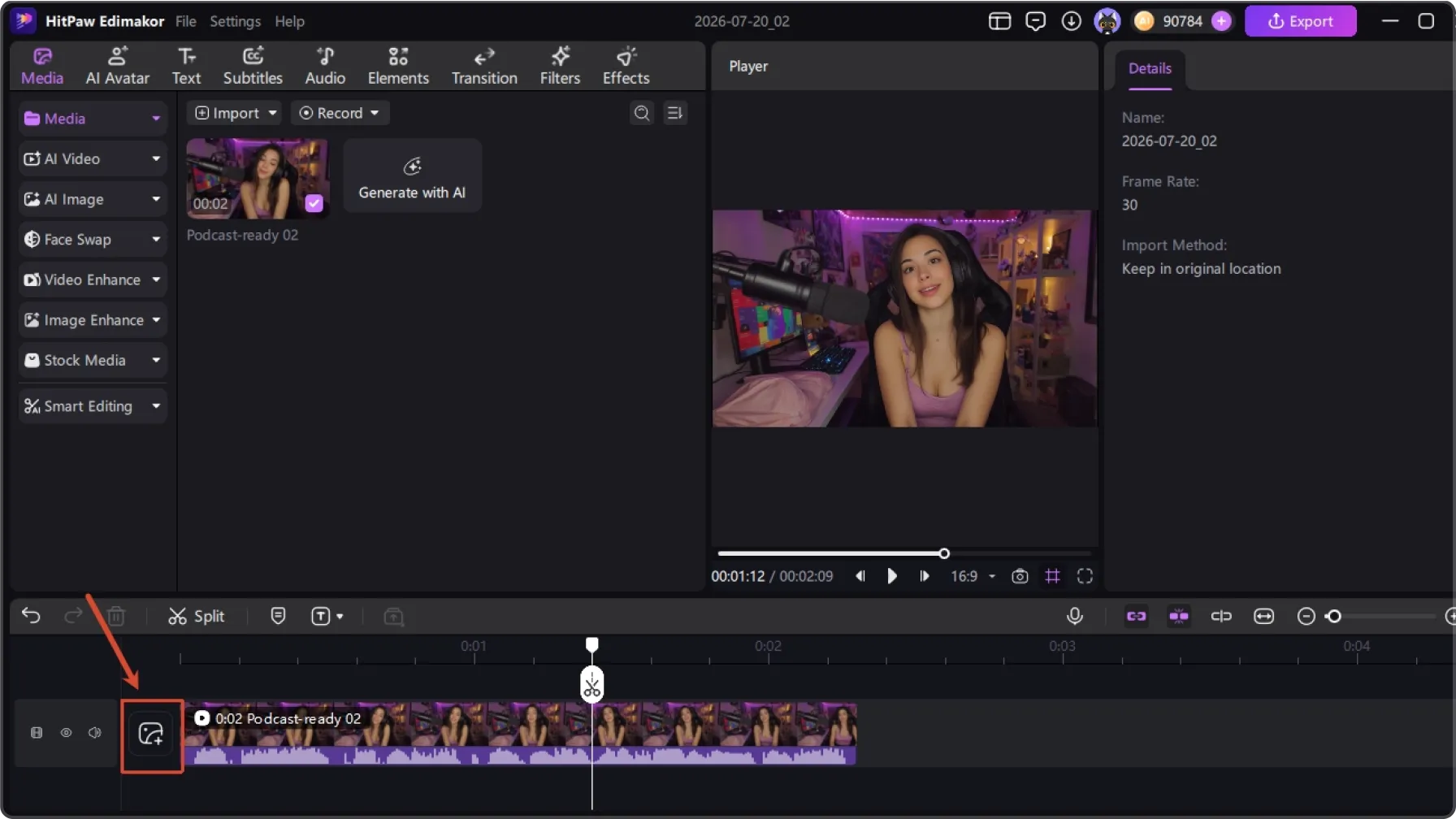
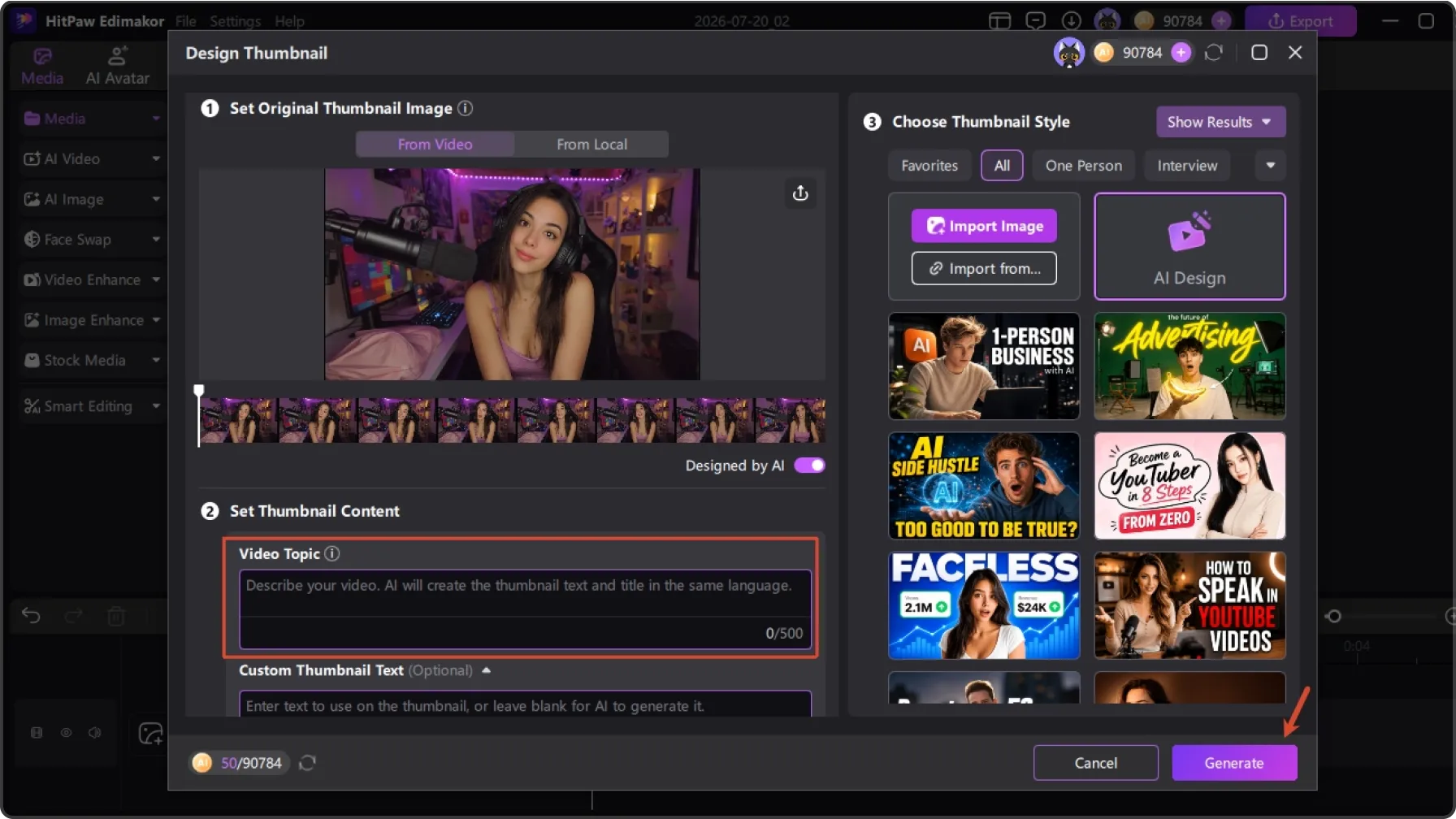
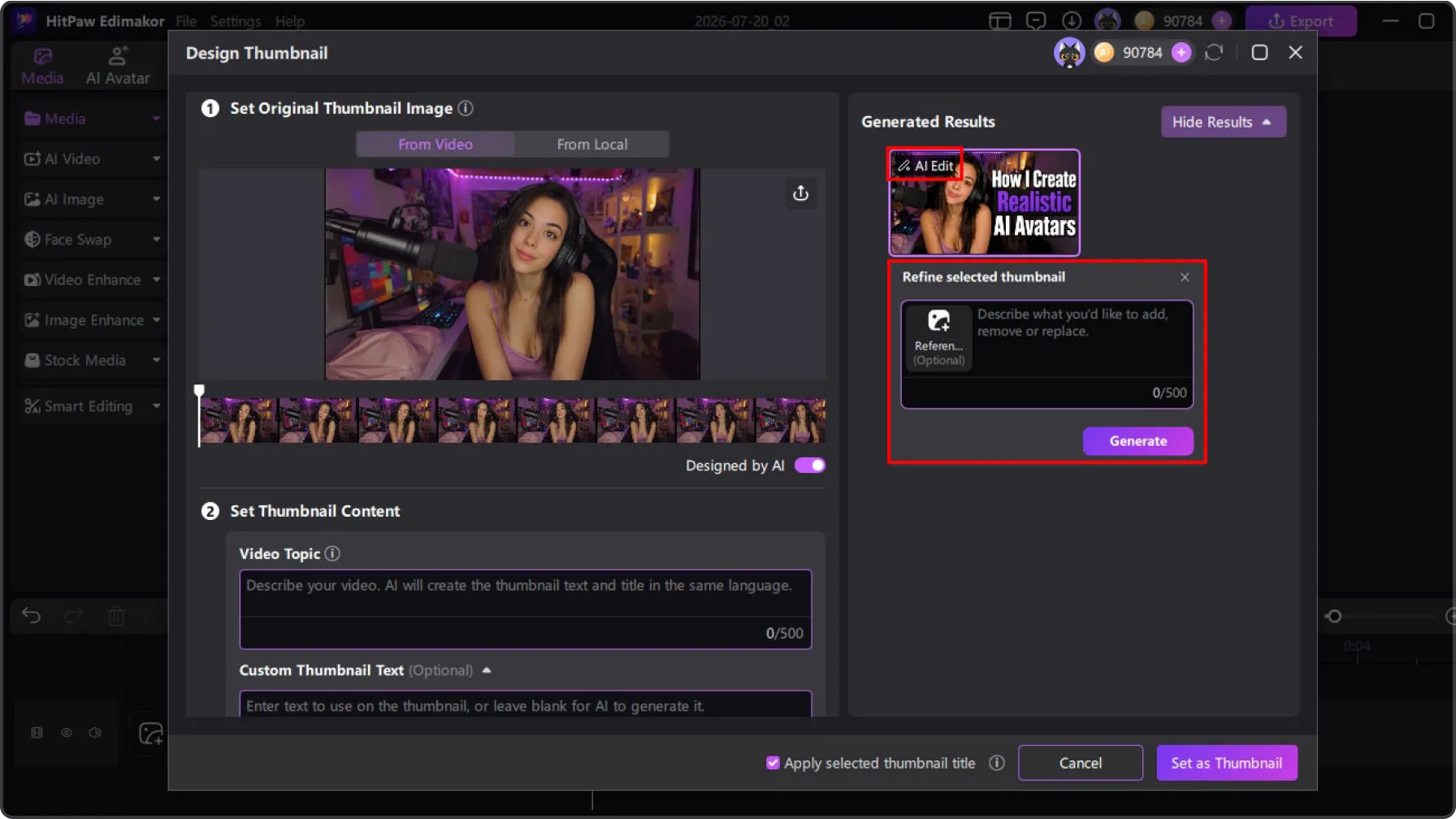
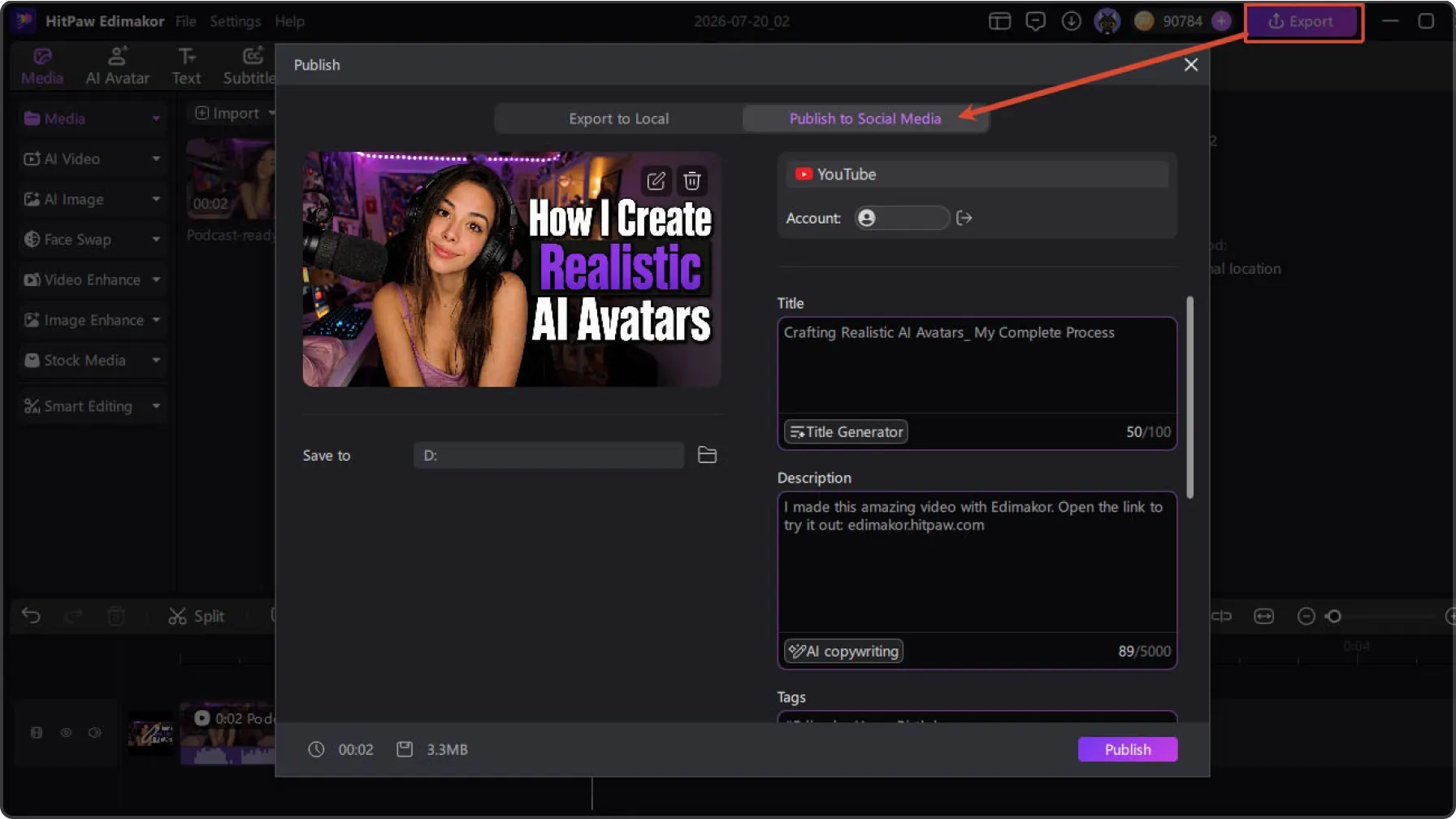
Powerful AI Thumbnail Maker for Every Creator
Why Choose Edimakor to Generate Thumbnails

More Attention for Your Videos
Edimakor generates compelling thumbnails to make your videos stand out and attract more viewers.

Save Time Creating Thumbnails
With AI-powered suggestions and smart designs, Edimakor creates matching covers in minutes.

Affordable Design for Everyone
Professional thumbnails are now within reach, even without design skills or expensive design services.

I already use Edimakor for all my video editing. Now the AI Thumbnail Maker makes everything even better. I absolutely love the integrated feature. It generates nice covers and titles in seconds. And they always match my videos perfectly. This is amazing.

We create lots of promo videos. Edimakor keeps our thumbnails consistent. We save styles and use our own reference pictures. It makes everything look professional quickly. Our brand feels much more put together now.

Dominik
I’m not good at design at all. I shoot travel videos with my phone but always struggle with thumbnails. The AI Thumbnail Maker does everything for me. It designs beautiful covers automatically. My videos now look much more attractive.

Elena
More Features & More Possibilities
AI Video Generator
Create professional marketing videos from text, images, or product links in minutes.
AI Script Generator
Turn product ideas into high-converting video scripts, ad copies, and UGC concepts instantly.
AI Image Generator
Generate stunning product visuals, ad creatives, and brand assets with simple prompts.
AI Voiceovers & Royalty-Free Music
Create engaging videos with natural AI voices and a built-in library of royalty-free music.
Built-in Video Editor
Edit, subtitle, enhance, and perfect your videos in one powerful workspace.
Hyper Realistic AI Avatars
Generate stunning product visuals, ad creatives, and brand assets with simple prompts.
FAQs about Edimakor's AI Thumbnail Maker
An AI thumbnail maker automatically creates thumbnail designs from your video or topic. Edimakor AI thumbnail maker analyzes your video content and can generate relevant thumbnail designs with titles.
Absolutely. With Edimakor’s AI Edit feature, you can edit images, text, layouts, colors, and other elements easily to match your creative preferences.
Yes. Edimakor will analyze your video's subject, visuals, and style to create thumbnails that better represent your content.
AI thumbnails can improve visual appeal and attract attention. Click performance also depends on your content quality and audience.
Of course. Edimakor lets you save and organize your favorite thumbnail designs. You can reuse them across future videos for a consistent channel appearance.
 Edimakor
You
+ Edimakor - Turn ideas
into dynamic
videos
Joanna