Create Memorable Anniversary Videos in Minutes
Celebrate meaningful milestones with personalized anniversary videos. From wedding anniversaries to company milestones, Edimakor Anniversary Video Maker helps you preserve special memories forever. Share them easily with the people who matter most.







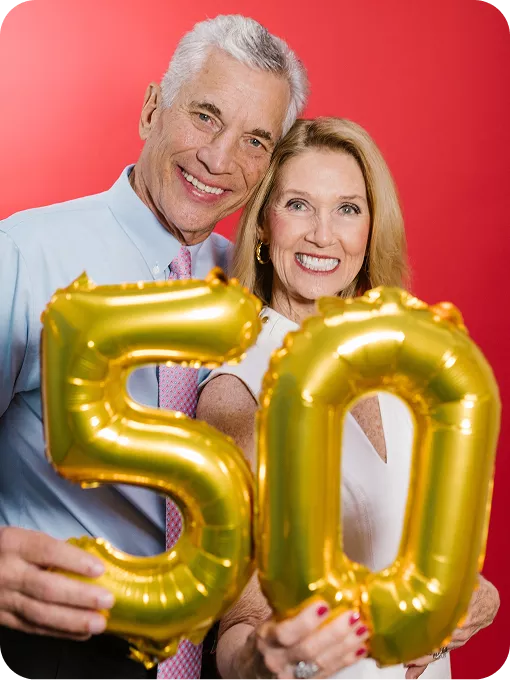
Explore Anniversary Video Styles Generated by Edimakor



What Makes Edimakor Anniversary Video Maker Stand Out?
Generate Anniversary Videos from Text and Images
Create personalized anniversary videos from your ideas, photos, or video clips. Edimakor generates smooth visual motion automatically from your prompts. Also, bring your memories back to life without effort.

Apply Cute and Creative Anniversary Video Styles
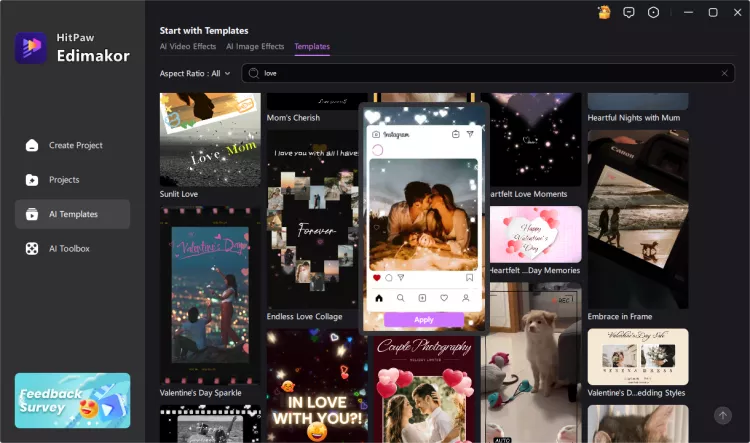
Explore different styles to create your anniversary videos with unique looks. Edimakor helps turn your memories into cute, romantic, or creative videos that match your preferred feeling. It can keep every precious moment fresh and lively.
Enhance Visual Quality for Your Anniversary Videos
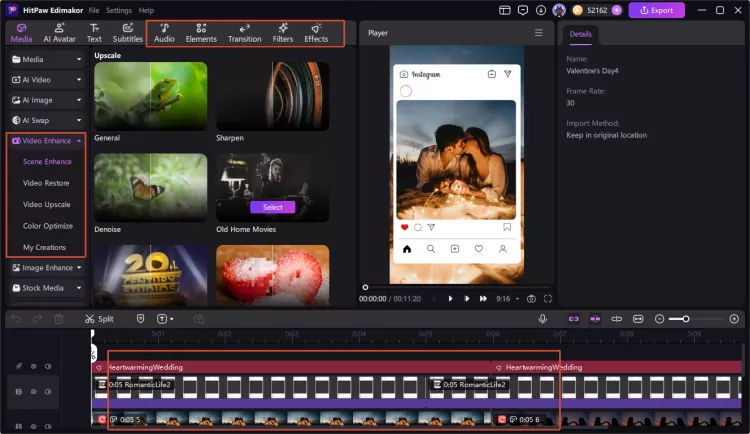
Got blurry photos or low-resolution video clips? Don't worry. Edimakor can improve the quality of your old photos and clips with AI enhancement tools. It makes your anniversary videos clearer and easier to enjoy.
Add AI Music and Sounds to Celebrate Anniversaries
Create a happy anniversary video with suitable music and sounds. Edimakor can generate custom background tracks and music to fit your theme perfectly. Make your anniversary video not only memorable, but also pleasant to listen to!
Why Choose Edimakor Anniversary Video Maker

Custom Voice Cloning
You can create familiar voice messages with AI voice cloning. Use your voice or loved ones' voices for blessings. That makes the anniversary videos more personal and emotional.

Multilingual Video Translation
Translate your anniversary videos into multiple languages with AI. So you can easily create dubbed messages for friends and families worldwide. Share the meaningful memories across different cultures.

Smart AI Video Editing
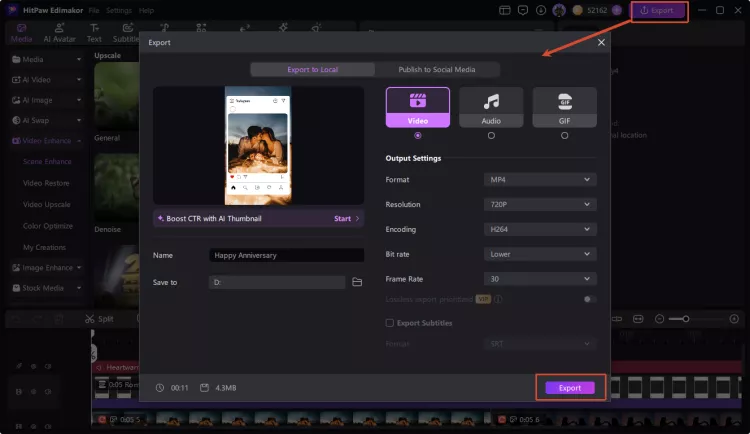
AI optimizes video pacing and structure automatically. It helps to add smooth transitions and matching music. You can create polished anniversary stories without complex editing steps.

Edimakor helped me create a touching wedding anniversary video for my partner. I combined our old photos with music and special messages. The AI tools made editing simple. The final video captured our memories in a beautiful way.

I used Edimakor to make an anniversary video for my parents. Their old family photos became a meaningful story with creative effects and music. It was easy to personalize, and everyone loved watching these precious memories together.

Alexander Brown
Our team created a company anniversary video with Edimakor to celebrate an important milestone. We added brand images, team moments, and messages from employees. The editing process was simple, and the final video looked professional and memorable.

James Hayes
FAQs about Anniversary Video Maker
An Anniversary Video Maker is a specialized video editing tool. It helps combine photos, videos, music, and creative effects into a meaningful story. It works for wedding dates, company milestones, and family celebrations.
The best software depends on your needs. In short, a good anniversary video maker always includes editing features and creative AI tools. Edimakor is a top choice for creating anniversary videos. The software interface remains very simple for beginners. Users can get stunning results easily using powerful AI tools.
Low-quality photos can still be used to create anniversary videos. Edimakor provides AI enhancement tools that help improve image clarity and restore details. You can make older or blurry memories look better before adding them to your video.
Yes, your personal materials are used only for creating your videos. Edimakor is designed to protect your uploaded photos and videos during the editing process. You can create anniversary memories with more confidence.
Start by selecting your favorite photos, videos, and memories from your relationship or special moments. Then go to Media > AI Animation. Choose a cute visual style like Anime or 3D animation, add suitable music, and include meaningful messages. Edimakor helps you create a lovely anniversary video with AI-powered editing tools and creative effects.
One-Stop Tools, Personalized Anniversary Videos


 Edimakor
You
+ Edimakor - Turn ideas
into dynamic
videos
Nathan Brooks