AI Video Editor - Edimakor
 AI-powered
AI-powered
Stop Motion Video Maker
- Create playful stop motion videos easily
- Remove backgrounds in one click with AI
- Export in multiple formats for different platforms
- Professional looking results, no advanced skills required
- Perfect for creators, educators, brands, and social content
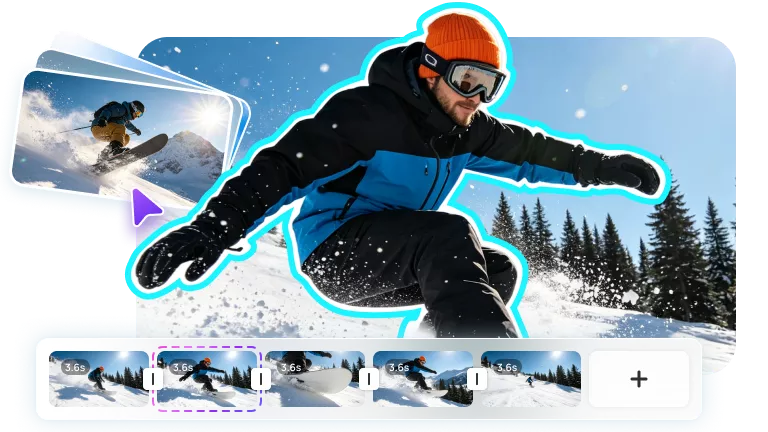







Create Stop Motion Videos for Every Idea
From claymation shorts to product animations, Edimakor makes frame by frame editing easier.

Why Choose Edimakor
Stop Motion Video Maker
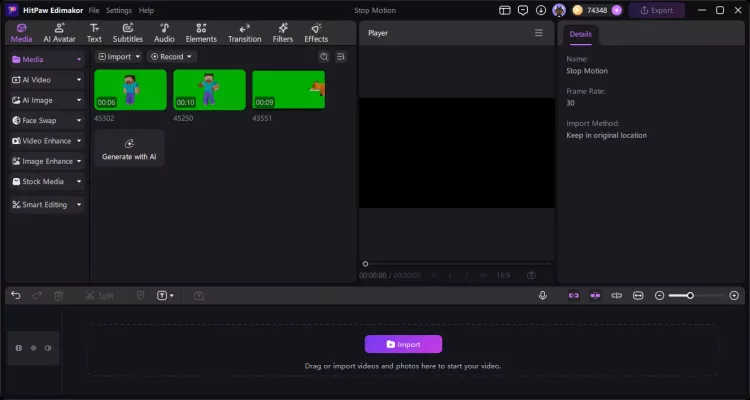
Easy Media Import and Timeline Editing
Batch import your images and video clips, then arrange them easily on the timeline. Everything stays organized, so you can focus on each frame and build your scene naturally.
Creative Effects for Stop Motion Scenes
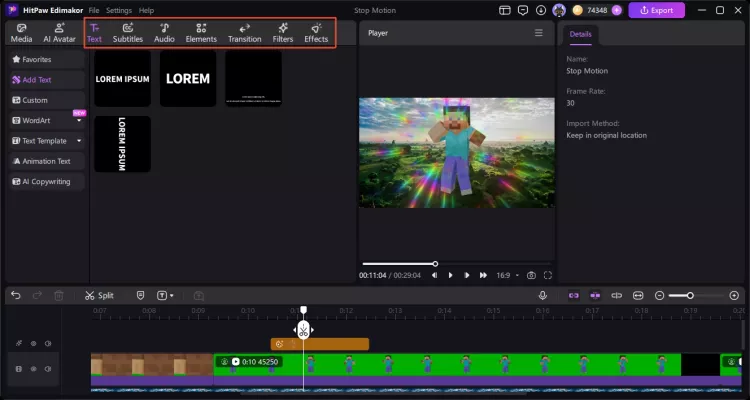
A range of filters and transitions adds more visual appeal to your stop motion videos. Plus, AI video tools can help reshape your video style and give each scene a fresh look.
AI Background Removal for Any Set
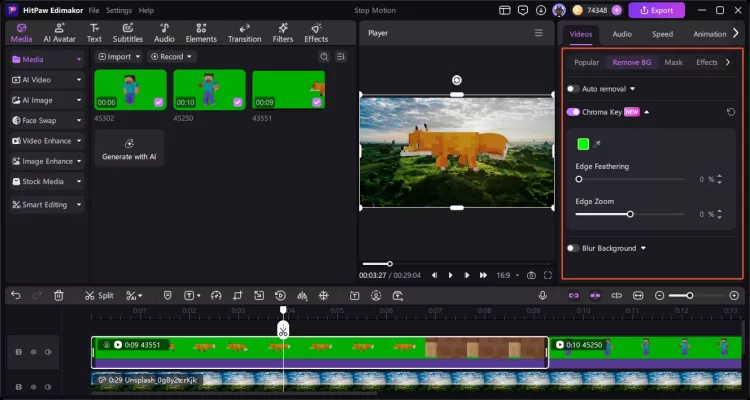
AI background removal and Chroma Key make background editing much easier. With just a few steps, you can isolate subjects, replace backgrounds, and create cleaner stop motion scenes.
Give Your Stop Motion Scenes Sound
Music and voiceovers give your frames a voice of their own. Meanwhile, try AI generated sound effects to fill in the gaps, so your stop motion videos feel more complete and engaging.
Export Stop Motion at Different Frame Rate
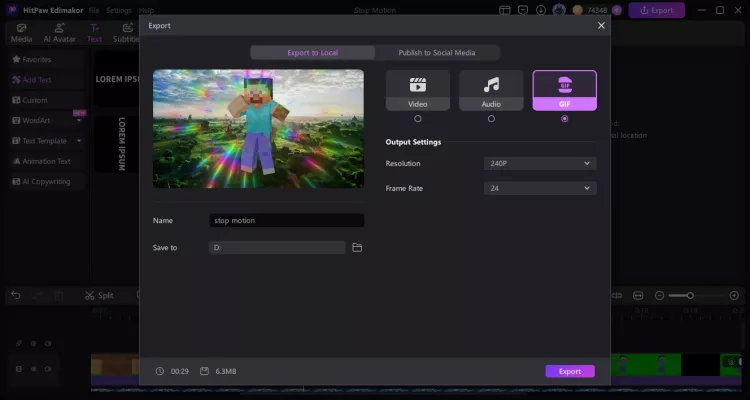
Choose from multiple export options, including GIF, and pick the frame rate that fits your project best. Quality always stays sharp whether you’re posting to social media or saving for later.
Other Features of Edimakor Stop Motion Video Maker




I make short videos for YouTube, and stop motion has become one of my favorite formats. HitPaw Edimakor makes the whole process pretty simple. I can arrange frames and finish the background removal quickly. Edimakor is really handy for quick projects.

I wanted something simple for a classroom animation project. This stop motion maker was easy to pick up, even for beginners. The timeline makes arranging frames much easier. I also liked the sound effects and voiceover options. Edimakor gave our project a much more finished look.

Cindy Houston
I use stop motion to show my products on social media. Edimakor gives me enough editing tools to make the videos look polished, but I don’t need to spend hours learning complicated software. Edimakor is great for quick product clips. I can export a video and post it right away.

Dan Marks
FAQs about Edimakor Stop Motion Video Maker
A stop motion video maker is a tool that turns a series of photos into an animated video. It allows you to arrange images frame by frame, adjust timing, add music, and apply effects. With the right editor, beginners can create creative stop motion videos without professional animation skills.
The best stop motion video maker should make it easy to create animations while offering powerful editing features. Edimakor is a great choice for anyone who wants to make stop motion videos quickly. It supports frame-by-frame editing, speed adjustments, music, effects, and AI-powered tools to enhance your videos.
You can use cameras, smartphones, or even simple objects from daily life to create stop motion videos. A good video maker helps combine your photos, edit individual frames, control animation speed, and improve the final result with music, filters, and other creative effects.
Stop motion animation may seem difficult at first, but modern video editing tools make the process much easier. Beginners can create animations by simply uploading photos, adjusting frame timing, and adding effects. With basic practice, anyone can make creative stop motion videos at home.
The number of pictures depends on the length and smoothness you want for your animation. Short clips may only need dozens of photos, while longer videos require hundreds or more frames. Adjusting the frame rate in your editor can help create smoother or faster animations.
 Edimakor
You
+ Edimakor - Turn ideas
into dynamic
videos
Jim James