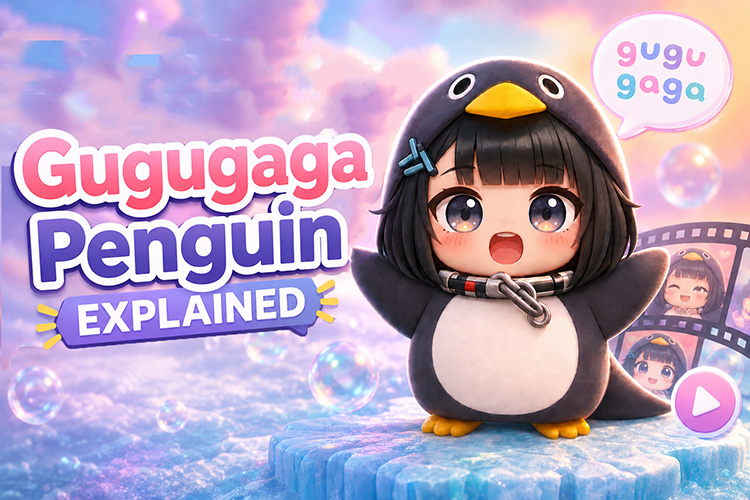
Have you ever seen an adorable penguin chirping “gugugaga~ ” all over TikTok? That’s the Gugugaga Penguin (also called Goo Goo Gaga Penguin), which is one of 2026’s cutest and most addictive AI memes.
This guide covers what it is, why it took off, and the top videos worth watching. You'll also learn how to make your own gugugaga videos using AI.

Part 1. What is Gugugaga?
“Gugugaga” comes from the classic English baby talk “goo goo gaga.” The current viral version exploded in early 2026. It’s based on the chibi “Endministrator” (Endmin) character from the game Arknights: Endfield.
Her adorable design, smooth AI animation, and catchy “gugugaga~ ♡” sound make her impossible to scroll past.
Part 2. Why Did Gugugaga Go Viral?
There are three main reasons why this gugugaga meme spread so widely:
1 Universal Cute Appeal Ages and Genders
The design is adorable to pretty much everyone — not just anime fans. It hits that perfect “brainrot but make it cute” spot that gets likes from all ages and genders.
2 Super Easy for Anyone to Join
Thanks to AI tools, anyone can make their own Gugugaga videos with simple prompts. Beginners can get started right away and generate all kinds of fun variations.
3 Perfect Audio + Visual Combo
That catchy “gugugaga~” sound is earworm-level sticky. It pairs amazingly with the waddling animations, boosting watch time and algorithm performance. As of May 2026, it’s still going strong on TikTok.
Part 3. Top 10 Cutest Gugugaga Penguin Shorts on YouTube
① Wake Up... No, Let’s Sleep Again
A super popular Gugugaga video that has over 100 million total views. It perfectly captures the adorable sleepy-eyed penguin.
② Gugu Gaga Penguin #shorts
In this hilarious short, it’s Goo Goo Gaga Santa vs Gugugaga Penguin. Who wins?
③ This AI Gugugaga Penguin Short is SO CUTE!
A short reaction introducing the AI-generated little penguin video that went viral on TikTok, with the viewer saying “so cute.”
④ I found Gugugaga penguin in my bathtub
A unique situational video featuring the gugugaga penguin appearing in a bathroom, created by a popular Shorts creator.
⑤ Gugugaga~ Giant Penguin Rings In. Too Cute Yet Too Mighty
An impactful AI short featuring a cute giant penguin in a pro wrestling ring, released in April 2026.
⑥ Cute Gugugaga Penguin
A pure healing short focused solely on the adorable penguin, released April 24, 2026.
⑦ Gugugaga Penguin in Disneyland #shorts
A fantasy AI short featuring the gugugaga penguin in Disneyland, a soothing collaboration of the dreamland and penguin.
⑧ WHO IS THE REAL GUGUGAGA PENGUIN? #shorts
A unique riddle-style short asking “Which is the real gugugaga penguin?” leveraging the character’s high recognition.
⑨ GuguGaga Penguin – Cutest Moments That Will Make You Smile (Compilation)
A best-of compilation with heartwarming, funny, and touching moments—perfect to enjoy the entire “gugugaga” world at once.
⑩ Shhhh!Gugugaga penguin at play
Shhh! Don't mess with Gugugaga while she's building her block tower, or she will literally throw a tiny penguin tantrum!
Part 4. How to Create a Gugugaga Meme (Explained in 3 Steps)
This time we’ll use HitPaw Edimakor, an all-in-one software that covers everything from image generation to video creation. No more switching between tools.


Step 1: Create Gugugaga Prompts with AI
Step 1a: Once launched, select “Text” > “AI Copywriting” from the “Toolbox” menu on the left.
Step 1b: Choose “Custom Input.” Enter a request to create prompts for image and video generation in the text box, then click “Generate Script.”
(Example input: I want to make a fun 5-second cute gugugaga penguin short video. Please come up with a good setting, and create one prompt each for image and video generation. I will provide reference images for the gugugaga penguin.)
Step 1c: The AI will automatically generate the prompt. Click the copy button and save the content for later use.
Step 2: Generate Gugugaga Images with Edimakor
Step 2a: Select “Image” > “Reference Image” from the “Toolbox” menu on the left.
Step 2b: Set the model (GPT Image 2 in this case), the reference image (gugugaga reference), and the prompt (the image prompt generated earlier). Click “Generate.” The generated image is saved in the “My Creations” folder.
Step 3: Generate Gugugaga Videos with Edimakor’s Seedance 2.0
Step 3a: Select “Video” > “Reference to Video” from the “Toolbox” menu on the left.
Step 3b: Set the model (Seedance 2.0), images (reference and the generated image from Step 2), and the prompt (video prompt generated in Step 1), then click “Generate.”
Step 3c: The generation will complete automatically, and the video will be output. Export the video via the “Export” button on the top right.
Part 5. 5 Recommended Gugugaga Templates and Ideas
Here are five prompt ideas you can copy and use as-is.
Idea 1: Sakura Blossom Penguin Girl (Cozy Spring Style)
Overview : A heartwarming scene features gugugaga penguin cheerfully dancing amid falling cherry blossoms. Perfect for creating a vibrant, uplifting spring-themed video.
A cute anime chibi girl with short dark hair, big sparkling brown eyes, and an energetic smile, wearing a plush black-and-white penguin onesie with a hood. She is joyfully balancing on one foot with arms wide open. The setting is a cozy, sunlit room filled with cherry blossom decorations and pink petals drifting through a bright window. Soft, warm pastel color palette, ultra-high-resolution, cinematic lighting, cute anime style.The little penguin sways gently side to side, blinking its big sparkling eyes, and murmurs “gugugaga~♡” with a heart speech bubble.Idea 2: Side-by-Side with Favorite Character Style
Overview : A two-shot style with your favorite character and a gugugaga-style penguin side by side. Great for fan posts.
A cute black-and-white gugugaga penguin standing next to an anime character. Both smile brightly at the camera. The indoor pastel background features floating heart effects. A super-cute little character anime-style high-resolution image. The little penguin looks up at the character beside it, energetically flaps its small wings, says “gugugaga~,” and a heart speech bubble appears. Idea 3: Gugugaga Begging for Cake (Humor Style)
Overview : A gugugaga penguin wearing a chef’s hat begs in front of a large cake. A humorous and cute combo that encourages comments.
A gugugaga penguin wearing a white chef’s hat gazes at a huge strawberry cake with sparkling pleading eyes. It drools cutely, holds its front paws together in a begging pose. The warm, cozy kitchen background is in anime-style with high-quality rendering. The gugugaga penguin tilts its head toward the cake, eyes sparkling as it shows desire. Then it looks up and says in a pleading voice “gugugaga~ please~♡” while generating sparkling effects. Idea 4: Shoulder-Riding Selfie Style (Vertical Format)
Overview : A vertical format where a penguin perched on a person’s shoulder looks at the camera together. Suited for short videos.
A young man taking a selfie with a little gugugaga penguin perched on his shoulder. Both face the camera. The penguin makes a “peace sign” with its small wings. The background is a pastel gradient sprinkled with sparkling heart marks. Anime-style illustration in a vertical layout. The penguin on the shoulder happily sways its body, lightly taps the person’s cheek with its wings, shouts “gugugaga!!” and heart and star effects scatter. Idea 5: Fluffy Gugugaga Penguin (Plush Toy Style)
Overview : A style featuring a plush toy-like texture instead of anime style. Perfect for making your post stand out.
Part 6. Frequently Asked Questions About Gugugaga
A1: The main causes are overly vague prompts, low-resolution source images, or no motion specified in the video prompts. Writing specific character traits and actions improves results.
A2: Because it combines visual cuteness, a catchy chirp, and the ease of AI-generated participation. Unlike other trends, it’s an interactive meme that makes people want not only to watch but to create and post.
A3: Yes. Even without video editing experience, you can complete one by entering prompts into AI and clicking a few times.
A4: HitPaw Edimakor is recommended. It combines image generation (Nano Banana 2) and video generation (Seedance 2.0) in one app, eliminating the hassle of switching tools.
Summary
Gugugaga (Goo Goo Gaga) is a meme that spread worldwide. Its ongoing popularity stems from a perfect balance of viewer addiction and creator accessibility.
If you want to create original gugugaga videos, HitPaw Edimakor is the best all-in-one tool. Using the prompts introduced in this article, even beginners can complete videos quickly.
Leave a Comment
Create your review for HitPaw articles