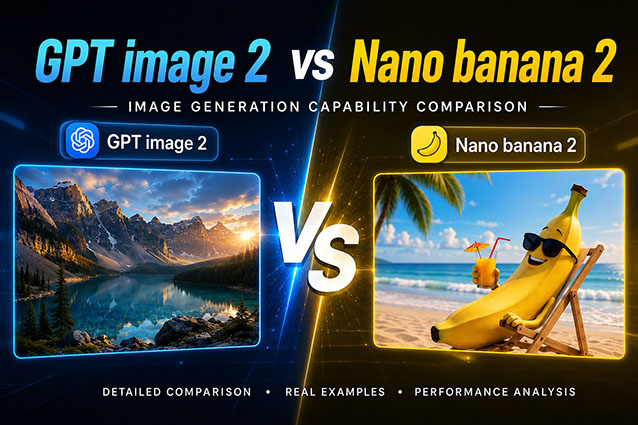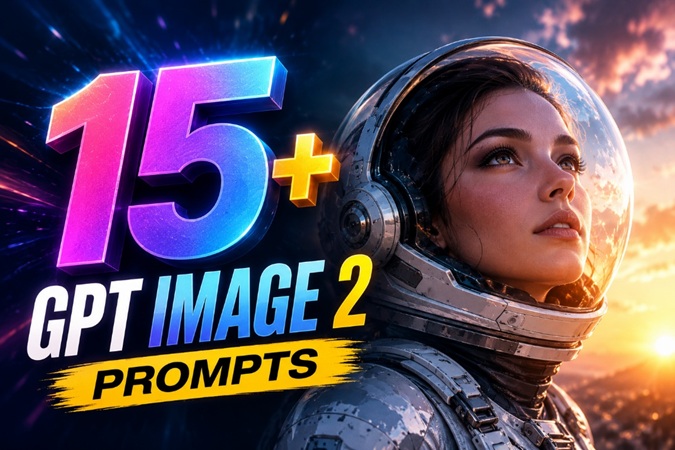
Recently, GPT Image 2's potent capabilities have swept the internet, spurring a surge of astonishing AI image creations. Naturally, there's a rising demand for GPT Image 2 prompts.
In this guide, we’ll show you how to write better prompts and provide 15 highly effective GPT Image 2 prompts. Plus, you'll discover how to generate AI artwork without writing prompts.
What's New and Better with GPT Image 2?
GPT Image 2 marks a significant leap forward in AI-driven creativity, offering more precision and realism than ever before. Here are the three key areas where this model shines:
- Better Prompt Understanding: GPT Image 2 is designed to follow natural language instructions with high accuracy. It can still produce relevant and stunning results without heavily engineered prompts.
- Cleaner text and layouts: GPT Image 2 generates precise, well-formatted text across multiple languages. This makes it an exceptionally versatile creative tool.
- More consistent characters: GPT Image 2 keeps faces, clothing, and expressions stable across multiple scenes. Perfect for storytelling series or branded avatar content.
How to Write GPT Image 2 Prompts
GPT Image 2 responds well to specific, structured input. Vague descriptions get vague results. Here's what actually works.
GPT Image 2 Prompt Structure
Every solid prompt has five components: subject, style, lighting, mood, and output format. You don't need all five every time, but the more you include, the more predictable your results.
Example: A glass perfume bottle shot in luxury editorial photography style, with soft side lighting and specular highlights, clean and minimal mood, square format, white background.
Words That Work in GPT Image 2 Prompts
Certain descriptors consistently produce stronger outputs. Try cinematic, soft diffused light, photorealistic, golden hour, or wide shot. These terms provide clear visual direction. On the other hand, vague adjectives like beautiful, amazing, or high quality rarely improve results, just skip them.
Tips for Accurate Text Rendering
GPT Image 2 handles text better than almost any image model, but this is only true if you tell it exactly what to render. Put your copy in quotation marks. Specify font style, weight, color, and placement. Then add “verbatim, no extra words, no substitutions” at the end.
15 Best GPT Image 2 Prompts Worth Trying
The following are some of the best GPT Image 2 prompts in 2026. They are designed to produce sharper details, more dramatic lighting, and more realistic visuals.
Social media and viral content prompts
For social media and viral content, think bright illumination, crisp detail, and an arrangement that's visually striking. These GPT Image 2 prompts work especially well for TikTok and YouTube thumbnails.

A Tokyo street at night with neon reflections on the wet pavement, captured from an influencer selfie angle with a shallow depth of field and a 35mm film look.A top-down flat lay shot of a morning setup, featuring a coffee cup, a phone, and a diary on a clean white surface with soft natural window light.A YouTube thumbnail featuring a shocked face expression against a bold yellow background with high contrast and text space on the right.Marketing and product visual prompts
When showing off a product, it absolutely needs to have good lighting, and be genuinely attractive. A strong AI image generator can now create advertising visuals with lighting.
A skincare bottle submerged in clear water with light refracting through the glass against a dark background, creating a cinematic mood.A modern sneaker in a futuristic studio with bold dramatic shadows and sharp product edges against a dark background.A fast food banner featuring a realistic burger and fries on a white background with professional advertising lighting and vivid colors.Posters, text, and design prompts
GPT Image 2 has massively improved the text within pictures, and being able to read it with nicely spaced and appealing fonts, which is particularly useful for advertising and event visuals.
A vintage concert poster for a New Orleans jazz band, including the band name, date, venue, and ticket price.A cyberpunk film poster featuring glowing neon typography against a rain-soaked futuristic cityscape with a dark and moody atmosphere.A three-page editorial spread mockup with a clean grid layout, bold typography hierarchy, full-bleed images, and minimal white space.Prompts for AI characters and avatars
Here are GPT image 2 prompts for creating brilliant AI characters and avatars. You can use them in narrating stories, and short, branded clips for Instagram or TikTok.
A cinematic hyper-realistic portrait of a futuristic android avatar with a chrome face, silver hair, a blue optical lens eye, and glowing cyan circuits under translucent skin against a dark background.A whimsical elf avatar with silver hair, violet eyes, vine armor, and glowing mushrooms, in an ethereal painterly digital art style with an emerald forest background.A vivid comic book illustration style streetwear avatar wearing an oversized hoodie, a gold chain, retro sunglasses, and a snapback cap against a graffiti wall background.Cinematic scenes and storytelling prompts
These prompts are especially good at achieving a cinematic look. Combined with an AI video generator like Edimakor, you can direct amazing films.
A cinematic wide drone aerial view of a futuristic city with flying cars at sunset, bathed in golden hour light.Creating GPT Image 2 Artwork Without Writing Prompts
Not everyone wants to engineer prompts from scratch. If you'd rather skip straight to the output, HitPaw Edimakor offers two features that get you there without touching a prompt.


Use Built-In GPT Image Templates
Edimakor comes with a library of ready-made GPT Image 2 templates. Every template comes with a prompt already built in.
Step 1: Open Toolbox, go to AI Templates, then select AI Image Effects. Filter by GPT Image 2 and you'll see a full grid of templates across different styles. Click the one that fits your idea.
Step 2: Replace the placeholder image with your own, and finish other settings (resolution, ratio, quantity). Then click Generate. The prompt is already there. You don't write a single word.
It's the fastest way to get professional-looking GPT Image 2 results without any prompt knowledge.
Extract Prompts from a Reference Image
Got an image you love but no idea how to describe it? Edimakor’s Image to Prompt feature works the other way around. It reads the image and writes the prompt for you.
Step 1: Go to AI Image Generator. Choose Text to Image. Switch the model to GPT Image 2. Then open Prompt Generator and select Image to Prompt.
Step 2: Upload your reference image. Edimakor analyzes the image and generates a prompt you can use immediately. Adjust a detail or two if you want, then click Confirm.
Step 3: The prompt is automatically filled in. Adjust any remaining settings and click Generate. You'll get your artwork without writing a single word.
Copy any visual style instantly and generate high-quality images without writing a single word.
FAQs
A1: Not at all. GPT Image 2's improved prompt understanding means simple, natural descriptions deliver good results. Just describe what you want clearly.
A2: No. Edimakor integrates GPT Image 2 directly, so you can access it without a separate ChatGPT subscription.
A3: GPT Image 2 is available through ChatGPT, where free-tier access may be limited. For unlimited generation without a subscription, Edimakor offers built-in access to GPT Image 2 directly within its editing workflow.
A4: Absolutely! You don't need to be a professional prompt engineer. With HitPaw Edimakor, you can completely bypass traditional prompt writing by using built-in Templates or the Image-to-Prompt feature to generate GPT artwork in seconds.
Conclusion
The prompt guide and ready-to-use GPT Image 2 prompts can accelerate your AI content creation, making it more polished and useful. Don't want to write new prompts? Just explore Edimakor’s built-in Templates and the Image-to-Prompt tool to design beautiful images instantly.
Leave a Comment
Create your review for HitPaw articles