In the modern era it is essential to have subtitles when it comes to making videos. From YouTube tutorials to TikTok videos, and online courses, captions make a difference in accessibility, engagement, and reach. Many creators do not know that there are 2 "types" of subtitles: hardcoded subtitles and soft subtitles.
Each format will be used for different things, depending on the location the video is shown and the flexibility of the subtitles. In this guide, you will learn the difference between hardsubs and softsubs, when to use each, and how to create both using a powerful.
What Is the Difference Between Hardsubs and Softsubs?
To know the difference between hardsubs and softsubs, it is essential to know how subtitles are stored and shown in a video.
1 What are Hardsubs
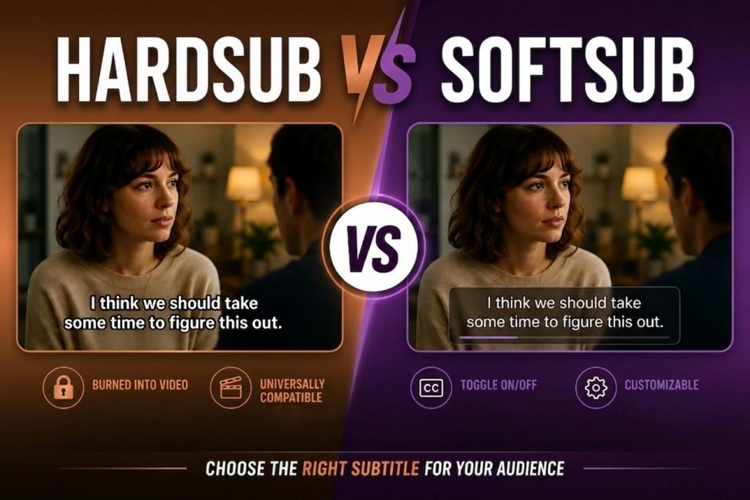
They are also referred to as hardcoded or burned-in subtitles, in which the subtitles are permanently in the video file. They get integrated into the visual content and cannot be switched off or edited post export. These are mostly used with clips for social media, translated anime videos or content that is always required to be subtitled, no matter the video player.
2 What are Softsubs
These are subtitles that are embedded outside the video file. Typically, they are exported as .srt, .vtt and .ass files and others. Unlike hardsubs, they're not required or permanent, and may be enabled, disabled, edited or translated at any time. They are also vital for sites like YouTube and Netflix, which provide multi-language subtitle options and advanced accessibility features.
3 Hardsub vs Softsub at a Glance
| Feature | Hardsubs | Softsubs |
|---|---|---|
| Removable | No | Yes |
| Editable | No | Yes |
| Best for social media | ⭐⭐⭐⭐⭐ | ⭐⭐ |
| Multiple language support | No | Yes |
| File size | Slightly larger video | Small subtitle file |
| Device compatibility | Universal | Depends on player support |
| AI workflow flexibility | ⭐ | ⭐⭐⭐⭐⭐ |
When Should You Use Hardsubs or Softsubs?
The decision of choosing between both subtitles will depend on your content goals, audience, and publishing medium.
1 Best Use Cases for Hardsubs
When the subtitle needs to be visible on each screen and platform, it's best suited for hardcoded.
- Social media videos: These are videos that play without sound when viewed on social media platforms like TikTok, Instagram Reels, and Facebook. Burned-in captions are a great way for viewers to get the message.
- Short-form content: Hardsubs will also help drive engagement and watch time because, as viewers will not need to switch on the captions, they are more likely to view the entire video.
- Branding and styling: Every creator can customize the fonts, colours and animation that will be used for the subtitles in the video for a professional look.
- Playability : Captions are embedded into the video file, ensuring they play correctly on any device and media player.
2 Best Use Cases for Softsubs
Softsubs are great for situations where flexibility and editing control are paramount.
- YouTube videos: Multiple language subtitles can be added to a YouTube video, provided that the language is different for each track.
- Streaming platforms: Netflix-style multilingual support is based on the notion of editable subtitles.
- AI subtitle workflows: The benefit of Softsubs is that they will make it easier to correct the AI-generated captions without having to re-export the video.
- Accessibility compliance: Editable subtitles enhance access for hearing impaired viewers and international viewers.
A Simple Guide to Creating Hardsubs and Softsubs
HitPaw Edimakor, with AI-powered subtitle generation, AI-assisted editing, multi-lingual translation and flexible export options, simplifies subtitle creation. By using the right subtitle generator, even if you're just starting out, you can make pro subtitles within a few minutes.


Key Benefits of Using Edimakor for subtitle generation:
- Automatic generation & manual editing : Edimakor automatically recognizes audio, generates subtitles, and embeds them on export, with no extra steps required. Manual edits are also supported.
- Multiple subtitle sources : You can upload local SRT files to add to your video, or export the generated subtitles as a standalone file with Edimakor.
- Styling & multilingual support : Customize font, color, size, and more. Edimakor can also automatically translate subtitles into other languages and display bilingual subtitles.
How to Add Burned-In Subtitles
Follow these steps to add subtitles to video permanently using Edimakor:
Step 1: Open Edimakor and go to AI Toolbox. Under the Text tab, select Auto Subtitles.

Step 2: Upload your video (and optional subtitle files) to burn in captions.
Step 3: If you don’t have an existing subtitle file, you can try Edimakor’s Auto Subtitles feature. It automatically generates perfect captions for your video with just one click.
Step 4: Review subtitle appearance, then customize font, color, size, and more. You can also use karaoke subtitles for more engaging visuals.
Step 5: Once the subtitles are finalized, hit the Export button. Your video is now exported with subtitles burned in.
How to Create Editable Soft Subtitles
Creating soft subtitles in Edimakor is simpler.
Step 1: Also, use Edimakor’s Auto Subtitles feature. Upload the video you want to caption into the workspace.
Step 2: Finish the settings and click Auto Subtitling. If needed, you can automatically translate your video into 130+ languages.
Step 3: The generated subtitles are precisely synced with the timeline. You just need to edit the text style and refine the content.
Step 4: Click the Export Subtitles button to save your captions as an independent file (like .srt or .vtt). These subtitle files can later be uploaded to YouTube or used with compatible media players.
Final Verdict: Which Subtitle Type Is Better?
There is no universal “best” format for subtitles. The one that you choose is dependent on your platform, audience, and editing requirements.
TikTok (short-form vertical video) → Hardsubs are better. Most viewers will not hear the sounds, so they must appear immediately. Burned-in subtitles are also in sync with TikTok's fast-paced viewing style.
YouTube (courses or long clips) → Softsubs are often more practical. They enable viewers to switch on or off the captions, choose other languages, as well as enhance search indexing. YouTube's subtitle system also has auto-translation.
Hybrid workflow: Having hardsubs for TikTok and Instagram and soft subtitle files for uploads to YouTube and for subsequent editing.
Tip:
For the best compatibility and consistent viewing experience, select hardsubs. On the other hand, when flexibility, accessibility, and simplicity in editing are paramount, soft subtitles are usually the better long-term option.
FAQs
A1. Yes. Since hardsubs are permanently embedded in the video, traditional methods require advanced OCR extraction. However, Edimakor simplifies this by allowing you to easily remove the hardsubs and re-generate a fresh, editable soft subtitle file.
A2. Many people opt to convert to subtitles as video platforms like TikTok and Instagram favor always-on subtitles, so many short-form video creators choose to export AI-generated captions into the video itself.
A3. Editable subtitles allow for correcting timing errors, translation of subtitles and re-use of the same subtitles on several platforms without a full re-render of the video.
Conclusion
Understanding this distinction between “hardsubs” and “softsubs” helps creators choose the right subtitle workflow. Hardsubs offer unmatched visibility and compatibility; softsubs provide editing flexibility and multilingual support.
With the help of the AI tools in HitPaw Edimakor, it's much easier than ever before to generate both types of subtitles, even for anyone who is new to it. Whether for TikTok or YouTube, Edimakor lets you create the subtitles you need, from burnedin captions to editable tracks.
Leave a Comment
Create your review for HitPaw articles