At Google I/O 2026, Gemini Omni's announcement was one of the most exciting moments in the AI video world. As a next generation Google AI video generator, will the Gemini Omni surprise us?
In this review, we will dive into the unique features of the Gemini Omni video generator, explore its key functions, and examine how it compares with other top-tier video generators.
What is Gemini Omni and How Does it Work?
1 What Is the Gemini Omni Video Generator
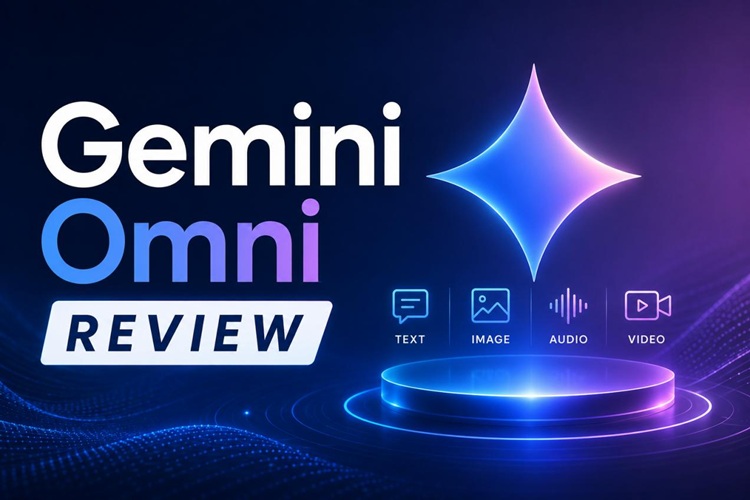
Gemini Omni is Google's multimodal AI video generation model. It accepts text prompts, photographs, voice commands, and visual cues, then produces cohesive, lifelike video output. The name "Omni" reflects its multi-ability.
The Gemini Omni video generator opens up some new and powerful video creation and editing capabilities, allowing users to evolve their scenes, modify directions, and enhance video outputs through a dialogue-style interface.
2 How Gemini Omni Works

Gemini Omni is built for an iterative creative process, enabling users to progressively refine their scenes, tweak their directions, and enhance their outputs conversationally.
The general workflow is as follows: Users enter multimodal inputs. Gemini analyzes their intent and the context. Then the system generates video outputs that are more cohesive, and easy to edit.
This makes the image to video AI workflow feel natural and continuous, rather than a series of disconnected one-off generations.
Key Features of the Gemini Omni Video Generator
Quad-Modal Input & Continuity
Gemini Omni accepts text, images, voice, and visual context as input. While the instructions of each individual shot may be distinct, Gemini Omni tries to carry over between shots, characters, and motion. This makes the generated videos appear less random.
Conversational Video Editing
Instead of having to start a project over, creators can request revisions in simple terms in this AI video generator. For instance, users can change the camera angle, speed, lighting, or scene changes through conversation.
Deep Real-World Physics Simulation
Gemini Omni also emphasizes realistic movement and environmental behavior. This feature enhances the realism of movements (lights changing in scenes, characters moving, shadows, water effects, etc.) in generated scenes by using physics simulation.
Digital Avatars & SynthID Protection
Google also highlights digital avatars and built-in protections. Users can create speaking virtual presenters or AI personalities for explainers, marketing videos and educational material. Meanwhile, SynthID technology aids in transparency and content verification of AI-generated media.
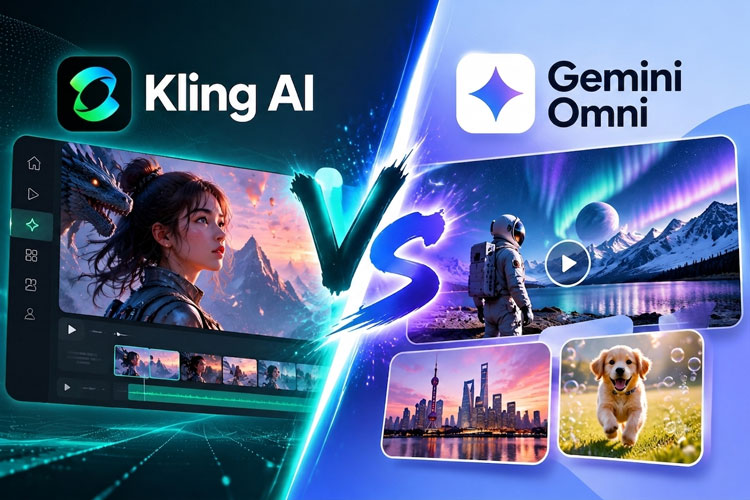
AI Video Model Quick Comparison: Gemini Omni vs. Top Rivals
There are numerous tools available in the AI video domain, and picking the best one can be overwhelming. Here's a quick AI video model comparison that explains how Gemini Omni compares to the top alternatives.
| Model | Input Types Supported | Video Length | Quality / Realism | Pricing Tier | Standout Strength |
|---|---|---|---|---|---|
| Gemini Omni | Text, image, voice, multimodal prompts | Up to 10s per clip (Native audio synced) | High realism with contextual continuity | Google One AI Premium | Conversational editing + multimodal continuity |
| Veo 3.1 | Text, image prompts | Cinematic medium-form clips | Cinematic photorealism | Free + Vertex AI API | 4K upscaling, 48kHz Native Audio Sync |
| Seedance 2.0 | Text, image, character prompts | Short to medium clips | Stylized and fast generation | Varies by plan | Fast content creation workflows |
| Kling 3.0 | Text-to-video, image-to-video | Longer clips supported | High motion realism | Free + paid tiers | Natural motion and physics simulation |
 See detailed comparison:
Where creators prioritize multimodal storytelling, Gemini Omni is particularly standout, providing a combination of conversational editing, contextual continuity and richer inputs all in the same workflow.
That said, access is currently limited to Google AI subscribers, and the public API has not yet launched. You may find trouble in getting access to Gemini Omni. For creators who need a fully accessible AI video tool right now, you need a practical alternative.
How to Make AI Video Without Gemini Omni
For cases where Gemini Omni isn't available (due to waitlist, region lock, pricing), consider using HitPaw Edimakor, an easy-to-use alternative that facilitates speedy AI video generation. It is primarily for beginners, YouTubers and marketers who want to create video content but are hesitant of the editing process.


What you can do with Hitpaw Edimakor
AI Video Generation
Edimakor can create entire videos from text, image prompts, or a reference video. It combines various AI models(Gemini Omni is upcoming) and pre-designed templates to streamline social media and short-form content production.
AI Script & AI Music
Edimakor offers automated AI script writing, and AI music generation. The script tool generates ready-to-use video scripts in over 35 languages, covering formats from social media to marketing content. The music generator creates original background tracks that match your video's tone.
AI Avatars & Subtitle Tools
It features AI avatars with lip-sync and natural TTS for faceless videos. Additionally, it works with subtitle generation (auto captions) and translation in 130+ languages, which makes it great for YouTube videos, tutorials, and creating content in multiple languages.
Key Benefits
- User friendly drag & drop interface, very shallow learning curve.
- Affordable prices when compared to professional editing suites.
- A comprehensive editing, recording and publishing suite in one.
- Perfect for the beginner, YouTuber or marketer looking for rapid turnaround content.
When Gemini Omni is more broadly launched, users will also be able to bring Gemini Omni features into their workflow inside Edimakor, allowing them to keep their content creation process flexible and future-proof.
Simple Steps to Make AI Video Without Gemini Omni
Step 1: Download and run Edimakor. On the homepage, click on New Project.
Step 2: Click on AI Image Generation and select a mode. Enter a detailed prompt and select desired styles. The images that you create are automatically saved in the My Creations folder. All you need to do is right click on any image and click on Image to Video.
Step 3: Type in an image prompt to animate your image. You can get the AI video results in minutes.
Step 4: Export your content as a video and distribute it on social media platforms to generate additional AI credits.
In the meantime, when Gemini Omni is unavailable, creators can continue to create high-quality videos with Edimakor on Windows and macOS, and have access to a free version of the Edimakor desktop app to begin creation.
For inspiration on what's possible, see how to use Edimakor to produce viral short films like Zombie Scavenger from scratch.
FAQs
A1: No. Advanced video generation and editing are exclusive to paid subscribers. Free tiers access Flash models for text and images, but exclude the video workflow.
A2: Yes. Gemini Omni supports conversational, multi-turn editing to modify existing clips. However, for precise timeline trimming, effects, and pro-level audio sync, a desktop editor like HitPaw Edimakor remains essential.
A3: Gemini Omni produces high-quality video clips up to 10 seconds long per single generation, complete with natively synced 48kHz audio. It is highly optimized for short-form visual content.
Conclusion
Is Gemini Omni the ideal AI video generator right now? It is certainly one of the most compelling options available, offering multimodal inputs, conversational editing, and deep integration with Google's ecosystem. The day it becomes fully available to the public is worth looking forward to.
Until then, HitPaw Edimakor is ready to use today. It covers image to video AI, AI avatars, auto subtitles, and a fast editing workflow. Start for free and see what you can make in minutes.
Leave a Comment
Create your review for HitPaw articles