With its smooth workflow, quick rendering, and artistic precision, Grok Imagine stands out in the explosion of AI art creation. However, a lot of customers search for alternatives that provide additional styles, different price points, or specialized tools. The best apps like Grok Imagine that offer remarkable creative flexibility are examined in this guide.

Part 1: What is Grok Imagine?
Prior to investigating the other options, it is critical to comprehend what Grok Imagine has to offer. Selecting the ideal AI art generator for your creative objectives is made easier when you are aware of its advantages, limitations, and style controls.
1 Overview of Grok Imagine
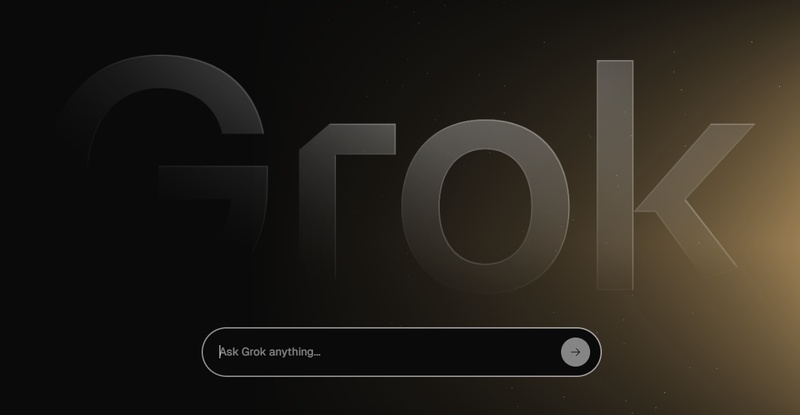
Firstly, what is Grok Imagine? xAI's Grok Imagine is an AI image generator developed for creating crisp, straightforward, and dramatic images. With its emphasis on immediate clarity, it offers users extensive control over subject details, lighting, composition, and style. It offers concept design, anime aesthetics, styled scenes, and portrait art with both standard and special Mode settings.
2 Pricing Plans
Understanding Grok Imagine pricing helps compare it with the apps listed below
| Plan | Price/m | Credits | Cancellation & Renewal |
|---|---|---|---|
| Free Tier | $0 | Limited daily use | Auto-renews daily |
| SuperGrok | $30 | Higher credit limit | Cancels anytime via the platform |
| Grok Business | $30 per user | Unlimited | Contract-based |
Part 2: Top 10 Best Apps Like Grok Imagine (AI Art Generators)
These are the top 10 AI art generators that are comparable to Grok Imagine, if you are searching for alternatives.
1. HitPaw Edimakor (Video Editor)
With its ability to generate images, photos, and videos, Edimakor is unique among creative suites. It is perfect for customers who desire more than still photos because it allows Sora-level scene realism and Veo 3-style cinematic video creation. With remarkable detail, Edimakor's integrated image generator creates concept art, anime, portraits, and product images.
Focus: Video/audio editing, AI video generator, AI image generator, free video/photo effect templates


 Benefits:
- Edimakor is flexible, powerful, and ideal for beginners or professionals.
- Trending AI models like Google Veo 3, Sora 2, Nano Banana, and Hailuo. etc.
- Hundreds of AI video/image effect templates for hot topics, festivals, and other themes.
- Can generate visuals from scratch.
- Special Discount(30%off): VE30OFFCT
2. Midjourney
Midjourney is a renowned AI art generator for beginners because of its exquisitely realistic images and artistic precision. It is ideal for users who require concept art, studio-quality scenarios, and intricate portraits since it offers great control over lighting, stylization, and realism. It is still among Grok Imagine's closest stylistic rivals.
3. Sora (by OpenAI)
Sora is an expert at creating text-to-video scenarios that have realistic motion, physics, and narrative. For users who require both long-form visual animations and pictures, this one of the best AI art generators free is perfect. It offers more motion realism than Grok, although it is not the same.
4. DALL-E 3
DALL-E 3 interprets prompts with almost flawless accuracy, making it incredibly beginner-friendly. It produces designs for companies or brands, as well as crisp illustrations and lifelike portraits. This AI art generator for business is available to users for free using Bing Image Creator.
5. Meta's AI
Social media platforms can use photorealistic and stylish photos thanks to Meta's integrated AI image generator. For casual artists who desire easy and quick image generation, this ai art generator app is perfect because it is quick and free.
6. Flux AI
Bold lighting, stylized anatomy, and contemporary aesthetics are all provided by Flux AI. It is the best free AI art generator app for dramatic compositions because of its proficiency in creating portraits and artistic images with high contrast.
7. Stable Diffusion
The best AI art generator for manga with extensive customization possibilities is still Stable Diffusion. For more experienced users, developers can create their own unique styles, train LoRAs, and alter models.
8. Pika Labs
Using only cues, Pika Labs produces fluid, dramatic animations. It is a perfect ai art generator for Discord for customers who require rapid motion clips for processes based on Discord but still want Grok-style visuals.
9. Deep Dream Generator
The visual styles that this generator concentrates on include surreal, abstract, and dreamy. Users who want to access the best AI art generator for photorealistic images, creative distortion, or concept-driven effects beyond Grok's usual output will love it.
10. RunwayML Gen-2
A perfect AI art generator for commercial use is Runway . Advanced editing tools, image creation, and text-to-video are all supported. Its techniques vary from advertising images to cinematic compositions.
Part 3: Selecting the Best AI Art Generator for Your Needs
With so many choices available, selecting the best AI art generator for photorealistic images depends on your specific goal. Here’s how to identify your best match.
1 For Photorealistic/High-Detail Images
Tools like Midjourney and DALL-E 3 excel here. They interpret small lighting changes, skin details, and high-dynamic-range compositions with precision, making them ideal for portraits, fashion, product visuals, or advertising content.
2 For Beginners and Simple Prompts
Edimakor AI, DALL-E 3, and Grok Imagine free offers clear prompt interpretation and user-friendly interfaces. They simplify creation without requiring long or complex instructions.
3 For Free or Budget-Friendly Use
Bing Image Creator and the free tiers of popular AI tools offer a solid starting point. They give enough daily credits to experiment without monthly payments, perfect for casual creators or students.
4 For Commercial Use and Licensing
Platforms with transparent ownership, like Adobe Firefly or enterprise-focused plans, are better choices for business owners who need safe, legally usable content.
5 For Developers/Advanced Customization
Stable Diffusion is a perfect AI art generator for phone as it provides full model access, allowing users to train their own styles, build custom characters, and experiment with unlimited creative processes.
FAQs on Apps Like Grok Imagine
A1: It is true that Grok Imagine has a limited-time free tier with daily credits. It is appropriate for light use or informal experimentation because users can create multiple photographs per day without paying for them.
A2: The two most promising substitutes are Edimakor and Midjourney. While Midjourney delivers unparalleled creative detail and photorealism, Edimakor offers robust image-to-video capabilities and cutting-edge AI effects.
A3: Clarity, carefully managed lighting, and exact styling are the main priorities of Grok Imagine. Particularly for marketing, personalities, or simple visual design, DALL-E 3 shines at flawless, timely interpretation and meticulous drawing.
A4: Refine textures and composition after describing the setting and lighting, adding style details, and starting with the topic. Generally speaking, brief, precise cues yield better outcomes than lengthy, ambiguous descriptions.
A5: Your subscription tier determines your commercial rights. While premium plans frequently offer more extensive usage rights, free tiers may have restrictions. Review the license conditions of your plan at all times.
In Conclusion
Digital creativity is being redefined by apps like Grok Imagine. There is a tool designed for your process, regardless of your preference for complete video creation, anime style, photorealistic portraiture, or cinematic images. One of the most potent substitutes is still Edimakor, with its entire image-to-video ecosystem.
For those seeking a single AI generator, editor, and animation maker, HitPaw Edimakor (Video Editor) continues to be a top choice.
Leave a Comment
Create your review for HitPaw articles