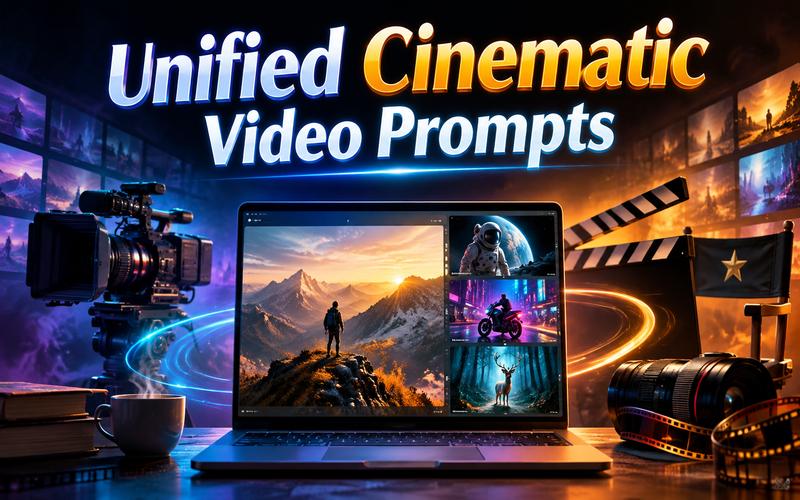
Creating high quality AI video is no longer just about describing a subject. You need a unified cinematic video prompt to achieve truly professional results. This approach combines camera movement, lighting, mood, and technical lens details into a single, fluid narrative. Instead of relying on the AI to guess the "vibe," a unified prompt gives you total directorial control. This guide will show you how to master this technique to turn basic ideas into immersive cinematic masterpieces.
What is a Unified Cinematic Video Prompt?
A unified cinematic video prompt is a descriptive text string that specifies every visual and technical layer of a scene. Unlike basic prompts that only name a subject, a unified prompt addresses the "how," including camera angles, lens types, and lighting. It ensures the AI understands the relationship between the subject and the technical execution, resulting in a consistent, film-like aesthetic.
The primary difference lies in the level of detail and the relationship between the elements. A regular prompt is like a shopping list. A unified prompt is like a script. While a regular prompt focuses on the primary object, a unified cinematic video prompt focuses on the entire visual experience.

Regular Video Prompt vs. Unified Cinematic Video Prompt
| Feature | Regular Video Prompt | Unified Cinematic Video Prompt |
|---|---|---|
| Focus | Primarily focuses on the subject or action. | Focuses on the subject, environment, lighting, and camera. |
| Detail | Vague or brief (e.g., "a forest"). | Specific and technical (e.g., "slow drone sweep over a forest"). |
| Consistency | Often results in random lighting or jittery motion. | Produces consistent visual themes and smooth motion. |
| Result | Amateur or "generic AI" look. | Professional, cinematic, and high production quality. |
| Control | High reliance on the AI’s random choices. | High creative control over the final visual output. |
Core Elements of a Unified Cinematic Video Prompt
You must balance several filmmaking pillars to write a prompt that truly works. Here is what you need to specify to get the best results:
- Subject: Define who or what is in the frame. Include age, clothing, and distinguishing features. Example: "An elderly fisherman in a yellow raincoat with a weathered face."
- Action: Describe the motion clearly to ensure natural physics. Example: "Adjusting a nylon net while the boat rocks gently on the waves."
- Camera Movement: Give the scene depth by directing the camera's movement. Example: “A slow push-in that gradually settles into a tight close up."
- Lens & Framing: Control the composition and focus. Example: “Captured with a 35mm lens, featuring a wide establishing shot and crisp deep focus.”
- Lighting: Set the realism and visual impact. Example: “Cold blue moonlight reflecting off the water, creating sharp, dramatic shadows.”
- Mood & Color Grade: Set the emotional tone and visual character. Example: "Melancholic atmosphere with a desaturated filmic color grade."
Copy-ready Unified Cinematic Video Prompts
Ready to start creating? Use these pre written prompts to see how unified instructions improve your results. Simply copy and paste them into Edimakor AI, or swap out the subjects to fit your specific vision.
A weary astronaut sits inside a flickering lunar base, looking through a reinforced window at a distant, glowing Earth. The room is filled with floating dust particles illuminated by emergency red strobes. A slow, dramatic tracking shot moves from behind the astronaut toward the window. Moody, tense atmosphere, shot on 65mm IMAX, hyper realistic textures, 8K resolution.
A close up portrait of a young girl with freckles and bright green eyes laughing as colorful Holi powder explodes around her. The camera uses an 85mm lens to create a creamy bokeh background, capturing every grain of dust in slow motion. Vibrant sunlight, joyous mood, shallow depth of field, ultra detailed skin pores, cinematic masterpiece, shot on Arri Alexa.
A majestic drone shot soaring over the jagged peaks of the Swiss Alps at sunrise. A lone red tent is perched on a snowy ridge, with a small campfire sending smoke into the crisp air. The camera pulls back and rises high into the clouds. Serene and powerful atmosphere, golden hour lighting, 4K, National Geographic style, natural color grading.
A futuristic biker weaving through heavy traffic on a rain slicked neon street in neo-Tokyo. The camera follows at a low angle, inches above the ground, capturing reflections of pink and blue signs in the puddles. Fast paced tracking shot, high energy motion, cyberpunk aesthetic, teal and orange color grade, volumetric fog, cinematic intensity, blockbuster movie style.
A detective in a trench coat stands under a single streetlamp on a foggy London pier in 1940. He lights a cigarette, the smoke curling into the heavy mist. Dramatic chiaroscuro lighting with strong contrast between rich, deep shadows and striking highlights. A static medium shot transitioning into a slow zoom, noir atmosphere, grainy black and white film stock, 8K.
A macro cinematic shot of a luxury watch submerged in swirling dark water. Bubbles rise slowly as the watch face catches a sliver of golden light, revealing intricate gears. Smooth orbit camera movement, sophisticated and luxurious mood, shot on RED Komodo, 100mm macro lens, ultra realistic metal textures, 6K, professional commercial film style with deep blacks.
A mystical white deer with glowing antlers walks through an ancient forest where the trees are wrapped in bioluminescent vines. As the deer steps, the ground glows beneath its hooves. A smooth handheld tracking shot follows the deer through the thicket. Ethereal and serene atmosphere, soft volumetric lighting, 8K, cinematic fantasy style, vibrant colors.
A rugged explorer crawls across a vast, cracked desert salt flat under a scorching midday sun. Heat waves distort the horizon as the camera performs a dramatic overhead crane shot, slowly rising to reveal the isolation of the subject. Harsh, high contrast lighting, desaturated warm tones, gritty texture, realistic sweat and sand details, cinematic survival drama style.
Silky ribbons of iridescent liquid gold and deep violet ink swirling together in a zero gravity vacuum. The camera moves in a fluid, dreamlike 360-degree rotation around the vortex's center. Ethereal and mesmerizing mood, soft studio lighting with pearlescent reflections, 8K resolution, macro cinematography, avant garde art style, ultra smooth motion physics, highly detailed fluid dynamics.
A steaming cup of coffee sits on a wooden windowsill while heavy rain beats against the glass outside. In the background, a warm fireplace glows softly, casting a flickering orange light across a cozy living room. A gentle handheld pan across the scene, peaceful and nostalgic mood, 35mm lens, warm filmic color grading, hyper realistic steam, 4K.
How to Create Unified Cinematic Videos with Edimakor AI
Creating a cinematic AI video takes more than simply describing a scene. An effective prompt combines the subject, action, camera movement, lighting, composition, mood, and visual style into one clear direction. Edimakor AI is an online AI powered platform designed to simplify video and image creation. It supports text to video, image to video, text to image, and image to image generation, along with AI animation and creative video effects. Its browser based workflow helps beginners and experienced creators turn ideas into engaging visual content without advanced editing skills.
1 Why Choose Edimakor AI?
Edimakor AI stands out for combining power with simplicity. Here is why it’s the best choice for your cinematic projects:
- Multiple AI Video Models: You can use 10+ models, such as Kling 3.0 to achieve the most realistic motion.
- Text to Video : Simply paste your unified cinematic video prompt and watch the AI bring it to life.
- Image to Video : Upload a reference photo to maintain visual consistency and animate it with ease.
- AI Video Effects : Enhance your footage with over 300 effects, including the popular AI Hug, AI Dance, and Ghibli filters.
- Beginner friendly workflow: Create AI content without advanced technical skills.
- All in one platform: Generate videos, images, music, and other content in one place.
- Flexible formats: Edimakor's reference to video workflow supports aspect ratios such as 16:9, 9:16, 1:1, and others.
- Reference Image Generation : Use the Text to Image tool to create a "style board" before generating your video.
2 How to Create a Unified Cinematic Video with Edimakor AI
Follow these simple steps to bring your unified cinematic video prompt to life using Edimakor AI:
Step 1: Access Edimakor AI
Access Edimakor AI website. Select the Text to Video feature from the main dashboard to begin your project.
Create Now
Step 2: Enter Your Unified Prompt
Input unified cinematic video prompts and choose your desired duration, resolution and
aspect ratio. Click "Generate" and wait for your cinematic video to render.
Step 3: Preview and Download
Preview the generated video to check the result. If everything looks good, download the video or continue editing it as needed.
Advanced Techniques for More Cinematic Results
Follow these quick and easy tips to get even better results from the AI.
- Use Specific Lenses: Mention a 35mm lens for a natural look, or an 85mm lens for portraits.
- Define Light Direction: Use "side lighting" to show more texture and detail in the scene.
- Add Film Grain: This small detail makes the video look more cinematic.
- Control the Speed: Use "slow motion" to create a more epic and grand feeling in the video.
- Aspect Ratio Matters: Always generate in 16:9 or 21:9 for a true "movie" look. Vertical 9:16 is better for social media but feels less cinematic.
- Keep the direction consistent: Make sure the camera, mood, lighting, and action support the same visual idea.
FAQs About Unified Cinematic Video
A1: Use a longer prompt with words like "4k" and "sharp focus." This helps the AI to understand the level of quality that you want to see.
A2: A cinematic AI video combines strong composition, camera movement, lighting, lens choice, color grading, and realistic motion. A unified prompt helps these elements work together instead of appearing disconnected.
A3: A cinematic video prompt should be detailed enough to describe the subject, action, camera, lighting, mood, and visual style. Avoid unnecessary details and focus on instructions that directly support the scene.
Conclusion
Writing a unified cinematic video prompt is the best way to get great results from AI. Tools like Edimakor AI make this whole process very easy and fast for you. You can turn your best ideas into high quality movies in just a few seconds. Ready to bring your vision to life? Try Edimakor AI today and start creating your own cinematic masterpieces!


Leave a Comment
Create your review for HitPaw articles