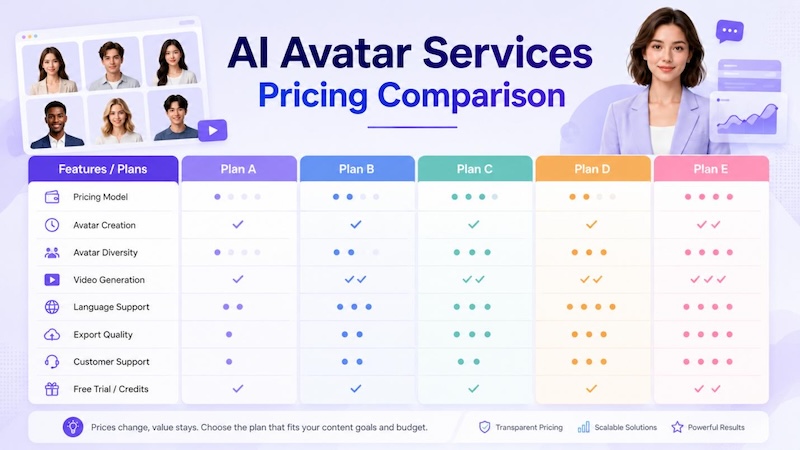
AI avatar services can differ widely in pricing, video limits, and included features. This guide compares HitPaw Edimakor, Elai, DeepBrain AI, Vidnoz, and Hour One to help you choose the right option for your budget and production needs. We compare monthly and annual plans, AI credits, video minutes, maximum video length, avatar and voice options, editing tools, export quality, commercial rights, and extra usage costs. You’ll also see how each platform performs for different monthly video volumes, including a 40-minute production scenario. Instead of focusing only on the advertised subscription price, this comparison shows which service offers the best overall value for different users.
Part 1: AI Avatar Pricing Models Explained
AI avatar platforms use different pricing models, so the lowest monthly price is not always the best value. Always compare included video minutes, credits, and features against your actual usage.
1 Subscription-Based Pricing
Pay a fixed monthly or annual fee for set features, credits, or video limits. Annual plans often lower the monthly cost, but confirm the usage allowance matches your needs.
2 Credit-Based Pricing
Credits are deducted when you use AI features. Costs vary by tool. For example, HitPaw Edimakor uses 20 AI credits per second for standard AI Avatar generation—calculate your expected usage before purchasing.
3 Video-Minute Pricing
You receive a fixed number of video minutes each month, making budgeting easier if you know your output. Elai, for instance, offers 15 minutes on Creator and 50 minutes on Team.
4 Free Plans and Trials
These let you test avatars, voices, and quality before paying, but usually limit length, credits, resolution, or exports. Use them to evaluate a platform first.
Part 2: What Should You Compare Before Buying an AI Avatar Service?
Price matters, but it should not be your only deciding factor. The right service must match your actual video needs.
Avatar Quality
Evaluate facial movement, lip-sync, expressions, and natural speech. A large avatar library does not guarantee better results. Create a short test video and carefully check mouth movement and expressions.
Voice and Language Support
Review available languages, accents, AI voices, pronunciation controls, and voice cloning—especially important for training, marketing, or educational videos targeting different countries.
Video Creation Limits
Compare monthly minutes, credits, maximum duration, and generation limits. A cheaper plan may offer far less usable video than a slightly higher-priced option.
Editing and Customization
Check for backgrounds, templates, captions, scenes, branding tools, and gestures. Creators who already edit videos often prefer platforms that combine avatar creation with solid editing features.
Commercial Rights
Always verify commercial-use rules before publishing for clients, ads, courses, or YouTube. Free plans may not grant the same rights as paid ones.
Export Quality
Confirm support for 720p, 1080p, or 4K, and whether watermarks are added. HitPaw Edimakor, for example, currently offers watermark-free and 4K export options on its listed plans.
Part 3: Compare Pricing for Leading AI Avatar Services
Choosing the right AI avatar service means looking beyond the monthly price. Compare plans, credits, video limits, features, and overall value to find the best option for your needs.
#1. HitPaw Edimakor AI Avatar — Best Overall Value
HitPaw Edimakor is a strong choice for users who want AI avatar generation and video editing in one platform. Its current plans cost $19.95/month, $49.95/year, or $69.95 for a perpetual license, before tax. These plans include 300, 3,000, and 10,000 AI credits, respectively. Standard AI Avatar generation uses 20 credits per second, so users can estimate their video costs before creating content. Paid plans also provide 4K export, watermark-free videos, commercial rights, creative assets, and priority support. Extra credits are available starting at $9.99 for 2,000 credits per month, giving frequent creators more flexibility.


Key Features
- AI Avatar Generation: Create presenter-style videos with AI avatars using text-based workflows without recording yourself for every video.
- Built-In Video Editing: Combine avatar creation with editing tools, effects, transitions, captions, and other features in the same workflow.
- 4K & Watermark-Free Export: Paid plans support high-quality 4K video export and watermark-free output for professional publishing.
- Commercial Usage Rights: Paid users can create content for business campaigns, client projects, marketing videos, social media, and other commercial purposes.
- Flexible AI Credit Options: Plans include different AI credit amounts, while extra credits can help users continue creating videos when their included balance runs low.
Best for: YouTubers, marketers, social media creators, video editors, and users who want avatar generation plus video editing in one product.
Why it ranks #1: You get AI avatar tools together with a broader editing workflow. That can reduce the need to pay for a separate video editor.
Steps to Use HitPaw Edimakor
Step 1: Open HitPaw Edimakor and select the AI Avatar tool to start creating your presenter-style video.

Step 2: Choose your preferred method for adding a voice to your AI avatar video.
Step 3: Select an available voice, or use the Voice Clone feature to create a personalized AI voice for your video.
Step 4: Choose an AI avatar that matches your content, or customize the avatar according to your video requirements.
Step 5: Generate your AI avatar video and let Edimakor synchronize the avatar’s lip movements with the selected voice.
#2. Elai — Best for Structured Business Videos
Elai focuses strongly on business, training, and educational videos.Its Free plan costs $0 and includes one minute of video, more than 80 avatars, and more than 75 languages. The Creator plan costs $29 per month or $23 per month with annual billing and provides up to 15 minutes per month. Team costs $125 per month or $100 per month annually and includes up to 50 minutes per month. The Team plan also adds three editors and three guests, premium voices, 4K video, one selfie avatar, and one voice clone. Enterprise plans add features such as brand controls, workspaces, SSO, and additional custom avatar and voice options.
Best for: Training, business presentations, internal communication, and structured educational content.
#3. DeepBrain AI — Best for Presenter-Style Videos
DeepBrain AI focuses on AI presenter videos for professional communication and business content. Its current Free plan allows up to three videos per month, with each video limited to three minutes. Its Personal plan costs $29 per month or $288 per year and supports unlimited video creation, with videos limited to 10 minutes each. This pricing model can appeal to users who produce many shorter presenter videos because the Personal plan does not charge users for every finished video.
Best for: Corporate presentations, AI presenters, business communication, and professional video production.
#4. Vidnoz AI — Best Free Option
Vidnoz is a strong choice for users who want to start without paying. Its current Free plan costs $0 and includes daily credits, up to three minutes per video, 720p export, more than 1,800 AI avatars, more than 3,200 templates, and hundreds of voices. Paid Starter and Business plans increase the credit allowance, avatar selection, video limits, resolution, and business features. The current pricing page lists 450 monthly credits for Starter and 900 monthly credits for Business, plus daily free credits. The Business plan also adds features such as voice cloning, video translation, brand tools, team collaboration, and video analytics.
Best for: Beginners, small creators, marketers, and users who want to test AI avatars before paying.
#5. Hour One — Best for Professional Avatar Presentations
Hour One is another option for businesses that want AI presenter videos, training content, and professional avatar-led communication. Its plans and promotional offers can change, so buyers should check the current official pricing page before choosing a plan. Hour One supports personal and business billing, and its enterprise offering can support larger organizations. Look at the number of video minutes, avatar choices, AI voices, languages, export limits, custom avatar options, and business features included in the current plan.
Best for: Professional presentations, training content, corporate communication, and organizations that need avatar videos at scale.
Part 4: AI Avatar Pricing Comparison at a Glance
This side-by-side comparison makes it easier to see starting costs, pricing models, free options, and key strengths, helping you choose an AI avatar service based on your actual needs.
| Service | Free Option | Starting Paid Price | Pricing Model | Best For |
|---|---|---|---|---|
| HitPaw Edimakor AI Avatar | Free trial/limited access | $19.95/month | Subscription + AI credits | Creators and video editors |
| Elai | Yes | $29/month | Video minutes | Business and training videos |
| DeepBrain AI | Yes | $29/month | Subscription | AI presenter videos |
| Vidnoz AI | Yes | Credit-based paid plans | Credits | Budget users and beginners |
| Hour One | Check current plan | Check current pricing | Subscription/usage | Professional business videos |
Note:
Prices and included credits can change. Always check the provider's official pricing page before publishing or purchasing. HitPaw Edimakor currently lists its plan prices and AI credit rules on its official pricing pages. Elai, DeepBrain AI, and Vidnoz also publish their current plan details on their official pricing pages.
Part 5: Which AI Avatar Service Gives You the Most for Your Money?
The best value depends on your budget and video needs. Compare total video minutes, credits, avatar quality, editing tools, exports, and commercial rights instead of choosing a service based only on its monthly price.
Best for Creators on a Budget
Vidnoz makes a good starting point because its free plan lets users test AI avatar video creation without a subscription. Elai and DeepBrain AI also offer free options with limited usage.
Best for Frequent Video Production
Look at the actual video allowance rather than the monthly price. DeepBrain AI's Personal plan supports unlimited video creation within its per-video limit, while Elai uses a set number of video minutes.
Best for Professional Content
Compare avatar quality, voice options, video resolution, branding, and commercial rights. Businesses should also check team features and support.
Best for Video Editors
HitPaw Edimakor AI Avatar makes sense when you need both AI avatar generation and video editing. Its plans combine editing access with AI credits, and its paid plans include 4K and watermark-free export.
Best for Teams
Elai and Vidnoz provide team-focused features on higher plans. Elai's Team plan includes editors and guests, while Vidnoz Business includes collaboration, brand tools, and analytics.
Part 6: How Much Does an AI Avatar Video Really Cost?
The monthly subscription price does not always show your real production cost. To compare AI avatar services fairly, start with your expected video volume. For example, if you create 20 videos per month and each video is two minutes long, you need about 40 minutes of finished video every month. You can then check whether each platform's plan can support that workload.
40-Minute Monthly Production Comparison
- HitPaw Edimakor: A 40-minute workload would require about 48,000 AI credits if all 40 minutes use its standard AI Avatar generation rate of 20 credits per second. Its included credits therefore need careful calculation, especially if you produce this much content every month. The advantage is that you also get video editing tools in the same product, which can reduce the need for separate editing software.
- Elai: A 40-minute monthly workload is above the 15-minute Creator plan but within the 50-minute Team plan. This means a user producing around 40 minutes every month would need to consider the Team tier rather than the lower-priced Creator plan. Elai can therefore be easier to budget when your monthly video volume is predictable.
- DeepBrain AI: Its Personal plan supports unlimited video creation, but each video has a maximum length of 10 minutes. For a 40-minute monthly workload, you could produce multiple videos within that limit rather than purchasing a specific number of video minutes. This can make the plan attractive for users who create many shorter presenter-style videos.
- Vidnoz AI: Vidnoz uses a credit-based system, so a 40-minute monthly requirement cannot be calculated from the advertised monthly price alone. You need to check how many credits your chosen avatar, voice, generation features, and video settings consume. Its higher paid plans may be more suitable for larger production volumes than the free plan, which has shorter video and daily-credit limits.
- Hour One: Hour One's pricing and usage limits can vary by plan, so a 40-minute monthly workload should be checked against its current allowance before purchasing. Compare included video minutes, avatar options, AI voices, and any additional usage fees to determine whether the selected plan can handle 40 minutes without unexpected costs.
Match the Plan to Your Production Volume
The same approach works for different monthly workloads:
| Monthly Video Volume | What to Look For |
|---|---|
| Under 10 minutes | Free or entry-level plans may be enough for occasional videos. |
| 10–20 minutes | Compare starter plans and included video minutes or credits. |
| Around 40 minutes | Check whether the plan actually covers your full monthly production without costly upgrades. |
| 50+ minutes | Focus on higher-tier plans, unlimited-generation options, or business plans. |
This comparison shows why the cheapest monthly subscription is not always the cheapest option for your actual workload. If you need around 40 minutes every month, Elai's 15-minute Creator plan would not be enough, while DeepBrain AI's unlimited-generation model may be more suitable for frequent shorter videos. HitPaw Edimakor can be attractive when you also need editing tools, but its credit requirements should be calculated before subscribing. For Vidnoz and Hour One, check the current credit or minute allowance against your expected output.
FAQs about AI Avatars Pricing Comparison
A1: Leading AI avatar services use different pricing systems. Some start around $20–$30 per month, while others charge through video minutes or credits. Business and enterprise plans usually cost more.
A2: Not always. Some use monthly subscriptions, some use video minutes, and others use credits. HitPaw Edimakor uses AI credits for its avatar generation, while Elai uses video minutes and DeepBrain AI offers unlimited video creation on its Personal plan within its video-length limit.
A3: Many paid plans allow commercial use, but rules differ by provider and plan. Always read the current license and commercial-use terms before using videos for clients, advertising, courses, or business campaigns.
A4: Often, yes. Annual plans can reduce the average monthly cost. For example, Elai lists Creator at $29 monthly or $23 monthly with annual billing. However, annual billing makes sense only if you expect to use the service for most or all of the year.
A5: The best price-to-video ratio depends on your monthly output. Elai can be cost-effective for users who need a predictable number of video minutes, while DeepBrain AI may suit users who create many shorter videos. For creators who also need video editing, HitPaw Edimakor can offer better overall value by combining avatar generation and editing in one platform.
A6: Neither model is always cheaper. Minute-based pricing is easier to estimate when you know your monthly video volume, while credit-based pricing can provide more flexibility but requires you to calculate how many credits each AI feature uses. Compare the actual cost of producing your expected monthly videos rather than comparing the pricing models alone.
Conclusion
The best AI avatar service depends on how much you plan to create and whether you need editing tools. For creators on a budget, Vidnoz is a practical starting point because its free plan lets you test AI avatar videos before paying. For users producing 15–50 minutes of video per month, Elai is worth considering because its plans are based on video minutes. For frequent presenter-style videos, DeepBrain AI can be a better fit if you value higher production volume without paying for every finished video. If you also need a full video editor, HitPaw Edimakor AI Avatar is our #1 choice because it combines avatar generation, AI credits, editing tools, 4K export, and watermark-free output. Before choosing, estimate your monthly video minutes and decide whether built-in editing is important. Then compare the total cost against your actual usage rather than choosing the cheapest plan.
Leave a Comment
Create your review for HitPaw articles