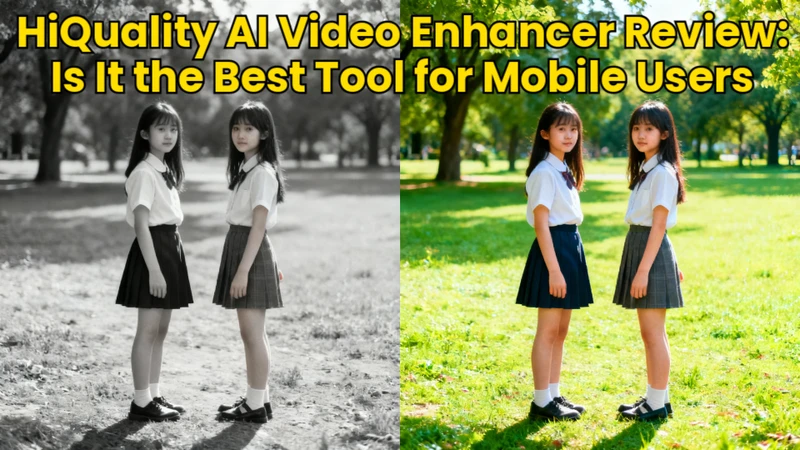
For producers, advertisers, and regular consumers, high-quality video is now crucial. In 2026, enhancing films to 4K without complicated software will be simpler than ever, thanks to AI-powered internet tools. This review compares the features, limitations, and practical usability of the best 4k video enhancer online free .
Part 1: Snapshot of The Best 4K Video Enhancer Online Free without watermark
The top 4K video enhancer online free applications without watermarks are highlighted in this snapshot, which compares free features, restrictions, processing speed, and general usability for people who value quality.
| Tool Name | Free Video Length | Watermark | Sign-Up Required | AI Enhancement | Best For |
|---|---|---|---|---|---|
| YouCam Online Editor | Short clips | Yes (free tier) | No | Yes | Quick AI upscaling |
| X-Design 4K Video Enhancer | Limited duration | Sometimes | No | Yes | Clean UI, fast results |
| Canva Video Enhancer | Limited export | No (with account) | Yes | Basic AI | Social media edits |
| Topaz Video Upscale | Trial only | No | Yes | Advanced AI | Professional quality |
| Flixier Video Enhancer | Short videos | Yes | Yes | Moderate AI | Browser editing |
| HitPaw Edimakor Video Enhancer | Limited time | Yes (free) | No | Strong AI | Fast enhancement |
Part 2: Overview of The Best 4K Video Enhancer Online Free
With an emphasis on performance, AI features, usability, restrictions, and fit for various video improvement needs, this overview describes the top 4K video enhancer online free tools.
1. YouCam Online Editor
YouCam Online Editor is a user-friendly browser-based program with an AI video enhancer that enhances and sharpens videos using artificial intelligence. Without requiring downloads, it enhances facial details, lowers noise, and improves clarity.
Features:
- Uses deep learning models to intelligently increase resolution and detail
- Reduces grain and video noise while keeping edges smooth
- Recognizes faces and restores features, refining skin, eyes, and details to produce clearer, natural-looking human subjects in videos
Pros:
- No login required
- Clean interface
- Good for short clips
Cons:
- Watermark on free exports
2. X-Design 4K Video Enhancer Online Free
The online 4K video enhancer from X-Design focuses on quick and dependable video quality enhancement. With little effort, its AI models improve textures, colors, and sharpness. Users can upload and process short films fast without having to register.
Features:
- Processes videos fast using cloud AI to improve sharpness, clarity, and resolution
- Adjusts saturation, contrast, and color balance intelligently
- Enhances fine detail and textures on objects and backgrounds to make visuals more defined
Pros:
- No sign-up required
- Simple workflow
- Decent free output
Cons:
- Output limits on the free version
3. Canva Video Enhancer
Canva Video Enhancer combines strong video editing capabilities with fundamental AI quality enhancements. It improves brightness, contrast, and overall clarity, but is not a true AI upscaler. For creators looking for tools that mix design and enhancement, Canva is perfect.
Features:
- Adjusts video lighting and contrast levels to improve visibility
- Includes templates, animations, and graphics to combine visual enhancements with design elements in one editor.
- Allows high-resolution exporting at up to 4K for finished videos
Pros:
- Beginner-friendly
- No watermark on many exports
- Works well for marketing videos
Cons:
- Requires login
4. Topaz Video Upscale
A professional-grade AI-powered enhancement tool, Topaz Video Upscale is renowned for its deep neural network models that provide outstanding upscaling and detail recovery. Despite being mostly desktop-based and offering a trial, its outcomes surpass those of many internet solutions.
Features:
- Employs advanced AI models trained on large datasets
- Removes noise while preserving important edge details
- Supports true 4K and even 8K upscaling
Pros:
- Industry-leading quality
- No watermark in trial
Cons:
- Not fully free
5. Flixier Video Enhancer
Flixier Video Enhancer integrates capabilities for quality enhancement with cloud-based video editing. It allows users to fine-tune color, clarity, and resolution through quick online adjustments and simple upscaling. Flixier is great for group projects and fast browser-based changes without requiring large software installations.
Features:
- Runs entirely in the browser, letting users upload and edit videos from any device without installation or heavy local processing.
- Offers enhancement sliders that increase video resolution clarity and visual strength for better playback quality.
- Allows users to invite others, share project links, and collaborate online in real time.
Pros:
- Works on low-end PCs
- Fast exports
Cons:
- Watermark on free tier
6. HitPaw Online Video Enhancer
With a few steps, HitPaw Online Video Enhancer uses AI to enhance video quality, lower noise, and upscale to a better resolution. It is easy to use for beginners, and fundamental improvements do not require accounts. HitPaw is perfect for quick, informal improvements, but free outputs frequently have watermarks and time constraints for lengthier recordings.
Features:
- Uses smart neural networks to upscale videos
- Cleans up grainy and blurry footage automatically,
- Processes and exports enhanced videos directly in the browser
Pros:
- No login required
- Strong AI models
- Easy to use
Cons:
- Free version adds a watermark
Part 3: Best 4K Video Enhancer for PC and Mac
Watching a blurry or low-quality video on a big screen can completely ruin the experience. That’s where HitPaw Edimakor Video Enhancer steps in and offers an AI-powered way to upgrade videos to stunning 4K quality on both PC and Mac.
Key Features of HitPaw Edimakor Video Enhancer
- Automatically improves video resolution and sharpness using advanced AI models.
- Reduces grain, fixes shaky footage, and delivers smoother, cleaner videos.
- Not just an enhancer, Edimakor lets you edit frames, blur objects or faces, and refine videos in one place.
Steps to Use HitPaw Edimakor Video Enhancer
Step 1: Open Edimakor and Choose Video Enhancer
Download and install HitPaw Edimakor on your PC or Mac. Launch the software and select Video Enhancer from the main menu.


Step 2: Choose the Type of Enhancement
Pick the enhancement mode that fits your needs. Options include AI Enhancer, Quality Repair, General Repair, and Color Enhancerm each designed for different video improvements.
Step 3: Import Your Video and Generate
Upload your video file, select the target resolution, up to 4K, and click Generate to start the AI enhancement process.
Step 4: Preview and Access the Video
Once processing is complete, go to the My Creations section. Click the folder icon at the top-right corner to open the enhanced video, preview it, and share it with your friends and family.
FAQs on 4K Video Enhancer Online Free
A1: Enhancement is possible using a number of internet tools without requiring registration. Short videos can be uploaded and processed immediately using X-Design and HitPaw Online Video Enhancer.
A2: Certain tools use mobile apps to expand their services. Canva offers a robust mobile editor, whereas HitPaw offers specific apps for iOS and Android. These programs allow for rapid changes, exporting, and basic video enhancing.
A3: Short clips can be processed in thirty seconds by online enhancers such as HitPaw and Perfect Corp. The duration, resolution, and server load of the video all affect processing time.
A4: namehough CapCut's free online version does not offer sophisticated AI-based upscaling, users can export films in 4K resolution.
A5: Wink works well for quick and easy improvements, particularly for brief video. Nevertheless, it lacks professional controls and sophisticated AI upscaling.
A6: With their free tiers, X-Design and HitPaw Online Video Enhancer can handle videos that are almost a minute long. File size and resolution have an impact on performance.
A7: Yes, a number of tools use mobile apps to assist iPhone users. PicsArt, Canva, and HitPaw provide iOS-compatible video enhancement tools.
A8: There are very few 4K video enhancers that are truly open-source. The majority of open-source solutions need technical setup and desktop installation. Proprietary AI models are typically used by online tools.
To Sum Up
What you value most will determine which 4k video enhancer online free is the best available for free online in 2026. Online AI tools like HitPaw Edimakor (Video Editor) are good if you want fast results without logging in. Canva is a good choice for social media content without watermarks. The desktop programs like Edimakor produce better results if lengthy and high-quality films are important.
Leave a Comment
Create your review for HitPaw articles