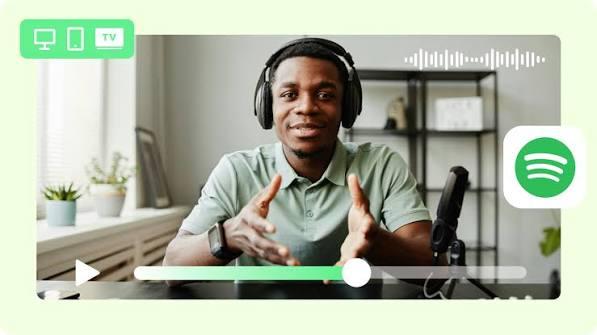
In recent years, video podcasts on Spotify have surged in popularity. Today, millions of users can watch video podcasts from their favorite creators directly within the Spotify app. Únlike traditional audio podcasts, video podcasts allow viewers to see hosts, guests, interviews, and discussions while listening to their favorite episodes. Whether you use a desktop computer, smartphone, or smart TV, Spotify makes it easy to enjoy podcast content across different devices. In this guide, we'll provide step-by-step instructions on how to watch podcast videos on Spotify Desktop, Mobile, and TV. Ensure to read this guide till the end.
Part 1: What is Spotify?

Launched in Sweden in 2008, Spotify is a service that lets you stream music from a library that is so extensive that it would take 80 years of non-stop listening just to get through it. Besides music streaming, Spotify has become a popular platform for podcasts, allowing users to explore millions of episodes across different categories, including education, entertainment, technology, business, and comedy. The platform also supports video podcasts, giving creators another way to connect with their audiences through visual content. With Spotify, users can stream hundreds of video podcasts, including The Joe Rogan Experience, Hot Ones, H3 Podcast, The Daily Show with Trevor Noah, and more.
Part 2: How to Watch Podcast Videos on Spotify on Desktop
Watching video podcasts on Spotify on a desktop is simple and convenient. You can use the Spotify desktop app or web player to watch your favorite creators, interviews, and discussions on a large screen. Follow the steps below to learn how to get video on Spotify podcasts on Windows and macOS:
- Download and install the Spotify desktop app on Windows and macOS.
-
Sign in with your Spotify account and use the search bar to find your favorite podcast.
- Once you've found the podcast, navigate to a specific episode you'd like to watch.
- Click the "Play" button to start the episode. Click the "Full Screen" button in the top right corner to switch to full-screen mode.
Part 3: How to Watch Podcast Videos on Spotify on Mobile
Millions of people prefer using Spotify on their smartphones because it allows them to enjoy their favorite podcast anytime, anywhere. Whether you use an Android phone or an iPhone, you can access video podcasts in just a few simple steps. Before you start, make sure to disable the "Data Saver" option in Settings. Here is how to do it
- Launch the Spotify app on your Android and iOS device. Log in with your account and tap the account icon in the top left corner.
-
Tap "Settings and Privacy," and then select the "Data Saver" option. Plus, ensure both "Download audio only" and "Stream audio only" options are also disabled.
- Next, return to the Spotify home screen and search for your favorite podcast. Select the podcast and open an episode that supports video playback.
- Tap the "Play" button to start watching the episode.
Part 4: How to Watch Podcast Videos on Spotify on TV
Spotify also offers a smart TV app, allowing users to watch their favorite podcast on a bigger display. This makes it easier to enjoy video interviews, conversations, and discussions from the comfort of your living room. Follow the instructions below to learn how to find podcast videos on Spotify TV easily.
- Go to your Smart TV's app store and download the latest version of Spotify.
- Once downloaded, open the app and log in to your Spotify account. Search for your favorite podcast.
- Choose the video podcast episode you want to watch and press the "Play" button.
Part 5: Steps to Download Podcast Videos on Spotify
Whether you are a Free or Premium user, the Spotify app provides a built-in "Offline Mode" to keep your favorite shows accessible without an internet connection. Follow the instructions below to learn how to download podcast videos on Spotify:
- Launch the Spotify app on your device and log in with your free or premium account.
- Hit the "Search" option and find the video podcast you want to download on your device.
-
Next, open the podcast and select the episode you want to download. Tap the "Download" button next to the episode.
- Wait for the download to finish. Once the download is complete, go to "Your Library" to access your saved content.
Part 6: Top Video Podcasts on Spotify Available in 2026
Once you have learned how to watch video podcasts on Spotify, you can explore a wide variety of shows featuring celebrity interviews, comedy, true crime, business, and personal development. Here are the top video podcasts on Spotify available in 2026:
- The Joe Rogan Experience: A long-form conversational podcast featuring interviews with celebrities, comedians, athletes, scientists, and other notable guests, including Elon Musk, Donald Trump, and more.
- The Diary of a CEO: Steven sits down with some of the world's most influential people, experts, and thinkers to discuss business, personal development, mental health, relationships, life experiences, and more.
- Crime Junkie: Launched in 2017, it is co-hosted by Ashley Flowers and Brit Prawat. The show is about unsolved crimes, mysteries, and investigations. Features the stories of actual crimes and wanted criminals.
- Anything Goes: The show mainly focuses on seasonal depression, celebrity privacy, and balance in relationships. One of the best Spotify podcasts in 2026. Hosted by Emma Chamberlain.
- Call Her Daddy: Hosted by Alex Cooper, this podcast features candid conversations with celebrities and public figures about relationships, personal experience, and mental health.
- This Past Weekend with Theo Von: Comedian Theo Von shares funny personal stories and interviews guests from different backgrounds. The podcast combines humor, everyday experiences, and thoughtful conversations.
- The Mel Robbins Podcast: Hosted by motivational speaker Mel Robbins, this podcast focuses on personal growth, confidence, relationships, and mental well-being. Plus, offers practical advice and strategies to help listeners improve daily habits.
- This American Life: Popularly known as TAL, it is hosted by radio personality Ira Glass and is one of the best podcasts on Spotify in 2026. The podcast uses field recordings, unusual music, and radio monologues to tell stories engagingly and funnily.
Bonus Tip: How to Create Your Own Video Podcast Using AI
Spotify has become one of the most popular platforms to watch your favorite video podcast. If you want to join this growing trend, you can create your own video podcast using AI tools without investing in expensive recording equipment or hiring a professional video editor. HitPaw Edimakor is the best AI Video Editor available in 2026 that also enables users to create engaging podcasts using AI avatars, voices, and more. The program uses AI technology to turn your text and audio files into an engaging video podcast. The best part of this tool is that it offers an easy-to-use interface, which is ideal for non-tech and beginner users. Plus, it also includes advanced video editing capabilities.


Key Features of HitPaw Edimakor
- AI Podcast Generator: HitPaw Edimakor enables users to create a high-quality video podcast without expensive equipment or editing experience.
- AI Avatars: The program includes 1000+ AI avatars, each with different appearances, styles, and presentation options to suit various podcast formats.
- AI Voices: HitPaw Edimakor includes 500+ AI voices in different languages and accents, such as English, Spanish, Chinese, Russian, Turkish, and more.
- Advanced Customization: With the help of this tool, users can customize AI videos according to their creative needs. No editing skills or professional help required.
- Intuitive Interface: One of the best parts of this tool is that it offers an easy-to-use interface, which is ideal for non-tech and beginner users.
Step-by-Step Guide:
Learn how to create an engaging and high-quality video podcast with HitPaw Edimakor. Here are the step-by-step instructions:
Step 1: Launch HitPaw Edimakor on your PC and select the "AI Avatar" option from the main interface.
Step 2: Enter your podcast script or add the text you want your virtual host to deliver. Select a suitable AI voice and adjust the language and voice settings to match the target audience.
Step 3: Go to the "AI Avatar" section and select the suitable AI avatar host for your podcast. The program offers a wide range of options, including teachers, doctors, and more.
Step 4: Once all the requirements are complete, click on the "Generate" button. Within seconds, your AI podcast video will be ready. Preview and download it in multiple formats.
Final Thoughts
In this step-by-step guide, we have provided instructions on how to watch podcast videos on Spotify on TV, Desktop, and Mobile. Whether you prefer watching your favorite podcast on a smartphone or enjoying interviews on a larger TV screen, Spotify offers convenient ways to explore podcast content across supported devices. Plus, we've also introduced HitPaw Edimakor, allowing users to create high-quality podcasts using AI technology. It includes lifelike avatars and natural-sounding AI voices, allowing users to create engaging content for free and without editing experience.
Leave a Comment
Create your review for HitPaw articles