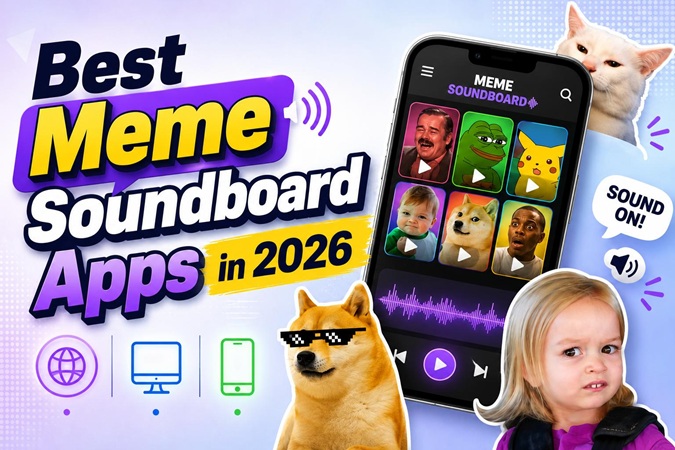
A meme soundboard is a tool that stores viral audio clips and plays them instantly with one click. Streamers use them. TikTokers use them. Discord servers run on them.
This guide covers the 5 best soundboard apps in 2026 and shows you exactly how to use those sounds to make videos people actually want to share.
What Is a Meme Soundboard?
A meme soundboard's meaning is basically a collection of internet sounds you can play whenever you want. Picture a bunch of buttons on your screen. Each one plays a different audio clip. Click it, and the sound goes off instantly.
But people use them for way more than you might think. Twitch streamers fire them off during gameplay to react to big moments. Discord friends use them to keep voice calls funny and unpredictable. TikTokers and YouTube Shorts creators drop sound effects for memes into their videos to get hype and views. Whether it is a meme clip, a reaction video, or a gaming highlight, the right audio is what makes it land.
Top 5 Meme Soundboard Apps (2026 List)
Not every soundboard is the same. Some work for streaming, some are suitable for mobile edits, and some fully rely on Discord. Here are the five options and the best soundboard features:
1. Myinstants (Best Online Meme Soundboard)
Platform: Web Browser
Myinstants is a free, web-based software that can be used without installation. It has thousands of meme sound effects, and you can search, play, and download any of them without creating an account.
Pros:
- It works on your phone, tablet, or laptop; no app to install, just open a browser.
- Playing a sound is one click, which is exactly how it should be.
- You can copy a link to any sound and share it straight in a chat or Discord message.
Cons:
- No built-in editor or video sync tools; it stops at the download.
- Ad-supported, and the ads show up at the worst moments.
- Sound quality varies since uploads come from the community.
 HitPaw Edimakor
2. Voicemod (Best for Windows & Streamers)
Platform: Windows PC
Voicemod is the best soundboard for streaming. You can use it for voice changing, soundboard, and can connect to Discord, OBS, and Twitch without any configuration. Each sound is assigned to a hotkey, so you can trigger it instantly without breaking your flow.
Pros:
- Real-time soundboard that triggers live during streams.
- Custom keybinds mean your hands never leave the action.
- Comes with a built-in meme sound library that updates regularly.
- Great for building a professional streaming soundboard setup.
Cons:
- The free version is limited; the full library requires a paid plan.
- Windows only, Mac and mobile users are out of luck.
- Setup takes some time and can feel complex for first-timers.
3. Soundboard Studio (Best for iPhone & Mac)
Platform : iOS & macOS
Soundboard Studio is the polished option for Apple users. It lets you build and organize custom boards, upload your own sounds, and play audio during calls, recordings, or live sessions.
Pros:
- Clean interface designed specifically for iPhone and Mac.
- Supports custom sound uploads so you are not stuck with presets.
- Background audio playback keeps sounds running while you multitask.
- A solid choice for podcasters and content creators on Apple.
Cons:
- Apple only, no Android or Windows support.
- Some features sit behind a one-time purchase.
- The built-in meme library is smaller than web-based alternatives.
4. Meme Soundboard 2016–2026 (Largest Meme Library)
Platform: Android & iOS
This meme soundboard app has been adding meme video maker sounds since 2016, so the library now covers ten years of internet history. It is the go-to option when other apps just do not have what you are looking for.
Pros:
- Organized by year and category, so browsing is actually manageable.
- Free to download and use.
- Works offline once sounds are loaded onto your device.
- Unmatched for finding older viral sounds that other apps have dropped.
Cons:
- The interface feels dated and cluttered.
- Ads pop up frequently throughout the free version.
- Limited tools for organizing personal favorites or custom content.
5. Discord Soundboard (Built-in Soundboard for Communities)
Platform: Windows PC, macOS, iOS, Android (via Discord)
Discord has already built a soundboard. Any extra installations or third-party connections are not required. It lets any server member upload sounds and play them live during a voice call whenever the moment calls for it.
Pros:
- Server admins can manage and share sounds with the whole community.
- Custom upload support means you can add your own sounds.
- Works across all platforms where Discord runs.
- Free for every Discord user.
Cons:
- Limited to Discord.
- Per-server limits on sound file size and total uploads.
- Relies on someone curating the server's library, which takes effort.
Quick Comparison Table
| App | Platform | Best For |
|---|---|---|
| Myinstants | Web Browser | Fast online playback with no setup |
| Voicemod | Windows | Live streaming and gaming reactions |
| Soundboard Studio | iOS & macOS | Apple creators and podcasters |
| Meme Soundboard 2016–2026 | Android & iOS | Largest mobile meme sound archive |
| Discord Soundboard | All (via Discord) | Community voice chat reactions |
How to Use Meme Sounds to Create Viral Videos
Downloading a sound is step one. The real work happens in the edit. HitPaw Edimakor is where you take that audio clip and build something worth posting.
This desktop software delivers an ad free workspace with powerful AI audio features, which make meme video creation much easier. Here are the steps:


Step 1: Prepare Your Meme Sound
First, find the sound you want to use. Myinstants offers a free version and is easy for a startup. Download and save the clip in MP3 or WAV file format. Then open HitPaw Edimakor and bring in both your video and the audio file. Drag and drop onto the timeline, and all set to go.

Step 2: Sync with Video Timing
Play through your clip and find the exact frame where the sound needs to hit. Slide the audio along the timeline until it snaps to that moment. Use the waveform view to line things up precisely.
Step 3: Adjust Volume and Effects
Select the audio clip and open Edimakor's audio panel. Adjust the sound effects for videos with meme background music for a smooth sound flow. Apply fade-in or fade-out features to balance any abrupt changes.
While you are here, try Edimakor's Change Voice feature. It lets you shift your own voiceover into something completely different, robotic, squeaky, deep, or distorted. It adds a second layer of humor to the clip without any extra recording.
Step 4: Export for Social Platforms
Once your edit looks good, hit export. Select the format according to the social platform you are using. TikTok and YouTube Shorts use a vertical 1080×1920 resolution. Regular YouTube videos work horizontally at a ratio of 1920×1080. Edimakor has built-in export options for each type, so you don't need to try any random ratio. When it is done, your file is ready to upload.
Common Meme Soundboard Use Cases
Check these out, pick your favorite, and enjoy adding the perfect sound to your content.
1 TikTok Meme Edits
Audio trends drive TikTok meme sounds. A sound that is already going viral gives your video a built-in audience. Check for top trends on a soundboard, create a small video on a related topic, and you are starting with a template instead of from scratch.
2 YouTube Shorts Viral Clips
Short-form YouTube lives on surprise and reaction humor. A right-timed meme sound at the moment something goes wrong or unexpectedly right turns a normal video into catchy clips that people screenshot or share with their friends.
3 Gaming Stream Reactions
Streamers need to fill the silence and feed the chat. A soundboard loaded with meme audio gives you instant reactions for clutch moments, funny fails, and anything the chat is already hyped about. It keeps the energy moving when you need it most.
4 Discord Trolling and Reactions
Discord's built-in soundboard became the most popular and most requested feature in the platform's history. The reason behind this is the landing of an audio clip into a voice channel at a real time during serious conversations, which is a high-impact, low-effort move that never gets old.
FAQs
A1: Yes. Discord has a ready-made soundboard used to play sounds in voice channels. You can connect Voicemod to Discord as a virtual audio source for a bigger selection and a more customizable library.
A2: Most are free to use. Myinstants and Discord's soundboard cost nothing. Voicemod is a paid subscription with a free trial of limited features.
A3: Start by downloading the sound from a soundboard. Open HitPaw Edimakor, import your video and audio file, and drop it on the timeline. Adjust the sound volume, then export.
A4: Absolutely. Myinstants, Soundboard Studio, and Discord all support custom sound uploads. If you want to create your own clip first, HitPaw Edimakor has built-in voice and audio tools to help you record and edit before uploading.
Conclusion
Meme sounds are more in trend than imagined. In 2026, they are used for creating and sharing content across various social media platforms like TikTok, YouTube, Twitch, and many more. Each tool in this list has its place, so pick the one that fits your workflow.
Finding the right sound is one part of it. Getting it into an AI video editor properly is the other. That is where HitPaw Edimakor comes in. The download, editing, timing, and export are all in one place. Give it a try and explore how a sound played at the right moment can capture viewers' attention.
Leave a Comment
Create your review for HitPaw articles