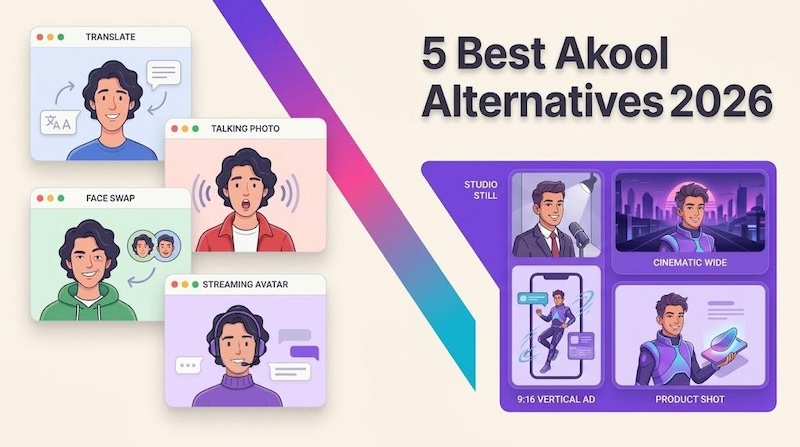
Akool AI is an AI video platform built around personalization. Its headline features include face swap technology, talking avatar generation, and AI-powered video personalization at scale. However, it may not be a perfect fit for every content creator due to pricing, feature requirements, or workflow preferences. Fortunately, several Akool alternatives offer useful tools for creating engaging videos, generating AI avatars, and producing personalized content. In this guide, we’ll explore the 5 best Akool alternatives for content creators in 2026. Each of the alternatives we have mentioned below offers amazing AI avatar video creation capabilities. Ensure to read this guide till the end.
Part 1: Top 5 Akool Alternatives You Must Try in 2026
Looking for Akool avatar alternatives? Look no further! Below, we’ve listed the top 5 Akool alternatives you can try in 2026. These AI-powered tools offer a range of features, including AI avatar generation, text-to-video creation, and video personalization.
1. HitPaw Edimakor
When it comes to the best Akool AI alternatives, HitPaw Edimakor is always at the top. It is one of the best AI video editors, which offers a wide range of AI features and capabilities, including AI avatar creation. With the help of this tool, users can easily create a personalized AI avatar for social media, marketing campaigns, tutorials, and other types of content. Its user-friendly interface makes it suitable for beginners and experienced content creators alike. In addition to AI avatars, HitPaw Edimakor offers features such as text-to-video generation, AI voiceovers, automatic subtitles, and video translation. These tools allow users to streamline their video creation workflow without relying on multiple applications.


Key Features of HitPaw Edimakor
- Customize AI Avatars: HitPaw Edimakor enables users to create high-quality and professional-looking avatars for different types of video content. Users can personalize their avatar videos to match their creative needs and produce engaging content.
- Built-in Avatar Library: One of the standout features of this tool is that it offers a wide range of pre-designed avatars, each from different roles and industries, such as doctors, nurses, teachers, students, hosts, news reporters, and more.
- Text-to-Video Generation: With the help of this tool, users can easily create high-quality AI avatar videos with a simple text prompt — no editing experience or professional help required. Best for content creators, marketers, and more.
- Powerful AI Tools: HitPaw Edimakor isn’t limited to video editing or AI avatar creation. The program offers multiple AI tools, each with unique capabilities, including text-to-video, image-to-video, text-to-image, image-to-image, AI voice changer, and more
- Intuitive Interface: The program offers a simple and intuitive interface, which is ideal for non-tech and beginner users. This makes it easier for content creators to complete their project efficiently and explore different AI-powered features.
Step-by-Step Guide:
Follow the instructions below to learn how to create engaging and high-quality AI avatar videos with HitPaw Edimakor:
Step 1: Navigate to the HitPaw Edimakor official site and download the latest version of the program on your PC. Launch it and select the “AI Avatar” tool from the main interface.

Step 2: Next, enter the AI avatar dialogues in the prompt box. Click on the “Import Audio” or “Record Audio” options to use your own voice for the AI avatar.
Step 3: If you don’t want to use your own voice, click on the “Avatar Voice” and select the desired voice effect. The program offers multiple options in various accents and languages.
Step 4: Now, click on the “AI Avatar” option and select the avatar for your video. Users can customize AI avatars according to their requirements.
Step 5: Once all the requirements are complete, click on the “Generate” button to begin the AI avatar video creation process. Preview the final results and click on the “Export” button to download the video.
2. HeyGen
HeyGen is one of the most popular alternatives to Akool, known for its high-quality AI avatar and video generation capabilities. This web-based tool enables users to create professional-looking videos using text input with realistic presenters. The platform is widely used for marketing, training, and business communication videos. One of HeyGen’s key advantages is its ability to turn a written script into engaging avatar videos without requiring users to appear on camera. It also supports AI voice generation and multilingual video translation, making it useful for businesses and content creators.
Pros
- HeyGen offers hundreds of stock avatars plus custom and cloned avatars.
- Video translation and dubbing across 175+ languages with lip-sync.
- SCORM export, LMS integrations, and SSO for training teams.
- Template library for marketing, training, social media, and announcements.
Cons
- Web-based tool, meaning it requires a stable internet connection.
- Some advanced AI avatar features are locked behind a subscription.
3. InVideo AI
As of 2026, InVideo AI has solidified its position as a leading Akool alternative by integrating OpenAI’s Sora 2 and Google Veo 3.1. This allows users to generate high-quality and engaging clips directly from the InVideo dashboard. The program includes amazing AI Avatar features, such as AI twins, voice cloning, expressive avatars, and more. One of the platform’s main advantages is its ability to simplify video production through AI-powered automation. Users can turn text prompts into videos, generate scripts, and add voiceovers.
Pros
- InVideo’s v4.0 avatar feature improves lip-syncing and natural facial expressions.
- 10M+ stock media library, helping users find suitable visuals for promotional videos.
- Includes impressive features, such as AI twins, voice cloning, and expressive avatars.
- Enables users to create multiple types of videos, such as ads, product demos, and more.
Cons
- Limited customization options compared to HitPaw Edimakor.
- Some AI models, avatar tools, and generation require paid subscriptions.
4. Vidnoz AI
If you’re looking for the best Akool alternatives for AI avatars, then Vidnoz AI is worth considering. The tool offers 1900+ AI avatars, each from different roles and industries, such as doctors, teachers, students, nurses, customer support, and more. It has an Expressive Avatar feature that helps users create engaging videos with lifelike facial expressions and natural-looking movements, making presentations more realistic and appealing. With its Avatar Lite, users can create a digital twin in over 40+ languages, such as English, Chinese, and more.
Pros
- Supports 140+ languages, including English, Chinese, Hindi, Turkish, and Arabic.
- 1900+ AI avatars, each representing different roles and industries, such as doctors.
- The text-to-video feature enables users to create professional-looking videos.
- Text-to-avatar without requiring advanced video editing skills.
Cons
- Offers limited AI models, customization, and voice cloning features.
- Free version of this tool only offers 30 free credits per month.
5. Synthesia
The final Akool alternative on our list is Synthesia. It is a leading AI video generator designed for corporate and professional use cases. It enables users to create videos with realistic AI presenters in multiple languages, including English, Chinese, Turkish, Italian, Arabic, and more. One of the standout features of this tool is its library of 240+ AI avatars. Plus, users can customize avatars according to their requirements — no editing experience or professional help required. Synthesia AI offers an intuitive interface, which is ideal for non-tech and beginner users.
Pros
- Offers 240+ avatars, 1000+ voices in 160+ languages, such as English and Spanish.
- PowerPoint-to-video features enable users to create high-quality presentations.
- API access from the Creator tier.
- Interactive videos and branded, SSO-protected video pages.
Cons
- Video generation limits and access to premium features depend on subscription.
- No advanced AI features are available, such as Digital Twin, Face Swap, and more.
Part 2: Which is the Best Akool Alternative in 2026?
Above, we’ve mentioned the top 5 options to choose from, but which tool is the smartest choice? The answer depends on your video creation needs, budget, and the features you want to use. To help you make an informed decision, we’ve provided a comparison table of all five Akool alternatives below:
| Features | HitPaw Edimakor | HeyGen | InVideo | Vidnoz AI | Synthesia |
|---|---|---|---|---|---|
| AI Avatar | Yes | Yes | Yes | Yes | Yes |
| Avatar Library | 1000+ | 400+ | 300+ | 500+ | 240+ |
| Voice Cloning | Yes | Yes | Yes | Yes | Yes |
| Video Translation | 140+ languages | 40+ languages | 50+ languages | 140+ languages | 160+ languages |
| Best For | Beginners and non-tech users | Content creation | Automated video generation | Avatar video creation | Training and presentations |
If you want our recommendation, we suggest that you go for HitPaw Edimakor. It is an amazing AI video editor, offering a range of powerful features, such as AI avatar video generation, text-to-video, high-quality outputs, and a beginner-friendly interface, best for non-tech and beginner users.
Final Thoughts
Akool AI has mades its name in AI avatar video creation, but there are other options available in 2026. Above, we’ve provided you with the top 5 Akool alternatives, such as HitPaw Edimakor, HeyGen, Vidnoz AI, InVideo, and Synthesia. Each tool enables users to create high-quality videos using AI avatars. However, if you want an easy-to-use interface and advanced video editing capabilities, then go for HitPaw Edimakor. It is an amazing AI tool that enables users to create high-quality avatar videos with a simple text prompt — no professional help required.
Leave a Comment
Create your review for HitPaw articles