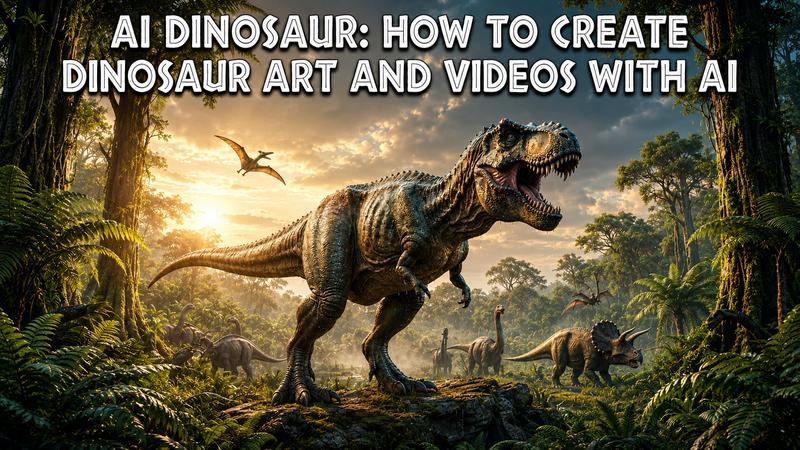
Dinosaurs have long captured our imagination, but bringing these prehistoric giants to life once required Hollywood-level budgets. Today, generative AI has flipped the script. This guide explores the best AI Dinosaur generators, tutorials to master them, and the perfect prompts to turn your text into Jurassic masterpieces.
Part 1: What Is an AI Dinosaur?
AI Dinosaur refers to any dinosaur-related visual content, ranging from static digital paintings to cinematic animations, created using artificial intelligence. Unlike traditional CGI, which involves manual 3D modeling, generative AI produces these visuals by interpreting large datasets.
Users can generate these creatures through two primary methods:
- Text-to-Image/Video: You describe the dinosaur (e.g., "A Triceratops grazing in a sunset valley"), and the AI builds it from scratch.
- Reference Images: You upload a sketch or a photo of a toy dinosaur, and the AI enhances it into a high-fidelity render or an animated scene. This technology has democratized prehistoric art. It allows anyone to recreate the Mesozoic era with just a few clicks.
AI dinosaur generator has become a favorite among paleo-artists and filmmakers because it can accurately depict complex textures like feathers or leathery skin that were previously difficult to simulate.
Part 2: Choose an AI Dinosaur Generator
Selecting the right tool depends on your specific project needs. When browsing for a dinosaur editor, consider the following factors:
- Text-to-image quality: Look for tools that understand complex anatomy.
- Image-to-video capabilities: Check if the tool can animate your existing art naturally.
- Available AI models: Platforms with multiple models (such as Edimakor) offer greater creative variety.
- Resolution and export options: Ensure the output is high enough for your specific platform (YouTube, TikTok, etc.).
- Ease of use: Avoid tools with steep learning curves if you need fast results.
Here is a comparison of the top contenders in the market.
| Tool | AI Dinosaur Art | AI Dinosaur Video | Ease of Use | Best For |
|---|---|---|---|---|
| Edimakor AI | Yes | Yes | High (User Friendly) | Content Creators & YouTubers |
| OpenArt | Yes | Yes | Moderate (Advanced Options) | Custom Styles & Artistic Control |
| Midjourney | Yes | No | Moderate (Discord Interface) | Concept Art & Professional Visuals |
| Kling AI | Yes | Yes | Moderate (Prompt Intensive) | Cinematic Sequences & Short Films |
| Runway | Yes | Yes | Moderate to High | Professional Production & VFX |
For most users, we recommend an all in one option like Edimakor AI. It simplifies the process by providing both art and video generation in a single workflow. It also eliminates the need to jump between multiple platforms to finish a project.
Part 3: How to Create AI Dinosaur Art
Creating stunning dinosaur art doesn't require a paintbrush. Follow these simple steps using an AI generator like Edimakor:
Step 1: Launch AI Image
Open the HitPaw Edimakor interface and click "AI Image" in the left sidebar. You can access "Reference Image" or "Text to Image" from the Toolbox.
Create Dinosaur Art
Step 2: Enter Your Prompt
In the text box, describe your dinosaur in detail. Select a model like "Seedream 5.0" for the highest quality. You can also set your resolution and desired aspect ratio (e.g., 16:9 for cinematic or 1:1 for social media) and choose the number of images to generate.
Step 3: Generate and Export
Click "Generate" and wait a few seconds for your art to appear. Once generated, you can right click the image to add it to your video timeline or save it directly to your computer.
Part 4: How to Create AI Dinosaur Video
AI can turn a static dinosaur concept into an engaging video. This is useful for short form content, educational projects, storytelling, and social media.
Step 1: Open AI Video Generator
Select "AI Video Generator" from the Edimakor home screen. Then choose "Text to Video" and "Image to Video."
Create Dinosaur Video
Step 2: Upload Your Content
Upload a dinosaur image or enter a descriptive idea/script. Then select your preferred AI model (like "Seedream 2.0"), video length (30s to 120s), resolution, and "Negative Prompts" to exclude unwanted elements.
Step 3: Generate the Video
Click "Generate" and let the AI create your dinosaur video. Preview the result and make adjustments if needed.
Step 4: Edit and Export
If you need more polish, add the clip to the Edimakor timeline to include background music, transitions, or subtitles. When finished, click "Export" to save your finished video.
Part 5: Best AI Dinosaur Prompts
Prompts are the key to unlocking the full potential of your AI generator dinosaurs. Here are several highly effective examples to get you started.
1) AI Dinosaur Art Prompts
Writing the right prompt is the key to unlocking the AI's potential. Here are five prompts to help you create many prehistoric styles:
A hyper realistic Tyrannosaurus Rex standing in a dense, foggy Cretaceous jungle. Soft sunlight filters through giant ferns, highlighting the detailed scales and moisture on the skin. Cinematic lighting, 8k resolution, National Geographic photography style.
A close-up portrait of a colorful, feathered Deinonychus looking directly at the camera. Intricate feather textures in shades of blue and orange, sharp, intelligent eyes, blurry forest background. Macro photography, high detail, vibrant natural colors.
A herd of Triceratops crossing a vast, dusty desert at sunset. Golden hour lighting creates long shadows on the sand, with heat haze shimmering in the distance. Epic scale, wide angle lens, realistic oil painting style.
A woolly mammoth and a Yutyrannus facing off in a snow covered valley. Heavy snowfall, icy breath visible in the air, dramatic blue hour lighting. 3D render in Unreal Engine 5 style, with highly detailed fur and scales.
A stylized Cyberpunk Stegosaurus with glowing neon plates along its back. Futuristic city background with rain slicked streets and purple lights. Digital art style, synthwave aesthetic, sharp edges, and high contrast.
2) AI Dinosaur Video Prompts
Video prompts need to focus on movement, camera angles, and action. Use these to bring your ai dinosaur to life with realistic motion.
A massive T-Rex stands on a rocky outcrop during a thunderstorm. The creature opens its mouth and lets out a thunderous roar as rain pours down its face. Realistic water splashes, lightning flashes, slow motion cinematic effect.
A Spinosaurus swimming gracefully through a murky river, with its sail cutting through the water's surface. Small fish scatter as the predator moves, creating realistic ripples and bubbles. Naturalistic movement, underwater camera angles, 4k resolution.
A Pteranodon gliding over a calm ocean during a bright sunrise. The camera follows the wingtips as they occasionally dip into the water, creating small wakes. Smooth aerial cinematography, wide angle view, serene atmosphere.
A pack of small, fast moving Compsognathus sprinting through tall grass to catch an insect. The grass moves realistically as they brush past, with fast paced camera tracking. Energetic motion, documentary style footage, sharp focus on the creatures.
A Brachiosaurus slowly lowering its long neck to drink from a crystal clear lake. The movement is heavy and deliberate, causing large circular ripples in the water. Peaceful prehistoric landscape, soft morning light, hyper realistic animal physics.
FAQs About AI Dinosaur
A1: The best tool depends on your goal. For users who want both dinosaur images and videos in one workflow, Edimakor AI is a convenient choice. Other platforms may be better suited to specific needs, such as detailed artwork or dedicated AI video generation.
A2: AI can create almost anything: photorealistic "wildlife" photos, 3D animated models, cyberpunk hybrids, classic oil paintings, and even skeletal X-ray views. If you can describe it, the AI can likely visualize it.
A3: Focus on textures and lighting. Words like "epidermal scales," "subsurface scattering," "cinematic lighting," and "8k photorealistic" help the AI understand that you want a life-like creature rather than a cartoon.
Conclusion
The era of AI Dinosaurs has officially arrived, turning the complex world of paleo-art into an accessible playground for everyone. You can rebuild a lost world right from your browser by using tools like Midjourney for aesthetics or Runway for motion. However, for those looking for a seamless, powerful, all in one experience, Edimakor AI is the ultimate portal to the prehistoric past. Don't just read about history create it. Try out Edimakor AI today and bring your first AI dinosaur to life!


Leave a Comment
Create your review for HitPaw articles