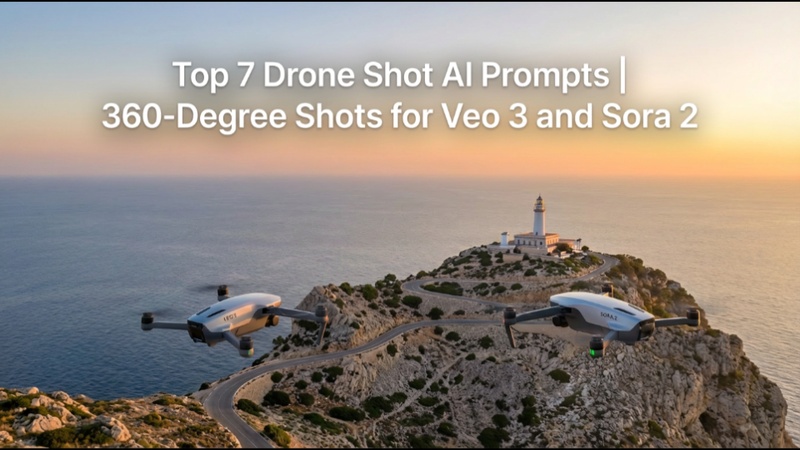
Cinematic drone perspectives without actual flights are now supported by AI video models using drone shot ai prompt. Using Veo 3 and Sora 2 (Sora 2 turned complex prompts into realistic stories, but is no longer available.), this guide offers seven prompts for producing fluid 360-degree drone views, orbits, and flyovers..
Part 1: What is the Anatomy of a Drone Shot AI Prompt?
A powerful drone shot Camera perspective, movement, resolution, realism level, and illumination are all precisely defined by the AI prompt. By combining these components, AI models are able to produce stable, cinematic aerial footage rather than videos that appear flat or animated.
Drone Perspective & Angle for Prompts
The appearance of scale, depth, and subject focus in AI-generated footage is influenced by the drone perspective. Models can recreate professional aerial photography with realistic motion and spatial accuracy when angle definitions are clear.
| Professional Shot Name | AI Prompt Keyword | Visual Effect / Use Case |
|---|---|---|
| Bird’s Eye View | Top-down, vertical aerial | Perfect for maps, layouts, crowd patterns, and symmetrical compositions |
| High Altitude Aerial | High-altitude drone shot | Shows large landscapes, cities, and environmental scale |
| Low Altitude Aerial | Low-altitude drone | Creates intimacy, speed, and cinematic proximity to subjects |
| Three-Quarter View | Angled aerial perspective | Adds depth and dimension for buildings and moving subjects |
| Horizon Shot | Wide horizon aerial | Ideal for cinematic reveals, sunsets, and epic establishing shots |
Cinematic Drone Movements
The emotional tone of a shot is defined by drone movement. In aerial video sequences, the use of unambiguous motion-based keywords enables AI to produce seamless transitions, expert camera flow, and realistic cinematic energy.
| Professional Shot Name | AI Prompt Keyword | Visual Effect / Use Case |
|---|---|---|
| Orbit Shot | Smooth orbital drone movement | Adds drama by circling a subject smoothly |
| Dronie | Drone pulling away shot | Great for reveals, scale expansion, and emotional endings |
| Tracking / Lead | Tracking shot, follow the subject | Maintains focus on moving subjects |
| FPV | FPV drone perspective | Creates fast, immersive, action-style visuals |
| Tilt-Shift | Tilt-shift aerial effect | Simulates miniature or stylized cinematic looks |
Part 2: The Top 7 Drone Shot AI Prompts for Any Scene
These prompt categories cover the most common and profitable aerial shot types, providing you with ready-to-use templates for realistic, cinematic drone-style videos that work with Veo 3, Sora 2, and Kling. Some of the drone shot examples are given below.
1. The Hyper-Realistic Establishing Shot
Before concentrating on specifics, this drone shot video establishes the scene by displaying the entire surroundings. It is frequently used to quickly establish scale, location, and atmosphere in movies, documentaries, and travel videos.
Best for:
Travel films, opening scenes, documentaries, and luxury brand videos.
Prompt:
Extreme long drone shot, wide-angle lens, establishing shot of a winding coastal highway at golden hour, a lone vintage car driving, 8k cinematic photograph.

2. The Cinematic Tracking/Dolly Shot
This drone shot low altitude view creates a sensation of speed and continuity by effortlessly following a moving subject from the front or side. When done well, it feels professional and immersive.
Best for:
Vehicles, trains, athletes, action scenes, cinematic storytelling.
Prompt:
Smooth, cinematic tracking shot, camera moving alongside a high-speed train cutting through a snowy mountain range, bright sunlight, misty atmosphere, shallow depth of field.
3. The Abstract Bird's-Eye View
A top-down viewpoint that turns actual places into abstract creations. Instead of narrating a tale, this style emphasizes symmetry, forms, and visual rhythm.
Best for:
Abstract films, branding visuals, intros, creative reels.
Prompt:
Bird's-eye view, top-down perspective, abstract pattern of agricultural fields, vibrant green and brown colors, high contrast, perfect symmetry.
4. The Low-Altitude FPV Dive Shot
This fast-paced drone shot photography puts the audience right in the middle of the action by imitating FPV drone video. When taken properly, it produces intensity and adrenaline.
Best for:
Action sports, gaming-style visuals, cinematic trailers.
Prompt:
FPV drone shot, extreme proximity, high-speed dive and pull-up over a forest canopy, lens flare, action cinematography.
5. The Dramatic Crane/Jib Reveal
In order to emphasize grandeur and mystery, this shot begins hidden and gradually unveils a gigantic subject. It is among the drone-style movements with the strongest emotional impact.
Best for:
Fantasy scenes, temples, monuments, cinematic reveals.
Prompt:
Dramatic crane shot, slowly descending and sweeping arc motion, revealing an ancient temple hidden in a dense jungle canopy, heavy fog, and volumetric lighting.
6. The Night City Hyper-Lapse
This image perfectly did justice with drone shot definition, showing motion trails, urban vitality, and city lights while condensing time into a visually arresting sequence. Long-exposure style is the most effective.
Best for:
City promos, tech brands, documentaries, intros.
Prompt:
High altitude drone view, hyper-lapse sequence of a bustling metropolitan city skyline, light trails from car traffic, 30-second long exposure, deep blue night sky.
7. The Commercial Real Estate Flyover
A clear, steady, and distortion-free image intended to highlight qualities. It puts professional composition, realism, and clarity ahead of artistic effects.
Best for:
Real estate marketing, hotels, resorts, architecture showcases.
Prompt:
Professional real estate drone flyover, 8K ultra-HD, architectural photography style, focusing on a luxurious modern house with a pool, clear blue sky, natural surroundings, no distortion.
Part 3: Best AI Drone Shot Prompt Generator - Edimakor
Creating cinematic drone shots no longer requires real drones or complex camera setups. With Edimakor AI, you can easily generate professional AI drone shot prompts for videos using its built-in Prompt Generator, powered by advanced video models like Veo 3, Sora 2, and Vidu AI.
Step 1: Open Edimakor
First, download and install Edimakor from the official website. Once installed, open the software on your PC or laptop to access its AI tools.


Step 2: Access the Prompt Generator
Next, open any AI video tool inside Edimakor; almost all of them include a Prompt Generator. Here, you can choose between the Text prompt generator and the Image prompt generator
Step 3: Generate the Drone Shot Text Prompt
Now, simply enter your idea. Click to generate, review the AI-created prompt, and use it directly with models like Veo 3, Sora 2, or Vidu AI to produce stunning drone-style videos.
Step 4: Create Drone Shot Image and Video
Next, you can create stunning drone shot images and videos with AI models like Nano Banana, Veo 3 and Sora 2 in Edimakor easily!
FAQ
A1: With their smooth camera motion, realistic depth, cinematic movement, and improved control over flyovers, orbits, and tracking sequences, Veo 3, Sora 2, and Kling are now the best choices for AI drone shots.
A2: For professional-looking aerial outcomes, effective drone prompts should include terms like 8K, Wide Angle, Cinematic, and Tracking Shot in addition to orbit, flyover, smooth motion, natural lighting, and realistic camera stabilization.
A3: Avoid using cartoon or stylized jargon and instead use words like Ultra-Realistic, Photorealistic, and Cinematography. For realistic results, mention depth of field, natural lighting, authentic camera physics, and smooth motion.
A4: Yes, Luma AI can use 3D scene comprehension to imitate drone-style camera movement, although it may not have the same cinematic scale as Veo 3 or Sora 2, and it works best for brief, controlled shots.
A5: Drone-style flyovers utilizing satellite imagery may be created for free using Google Earth Studio. It is realistic for cities and landscapes, but it lacks the AI-generated narrative, cinematic motion control, and creative flexibility of contemporary AI video models.
In a Nutshell
In Veo 3, Sora 2, and Kling, these drone shot ai prompt enable cinematic 360-degree shots. AI-generated aerial videos may be readily polished for marketing, storytelling, social media campaigns, advertising, reels, shorts, and promotions by using HitPaw Edimakor (Video Editor) , which helps improve pace, stabilize motion, add transitions, and export professional results.
Leave a Comment
Create your review for HitPaw articles