
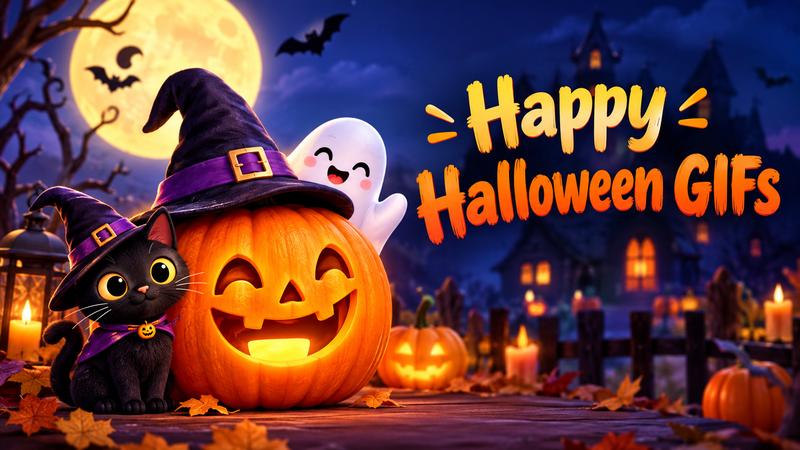
Halloween is the one time of year when being a little “extra” is not just accepted but encouraged. The digital world transforms into a playground of ghosts, goblins, and pumpkins as we approach 31 October. Sharing a happy Halloween GIF has become a modern tradition. It allows us to send spooky greetings instantly across social media and messaging apps. Whether you want something cute, funny, or scary, plenty of animated options are available to share. This article explores the best animated happy Halloween GIF options available today.
10+ Best Happy Halloween GIF Ideas in 2026
The right GIF depends on the person and the mood. Some are cute and friendly, while others are funny or spooky. Here are some of the best Halloween GIF ideas to share with friends, family, coworkers, and followers.
1. Classic “Happy Halloween” Pumpkin GIF
A glowing pumpkin with a warm smile is a timeless Halloween choice. Add floating bats, flickering candles, or sparkling stars for extra movement. This happy Halloween GIF works well in group chats, social media captions, email greetings, and digital invitations. It is friendly, festive, and suitable for almost everyone.

2. Funny Witch Flying Across the Moon
A witch flying past a bright full moon can create the perfect happy Halloween GIF funny moment. Choose an animation with a surprised expression, a wobbly broom, or a flying hat. This GIF is best for friends who enjoy lighthearted jokes and playful Halloween humor.
3. Cute Ghost Saying Hello
A tiny ghost waving from behind a pumpkin makes an excellent cute Halloween GIF. Soft colors, rounded shapes, and a cheerful face make it feel fun rather than frightening. Share it with children, family members, classmates, or anyone who prefers adorable Halloween designs over scary scenes.
4. Cute Happy Halloween Cat
Cats and Halloween naturally make a great pair. Look for a cute happy Halloween GIF featuring a black cat wearing a witch hat, sitting beside pumpkins, or dancing with tiny ghosts. This style is perfect for pet lovers and creates a warm, charming greeting for social posts.
5. Dancing Skeleton Celebration
A dancing skeleton can instantly bring energy to your Halloween content. Choose an animation with colorful lights, a fun beat, or humorous dance moves. This funny happy Halloween GIF works especially well for short-form videos, party invitations, and messages that encourage friends to celebrate instead of staying home.
6. Pumpkin Carving Animation
A pumpkin carving GIF shows a plain pumpkin becoming a glowing jack-o’-lantern. It can include moving knives, changing facial expressions, or a final burst of light. This idea is perfect for craft pages, family activities, classroom posts, and anyone who wants a creative Halloween greeting.
7. Spooky Haunted House GIF
For a more mysterious mood, use an animated haunted house with flashing windows, flying bats, and drifting fog. This animated happy Halloween GIF is excellent for horror fans and themed party announcements. Add a short message such as “Enter if you dare!” to make the visual more engaging.
8. Halloween Candy Explosion
A candy themed GIF can show chocolate, lollipops, candy corn, and colorful treats falling across the screen. Add the phrase “Trick or treat!” for a familiar seasonal touch. This design is cheerful, bright, and especially useful for children’s parties, candy promotions, and playful social media messages.
9. Vampire Saying “Have a Fang tastic Night”
A smiling vampire with moving fangs can deliver a clever Halloween pun. Use a dark red, purple, and black color palette to create a classic vampire look. This GIF is a fun choice for friends, coworkers, and followers who enjoy wordplay and slightly spooky humor.
10. Friendly Monster Dance GIF
A colorful monster dancing under a moonlit sky can make Halloween greetings feel exciting without being too frightening. Use bright green, orange, or purple characters with exaggerated movements. This happy Halloween GIF is great for children, school events, family chats, and upbeat Halloween party promotions.
11. Scary Zombie Pop-Up
For viewers who enjoy surprises, a zombie pop-up GIF can create a quick scare. The animation may begin with a quiet background before revealing the character. Use it carefully and avoid sending it to people who dislike jump scares. It works best with close friends who share your sense of humor.
12. Fireworks and Halloween Greeting
Finish your Halloween message with colorful fireworks, glowing stars, and a large “Happy Halloween” greeting. This design feels celebratory and polished, making it useful for business pages, event announcements, newsletters, and personal posts. It combines the excitement of fireworks with the charm of traditional Halloween imagery.
How to Make a GIF for Halloween
While downloading existing graphics is easy, creating your own personalized animations allows you to stand out. You can turn videos of your costumes or decorations into unique digital assets.
HitPaw Edimakor is a versatile AI powered video editor designed to make creative tasks simple and efficient. It lets users turn ideas into dynamic videos and GIFs with advanced AI models, making it best for beginners and professionals alike. The software is available for Windows and Mac, and an online version lets you make quick edits on the go.
Key Features
- AI powered text to video generation tool
- One click background remover for clean edits
- Over 500+ playful stickers and GIFs
- Realistic AI voices for custom narrations
- Auto subtitle generator for better engagement
- Access to 50k+ premium stock assets
- Advanced keyframing for smooth custom animations
How to Create Happy Halloween Funny GIFs With Edimakor AI
Using Edimakor’s AI features, you can quickly turn a simple video into a viral ready animation. Follow these steps to create your own:


Step 1: Import Your Halloween Video.
Start by launching HitPaw Edimakor on your computer or through the online portal. Click the “Create Video” button and drag your Halloween footage directly into the media library. You can use clips from your phone or stock footage from the software’s internal library.
Step 2: Edit and Trim the Video.
Drag your clip onto the timeline. Since GIFs are best when they are short and snappy, use the “Split” tool to cut out any unnecessary parts. Aim for 3 to 6 seconds so the animation loops smoothly and stays within a shareable file size.
Step 3: Add Text to the Clip.
Go to the “Text” tab on the left sidebar. Select a spooky font or preset text style, then type your message, such as “Stay Spooky” or “Happy Halloween!” You can customize colors, add text animations, or use AI to generate stylized captions that match the mood.
Step 4: Export as a GIF.
Once you are satisfied with the look, click the “Export” button in the top right corner. In the format settings, select “GIF” instead of a traditional video format. A smaller file is useful for email and messaging apps. A larger file may look better on a website.
Save the file with a clear name, such as happy-halloween-pumpkin.gif. Open it after saving to confirm that the animation plays correctly.
Where to Find More Free Happy Halloween GIFs
If you do not want to make your own animation, several websites offer free Halloween GIFs. Always check the usage terms before using a GIF for business, advertising, or commercial content.
- GIPHY: This is a major hub for visual content where you can explore a wide variety of Halloween themed GIFs, stickers, and clips. You can search by tags like “pumpkins,” "trick or treat,” and “halloween vibes” to find exactly what you need.
- Tenor: Tenor offers a searchable database of animations, including popular halloween memes and character specific GIFs such as Michael Myers, witches, and skeletons. It is a great place to find reaction GIFs for the spooky season.
- Canva: Canva provides a free online GIF maker that is perfect for those who want to design from scratch. With millions of free stock photos and a simple drag and drop editor, you can embellish your animations with stickers, frames, and unique text effects before sharing them online.
- Pixabay: Excellent for finding high quality, royalty free stock animations with a more professional or artistic look than standard memes.
FAQs About Happy Halloween GIFs
A1: Yes, most GIFs on public platforms can be used for social sharing. However, if you use HitPaw Edimakor to create your own, you can safely use them for commercial purposes, including advertising and promotional content.
A2: For the best results on platforms like Twitter or Discord, try to keep your GIF file size under 5MB. This helps it load quickly for all users, even on slower mobile connections.
A3: Technically, the GIF format does not support sound. If you want audio, you should export your project as a short MP4 video. Tools like Edimakor allow you to add music and AI voices easily before exporting.
A4: To create a seamless loop, ensure the beginning and end of your video clip look similar. In Edimakor, you can use the “Mirror” or “Reverse” effects to help blend the transition point for a smoother visual experience.
Conclusion
Halloween is a time for creativity, laughter, and a few good scares. Whether you share a happy Halloween GIF from a library or create a custom one, these animations are the heartbeat of modern holiday celebrations. For those looking to take their content to the next level, HitPaw Edimakor offers the perfect blend of simplicity and powerful AI features to make your vision come to life. Don’t wait. Download HitPaw Edimakor today and start creating your own spooky masterpieces for this October!
Leave a Comment
Create your review for HitPaw articles



