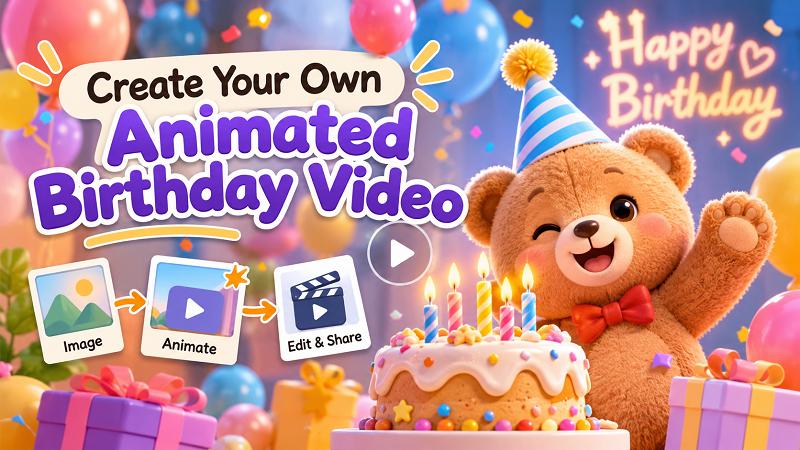
Two or three decades ago, birthday video animation was not common as it is today. The reason was not far-fetched: traditional video production was hectic, rigid, and expensive. But in 2026, all of that has changed. Animation has evolved significantly, thanks to AI. With AI, you can animate your birthday videos without having to visit any studio or pay anyone for professional editing. Do you want to produce videos without going through the traditional processes? Then, read this piece from beginning to end to learn how you can animate your birthday videos without breaking a sweat.
Why Make an Animated Birthday Video
Below are some reasons people animate birthday videos in the present day:
- People have a unique way of interacting with videos. The experience is nothing short of breathtaking. Sharing an animated birthday with loved ones will evoke positive emotions.
- We are moving away from the era where people celebrated their birthdays with static greeting cards or simple text messages. Several online stats show that animated happy birthday videos get better engagement when posted on social media.
- Gone are the days when certain skills and experience are required to animate birthday videos. You can include things like music and an avatar in minutes, and the video will still come out perfect.
- Animated birthday videos are also excellent for surprising loved ones. Just imagine putting together a good birthday animation video on short notice! This is possible because AI helps you do the work. Input all the required items, like your pictures, avatar, and music, and the AI video will do the heavy lifting for you.
How to Make an Animated Birthday Video with AI
Different brands come online to promote AI tools that can animate birthday videos. But unfortunately, some of them cannot boast of users who have successfully used their tools to animate videos. Only a handful of AI video generators, such as HitPaw Edimakor , deliver on their promises. Whether it's video or image, HitPaw is a suitable tool for creating animation. You can use simple text messages or prompts to create an animated experience of your birthday celebrations.
Let's look at some of the top features that make this AI video generator tick all the boxes as a worthy birthday video maker .
Key Features
- Convenience - HitPaw is easy to use. It allows you to build complex AI videos from simple prompts. Throw in your lovely birthday pictures into the AI tool and see how it breathes life into them by weaving a video tailored just for you.
- Smart tools - are you confused about what your animated birthday video should look like? HitPaw Edimakor smart tools have you covered. Take advantage of its smart tool features to generate a video from a concept. Just give the tool an idea of what you want, and you will be amazed.
- Simple editing - editing made easy is one of the biggest trademarks of HitPaw. No need for any special editing skills. The AI graphical user interface makes it possible to use drag and drop to edit. Newbies are welcome to use this tool because of its simplicity.
- Export and share videos - HitPaw lets you export AI-generated videos to a range of platforms. Share your animated happy birthday videos with your followers and loved ones on your preferred social media handles. Create birthday animations that are compatible with YouTube, TikTok, and the like.
Having looked at the exceptional features of HitPaw Edimakor, in the section below, we explore the various ways to animate your birthday celebrations:
Method 1: Turn a Birthday Image into an Animated Video
Follow these steps to animate your birthday images:
Step 1: Open the HitPaw Edimakor software and navigate to the dashboard. Click the Video tab and look for Image to Video.


Step 2: Next, click on Image to Video. A button with the label Import Image will show up. This will enable you to fetch the image from wherever it is on your device.
Step 3: The next window will require you to do a couple of things. At this point, you need to input your prompt, duration, and resolution. When you are done, hit the Generate button. This action is what triggers the software to start animating your images.
Step 4: Drag the animated birthday video from My Creation to the timeline. You can then edit the video, add audio, subtitles, and other elements to customize your birthday video.
Step 5: Export the animated birthday video from HitPaw Edimakor and store it somewhere locally on your device. You can determine the format, encoding, and resolution.
Method 2: Restyle Birthday Video into Cartoon Animation
If you already have a birthday video and intend to make an animated video for birthday, this is the method you should use. Let's proceed with this second method. To achieve this, do the following:
Step 1: Click Restyle Video under the Media tab. A space will appear where you can import the video into HitPaw Edimakor.
Step 2: The next thing is to choose the animation style. Scan through the various styles and choose one. Going forward, enter the prompts to give HitPaw further instructions on how the animation should be.
From The Simpsons to Barbie, you can find a cartoon style that resonates with what you have in mind.
Step 3: Or add prompts if you want this AI tool to further tailor the style itself. When you are done, click on Generate to get the process going.
Step 4: Look for My Creations under the Media tab. Check for the particular video that has been generated. Click Export to share your video with friends and family on social media.
30-Second Animated Birthday Video Prompt Template
| Time | Scene | Visual Description | Action/Animation | Text / Voiceover |
|---|---|---|---|---|
| 0–5s | Opening | A colorful birthday background with balloons, confetti, and glowing lights. | Balloons float up as confetti falls. | Happy Birthday, [Name]! |
| 5–10s | Birthday Character | Show [Name] as a cute 3D animated character in a festive setting. | The character smiles, waves, and walks into the scene. | Today is your special day! |
| 10–15s | Birthday Celebration | A beautiful birthday cake with candles appears on a decorated table. | Candles light up, and the character blows them out. | Make a wish! |
| 15–25s | Special Wishes | Display colorful gifts, flowers, and birthday decorations. | Gifts open with sparkling effects and animated hearts appear. | Wishing you happiness, love, and endless joy! |
| 25–30s | Ending | A festive birthday card with the character and a beautiful background. | Confetti bursts across the screen, revealing the final greeting. | Have an amazing birthday! |
FAQs About Animated Birthday Video
A1: Yes! You can turn a birthday photo into an animated video using an AI image-to-video tool. Upload a portrait or birthday photo, enter a prompt describing the desired movements and effects, and let AI bring the image to life. With HitPaw Edimakor, you can use image-to-video features to create animated birthday scenes from your photos.
A2: Several AI tools can help you create animated birthday videos, including Edimakor AI, Runway, Kling, and Pika. They offer different ways to generate videos from text prompts or images. HitPaw Edimakor is a convenient option for creating birthday-themed AI videos with multiple models. For more editing options, HitPaw Edimakor provides video templates, AI tools, music, subtitles, and creative effects.
A3: An animated birthday video is usually 15 to 60 seconds long, depending on its purpose and platform. A 15–30-second video works well for quick birthday greetings on social media, while a 30–60-second video gives you more time to include photos, personal messages, and memorable moments. Keep the scenes engaging and the birthday wishes easy to follow.
A4: Yes! You can add background music, birthday wishes, voiceovers, and animated text to make your AI-generated video more personal. You can even use an AI music generator to create a custom birthday soundtrack that matches your video's mood.
Conclusion
We have moved past the period of making happy birthday animation videos with only sophisticated technologies. AI continues to transform the world of animation, with almost no end to the kinds of things that can be achieved. HitPaw Edimakor is a top-notch AI tool that makes animation look like a walk in the park. Thanks to its user-friendly UI, newbies can use HitPaw without having issues or feeling left behind. Therefore, what are you waiting for? Dig up your birthday pictures and let HitPaw Edimakor turn them into fun animations.
Leave a Comment
Create your review for HitPaw articles