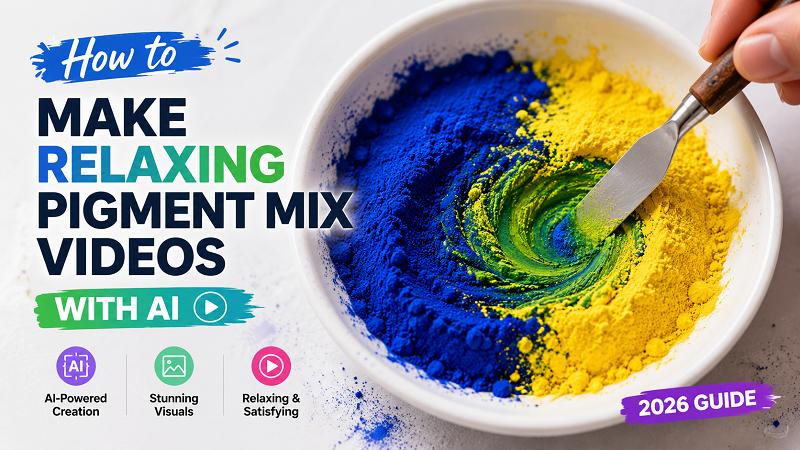
Relaxing videos are still enjoying millions of views on YouTube, TikTok, Instagram Reels and Shorts. A recent trend which has been noticed is AI-generated mixed colour video of pigments. The videos are of colored pigments, paints, powders, inks, and so on mixing together, and that's just something that fits the eye. This guide explains what AI pigment mixed color videos are, how to create with HitPaw Edimakor, helpful prompt ideas, and tips for making better videos in 2026.
What Are AI Pigment Mix Videos?
AI Pigment Mixing Video Short video that demonstrates a combination of coloured pigments, paints, powders, inks or liquid colours. The typical length of the videos is 10 seconds to 1 minute. Bright color, classy color blends, slow camera movements and realistic texture are all elements often used by creators. The videos are very popular since you can unwind and acquire satisfaction when viewing them. Many creators publish their YouTube Shorts, TikTok videos, Instagram Reels or longer relaxation videos.

How to Make Pigment Mix Videos with HitPaw Edimakor
With HitPaw Edimakor, you can easily create pigment-mixing videos using AI without having any experience in video editing. You can use text prompts to generate real pigment mixed images and convert them to animated videos with AI. With this software, you can create a smooth color blend effect, realistic movement, and high quality video without using a camera or actual paint. Image generation, animation creation, editing, and export are all completed with a single tool, allowing creators to quickly and efficiently produce professional pigment-mixing videos.
Features of HitPaw Edimakor's AI Video Generator
- Multiple AI Image Models HitPaw Edimakor offers different AI image models that can create realistic pigment textures, paint splashes, liquid colors, and artistic effects. You can test several styles and choose the result that matches your idea.
- High-Resolution Output The tool creates high-quality visuals suitable for YouTube, TikTok, Instagram, and other platforms. Clear details make pigment particles, liquid flows, and color blends look more realistic.
- Natural Motion Control Edimakor can animate static images with smooth movement. This feature helps create realistic pigment mixing effects, flowing paint, and gradual color blending that keeps viewers engaged.
- Also Available Online: Users can access Edimakor AI Video to generate videos directly from a browser without installing software.
Guide to Create Pigment Mix Videos
Step 1: Download HitPaw Edimakor
Visit the official HitPaw Edimakor website and download the software for your computer. Install the program and launch it. Create an account if required, then open the AI video generation tool.


Step 2: Generate a Realistic Pigment Mix Image
Start by creating a detailed pigment mixing image. Open the AI image generator and enter a descriptive prompt. You can generate several versions and choose the image with the most natural color transitions.
"Two vibrant pigment powders placed side by side in a shallow ceramic dish, one deep ultramarine blue and one bright lemon yellow"
Step 3: Animate the Pigment Mixing Image
After selecting the image, use Edimakor's image-to-video feature. Add movement instructions that describe how the pigments should flow and blend.
"A pair of clean human hands slowly uses a stainless steel palette knife to gently fold and swirl the deep ultramarine blue and bright lemon yellow pigment powders together inside a white ceramic dish. The colors gradually blend into a rich, vibrant emerald green with soft gradient transitions. Fine pigment particles move naturally, creating smooth circular patterns and satisfying textures. Macro close-up, top-down camera, ultra-realistic, slow motion, cinematic lighting, ASMR visual, highly detailed, stable camera, seamless motion.”
Step 4: Fine-Tune and Export
Preview the generated video and make adjustments if needed. You can:
- Adjust animation speed
- Add background music
- Change video length
- Add transitions
- Improve colors
- Crop for Shorts or Reels
Once satisfied, export the video in high resolution. You can then upload it directly to YouTube or other platforms.
Best Prompt Ideas for Different Pigment Styles
The right prompt plays a major role in creating realistic pigment mix videos. Below are some ready-to-use prompts for different visual styles.
| Pigment Style | Prompt | Visual Effect |
|---|---|---|
| Metallic Pigments | Ultra realistic metallic gold and silver pigments mixing together, reflective particles, smooth swirling motion, macro view, detailed texture, 4K quality | Shiny and reflective effect |
| Neon Pigments | Bright neon pink, green, blue, and orange pigments blending together, glowing colors, smooth motion, dark background, realistic particles | Vibrant glowing colors |
| Pearl Pigments | Pearl white and pastel pigments mixing softly, glossy finish, realistic texture, macro photography, soft lighting | Soft and luxurious appearance |
| Watercolor Pigments | Watercolor paints spreading and mixing naturally on paper, gentle color transitions, realistic brush texture, artistic style | Smooth artistic blending |
| Acrylic Paint Mix | Thick acrylic paints mixing together, rich texture, detailed paint movement, realistic color blending, close-up view | Dense paint effect |
| Alcohol Ink | Colorful alcohol inks flowing across a glossy surface, fluid movement, realistic liquid patterns, vibrant colors | Fluid abstract appearance |
| Rainbow Pigments | Rainbow-colored pigment powders swirling together, detailed particles, smooth transitions, macro photography, highly realistic | Colorful and eye-catching |
| Marble Pigment Mix | White, black, gold, and gray pigments creating marble patterns, smooth blending, realistic texture, close-up shot | Stone-like artistic effect |
Tips for Making Better Pigment Mix Videos
- Use Close-Up Views Macro-style visuals often perform better because viewers can clearly see the pigment textures and color changes.
- Focus on Color Contrast Combine colors that stand out from each other. Strong color differences create more interesting mixing effects.
- Keep Movements Slow Slow animations often feel more relaxing and satisfying than quick movements.
- Using High-Quality Music Soft background music can improve watch time and viewer experience.
- Test Different Styles Try powder pigments, liquid paints, inks, metallic colors, and rainbow blends. Different styles may attract different audiences.
- Create Short and Long Versions Upload short clips as YouTube Shorts and longer versions for relaxation or ASMR-style content.
FAQs on Creating Pigment Mix Videos with AI
A1: Yes. AI tools like HitPaw Edimakor can generate realistic pigment images and animate them into videos without any real filming.
A2: For YouTube Shorts, TikTok, and Instagram Reels, videos between 10 and 60 seconds often perform well. Longer versions can work for relaxation content.
A3: Most creators export videos in 1080p or 4K resolution to keep colors and details clear.
A4: Yes. HitPaw Edimakor offers simple tools that help beginners create pigment mixing videos with prompts and AI-generated animations.
A5: There is no single best style. Neon pigments, rainbow pigments, metallic pigments, and alcohol ink effects often attract strong engagement because of their bright colors and unique visuals.
Conclusion
AI pigment mix videos have become a popular content style because they are simple to create and enjoyable to watch. With HitPaw Edimakor, you can generate realistic pigment images, animate them into smooth videos, and export content for YouTube, TikTok, and Instagram. By using detailed prompts, experimenting with different pigment styles, and keeping movements natural, you can create relaxing videos that attract viewers in 2026. Try HitPaw Edimakor today and start making your own AI pigment mix videos in just a few steps.
Leave a Comment
Create your review for HitPaw articles