
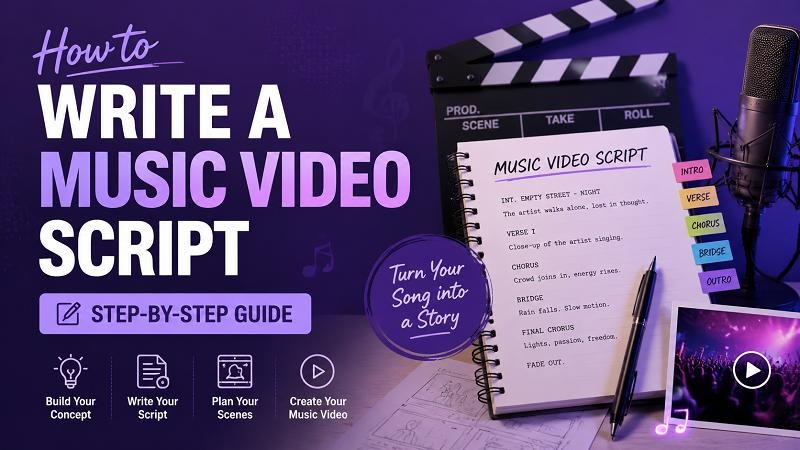
A good song can attract attention and a good music video can ensure that people will connect with the story behind the song. Music videos that are successful are some that have made good planning prior to shooting. Typically, a music video planning starts with a music script. This guide will show you how to create a music video screenplay, a simplified music video script format, a simple music video script template, and how to make music videos quicker with music video AI tools.
Why You Need a Music Video Script
Music video script is like a blueprint for your project. Use it to plan ideas, outline scenes, map out camera movements, and articulate ideas with those involved. Without a script, movie shooting can get confusing and not be efficient. The script plays a crucial role in the production of a musical video, helping to focus the production and to bring the creative ideas to the stage of a finished video.
How to Write a Script for a Music Video
Writing a music video script becomes much easier when you follow a clear process. By breaking the work into simple steps, you can turn song ideas into scenes, visuals, and camera plans that support the music.
Step 1: Deconstruct the Song
Listen to the song a few times and then write. Listen for the message, rhythm, mood and lyrics.
Ask yourself:
- What is the meaning of the song?
- Which feelings does it evoke?
- Should there be lyrics which are a visual element?
- What is the overall theme?
Listen and take notes. Point out significant lyrics, mood shifts and musical changes. These details will help to inform your script and to plan the scene. For instance, in a breakup song, it could contain scenes of separation, memories and personal development. A celebration song can be about parties, friends and happy moments. If you truly want to develop a compelling music video script, then you have to fully grasp the song itself.
Step 2: Choose Your Narrative Style
Not all music videos are alike. Select an appropriate style for the song.
1. Narrative Style
This method communicates a story with characters, events and a clear narration.
2. Performance Style
The artist sings while various camera angles and positions provide visual appeal.
3. Concept Style
This type of style emphasizes visual concepts over a typical narrative.
4. Hybrid Style
Many contemporary music videos incorporate stories and performance shots.
The artist plays while the other story line plays out in the video. The choice of style will impact your music video script format.Step 3: Develop the Core Concept
- Now turn your ideas to a single idea.
- A main idea is the answer to these questions:
- Who is the protagonist in a story?
- What is the action that occurs in the video?
- What is the setting of the story?
- Which visual style are you going to go with?
- What does the story have to do with the song?
- Write a summary of one sentence.
A young musician runs after his dreams, playing in various spots throughout the city. This summary will serve as the basis for your mv script. Stick to the basics. Great music videos tend to have one main concept instead of multiple concepts.Step 4: Format Your Script
A music video script format does not need to be complicated. Most creators use a simple structure that includes:
- Scene number
- Location
- Time of day
- Visual action
- Camera notes
- Lyrics or music section
Example: Scene 1
Location: Empty bedroom
Time: Morning
Visual: Main character wakes up and looks at old photographs.
Camera: Close-up on photographs.
Music Section: Intro
This format helps everyone understand what happens in each scene.
Step 5: Plan Every Scene
Break the song into sections.
Typical sections include:
- Intro
- Verse 1
- Chorus
- Verse 2
- Chorus
- Bridge
- Final Chorus
- Outro
Assign visuals to each section.
For example:
Intro
The character sits alone in a room.
Verse 1
The character walks through the city remembering past events.
Chorus
Performance shots of the artist singing.
Verse 2
Flashbacks show happier memories.
Bridge
Emotional turning point.
Final Chorus
The character finds closure and moves forward.
When planning scenes, think about:
- Locations
- Costumes
- Props
- Lighting
- Camera movement
Every scene should support the song's message.
Step 6: Build a Shot List & Storyboard
After writing the script, create a short list. A shot list includes every camera angle needed.
Example:
| Shot Number | Description | Camera Type |
|---|---|---|
| 1 | Artist singing | Medium Shot |
| 2 | Close-up of hands | Close-Up |
| 3 | Walking through street | Wide Shot |
| 4 | Looking at photos | Close-Up |
| 5 | Group performance | Wide Shot |
Next, create a storyboard. A storyboard uses simple drawings or images to show what each scene will look like. Storyboards help directors, camera operators, and editors understand the visual flow before filming begins.
Music Video Script Template (With Example)
Beginners often struggle with structure. This simple music video script template makes the process easier.
Music Video Script Template
Project Title: __________________
Artist: __________________
Song: __________________
Scene Number: __________________
Location: __________________
Time of Day: __________________
Music Section: __________________
Visual Description: __________________
Character Actions: __________________
Camera Notes: __________________
Special Effects: __________________
Music Video Script Example
Project Title: Lost Memories
Artist: Sarah Lane
Song: Back Again
Scene Number: 1
Location: Bedroom
Time of Day: Morning
Music Section: Intro
Visual Description: Sunlight enters through the window.
Character Actions: The character sits on the bed looking at old photos.
Camera Notes: Slow zoom toward the photographs.
Special Effects: Soft lighting.
This simple music video script example shows how to organize information clearly for production.
Tips for Writing Better Music Video Scripts
- Listen to the song many times before writing.
- Focus on one clear idea.
- Match visuals with the song's mood.
- Keep scenes easy to understand.
- Use visual storytelling whenever possible.
- Avoid adding unnecessary scenes.
- Plan transitions between sections.
- Think about the available budget.
- Create a shot list before filming.
- Review and revise the script before production starts.
- Use storyboards to improve planning.
- Make sure every scene supports the song.
Create a Music Video Faster with AI
Writing a script, planning scenes, filming, and editing can take a lot of time. AI tools can help creators speed up the process. One useful option is HitPaw Edimakor, an all-in-one AI creation tool that helps users create scripts and videos in the same workspace. You can start with an idea, generate a script, create video scenes, and export a finished music video without switching between multiple programs.

Main Features of HitPaw Edimakor:
- AI Scripts in 20+ Languages :HitPaw Edimakor can generate scripts in more than 20 languages. This feature helps creators reach different audiences and create content for international viewers.
- Multiple Visual Styles :Users can choose from different visual styles depending on the song's mood. This flexibility helps create unique music videos for different genres.
- 4K Video Output :The platform supports high-quality 4K exports. This allows creators to publish professional-looking videos on YouTube, social media, and other platforms.
- No Filming Required :Creators can generate video content without recording footage. AI-generated visuals can replace traditional filming in many projects.
- Commercial-Ready Videos :The tool helps users create music videos suitable for marketing, social media promotion, music releases, and business projects.
How to Use AI Video Script Generator
Step 1: Download and Launch HitPaw Edimakor
Download and install HitPaw Edimakor on your device.


Step 2: Generate a Music Video Script with AI Copywriting
Go to the AI Copywriting feature and enter your creative details, such as your music theme, genre, story idea, desired mood, or key elements you want to include.
Step 3: Generate the Video
Once your script is ready, use the Script to Video feature to transform your written ideas into an AI-generated video. The tool can help create scenes based on your script, making it easier to visualize your concept without traditional filming.
MV Script FAQs
A1: Start by analyzing the song, choosing a narrative style, creating a core concept, and dividing the song into scenes. Then write visual descriptions, character actions, and camera notes for each section.
A2: A music video script focuses mainly on visual storytelling that supports a song. An audio video script may include narration, dialogue, educational content, or marketing messages along with visuals.
A3: A standard music video script format should include scene numbers, locations, music sections, visual descriptions, character actions, and camera notes.
A4: Yes. A music video script template helps beginners organize scenes, camera shots, and story ideas in a simple and structured way.
Conclusion
Learning how to write a music video script can make your production process smoother and more organized. A clear script helps you plan scenes, manage filming, and create visuals that support the song's message. Whether you use a traditional workflow or AI tools, good planning remains essential. If you want to save time and create videos more efficiently, try HitPaw Edimakor. Its AI script and video generation features help creators move from an idea to a finished music video with less effort and more consistency.
Leave a Comment
Create your review for HitPaw articles



