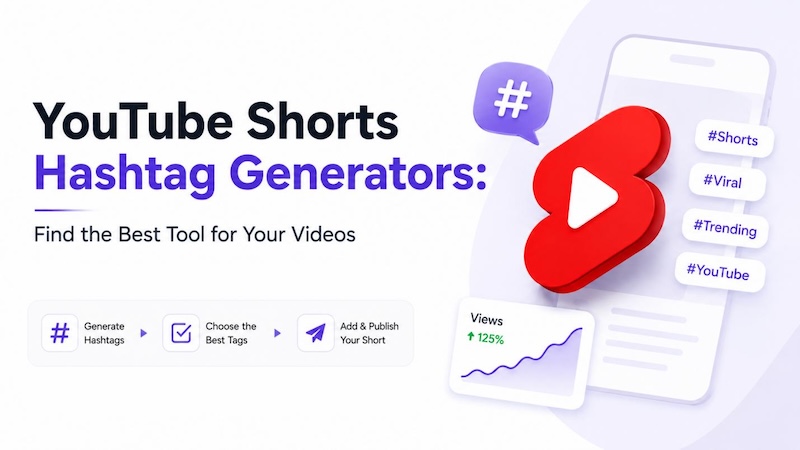
Even a Short with a great hook can get buried if YouTube isn't sure what it's about. That's what hashtags and tags are for — they tell the platform, and your viewers, what a video actually covers. Typing tags by hand seems to take forever, and you'll almost always miss a term people are already searching.
So a lot of creators skip that step and just use a youtube shorts hashtag generator. Below, we go through five of the better tools out there right now, cover how to actually pick hashtags that work, and answer the questions creators keep asking us.
How Do Hashtags Work on YouTube?
People tend to lump YouTube Hashtags and YouTube Video Tags together. They're not the same thing.
- YouTube Hashtags: These sit above your video title, and on Shorts you'll see them right on the player. Tap one and YouTube pulls up every other video using it.
- YouTube Video Tags: These stay hidden in the backend. Nobody watching sees them — they just help YouTube's system figure out your topic and catch typos in your title.
Think of tags as the behind-the-scenes filing system and hashtags as the public sign pointing viewers your way.
5 Best YouTube Shorts Hashtag Generator Tools
1. HitPaw Edimakor
HitPaw Edimakor is built for creators who'd rather work in one app than juggle five browser tabs. The ai hashtag generator here sits right alongside AI video creation, editing, and thumbnail tools — so raw footage can turn into a tagged, published upload without switching apps.
Key Features:
- Hashtag Generator: Type in your topic and get a ranked, ready-to-use hashtag list back in seconds.
- AI Video Tools: Give it a script, a photo, or even just a text prompt, and it'll build a finished Short — AI avatars, cloned voices, and auto-captions included.
- Viral YouTube Templates: Trend-matched templates so you're not guessing at pacing or style for Shorts.
- Video Editor: A timeline made for vertical, short-form clips — trim, cut, rearrange as needed.
- AI Thumbnail/Image Tools: Cover images and thumbnails without opening another app.


Here's how to generate YouTube hashtags with Edimakor:
Step 1: Download and open Edimakor.

Step 2: Create or edit your video. Use the AI video tools to build one from scratch, or edit footage you already have.
Step 3: Export your finished video, then generate hashtags for it.
Step 4: Publish it directly to YouTube.
RapidTags
RapidTags is a hashtag generator free YouTube tool — no signup needed. Drop in a keyword and it spits out dozens of tag and hashtag ideas almost instantly. Good option if you just need a quick starting list, not deep research.
Pros:
- No cost, no account to set up
- Returns results in seconds
- Supports batch generation for multiple videos at once
- Works across several languages
Cons:
- No analytics or performance tracking
- Suggestions aren't ranked by search volume
TubeBuddy
TubeBuddy runs as a browser extension inside YouTube Studio. It does more than suggest hashtags — tag optimization, competitor comparisons, and bulk editing are in there too. It's really built for someone managing a whole channel, not just tagging one upload.
Pros:
- Trending, high-ranking hashtag suggestions matched to your content
- Tells you how competitive a tag is before you use it
- Works directly inside YouTube Studio, no separate dashboard
- Handles bulk changes across many videos at once
Cons:
- Full toolset sits behind a paid plan
- Takes longer to learn than a simple generator
vidIQ
vidIQ pairs hashtag and tags for youtube videos suggestions with deeper keyword research, an SEO score, and competitor tracking. If you want data behind a hashtag decision, not just a list of suggestions, this is the tool for that.
Pros:
- Strong keyword research built in alongside hashtags
- Tracks competitor tags and channel performance
- Scores individual videos for SEO
- Runs as a browser extension right inside YouTube
Cons:
- Deeper data and tag frequency tools require a paid tier
- More features than most Shorts-only creators will use
TubeRanker
TubeRanker packs a hashtag generator, tag extractor, channel audit, and a basic rank tracker into one place. It's free to start, and with support for over 80 languages, it's a decent option if you're not creating in English.
Pros:
- Free hashtag and tag generation
- Multi-language support for international channels
- Includes a channel audit and simple rank tracker
- Lets you pull tags from competing videos
Cons:
- Rank tracking is more basic than TubeBuddy or vidIQ
- Interface feels less refined than the paid tools
How to Choose the Best Hashtags for YouTube Videos
A generator hands you plenty of options. Choosing the right ones is still on you. A few habits help when you're working out the best hashtags for youtube shorts for a new upload:
- Start with the video's main topic: Name the core subject in plain language first. Whatever hashtag you lead with should match exactly what someone sees in the first few seconds.
- Consider search intent: Think about what people actually type into the search bar — not just words that technically describe your video.
- Add specific variations: Mix one broad hashtag in with a couple of narrower ones. That way you show up in wide searches and smaller niche ones too.
- Review competing content: Check what similar, well-performing Shorts in your space are tagging, then adapt those choices instead of copying them outright.
FAQs
A1: Depends on how you work. Want hashtags generated right alongside editing and publishing? Edimakor is built for that. RapidTags and TubeRanker are solid free options if you just need a quick list. And if you're already tracking most popular youtube hashtags and want that tied into a full SEO dashboard, TubeBuddy or vidIQ make more sense.
A2: They help YouTube sort your video into categories and can get it showing up in hashtag search results. But they're just one signal — watch time, click-through rate, and retention still matter more for what gets recommended.
A3: YouTube's technical cap is 15, though the platform tends to ignore your whole set once the description packs in too many. Three to five relevant ones is the safer bet.
A4: That list moves depending on niche and time of year, honestly, which is exactly why a hashtag generator for youtube shorts earns its keep — it pulls current, trending terms instead of a list that's already outdated by the time you look at it.
Conclusion
You don't need to guess at hashtags or copy whatever a competitor used last month. RapidTags and TubeRanker cover the basics for free. TubeBuddy and vidIQ add more analytics if you're running an established channel. And if editing, thumbnails, and hashtags in one app sounds better than juggling five tabs, Edimakor is built for exactly that. Give it a shot on your next Short.
Leave a Comment
Create your review for HitPaw articles