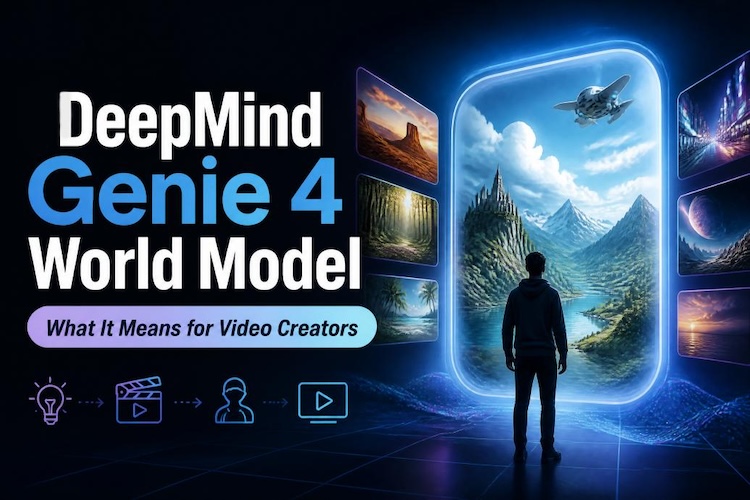
Imagine typing “make it rain” and watching a whole world change around you, with the sound of the storm to match. That’s the idea behind Genie 4, which Google DeepMind revealed in its official announcement on October 27, 2026. It doesn’t just make a video clip. It builds a world you can explore, with sound, in real time.
But what does Google Genie 4 mean for professional video creators? Could it change how you plan scenes, explore creative ideas, or build interactive visual experiences? Let's look at what Google Genie 4 actually is, how you can access it, and which AI video tools you can use in the meantime.
What Is Google DeepMind's Genie 4?
Genie 4 is a generative interactive AI world model . A Genie 4 world model does not just make a video clip. It builds a space that you can move through, and that space reacts to what you do.
Here are the key features:
- Native audio-visual sync: Genie 4 is the first Genie model to make sound inside the world. It creates ambient noise, background music, and dialogue in sync with the picture. The model creates wind, waves, and talking characters.
- Real-time text control: While you explore, you can type a prompt. You can also add a new person or object. Gemini adapts your words so they fit the scene.
- Realistic physics and human actions: Gemini 4 can simulate things like object collisions and aerodynamics. People in the scene also move more naturally and react to their space.
- A multi-model team: Gemini Omni helps the world look and act like the real one. Gemini 3.8 Flash acts as a guide, watching the scene and planning the next steps.
So how does it work?
Genie 4 draws the world frame by frame, in real time. You move around with your keyboard. Meanwhile, Gemini 3.8 Flash checks each new frame and breaks a goal into small steps. If you step in, it changes the plan. Genie then shows how the world looks, sounds, and responds.
Genie 4 vs. Traditional AI Video Generators: What's the Difference?
Google Veo is a well-known AI video generation model. Genie 4 and Veo both make moving pictures with sound. However, they do very different jobs.
World Simulation vs. Video Generation
Veo makes a video from your prompt. It plans the whole clip and then hands it to you. Genie 4 simulates a world instead. It works out what happens next, one moment at a time. So with Genie 4, the video is just a view of the world.
Real-Time Interaction vs. Predefined Outputs
With Veo, you write a prompt, wait, and then watch. Want a change? You run it again. With Genie 4, you steer live. You walk around, turn the camera, and type new events while the scene plays. This means you can react right away.
Continuous Worlds vs. Short Video Clips
A Veo result is a fixed clip with a start and an end. A Genie 4 world keeps going while you explore it. That lets you see the same space from many angles. Today, Genie 4 sessions are still short.
What Does Genie 4 Mean for Video Creators?
The big question is simple. What value does Genie 4 bring to AI video creation tools? Early testers see three clear answers.
1 From Video Generation to World Simulation
Until now, AI tools gave you a clip. Genie 4 gives you a place. You can step inside it and decide where the camera goes. This changes how you think about a shot. You are not just asking for a video. You are exploring a scene first.
2 Faster Film Pre-Visualization and Storyboarding
According to DeepMind, filmmakers are testing Genie 4 as a "draft mode." A filmmaker can step into a live scene and run many takes. They can change the camera angle, light, dialogue, and action on the fly. As a result, planning a shot could take minutes instead of days.
3 Interactive Game and Scene Prototyping
Game makers are testing Genie 4 too. They can go from an idea to an explorable prototype in seconds. They can try new looks and simple game ideas with plain words. All this happens before they write any engine code. That saves time early in a project.
The Reality of Google Genie 4 for Creators
Genie 4 sounds promising, especially for creators interested in interactive environments and AI-generated experiences. However, it is still an experimental research project, not a ready-to-use video production tool. Understanding its current capabilities and limitations can help creators set realistic expectations about what they can do with it today.
Genie 4 Access and Availability
Genie 4 access isn’t fully available yet. It is a research preview for trusted testers. Next, it is coming to Google AI Ultra subscribers in Project Genie. Early access partners will also get it in the Gemini API and Google AI Studio. You can join the waitlist in Project Genie.
Current Challenges for Creative Workflows
Google lists several limits:
- Limited interaction duration: Genie 4 keeps a world steady only over short sessions.
- Long-term consistency: Details and objects can drift as the scene runs longer. This is also true after many prompt edits.
- Complex interactions: Tricky physics, exact space details, and readable text are still hard for the model. Audio accuracy is also still being studied.
- Production reliability: It cannot yet replace proven video tools or steady, professional workflows.
Bridging the Gap: What Can Creators Use While Waiting?
Genie 4 shows where real-time world simulation may go. Meanwhile, you still need to finish videos today. That is where HitPaw Edimakor helps. It covers today's video needs, from the first idea to the final edit.


1. Generate Videos with Advanced AI Models
Edimakor AI Video Generator works with several AI models, including Kling 4.0, Wan 3.0, and Veo 3.1. That means you can generate images and videos in different looks and pick your favorite, all without leaving the app.

2. Turn Scripts into AI Videos With Consistent Characters
Got an idea but no script? Edimakor’s Story to Video Generator can write one for you. Then it matches your script to clips, voiceovers, and music. A reference image can also help keep a character consistent from clip to clip. You can also create AI avatars easily.
3. Simplify Editing with AI-Powered Tools
Editing is easier with AI help. Edimakor can add and translate subtitles in minutes. It can also remove backgrounds and sharpen video up to 4K.
4. Complete Video Creation Workflow in One Place
Because everything lives in one place, you don't jump between apps. You can create, edit, and export to YouTube or TikTok in a flow. That keeps your work simple and fast.
FAQs
A1: A real-time world model is an AI that builds a world as you act. It draws each new frame fast enough to feel live. When you move or type a prompt, the world reacts right away.
A2: You cannot use it freely yet. Right now, it is open to trusted testers only. To get in line, join the Genie 4 waitlist in Project Genie. Later, Google AI Ultra subscribers will get access there.
A3: Google DeepMind announced Genie 4 on October 27, 2026. It launched as a research preview. A wider release is promised, but there's no date yet.
A4: Not exactly. It makes moving pictures and sound, but its main job is to simulate worlds you can explore. A tool like Veo is closer to a classic AI video generator.
Conclusion
Genie 4 moves AI from making clips to building worlds. It adds native sound, live text control, and more natural motion. Still, it is a research preview with short sessions and drifting details. So if you need great videos today, try HitPaw Edimakor . It lets you write, generate, and edit in one place. Download Edimakor today and start your next video.
Leave a Comment
Create your review for HitPaw articles