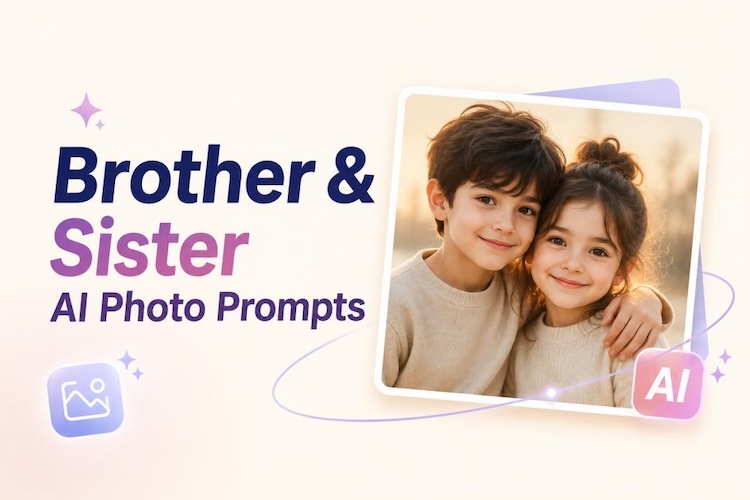
AI-generated sibling photos are becoming a major trend across Instagram, TikTok, and Pinterest in 2026. People are creating emotional childhood memories, cinematic portraits, and creative family artwork using AI image tools.
Now, it’s your turn. With the right instructions, you can transform reference images into beautiful sibling photo creations. In this guide, we will enlist the best Gemini AI photo prompts for brother and sister, explore different viral artistic styles, and show how to create sibling photos without writing prompts.
Viral Gemini AI Photo Prompts for Brother and Sister by Artistic Style
Using reference photos helps AI understand facial features, expressions, and sibling relationships. Below are ready-to-copy brother and sister prompt Gemini AI prompts organized by popular viral styles.
1 Photorealistic Style Prompt

Use the uploaded brother and sister reference photos to maintain their exact facial features, hairstyles, and natural expressions. Create a realistic sibling portrait during golden hour with warm sunlight, a soft background blur, natural clothing, an emotional connection, a professional photography style, ultra-realistic details, and 8K quality.
Use the reference photos of the brother and sister and keep their identities, facial structure, and age appearance consistent. Create a realistic scene in which the older brother gently protects his younger sister while they stand outdoors. Add natural emotions, realistic skin texture, cinematic lighting, and a heartwarming family photography style.
Why This Style Works:
It creates natural, emotional sibling portraits by preserving realistic details, making the images look like professional family photos.
2 Cinematic Style Prompt
Use the uploaded sibling photos as the identity reference. Keep both faces accurate and unchanged. Create a cinematic adventure scene of a brother and sister walking together during sunset, wearing casual adventure clothes, with dramatic sky lighting, movie-style composition, realistic details, and an emotional storytelling atmosphere.
Use the brother and sister reference images to preserve their facial identity. Create an elegant cinematic family portrait with stylish outfits, luxury indoor background, soft studio lighting, realistic expressions, and a professional magazine photography look.
Why This Style Works:
A detailed, cinematic brother-sister prompt can create powerful storytelling images by combining realistic expressions, dramatic lighting, and movie-inspired backgrounds.
3 Vintage & Retro Style Prompt
Use the uploaded sibling reference photos and maintain their original faces. Transform the image into a 1990s family photograph with vintage clothing, warm colors, film grain, nostalgic atmosphere, classic camera effect, and authentic childhood memory style.
Use the reference photos of the brother and sister while keeping their faces consistent. Create a Polaroid-style childhood memory photo with playful expressions, old camera texture, white borders, soft colours, and a nostalgic family album feeling.
Why This Style Works:
It brings nostalgic feelings through old-camera effects, classic colors, and childhood memory vibes.
4 Cartoon Style Prompt
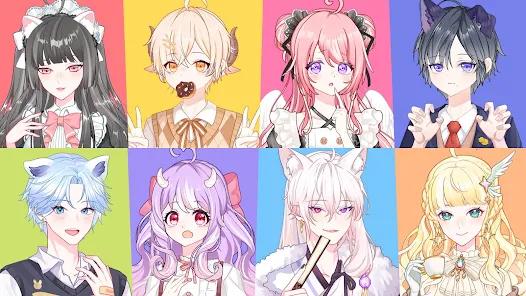
Use the sibling reference photos to maintain recognizable facial features. Convert the brother and sister into cute 3D chibi characters with large expressive eyes, colorful outfits, soft animation style, adorable expressions, and a high-quality cartoon rendering.
Use the uploaded sibling images as character references. Keep their identities recognizable while transforming them into anime-style siblings standing under cherry blossom trees. Add detailed anime artwork, soft colors, emotional expressions, and cinematic fantasy lighting.
Why This Style Works:
For users who prefer playful and imaginative visuals, chibi sibling AI art is one of the most popular styles. It transforms normal sibling photos into cute animated characters while keeping their unique personality and connection.
5 Creative Artistic Styles
Use the brother and sister reference photos and preserve their facial features. Turn the image into a beautiful watercolor painting with soft brush strokes, dreamy colors, artistic texture, and a warm, emotional sibling bond.
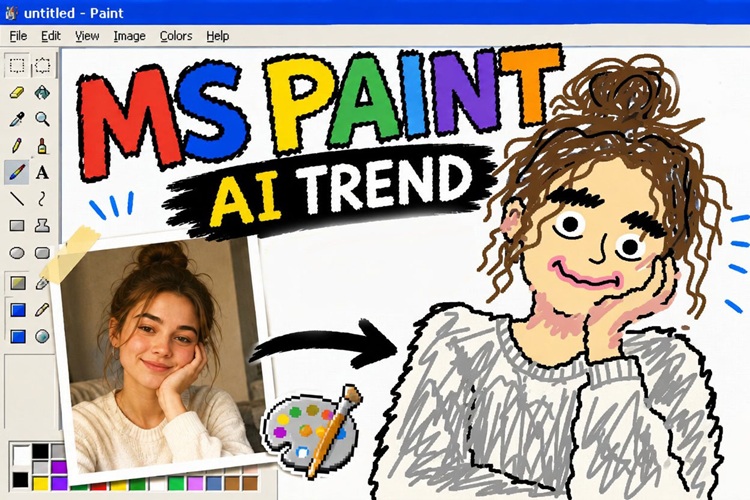
Use the uploaded sibling photos as references while keeping the main facial features recognizable. Transform the image into a creative MS Paint-inspired artwork with pixel details, simple digital shapes, playful colors, and nostalgic computer art style.
Why This Style Works:
This style adds personality through different art techniques, allowing users to create unique and expressive sibling artwork.
6 Dark Aesthetic Style Prompt
Use the reference photos of the brother and sister to maintain their exact identities. Create a dark academia portrait with vintage clothing, an old library background, moody lighting, deep shadows, a classic photography style, and a mysterious emotional atmosphere.
Use the uploaded sibling images and preserve their facial identity. Create a gothic rainy night scene with a brother and sister standing together under street lights, dramatic rain effects, cinematic shadows, dark fashion, and realistic movie-style visuals.
Why This Style Works:
It creates a mysterious, emotional atmosphere through dramatic lighting, shadows, and artistic visual effects.
How to Create AI Photos for Sister and Brother Without Writing Prompts
Creating a Gemini AI sibling photo usually requires detailed prompts, but HitPaw Edimakor makes the process easier with AI-powered image effects. Instead of manually writing every brother sister AI photo prompt, users can choose ready-made effects and transform sibling photos automatically.
 HitPaw Edimakor
Step 1: Download and install HitPaw Edimakor on your device. Open the software and access its AI image tools to start creating creative sibling photos with advanced AI effects.


Step 2: Go to Toolbox > Imgae, and find the Reference Image feature. Here you transform the brother and sistrer photo into your desired sibling photo appearance with AI.
Step 3: Upload your brother and sister photo and select an AI model. Then use the Prompt Generator. You can import an image or simple text to get a well-strucrured prompt which produces a good result.
Step 4: Choose the resolution, aspect ratio and output quantity. Hit Gnerate. Check the generated AI brother and sister image. Once satisfied, save the high-quality image and share your creative sibling artwork anywhere.
Tips to Create Consistent Brother and Sister Characters
Use Reference Photos
Reference images help AI maintain facial details, hairstyles, and important characteristics between different generations. Reference photos are especially important when creating a realistic brother and sister AI photo.
Create a Fixed Character Description
Use the same description for clothing, age, hairstyle, and personality whenever creating new sibling images. A consistent character profile helps AI better preserve identity across different scenes and styles.
Add Consistency Keywords
Words like “same face,” “consistent character,” and “maintain facial features” can improve image similarity. These keywords guide AI to keep key visual details stable across multiple generations.
Pro Tip:
Setting sibling characters as My Character in Edimakor can improve face consistency. This feature helps creators reuse the same character appearance across multiple AI-generated images.
FAQs
A1: AI may change facial details when instructions are unclear. Using reference photos and consistency keywords helps maintain similar appearances.
A2: Yes. You can create childhood, teenage, adult, realistic, cartoon, and cinematic sibling images by changing your instructions.
A3: Yes. Tools like HitPaw Edimakor provide AI effects that allow users to generate creative images without complex prompts.
A4: Usage depends on the AI platform’s terms and image rights. Always review the licensing rules before commercial use.
Conclusion
Creating beautiful sibling images is easier than ever with modern AI tools. From realistic portraits to cinematic artwork, Gemini AI photo prompts for brother and sister help transform simple photos into creative memories.
With HitPaw Edimakor’s AI image generator and prompt generator, anyone can create professional-looking sibling visuals quickly. Explore different styles, experiment with creative ideas, and start making your own unique brother sister AI photo creations today.
Leave a Comment
Create your review for HitPaw articles