
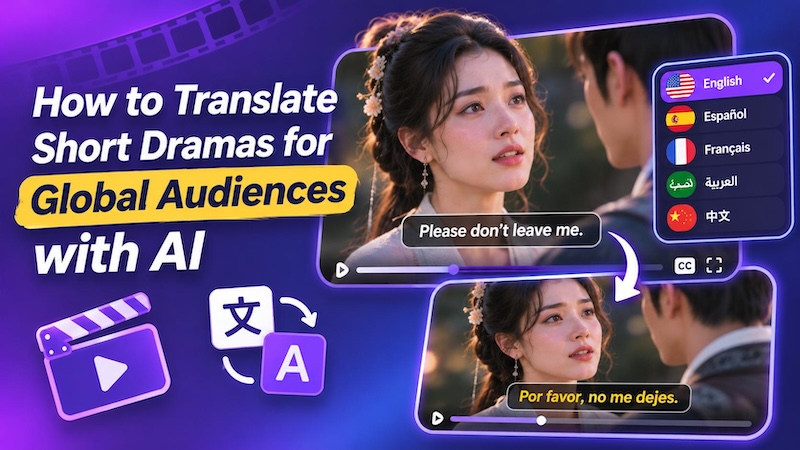
Have you ever wanted to watch a short drama but found that it was in a language you couldn't understand? This is a common problem for viewers who enjoy foreign dramas. Subtitles and voice-overs make dialogue easier to understand, but producing them can take time and effort.
AI technology has made this process much simpler. You can translate dialogue, generate voice-overs, and localize videos for different audiences without creating everything from scratch.
Why Translating AI Comic Dramas Matters
Language plays an important role in storytelling. The viewer needs to understand what is going on in the story.AI microdrama translation helps you reach viewers from other language backgrounds.
For Creators and Studios
Creators have more opportunities to attract new viewers by releasing their drama in various languages. Drama intended for English-speaking viewers can be interesting for viewers from Spanish, French, Arabic, and other markets. The studio doesn't need to create another drama for each country; it can simply use its video materials.
For Viewers and Fans
Viewers can enjoy stories from other countries without difficulty in understanding the dialogue. Subtitles and dubbing will help them to understand the plot, jokes, and connect with the characters.
It also offers fans more options. They will be able to choose the language they want to watch the drama in.
3 Practical Methods to Translate Short Dramas into Different languages
There are different ways to translate short drama videos. Your choice depends on your budget, video length, and the quality you need.
Method 1: Use Built-In Subtitle Translation
Some streaming platforms provide subtitle options in different languages. You can select an available language while watching a drama.
How it works:
Open the drama on a streaming platform and check its subtitle or language settings. Choose your preferred language if the platform provides it. The subtitles will appear while the video plays.
Pros:
- Easy to use without extra software.
- No need to download the video.
- Saves time when subtitles are already available.
- Useful for viewers who only want to understand the story.
Cons:
- Not every drama has subtitles in your language.
- You cannot always edit the translated text.
- Subtitle options depend on the streaming platform.
Method 2: Hire Professional Translators
Professional translators can help translate dialogue while preserving its original meaning and tone. This is especially useful for emotional scenes, jokes, and cultural references that may lose their meaning if translated word for word.
How it works:
Prepare the original screenplay or subtitle file. Then send it to the translator who knows both languages. He translates the dialogue and adjusts the expressions in order to make them sound correctly. After that you can add the translated subtitles to your movie.
Pros:
- Better ability to control meaning and style.
- Helps with jokes and cultural references.
- Good option for professional movies.
- Ability to review the translation before releasing the movie.
Cons:
- May cost much for long movies.
- It takes more time than automatic translation.
- Separate dubbing voice actors will be needed.
Method 3: Translate Videos with AI Software (Best Choice)
AI video translation tools can recognize dialogue, translate subtitles, and generate new voices. Some tools can also dub videos with lip-sync support, making them useful for short AI microdrama localization.
How it works:
Import your video into an AI video translator. Select the language you want and let the software recognize the dialogue. It can then translate the subtitles and create a new voiceover. You can review the text, choose a voice, and export the translated video.
Pros:
- Translates videos faster than manual work.
- Supports different languages.
- Can generate voiceovers without hiring voice actors.
- Some tools support lip-sync for dubbed videos.
Cons:
- Some translations may need manual editing.
- AI voices may not capture every emotion correctly.
- Voice quality and lip-sync results can vary.
For creators who need to translate several episodes, AI software offers a practical way to handle subtitles and dubbing in one workflow.
How to Localize Short Dramas with the Best Video Translator
If you want to translate AI microdrama videos, you need a tool that can handle subtitles, voices, and video editing. HitPaw Edimakor offers these features in one place.
You can translate an existing video and prepare it for viewers in another language. Edimakor also includes an AI Microdrama Maker that helps you create short drama videos with AI.
Why Use Edimakor for Video Localization?
- AI Subtitle Translator: Edimakor works with more than 130 languages, allowing you to translate dialogues and subtitles in the video easily.
- AI Subtitle Removal: Edimakor helps remove existing hardcoded subtitles, text, and other unwanted elements from videos. You can clean up the original video and add new subtitles in one workflow.
- AI Dubbing for videos: It adds a new voice to your video after its translation. There are several types of AI voices and also voice cloning in Edimakor.
- AI Microdrama Maker: Edimakor also helps you create new short dramas with AI . You can turn your ideas into short drama videos with generated scenes and characters.


Here is how to translate and localize a short drama with Edimakor.
Step 1: Download and install HitPaw Edimakor in your system. Launch the software and open AI video translator. Import the short drama that needs translation.

Step 2: Select the language you will use for your drama. HitPaw Edimakor will automatically detect the dialogue and translate it into the selected language.
Step 3: If your video has hardcoded subtitles, then you can use Subtitle Remover to remove it. Pick a subtitle style and enable the AI Dubbing feature, you can get the polish results easily.
Step 4: Before exporting, go through the translated dialogue. Subtitle lines can be edited, merged, or deleted as per requirements.
Step 5: Listen to the audio dubbing and make sure that the audio matches the scenes. When all of this is done, export your translated drama.
FAQs
A1: Yes, Edimakor's AI Subtitle Remover can remove the hardcoded text in videos. After that, you can add translated subtitles to the video.
A2: It depends on your target audience. Subtitles are easy to add to videos, and viewers can watch the video with original voices. However, AI dubbing allows your viewers to watch the video in their native language.
A3: AI translation can handle with most of the common phrases and lines. However, emotional dialogue will require additional editing of the transcript. Make sure to review key dialogues, jokes, and expressions before publishing the translated video.
Conclusion
Translating short dramas enables creators to reach viewers in other countries. You can use subtitles, professional translators, or AI video editing software to localize your videos. HitPaw Edimakor includes all the necessary features: subtitle translation, subtitle removal, and AI dubbing for videos. You can also create new microdramas using AI . Download Edimakor and start localizing your short dramas now.
Leave a Comment
Create your review for HitPaw articles