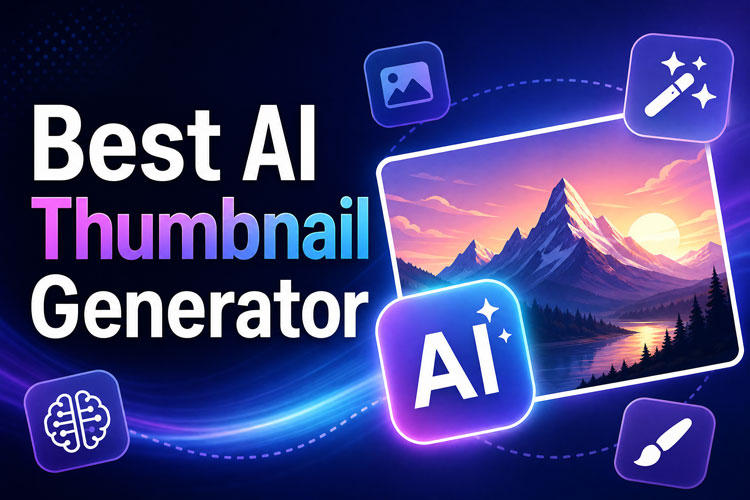
Nobody clicks on a video because of the video. They click because of three seconds of a thumbnail, and if that thumbnail's flat or blurry or just... off, the video underneath doesn't matter. That's the whole reason AI thumbnail maker tools blew up the way they did. Not everyone know how to use Photoshop.
Below are five of the best AI thumbnail generators people are actually using in 2026, plus which one makes sense for you depending on what you're posting and where.
What Makes the Best AI Thumbnail Generator
Half the tools out there just bolted "AI" onto an old template builder and called it a day. So before getting into the list, here's what actually separates a tool that helps from one that just adds a step.
- Design quality: Would you believe a person made this, or does it look like it came out of a template generator from 2019? Contrast, composition, whether the text is even readable at thumbnail size on a phone screen — that's what to check first.
- Customization: Fonts, colors, layout — can you actually change them, or are you stuck with whatever the AI spits out? Some tools lock you in more than they let on.
- Whether it actually watches your video: This is the big one. A real AI video thumbnail maker pulls frames from your footage and works with what's already there. Weaker tools just ask you to upload a random still and build around it, which is basically what you'd do manually anyway.
- Range of templates: If you post in more than one niche, or jump between platforms, you'll want a tool that doesn't box you into one look.
- Speed: How many steps between opening the app and hitting export? Doesn't sound like much until you're doing it for the fortieth video that month.
5 Best AI Thumbnail Generators for Different Users in 2026
1 Best AI Thumbnail Generators At a Glance
| Tool | Main Strength | Best For |
|---|---|---|
| HitPaw Edimakor | Video-aware AI design + built-in editor | Creators who want editing and thumbnails in one app |
| Canva AI | Huge template library | Beginners and social posts |
| Adobe Express | Brand kit integration | Businesses with existing brand assets |
| Veed | Fast turnaround for short clips | Short-form / Reels and TikTok creators |
| Simplified | All-in-one marketing suite | Small teams juggling multiple channels |
2 HitPaw Edimakor



HitPaw Edimakor built its AI thumbnail maker right into a full video editor, which means it can actually look at your footage instead of guessing. Upload a clip and it pulls candidate frames, suggests compositions, and lets you layer in text, effects, and branding without leaving the app.
 Pros
Pros
- Pulls thumbnail options directly from your video content instead of blank templates
- One-click text, filters, and emoji overlays styled for YouTube and Shorts
- Batch generation for channels that post daily
- Free tier available, so you can test it before paying for anything
- Layer based editing for moving, editing and resizing texts and faces
- Thumbnail are always ready according to the platform with appropriate dimensions.
 Cons
Cons
- Some of the more advanced effects sit behind the paid plan
- Desktop app only for the full editor, no browser-only version yet
Best for: Creators who want an AI thumbnail generator that doubles as a full editing suite, not a bolt-on toy.
3 Canva AI
Canva's AI features sit on top of the biggest template library in the business. Type a prompt or pick a layout, and it fills in colors, icons, and text placement for you.
Pros:
- Huge design library, easy drag-and-drop
- Works great for teams already organized in Canva
- Magic grab and edit option to access objects within images for more control
- Magic expand option to fill out image borders
Cons:
- AI suggestions can feel generic since so many creators pull from the same template pool
- Less video-aware than dedicated tools like Edimakor
Best for: Social media managers who need quick graphics across multiple platforms, not just YouTube.
4 Adobe Express
Adobe Express brings Photoshop-level polish into a simplified, AI-assisted interface, and it plugs straight into brand kits if your business already has one.
Pros:
- Strong brand consistency tools and a solid stock library
- Familiar territory if your team already uses Adobe products
Cons:
- Steeper learning curve than Canva
- Free plan is fairly limited
Best for: Businesses and brands that need every thumbnail to match existing visual guidelines.
5 Veed
Veed leans hard into short-form content, with an AI thumbnail maker built for creators pumping out Reels and TikToks on a near-daily schedule.
Pros:
- Fast rendering and a genuinely mobile-friendly workflow
- Good auto-caption pairing with thumbnails
- Professional layout designs are available so you don't need to start from scratch
Cons:
- Fewer advanced customization options
- Thumbnail maker is only available as an add-on so you can only access it in editing suite
Best for: Short-form creators who need speed over deep customization.
6 Simplified
Simplified bundles thumbnail creation into a broader marketing toolkit, so it's less about one killer feature and more about not needing five separate apps.
Pros:
- Combines design, scheduling, and copywriting tools in one subscription
- Pre- made templates are available, especially for YouTube
- Text editor for fonts and colors.
- AI background remover
Cons:
- Thumbnail-specific features aren't as deep as dedicated tools like Edimakor
- Templates and automated outputs are overwhelmingly generic.
Best for: Small teams that want one subscription covering design, captions, and scheduling together.
How to Create Thumbnails with Edimakor AI Thumbnail Generator?
Of the five, it's Edimakor that really addresses the watch your own footage issue, rather than dancing around it. Once you know where things are, it takes about five minutes to start and finish. That's how it looks.
Step 1: Upload Your Video
Get HitPaw Edimakor and open the installed app.
Drop your video file into Edimakor and let it scan the footage.
Step 2: Design Your Thumbnail
First, you need to find the option for “Set Video Thumbnail” on the left side if video editing bar.
Pick from AI-suggested layouts pulled straight from your footage, or start from a template if you'd rather build the look yourself.
Step 3: Customize Your Design
Adjust text, fonts, colors, and effects until it matches your channel's look. Toss in emojis or callout arrows if your niche calls for them.
Step 4: Export and Share
Proceed with Generate to get the final thumbnail. Export at the right resolution for YouTube, Shorts, or wherever you're posting, then push it live.
How to Choose the Right AI Thumbnail Generator?
- If you're a YouTube creator, don't settle for a tool that just takes a text prompt. You want a best AI YouTube thumbnail generator that actually looks at what's in your video, otherwise you end up with a nice-looking image that has nothing to do with the content underneath it. That mismatch is exactly what makes people click away.
- Posting mostly on social? Then honestly, deep video analysis matters less than you'd think. You're usually working off a still image or a short clip, so what you actually want is speed and a big enough template pool that your feed doesn't start looking repetitive.
- Running a business account or a brand? This is where consistency beats everything else. If three different people on your team are making thumbnails, a tool that locks in your fonts and colors through a brand kit saves you from a feed that looks like five different companies made it.
FAQs
A1: Depends what you need it for, honestly. Edimakor if you want the tool to actually read your footage, Canva if you just need a huge template pool fast, Adobe Express if brand kits matter more to you than speed.
A2: They can, yeah — but only if the tool's pulling from your real footage. An AI generated YouTube thumbnail built off an actual frame from your video usually beats a generic template, simply because it isn't lying about what's in the video.
A3: For the most part. Stick to your own footage and licensed stock and you should be fine, but read the fine print on whatever tool you're using before you publish something commercially.
A4: Adobe Express or Simplified, most likely. Neither is built just for YouTube, and both put more weight on keeping your brand looking like one brand.
Conclusion
So, five tools, five different strengths, no real "wrong" answer depending on what you need. But if what you actually want is an AI thumbnail maker that looks at your video instead of just decorating an empty box, Edimakor's the one to try first. It's free to get started with, it's built for people posting often, and you're not bouncing between a separate editor and a separate design app to get one image out. Pull up HitPaw Edimakor on your next upload and just see what it gives you.
Leave a Comment
Create your review for HitPaw articles