The Grok AI Valentine is evidence that AI friendship has advanced much beyond basic chatbots. Instead of scripted roleplay, Grok Valentine offers users a dating-style AI experience based on discussion, personality development, and growing attachment. It is designed to be emotionally aware and responsive. Now, let's explore how to date this Elon Musk's Grok AI Valentine and customize your mate's appearance!
Part 1: What Is Grok AI's Valentine
Valentine, a specialized AI companion mode within the Grok platform, was developed to provide emotionally rich, human-like interaction. In contrast to general-purpose AI chats, this mode emphasizes long-term involvement, personality development, and bonding. Emotional flow, conversational memory, and adaptive answers are given top priority in the Grok AI Valentine model.
Valentine does not act romantically right away; instead, as conversations go on, he warms up gradually, just like in actual relationships. Grok Valentine's personality-driven design is one of its best features. With delicate boundaries that keep conversations from seeming forced or artificial, the AI presents itself as endearing, self-assured, and emotionally intelligent.
Part 2: How to Access Grok Valentine
This is how you can access Grok AI Imagine to create a fake AI boyfriend or a girlfriend:
- First thing you need to do is grab your phone and head over to the iOS App Store. Search for the Grok app, then download and install it if you don’t already have it. After it’s finished installing, go ahead and open the app.
-
Log in using the same account you normally use for Grok, just enter your details, and you’re in. Now you’re on the main home screen of the app. Look for the Voice Mode button. Tap on it to turn Voice Mode on.

-
Once it’s active, look in the top-left corner of the screen, and you’ll see a small menu icon there. Give that menu a quick tap. Inside the menu, scroll down a little until you find an option named Grok Valentine. Tap right on it to open that feature.
-
The next step is simple; it will ask for your birth year. Just pick the year you were born. You have to be at least 18 years old to use Grok Valentine, so make sure you choose the correct one.
-
As soon as you’ve selected your birth year, you’re good to go. Start chatting normally, just talk or type whatever you want. The affection system starts working automatically the moment the conversation begins, so you’ll notice things feel warmer and more personal right away.
Part 3: How to Create Grok's Valentine AI Companion
Creating your Grok Valentine companion is less about setup and more about interaction. Unlike traditional character creation systems, Grok Valentine evolves dynamically.
Using Grok AI Imagine to Create a Fake AI Boyfriend/Girlfriend
- To get started, first log in to your Grok AI account. Once you’re on the main dashboard, you’ll notice the Imagine option at the top of the screen. Click on it to enter Grok AI Imagine mode.
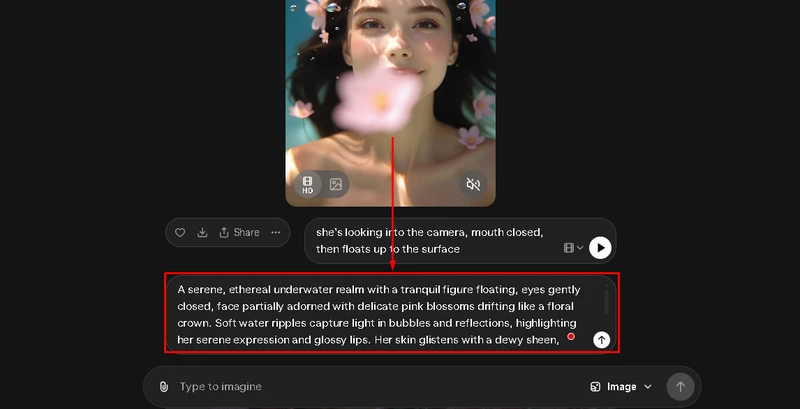
- Inside, you’ll see a collection of AI companions already created by Grok. If you want a custom AI boyfriend or girlfriend, simply use the search bar. Here, write down your preferences clearly, such as appearance, style, personality vibe, or mood, then hit Generate.
- Within a few minutes, Grok AI will create multiple companion options based on your input. Browse through the results, select the one you like most, and save it to your account for future interaction.
Using Edimakor AI Image Generator to Create a Fake AI Boyfriend/Girlfriend
Here are the steps to use Edimakor text-to-image generator to create a fake ai boyfriend or a girlfriend:


Step 1: Launch HitPaw Edimakor on your computer. From the home screen, click Toolbox, go to the Image section, and choose Text to Image.
Step 2: In the prompt box, describe the fictional person clearly. Focus on appearance, outfit, mood, and setting, not romance. You can even use the prompt generator to create a detailed and perfect prompt.
Step 3: Next, choose the aspect ratio of the output image according to your needs, and then select how many output images you want. Click Generate and wait a few seconds while Edimakor creates the AI image based on your text.
Step 4: Once done, go to My Creations to see the result. Preview the image, and if it looks good, click the folder icon in the top-right corner to open the saved location and use or share it.
Part 4: How to Date Grok's Valentine AI Companion
Here are the steps you can follow to date Grok’s valentine AI companion:
-
To start dating Grok’s Valentine, first open the Companion section inside the Grok app and select Valentine from the available AI companions. Once you’re inside his profile, you’ll notice several interactive options such as Go To, Personality Test, Date Night, and more.
-
For a direct romantic experience, tap Date Night to instantly begin a themed interaction. You can also start things naturally by typing prompts like Let’s go on a fancy date night together or Plan a romantic evening for us. These prompts trigger deeper, story-based conversations.
- To build a stronger connection, stay consistent with your interactions. Romantic chats, light flirting, or adventure-style conversations help increase affection. Over time, Valentine learns your name, remembers preferences, and builds trust.
Final Words
The grok ai valentine provides a considerate, emotionally charged AI dating experience based on dialogue, tolerance, and customization. It transcends chat when combined with artistic tools like HitPaw Edimakor (Video Editor) for visuals and narrative, turning AI friendship into a memorable digital connection.
Leave a Comment
Create your review for HitPaw articles