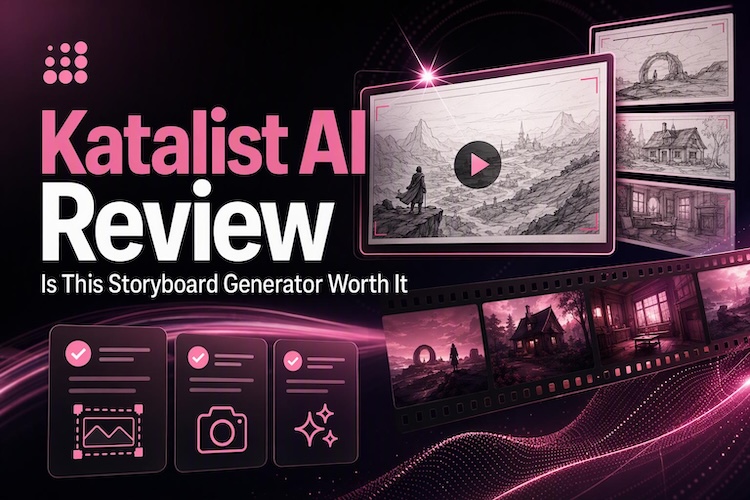
A video plan starts with a strong storyboard. Katalist AI helps creators turn a script into visual scenes, making it easier to plan how a video will look before production begins. It also offers tools to refine scenes and keep characters consistent across frames. But how well does it perform in 2026, and is it the right choice for every creator?
Read our honest Katalist AI review covering its storyboard features, pricing, limits, and a better alternative for turning scripts into finished videos.
What Is Katalist AI Storyboard Generator?
Katalist AI is an AI-powered visual storytelling tool that can transform scripts into storyboard frames. It assists in outlining scenes and can aid in visualizing every shot prior to production. A storyboard is not the actual video, however. It displays the state of each shot, and the final video needs to be made separately.
1 What Can You Create with Katalist AI?
You can create storyboards with AI, pitch boards, and shot lists in Katalist. You can also build short visual stories for ads, social posts, and films. Each frame shows a different scene, character, and camera view. Some plans also turn frames into short video clips.
2 Who Should Use Katalist AI?
Katalist AI storytelling studio is for people who focus on planning before shooting:
- Filmmakers who need to show shots.
- Ad teams that pitch ideas with visual boards.
- Content creators who want to create a story.
- Writers who want to see their script as pictures.
What Makes Katalist AI Different
Katalist is more than a simple image maker. It is built around the full story. Here are the standout features.
AI Script and Storyboards
Katalist can help you write the script. The AI Script Assistant is available on higher plans. Once the script is ready, the tool splits it into scenes. Then it makes a frame for each one. This saves hours of hand drawing. You get a clear first draft in minutes.
Consistent Characters
AI tools for storyboarding can change a face from one image to another. That breaks a story. Katalist keeps the same character across scenes. The Essential plan includes one custom character. As a result, your frames feel like one story, not a random set of pictures.
Scene and Style Editing
Edit a frame after it is made. You can change the pose, the setting, and the look. There are many style choices, from real photos to cartoons. The Pro plan adds an AI image editor. So small fixes do not force you to start over.
Voiceover and Collaboration
Higher plans include AI voiceover. This lets you hear how your story sounds. Team plans add shared work so that others can review frames with you. You can export a ZIP or PPT file. That makes it easy to share the plan with a client.
Where Does Katalist AI Storyboard Tool Fall Behind?
Katalist is strong at planning. But it has some limits you should know about before you pay.
- It is not a full video editor. It makes frames and short clips. It doesn't give you a full timeline to cut and polish a finished video.
- Credits can run out. Each image and clip uses credits. Heavy users hit the monthly cap fast on lower plans.
- Free access is small. You get 50 free AI storyboard generator credits and no export. So you cannot take your work out of the tool.
- Audio tools are basic. You get voiceover, but not much more.
- Frames may need fixes. AI images sometimes take a few tries to look right.
How Much Does Katalist AI Storyboard Generator Cost?
Katalist offers a 7-day free trial on its paid plans. After the trial, you need a paid plan. Here are the pricing plans.
| Plan | Price per month | Key limits and perks | Best for |
|---|---|---|---|
| Essential | $19 | 200 image credits, 700 video credits, 5 projects, 1 custom character | Solo creators who are testing ideas |
| Pro | $39 | 700 image credits, 1,500 video credits, AI script assistant, voiceover, image editor | Freelancers and regular creators |
| Unlimited | $99 | Unlimited image credits, 3,000 video credits | Heavy users and small teams |
| Enterprise | Custom | For large teams | Studios and big companies |
Beyond Storyboards: A Better AI Tool from Script to Finished Video
Katalist AI Free can help you plan your story and organise scenes into a storyboard. But what if you also want to turn those ideas into a finished video? That's where HitPaw Edimakor comes in, helping you move from planning to video creation.
Its Story to Video Generator takes you from an idea to a video. It writes the script, builds characters, draws scenes, adds voices, and produces the video, so you don't need to switch between tools.
Key features of Edimakor Story to Video AI:
- AI Script Generator: Writes a story script from your idea.
- Batch Characters: Creates a cast and keeps their faces smooth and steady.
- AI Storyboards: Builds multi-scene AI storyboards and controls shot size and camera angle.
- AI Voices and Music: Adds voiceover, voice cloning, background music, and subtitles.
- Full Video Editor: Lets you cut, polish, and export the video.


Here's how to convert your story to video:
Step 1: Open Story to Video
Install Edimakor on Windows or Mac. Open it and go to AI Video Generator. Then pick Story to Video .

Step 2: Develop the Story and Script
Start with a simple idea or upload your own script. Pick a story type, a style, a video length, and a language. Edimakor writes a script in seconds. You can edit it to fit your plan.
Step 3: Generate Characters and Storyboard Visuals
With one click, Edimakor creates all your characters. If you made a character before, you can bring them back for this project. After that, it builds each scene for you. You can change the shot size, the camera angle, and the AI model for any scene.
Step 4: Add Audio and Export
Choose a voice for the narrator and one for each character. You can even clone your own voice. Next, choose some background music and a subtitle style. Then click Generate Voiceover to get the audio.
Step 5: Generate and Refine the Video
Click AI Generate, and Edimakor renders your scenes. Want a frame to move? Right-click it and choose Image to Video. Keep going until every scene looks the way you want. When you're happy, export the final video.
FAQs
A1: Not fully. Katalist has a 7-day free trial. Some review sites also list a small free plan with 50 credits and no export. After that, you need a paid plan.
A2: It is used to plan visual stories. Filmmakers, ad teams, and creators use it to turn scripts into storyboards.
A3: It mainly makes storyboards. Higher plans include video credits for short clips. But it is not a full video editor.
Conclusion
Katalist is a useful storyboard AI tool for writing scripts, maintaining character consistency, and creating scenes quickly. However, it focuses on the planning stage, and its credit limits may restrict how much you can create. If you want to take the next step and turn your story into a finished video, Edimakor Story Video Generator is worth considering. Download HitPaw Edimakor for free today and turn your story into a video.
Leave a Comment
Create your review for HitPaw articles