A cutting-edge AI movie-making technology called MovieFlow ai 2025 was created to make video production easier. With sophisticated capabilities that rival those of traditional video editors while saving time and effort, it allows both novices and experts to create high-quality videos more quickly, from automated editing to clever scene transitions.
Part 1: What is Movieflow AI?
Designed to make video production easier, MovieFlow AI is a sophisticated AI-powered platform. It enables users to generate professional-quality videos quickly, using automated editing, smart transitions, and creative AI tools.
1 Movieflow AI
MovieFlow AI is a cutting-edge video-generating tool that employs artificial intelligence to expedite the entire editing process. It helps users to create high-quality material effortlessly, from short social media snippets to long-form videos, giving automated scene detection, smart transitions, and adjustable effects that fit both novices and pros.
2 Founder
A group of Internet entrepreneurs and AI experts who were enthusiastic about making film production easier launched MovieFlow AI. Their goal is to enable everyone, regardless of expertise level, to produce professional videos.
MovieFlow AI Features and Capabilities
- The platform intelligently identifies key moments in your video and applies suitable transitions, effects, and captions.
- The automated editing tool of MovieFlow AI analyzes your video using AI algorithms to provide smooth cuts, transitions, and scene layouts.
- A large collection of pre-made templates for a variety of genres is offered by MovieFlow AI.
- Videos can be exported in MP4 and MOV, among other formats, resolutions, and frame rates.
- A variety of AI-generated effects and transitions that improve narrative are included in MovieFlow AI.
Part 2: MovieFlowAI Pricing and Plans
MovieFlow AI offers a tiered credit‑based subscription model, letting creators choose from affordable entry options up to high-volume plans, perfect for both hobbyists and professional video producers.
Is It Worth the Cost?
Whether MovieFlow AI is worth it depends on your usage. For casual creators, the Kickoff plan is cheap yet powerful. Professionals or agencies needing faster processing and more credits will benefit more from Pro or Ultra. The credit‑system gives flexibility, but heavy users should evaluate cost vs. output carefully.
| Plan | Price | Credits / Month | Key Features |
|---|---|---|---|
| Kickoff | $6.66 / m | 990 credits | Image-to-video, template-to-video, 1–3 min video generation, live chat editing |
| Pro | $32.49 / m | 6,487 credits | All Kickoff features + higher priority processing |
| Ultra | $149.92 / m | 197,980 credits | All Pro features + highest priority processing, commercial license |
Part 3: MovieFlow AI Reviews and Ratings
MovieFlow AI user reviews highlight its creative power and appeal, but there are also mixed opinions, primarily around usability, pricing transparency, and customer support responsiveness.
Positive Aspects
- Many users praise MovieFlow AI for its intuitive, clean design and easy-to-navigate tools, making professional-style video generation accessible even for beginners.
- MovieFlow AI rating consistently note that the video quality—from transitions to visuals—feels polished and cinematic, often matching what more experienced editors could produce manually.
- Several creators say MovieFlow AI significantly lowers production time: the AI handles cuts, pacing, and effects so they can focus on storytelling.
Criticisms and Limitations
- Some users report difficulties canceling subscriptions, citing unresponsive customer support and buggy cancellation workflows.
- According to ScamAdviser, the site’s ownership is masked, and its domain is relatively new, leading to trust uncertainties.
- A few reviewers mention that the AI misreads or oversimplifies prompts, yielding unexpected or inaccurate visuals.
Part 4: Movieflow AI vs. Alternative AI Creative Tools
AI video creation is booming, so some users may look beyond MovieFlow AI due to factors such as cost, missing advanced effects, or the need for more specialized tools. Here's a comparison with six popular MovieFlow AI alternatives:
Here is the video tutorial to make AI movies with MovieFlow’s Alternative


| Tool | Strengths | Weaknesses | Pricing | Best For |
|---|---|---|---|---|
| Veo 3 (Google) | Produces ultra‑realistic video with synchronized dialogue | Currently limited to very short clips | Uses Google API billing, not a fixed credit‑sub plan. | Filmmakers and creators who want cinematic realism and full audio-video integration. |
| Sora 2 | Text-to-video + image-to-video | Less realism than Veo 3 | Starter: $11.99/mo, Pro: $31.99/mo, Premium: $74.99/mo. | Social media creators, marketers, and storytellers needing fast, stylized videos. |
| Edimakor | Great for combining AI generations with traditional editing, integrating with Nano Banana, Veo 3, and Sora 2 (Sora 2 turned complex prompts into realistic stories, but is no longer available.), etc. | Needs a stable internet | $19.99/month,Perpetual plan costs $69.95 | Video editors and creators who want AI and manual control with familiar editing tools. |
| Pictory | Focused on script- or article-based video creation; | Not as generative for motion from scratch. | Starter: $14/mo; Professional: $24/mo; Team: $99/mo. | Content marketers, YouTubers, educators, especially for explainer videos or repurposing blogs. |
| Runway ML | Very flexible: video generation + background removal | Credit model can get expensive | Free: 125 credits; Standard: $15/mo; Pro: $35/mo; Unlimited: $95/mo. | Designers, VFX artists, creators who want an all-in-one AI media studio. |
| Kling AI | Known for cinematic visual fidelity | Higher credit cost per video | Free plan: 166 credits/m; Standard: $10/mo; Pro: $37/m; Premier: $92/mo. | Filmmakers, storytellers, or creators making high-quality AI video. |
Users' Reviews
MovieFlow users’ reviews highlight impressive video quality and fast generation, though some mention pricing concerns and occasional issues with customer support.

Part 5: Tutorial | How I Made a Full Movie Using MovieFlow
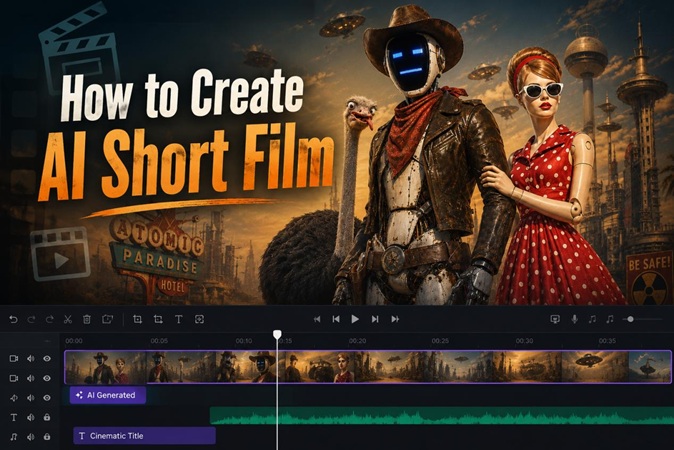
Here is a complete MovieFlow AI tutorial where you will learn how you can make a full movie using MovieFlow and then add sound effects using Edimakor.Before diving into the full workflow, you might also want to check out how to make a viral AI short film effectively.
How I Made a Full Movie | MovieFlow AI Movie Example
Step 1: Script Creation and Initial Input
Open the Movie Flow home page. See Ideas Spark movies. Click to make a movie. Sign in to the magic chamber. Type one line. Or upload a full script. AI gets your idea deep. It knows what you want.
Step 2: Customization for Global Vision
Pick your language, English works fine, or try others for world reach. Turn on script expansion, and AI will add rich details. Now, set the length; you can choose 8 seconds for TikTok or 2 minutes for YouTube. Hit generate.
Step 3: The Generation Phase and Structure Building
AI works fast, builds scene by scene, and adds no random mess. The full story grows. Watch it shape up. Let AI pick settings first time and test it out.
Step 4: Add audio/sound Effects with Edimakor
Step 1: Open Edimakor and select the AI Music option from the main interface
Step 2: Now, go to AI Sound Effect, and write what type of sound effect you want to create.
Step 3: Choose the duration and output quantity of the sound. Then, hit Generate.
Step 4: Access your output sound from the My Creations section, and add it to the timeline. Hit the Export button to save the file to your device.
FAQs on Movieflow AI Review
A1: Indeed, MovieFlow AI allows users to create long-form videos without sacrificing quality. It is perfect for tutorials, presentations, and cinematic content because of its AI-powered editing.
A2: MP4, MOV, and AVI formats are among the several export possibilities available with MovieFlow AI. For easy sharing and distribution, users can select the resolution, frame rate, and compression settings.
A3: MovieFlow AI creates original sequences, transitions, and images using sophisticated AI algorithms. It reduces duplication by combining content templates with AI-assisted creativity.
A4: MovieFlow AI is a legitimate platform trusted by content creators and video editors. It provides transparent pricing, clear tutorials, and secure payment options. Verified user reviews and consistent updates reinforce its credibility, making it a safe choice for AI video production.
Wrapping Up
MovieFlow AI 2025 is an effective AI-powered movie tool that combines creativity and automation. The HitPaw Edimakor (Video Editor) is a wonderful companion to movieflow ai for those looking for extra features like sophisticated editing, guaranteeing that your video productions meet professional standards with ease and flexibility.
Leave a Comment
Create your review for HitPaw articles