Edimakor AI Multi Face Swap
- Replace several faces in one image with a single click.
- Preserve realistic facial details, expressions, and skin tones.
- Accurately map each source face to the right person in your photo.
- Turn group shots into creative, playful, and share-worthy edits.
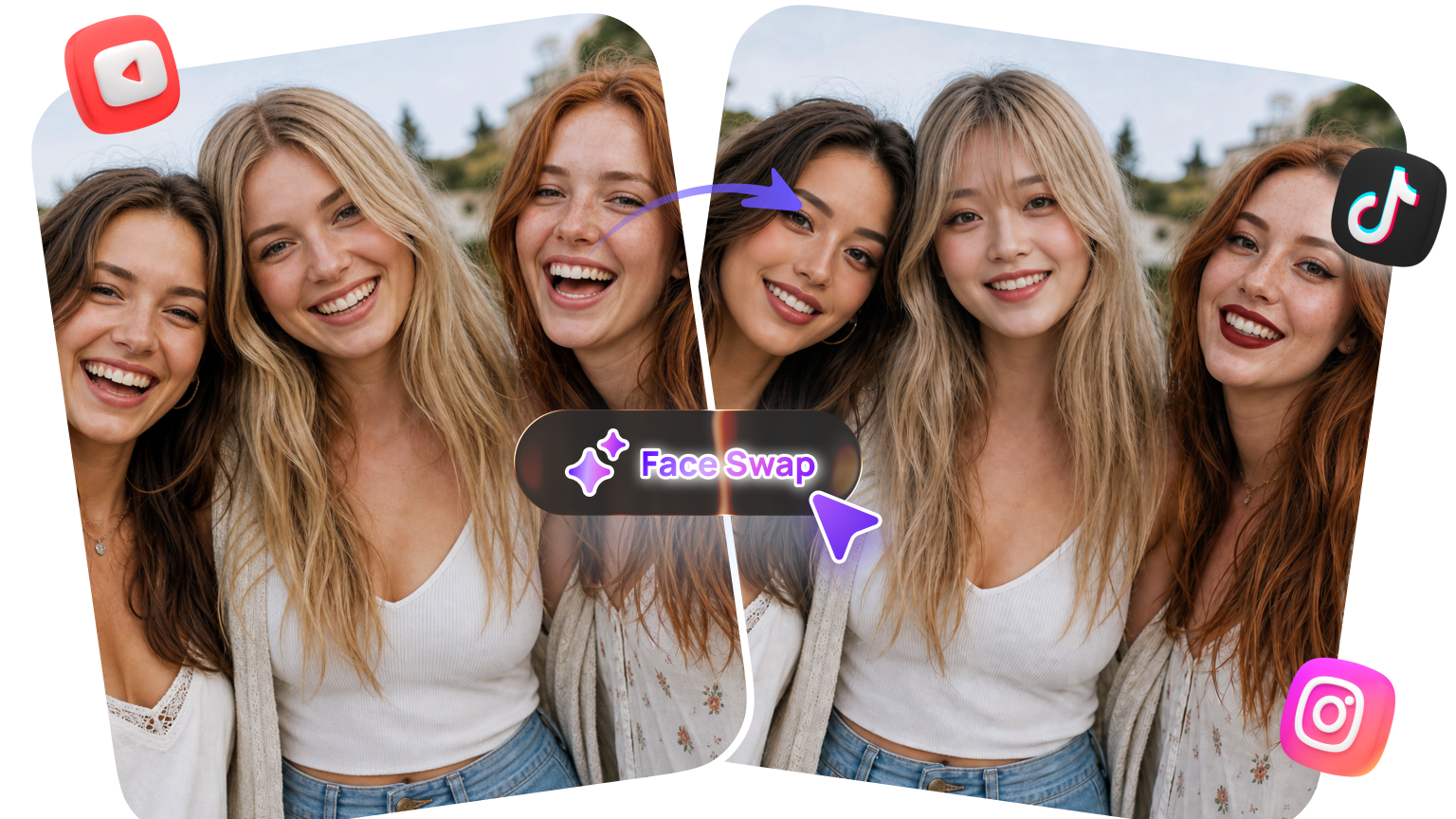







Powerful Edimakor Multi Face Swap Features

Swap Multiple Faces in Photos and Videos
Swap multiple faces in photos and videos at the same time for a faster, more seamless editing experience. Create fun multi-face swap content from group photos, family moments, short videos, and more.
Replace Faces with Custom Images
Upload the face images you want and replace people in your photos or videos with ease. Mix different faces to create personalized Multi Face Swap content that fits your creative ideas.
Mosaic Multiple Faces for Privacy
Apply mosaic effects to multiple faces in photos or videos at once without editing each face individually. Hide identities to protect privacy, or use mosaic effects to create a distinctive visual style.
Swap Faces with Fun Stickers
Use fun stickers to replace faces in your photos or videos and give your multi-face swap content a playful twist. Once your edit is ready, share it on TikTok, Instagram, YouTube, and more.
How to Use Edimakor Multi Face Swap
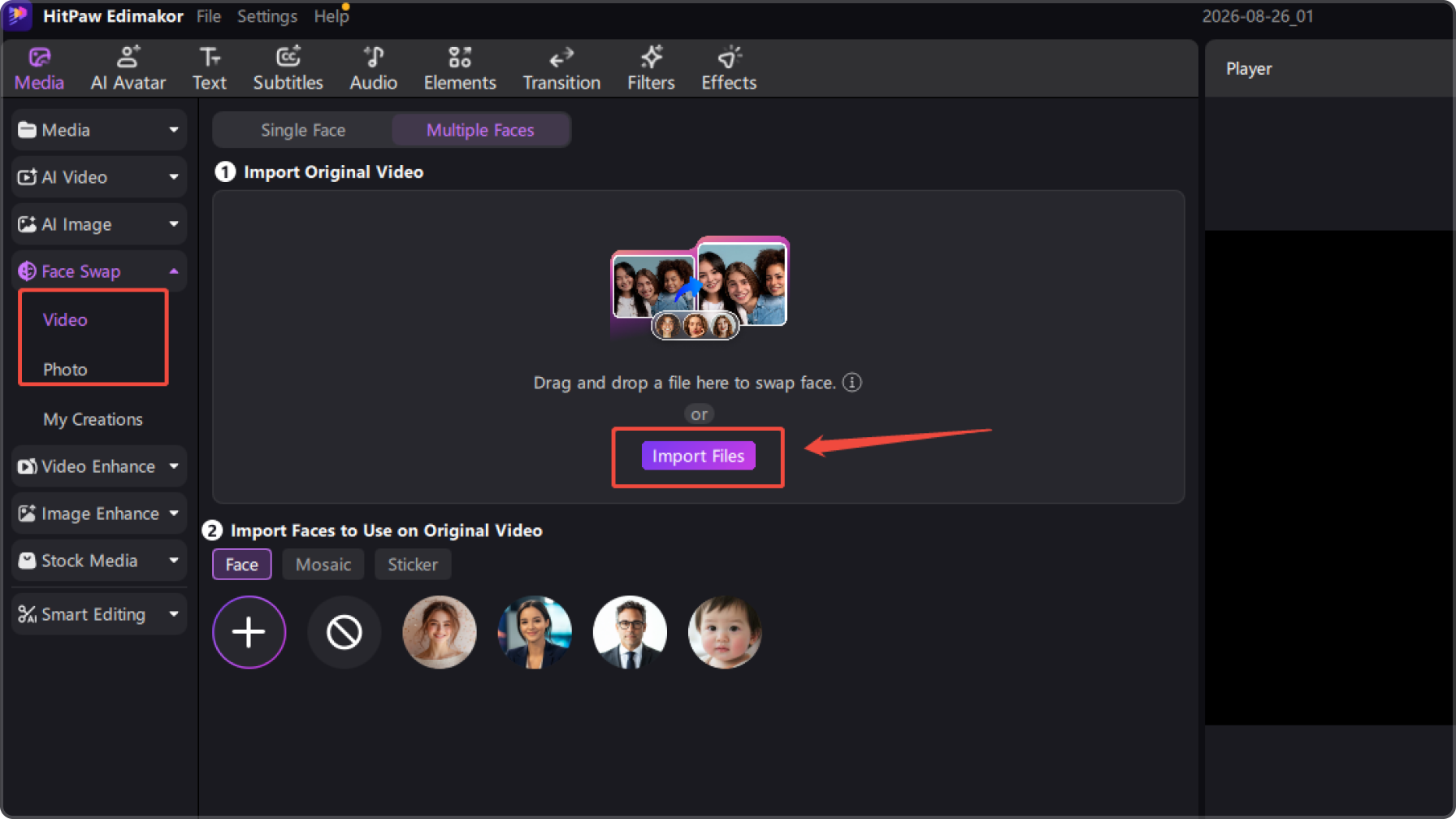
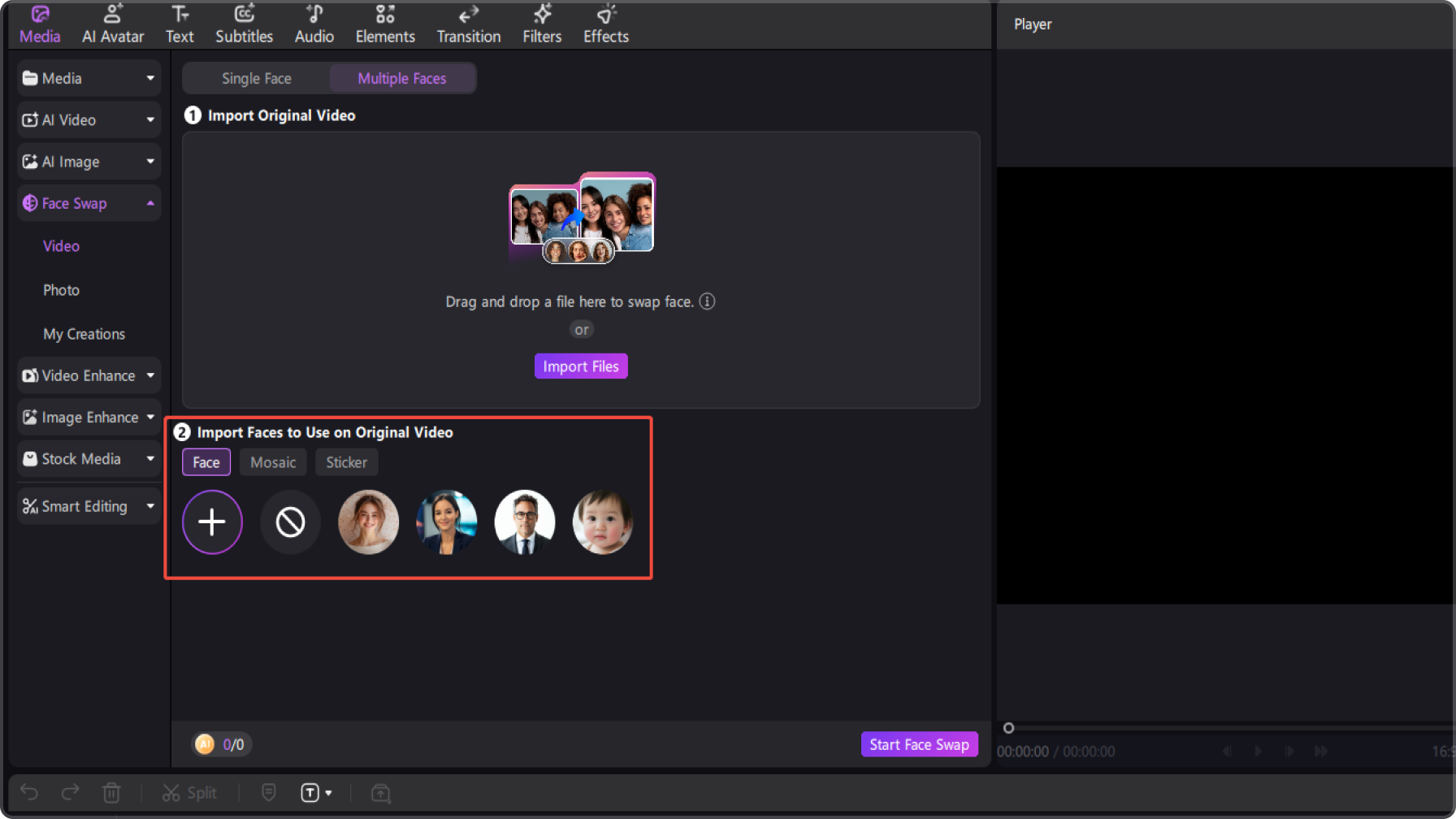
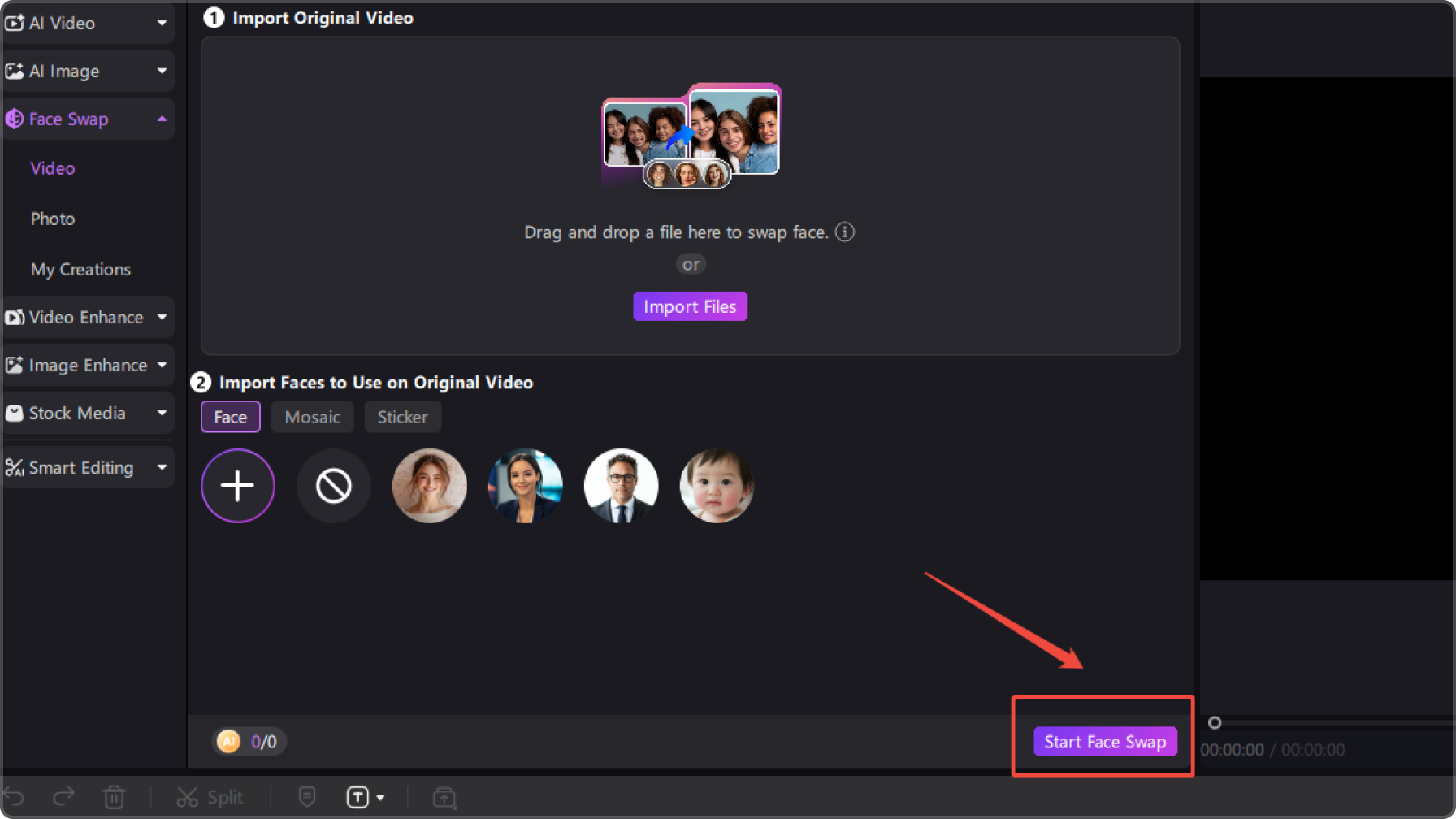
Beyond Multi Face Swap: Take Your Ideas Further


I love that I can swap multiple faces in one photo instead of editing everyone separately. It’s super handy for creating funny group photos and social media posts.

I use the multi-face mosaic feature when I need to hide several faces in a video. It saves me from masking each person manually and makes privacy edits much faster.

Ethan Parker
The sticker option gives me another creative way to replace faces, especially for playful social content. I can quickly turn a normal group photo into something worth sharing.

Chloe Williams
FAQs about Edimakor Multi Face Swap
A multi face swap replaces two or more faces in the same photo or video with selected face images. With HitPaw Edimakor, you can create group face swap content without editing each person separately.
Yes. HitPaw Edimakor lets you replace multiple faces in a single photo and use different face images for different people, making it easy to create creative group photos and personalized edits.
Yes. Multi Face Swap supports both photos and videos, so you can replace multiple faces in moving footage and create engaging face swap videos with HitPaw Edimakor.
Yes. HitPaw Edimakor also lets you cover multiple faces with mosaic effects or stickers when you don't want to replace them. This is useful for protecting privacy or creating playful visual effects.
This page is provided for informational purposes only and does not constitute legal advice. Before using any features, please ensure that:
- You have full and valid authorization for all uploaded content, and such content does not involve minors.
- You have carefully read and understood the HitPaw Terms of Service and HitPaw Privacy Policy.
- All content you create, generate, or use complies with all applicable local, national, and international laws and regulations.
- This service must not be used to:
- Create inappropriate or adult-oriented content;
- Harass, exploit, harm, or violate the rights, privacy, or dignity of others;
- Impersonate any real person, misrepresent their identity, or create misleading content about them;
- Infringe upon any person’s privacy, portrait rights, reputation, copyright, or other legal rights.
HitPaw assumes no responsibility for any content created or actions taken in violation of these requirements. To the fullest extent permitted by applicable law, HitPaw reserves the right to restrict, remove, or block any content that may violate applicable laws, regulations, or platform policies.
Tips & Tricks for Edimakor Multi Face Swap
- · Top AI Head Swap Tools for Natural-Looking Photo Transformations
- · 10 Nano Banana Pro Face Swap Prompts for Realistic Results
- · Why ChatGPT Can't Really Do Face Swap and What to Use Instead
- · 5 Best AI Couple Face Swap Apps | PC, Online, iPhone, and Android
- · How to Do a Santa Clause Face Swap FREE Online/App/Computer 2026
- · A Complete Review of Facefusion Face Swap [Updates 2026]
- · Vidqu Face Swap AI: An In-depth Review, Guide, and Alternatives
- · How to Use a Magic Hour Face Swap | Best AI Face Swap Tool Online 2026
- · VidMage AI vs. Alternatives: A Deep Review for the Best Face Swapper
- · Best Alternatives to Akool Face Swap AI | A Detailed Review
 Edimakor
You
+ Edimakor - Turn ideas
into dynamic
videos
Olivia Bennett