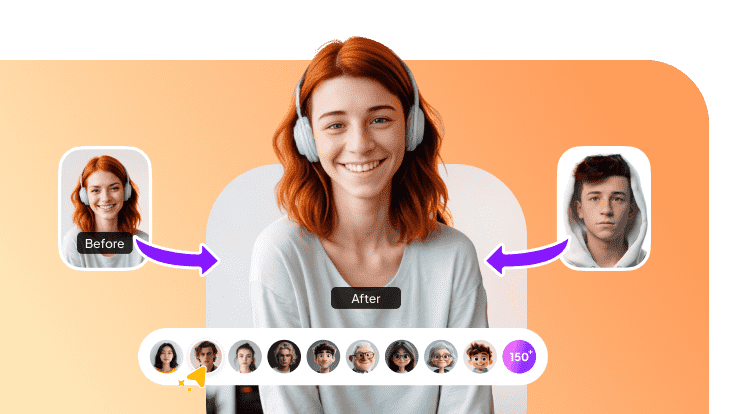
Thanks to contemporary AI editing techniques, it's now simpler than ever to transform yourself into Santa Claus. Using free computer software, applications, or internet platforms, you may quickly swap out your face for Santa's in pictures. Anyone can make a realistic Santa Claus face swap in a matter of minutes, whether it's for social media postings, pranks, or holiday greetings.
Part 1: How to Do a Santa Claus Face Swap
Thanks to clever AI technologies, swapping your face with Santa Claus is now quite simple. You may submit a picture, apply a Santa face effect, and instantly have a festive look in a matter of seconds.
How to Do a Santa Claus Face Swap in a Photo
Step 1: Find a High-Quality Santa Image
For the most accurate results, pick a crisp, high-resolution picture of Santa Claus. The AI can more correctly blend face features and provide a realistic festive appearance with a sharp image. Next, get Edimakor Face Swap AI Donwload.

Step 2: Upload Your Photo
Click on the Face swap feature in Edimakor , then choose Photo Open from the menu on the left. To replace Santa's face in the final entertaining Christmas photo, browse your device and submit your own photo.


Step 3: Access the AI Face Swap Feature
Choose the face you want the AI to identify once you're inside the feature. For a realistic makeover, select the Santa image as the main template and designate your uploaded photo as the face to be switched.
Step 4: Map and Generate the Final Image/Video
To start processing, click the Generate button. After that, navigate to the creation section and give the AI a few seconds to automatically blend the faces and create your new Santa-themed outcome.
Step 5: Download Your Festive Creation
After reviewing the results, export the final image or video from the top-right corner. Adjust resolution and select where to save the output, then download your festive Santa face swap to share with friends and family.
Reminder:
This guide is for informational purposes only and does not constitute legal advice. Before using the relevant features, please make sure to:
- Consult a qualified legal professional in your jurisdiction to evaluate any legal risks that may apply;
- Carefully read and fully understand the Edimakor Terms of Service and Edimakor Privacy Policy;
- Ensure that all generated content complies with applicable local, state, and federal laws and regulations, particularly those related to synthetic media and digitally manipulated content.)
How to Do a Santa Claus Face Swap in a Video
Step 1: Access Edimakor
Download the program on your device from the official Edimakor website. Launch the software after installing it. To access all features and start your Santa face swap project with ease, register for an account if you don't already have one.
Step 2: Access the AI Face Swap Feature
Click on the Face Swap feature in Edimakor, then select the Video option from the panel on the left. Now upload the video so that AI can process it and turn your face into Santa Claus.
Step 3: Editing
Choose the new face you wish to use in the Face Swap feature. To help the AI determine which face should replace the original in your submitted clip, select the Santa image or video reference.
Step 4: Map and Generate the Final Video
Click the Generate button to begin processing. Then head to the creation area and wait a few moments while the AI blends the new Santa face naturally into the entire video scene.
Step 5: Download Your Festive Creation
Once the final preview is ready, export your transformed video from the top-right corner. Adjust the resolution and choose your preferred save location, then download your Christmas-themed Santa face swap to share with others.
Part 2: How to Do a Santa Claus Face Swap Online
The Santa Claus face swap online free tools help in changing your face with Santa quickly and easily if you don't want to install any software. You can submit a photo, apply a Santa template, and obtain an entertaining festive outcome in a matter of minutes because everything operates within your browser.
Step 1: Visit the Platform and Log In
Launch your browser, navigate to the FaceHub website, and log in with your current account. If you're new, you can start with a social login option like Google, Apple, Facebook, or X, or you can rapidly establish one.
Step 2: Access the AI Image Tool
Navigate to the AI Tools menu and select the image generation section. When the page loads, tap the button to launch the main editor, where you’ll be creating the Santa face swap.
Step 3: Upload Your Photo
Select the Upload Image option within the santa claus face swap online tool. In order for the system to get ready for editing, choose the image you wish to change with the Santa face.
Step 4: Choose the Swap Face and Apply
Select a Santa face from the library or add your own reference once your image has appeared in the editor. Next, let the AI do its magic by initiating the swapping process.
Step 5: Save Your Finished Santa Image
Your modified photo with the new Santa face will show up in a few seconds. Examine the findings and save the file to your computer for use in holiday greetings, cards, or postings.
Part 3: How to Do a Santa Claus Face Swap on Mobile
The Reface mobile app makes it the best Santa face changer right on your phone. You don't need a computer or editing knowledge to import a movie, replace the face with your own, alter the outcome, and export it.
Step 1: Launch Reface and Start a New Project
To start working on a clean timeline, install and launch the Reface mobile app, then select New Project. This provides you with a blank editing area where you may use simple, mobile-friendly controls to submit pictures and videos for your Santa face swap.
Step 2: Access the Replace Element Feature
Go to the Stock Media section and open the AI Media tab. Choose Image to Video, then select the Video Element method. Here you’ll find the Replace Element tool, which allows you to swap faces using advanced AI features directly on your phone.
Step 3: Import Your Santa Clip and Your Photo
Add your own image for the switch after uploading the Santa video you wish to put your face on santa. Tap the subject to choose the facial area in the video, then use Add Element to precisely position your face before confirming the choice.
Step 4: Generate and Refine the Results
Tap on the Generate button and wait for a few seconds. Soon, you will see the generated output on the screen. You can edit the output for more enhancement.
Step 5: Export and Save the Face Swap Video
Once you're happy, select Export. Select whether to upload the fake santa video straight to social media or store it locally on your device. To instantly share your new Santa face swap, choose the file format, storage location, and video resolution before completing the export.
In a Nutshell
If you're looking for the easiest approach to santa claus face swap in 2025, then HitPaw Edimakor (Video Editor) is the best option. It provides quick processing, user-friendly settings, and automatic AI face replacement. It's simple to submit a photo, add the Santa filter, and obtain a high-quality image.
Leave a Comment
Create your review for HitPaw articles