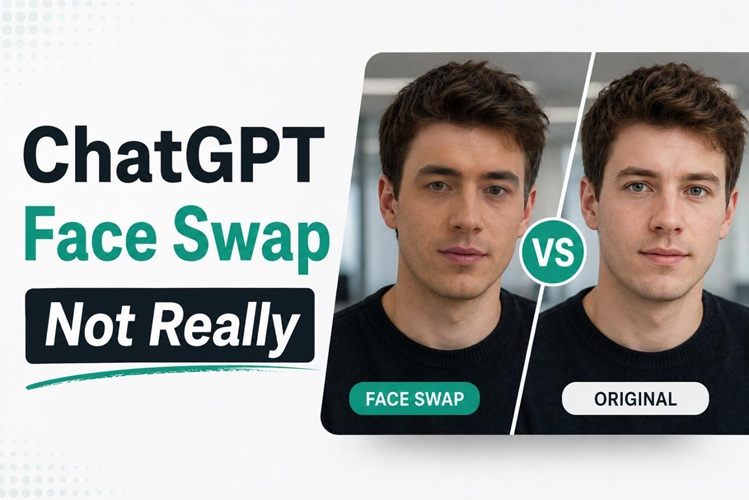
You might have experienced this: You use ChatGPT face swap and the face that appears is not the one you wanted. Then you might ask, "Can ChatGPT really do face swap?" The answer is no, ChatGPT isn't capable of performing true face swapping, at least not like professional face swapping tools do.
ChatGPT generates new images from prompts instead of exactly swapping one face for another. And in this article, we explain why, and introduce a top AI face swap alternative for 2026 which will produce clean and accurate results.
What ChatGPT Face Swap Actually Looks Like
When most users try out the AI face-swapping feature in ChatGPT, the results usually fall into one of these common patterns:
- Different faces in every generation: The model generates a fresh image every time a prompt is given. Even when the same prompt is used, facial features (like eye shape, jaw line, skin tone) change slightly or dramatically with each output.
- Background changes during face swaps: Even when the goal is only to replace a face, ChatGPT often alters the background, colors, or overall composition of the image. Because the model tends to regenerate the entire scene, and the final result may look noticeably different from the reference photo.
- Loss of facial identity after transfer: The transfer of styles results in the loss of facial identities. It is nearly always a completely different face when applying an artistic filter or illustration style to it, as the structure of the face is transformed and it looks like someone else entirely.
Why Does ChatGPT Keep Changing Your Face?
Once you are knowledgeable about the cause of the problem, it is easier to deal with the restrictions --- or select the appropriate tool for the task.
- No Face Memory : The facial geometry is not stored across generations with ChatGPT. It reads your own text prompt, and generates a face that matches the description, without fixing to the face's exact facial shape from your original picture.
- No Photo-Editing Engine : ChatGPT is not a dedicated face swap AI program, but rather a generative image model. It cannot transfer and place a part of one face in another face with accuracy.
- Errors Stack Up : Once an image is generated, any error extends to the next generation. With each step of generation, the face gets further from the source reference.
- Vague Prompts : The model has too much creative freedom from the natural language descriptions of a face ("same person," "same features"). It is unpredictable if the face does not have any clear landmarks.
Best AI Face Swap Alternative to ChatGPT in 2026
Unlike generative models like ChatGPT, which were not created for replacing faces with high accuracy, HitPaw Edimakor is an all-in-one AI face swap tool tailored for accurate facial replacement.
What HitPaw Edimakor Gets Right on Face Swap
- Precise Facial Detection : By training facial landmark detection, Edimakor is able to map and anchor face regions precisely, allowing the swapped face to appear realistic and without distortion or drift across generations, up to 4k clarity.
- Support for video and GIF : The face swap AI capabilities of Edimakor are different from ChatGPT in that it allows for face swaps to be performed on entire video clips or animated GIFs, frame-by-frame, without inconsistencies.
- Multiple Face Swapping : Select multiple people to swap faces in one picture or video at once, without mixing the faces together.
- Natural Background Reconstruction: The background is intelligently preserved and reconstructed by Edimakor during swaps, so that the background is not touched and only the face is swapped.
How to Swap Faces with HitPaw Edimakor: Step-by-Step
Using the Face Swap feature in Edimakor is easy, with no prompting and no guesswork required.


Step 1: Open Face Swap
Download and install HitPaw Edimakor. Go to AI Toolbox. Click on Face Swap.

Step 2: Set Up Face Swap
You can swap faces in a photo. What's more, you can do video face swapping. Just select Video or Photo, and then press Single Face or Multi-Face from the top-center tab.
Step 3: Import Your Images
Set Image Face Swap as an example. Import Files to upload your image. Add faces you want to use. The AI will automatically detect and extract the main faces from your photos, without any need for pre-processing. Then click Facial Recognition.
Step 4: Start Face Swapping
Once the analysis completes, the faces will be automatically selected. Choose the new faces you wish to apply, then click the "Start Face Swapping" button.
Step 5: Review and Share
Find your swapped image in "My Creations." The AI changes only the face, keeping the original background and details intact. Take a review and share your masterpiece!
Edimakor vs ChatGPT: Feature Comparison
| Feature | ChatGPT | HitPaw Edimakor |
|---|---|---|
| Face Accuracy | ❌ Inconsistent | ✅ Precise Detection |
| Video Support | ❌ Not Supported | ✅ Full Video & GIF |
| Multiple Faces | ❌ Prone to Error | ✅ Precise Target Lock |
| Ease of Use | ⚠️ Prompt-Dependent | ✅ One-Click Swap |
The verdict is clear: The bottom line is that ChatGPT is a solid text-and-image generating tool, but it can't do the same face detection and swap accuracy as Edimakor. Edimakor is the dedicated software for all those who are looking for watermark-free results and a realistic AI face replacement experience.
Tips for Better Face Swap Results
For better face swapping results, here are some tips:
1 Use High-Quality Reference Photos
The accuracy of face swap considerably depends on the image resolution and lighting conditions. If you use a low-resolution or poorly lit reference photo, then the AI can only work out what it doesn't have, which will result in unnatural outputs. Submit a self-portrait photo of yourself in good light, preferably from the front at 1080p or higher resolution. Do not use profile pictures, shady areas or pictures with sunglasses or hair covering the face.
2 Don't make sequential edits
If you're using AI tools like ChatGPT for face swaps, each edit you make will impact the previously created and flawed text. If the first one is not correct, begin again with a new photo and do not edit the previous output. This reduces the risk of multiplication errors and maintains a face closer to the source.
3 Choose Precise Prompts
When doing face swaps with AI models, the prompt is just as important as the reference image. A clear prompt should specify the desired facial expression, angle, lighting, age, gender, and image style. Detailed instructions help the AI preserve identity while generating more realistic and consistent face swap results.
Try this prompt example:
Using the reference photo as the identity source, replace the face of the subject in the target image. Maintain the person's unique facial features, including face shape, eyes, nose, lips, and skin tone. Preserve the original composition, lighting, expression, hairstyle, clothing, and background. Ensure the final image looks realistic and naturally photographed.FAQs
A1: No. These images are generated randomly from scratch each time, so facial features may vary from one to the next. It does not cross-lock on generations.
A2: Not precisely. ChatGPT can change several different faces without intention. For slightly better results, use focused prompts that indicate which person's face to preserve.
A3: Facial features should always be described in detail; models should always be told to leave the face the same. It is best to follow the prompt in this guide.
A4: HitPaw Edimakor is the leading alternative in 2026 because it provides accurate facial detection, video support, and better multi-face swaps.
Conclusion
ChatGPT face swap falls short because it has no facial memory, no compositing engine, and no way to control face geometry between outputs. It generates, not edits.
If you want to get accurate and consistent results, you should definitely try HitPaw Edimakor in 2026. Its AI face swap tool handles images, videos, and GIFs with accurate, consistent results every time. Experience the difference a better tool can make with a try at Edimakor today.
Leave a Comment
Create your review for HitPaw articles