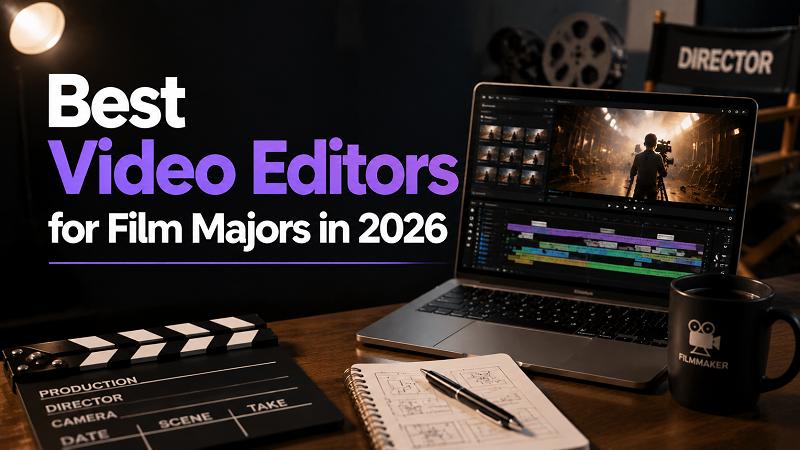
Choosing the right editing software is essential for film students who want to turn creative ideas into professional-quality videos. With so many options available, finding the best video editors for film majors can be challenging. This guide compares top video editing tools based on features, ease of use, pricing, and filmmaking needs, helping students choose the right editor for short films, documentaries, class projects, and creative portfolios.
What Should Film Majors Look for in a Video Editor?
Film students need more than basic cutting and trimming tools. The right video editor should support the entire filmmaking process, from organizing footage to adding cinematic effects. When choosing editing software, consider these key factors:
Professional Editing Features
A good video editor should provide essential tools for filmmaking, including multi-track timelines, precise trimming, transitions, and advanced editing controls. These features help students create smoother cuts and tell stories more effectively.
Color Correction and Visual Effects
Visual style plays an important role in filmmaking. Look for editors with color correction tools, filters, LUT support, and visual effects to enhance the mood and cinematic quality of each scene.
Audio Editing Capabilities
Clear audio is just as important as visuals. Film students should choose software that supports audio mixing, noise reduction, voice enhancement, and background music editing for a complete viewing experience.
Ease of Use and Cost-Effective
Many film majors are still developing their editing skills, so an intuitive interface and accessible pricing are important. The best editing software should balance professional capabilities with a learning curve and budget suitable for college students.
Comparison Table: Best Video Editors for Film Majors
| Tool | Best For | AI Features | Color Grading | Ease of Use | Price |
|---|---|---|---|---|---|
| HitPaw Edimakor | AI-assisted editing | Strong | Basic | Easy | Up to 60% off for back-to-school sale |
| Adobe Premiere Pro | Professional editing | Limited | Excellent | Advanced | Start at 22.99/mo |
| Final Cut Pro | Mac users | Some | Good | Medium | $299.99 (one-time purchase) |
| Avid | Studio workflow | Limited | Good | Advanced | Starts at $39.99/mo |
| CapCut | Quick content | Strong | Basic | Easy | Starts at $19.99/mo |
Best Video Editors for Different Filmmaking Needs
1. HitPaw Edimakor – Best AI Video Editor for Beginner Filmmakers
HitPaw Edimakor is an all-in-one video editor designed for beginners and professionals who want to edit videos more efficiently. Unlike traditional professional editors, it combines simple editing tools with AI features to help beginners complete creative projects faster.

Key Features
- Easy drag-and-drop editing for videos, audio, music, images, and stickers
- Quick video editing tools to split, cut, trim, and crop clips with ease
- Smooth transitions and scene changes to create more engaging videos
- Add customizable text with various fonts and animation effects
- Built-in resource library with stickers, videos, images, and sound effects
 Pros
Pros
- Beginner-friendly interface with a shorter learning curve
- AI tools like AI Subtitle Generator, AI Transition, and AI Colorize help speed up the editing tasks
- Suitable for film majors who need an efficient editor for coursework, personal projects, and social media videos
- Watermark-free exports with multiple formats for easy project sharing and submission
 Cons
Cons
- Limited high-end color grading capabilities
- Some AI features may require additional credits or plans


2. Adobe Premiere Pro – Best Overall Video Editor for Film Majors
Adobe Premiere Pro is a professional video editing software widely used in the film and media industry. It stands out for its powerful editing workflow, extensive creative tools, and seamless integration with other Adobe applications, making it a popular choice for aspiring filmmakers.
Key Features
- Multi-camera editing for complex film projects
- Advanced timeline editing with customizable workflows
- Integration with After Effects and Photoshop
- AI-powered features through Adobe Sensei
- Support for various professional video formats
Pros
- Industry-standard tool for professional filmmaking
- Extensive tutorials and learning resources
- Powerful customization options for advanced users
- Works well with other Adobe Creative Cloud apps
Cons
- Requires a monthly subscription
- Steep learning curve for beginners
- Can require high computer performance for large projects
3. Final Cut Pro – Best Video Editor for Mac Film Students
Final Cut Pro is Apple's professional video editing software designed for Mac users. It stands out with its fast performance, optimized workflow, and intuitive interface, making it a strong option for film students using MacBooks.
Key Features
- Magnetic timeline for efficient editing
- High-performance rendering optimized for Apple devices
- Advanced organization tools for large media libraries
- 360-degree video editing support
- Built-in effects and motion graphics templates
Pros
- Fast and stable performance on Mac devices
- One-time purchase instead of subscription
- Beginner-friendly interface compared with some professional tools
- Smooth handling of high-resolution footage
Cons
- Only available for macOS users
- Limited compatibility with non-Apple workflows
- Advanced professional features may require additional tools
4. Avid Media Composer – Best for Professional Film and TV Workflows
Avid Media Composer is a professional editing platform widely used in film, television, and broadcast production. It is known for its reliable media management and collaborative workflow, making it suitable for students preparing for industry-level editing environments.
Key Features
- Advanced media organization system
- Multi-user collaboration features
- Professional audio and video editing tools
- Support for large-scale production workflows
- High-quality media management capabilities
Pros
- Used in many professional production environments
- Excellent for large and complex projects
- Strong collaboration features
- Reliable media organization tools
Cons
- Not beginner-friendly
- Expensive compared with many alternatives
- Requires time to learn professional workflows
5. CapCut – Best for Quick Student Video Projects
CapCut is an easy-to-use video editor popular among students and social media creators. It stands out for its simple interface, AI-powered features, and extensive creative templates, making it suitable for quick campus videos and short-form content.
Key Features
- AI auto captions and text tools
- Ready-made templates and effects
- Mobile and desktop editing support
- Social media-friendly aspect ratios
- Built-in music and creative assets
Pros
- Very easy for beginners to learn
- Offers many free creative resources
- Fast editing for short projects
- Supports multiple platforms
Cons
- Limited professional editing controls
- Less suitable for complex film productions
- Some advanced features require paid plans
Which Video Editor Should Film Majors Choose?
1 For Film Students Just Starting Out
If you are new to video editing, choose software that helps you learn the basics of storytelling and editing without overwhelming complexity. AI-powered editors like HitPaw Edimakor can help beginners focus on creativity while handling time-consuming tasks such as subtitles, effects, and basic enhancements.
2 For Students Building a Professional Portfolio
Students who plan to pursue careers in film editing, cinematography, or post-production should consider learning industry-recognized tools like Adobe Premiere Pro or Avid Media Composer. These platforms provide advanced workflows and professional features that can support more complex projects.
3 For Students Creating Projects on a Budget
If you want capable editing tools without a high price tag, HitPaw Edimakor and CapCut are practical choices. Both offer user-friendly editing features and creative tools at affordable prices, making them suitable for student films, assignments, and personal projects.
Tips for Film Students to Improve Editing Skills
Learning video editing is not only about mastering software features. Great editors understand storytelling, pacing, and visual communication. Here are some practical tips to help film students improve their editing skills and create more engaging projects.
1. Focus on Storytelling Before Editing Effects
Good editing starts with a strong story. Before adding transitions or visual effects, focus on the structure, pacing, and emotional flow of your footage. A well-edited film should guide viewers through the story naturally.
2. Study Editing Techniques in Movies
Watching films with an editor’s perspective can help you understand professional techniques. Pay attention to scene transitions, shot choices, pacing, and how different cuts influence the audience’s emotions.
3. Practice Different Editing Styles
Experiment with various formats, such as short films, documentaries, interviews, and social media videos. Working on different projects helps you understand how editing choices change depending on the purpose and audience.
4. Learn Color and Audio Basics
Visuals and sound work together to create a complete cinematic experience. Practice basic color correction, audio balancing, background music selection, and sound effects to make your videos more polished.
5. Master Keyboard Shortcuts and Editing Workflow
Efficient workflows can save significant time during large projects. Learn essential shortcuts, organize your media files properly, and develop a consistent editing process to work faster and more effectively.
FAQ About Video Editing Software for Film Major
A1: For beginner filmmakers, an easy-to-use video editor with a simple interface and essential creative tools is a good choice. HitPaw Edimakor is suitable for students who are new to editing, offering an intuitive workflow, AI-assisted features, and ready-to-use effects to help create videos faster.
A2: Yes. AI video editors can help film students save time on repetitive tasks such as adding subtitles, improving video quality, creating effects, and organizing content. These tools allow students to focus more on storytelling and creative decisions.
A3: For student short film projects, HitPaw Edimakor and CapCut are practical choices. HitPaw Edimakor is suitable for film students who want an easy-to-use editor with AI-assisted tools, creative effects, and flexible editing features. CapCut works well for simpler short films and quick video projects with its intuitive interface and ready-to-use templates.
Conclusion
Choosing the right video editor helps film majors improve their workflow, develop editing skills, and bring creative ideas to life. HitPaw Edimakor offers a beginner-friendly editing experience with AI-assisted features, making it easier for students to create impressive video projects while building their filmmaking skills.
Leave a Comment
Create your review for HitPaw articles