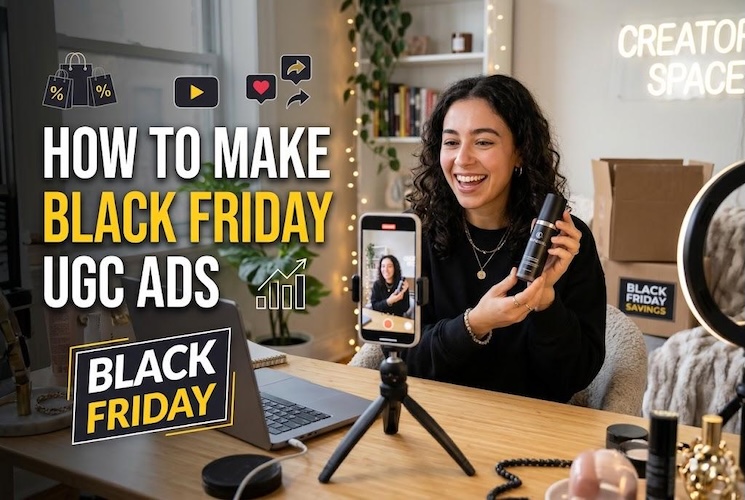
A discount can make a product cheaper, but it doesn't automatically make an advertisement interesting. During Black Friday, shoppers see countless offers competing for the same few seconds of attention.
Black Friday UGC ads take a more personal approach. Instead of filling the screen with promotional graphics, they show products through everyday experiences, quick discoveries, and useful demonstrations.
Black Friday discounts are important, but so is the creative. Explore 5 UGC ad formats with Prompts and learn how to produce them fast with AI.
What Makes Black Friday UGC Ads Effective?
Think about what people would like to know about your product before you start creating an advertisement. A clothing buyer might check the fit, while someone buying headphones may care more about comfort or controls.
Use those questions to shape your video.
- Product-focused storytelling: Show what the product looks like and how it is being used, opened, worn, or handled. This can catches the viewers attention to notice details that ordinary product photos would miss.
- A Strong Opening Hook: Instead of beginning your UGC ads with a boring description, start with an interesting action. You may grab a spectator's attention just by catching their eye by showing a uniquely designed product.
- Explain the Actual Deal: State the promotional price or discount accurately. Mention restrictions when they affect what shoppers will receive.
- Keep the Conversation Believable: Avoid filling the dialogue with exaggerated praise. A relaxed explanation of one useful feature can sound more convincing.
- A Clear Call to Action: End by directing interested shoppers to the correct product, bundle, or sale collection.
5 Black Friday UGC Ad Ideas With Sample Scripts
These concepts approach Black Friday shopping from different perspectives. Each includes a short scenario, a sample script, and suggestions for suitable products.
1 Black Friday Offer Announcement
In the announcement video, instead of just describing the details of the product, create an interesting scene that a customer is shopping online and when adding things in the cart, surprisingly know about the promotional product price.
Example Script: "Yey! I was just skipping the speaker from my cart just because of its high price before knowing the Black Friday pricing. Here is the high end speaker, I checked its features before selecting it and the seamless charging option. It’s a smart portable option for you if you are traveling enthusiast."
Best For: Premium gadgets, high-ticket electronics, luxury items, tech accessories, and items frequently abandoned in carts.
2 Product Unboxing and First-Look Ads
Online images don't always communicate how a product looks from different angles. Use an unboxing video to explore its finish, construction, and included accessories.
Move the camera close enough to show details shoppers might otherwise overlook.
Example Script: "Let's see what this tea set looks like outside the box. The cups have a textured finish, and here's how the matching tray looks beside them. I'm turning one around so you can see the design properly. If you're choosing something for your kitchen or a gift, this set is among the Black Friday offers."
Best For: Home decor, handmade accessories, stationery sets, cosmetics, and giftable products.
3 Problem-Solution UGC Ads
Build the video around a small inconvenience that viewers immediately recognize. Avoid dramatic reactions or unrealistic transformations.
Let the product demonstrate its usefulness through one specific action.
Example Script: "Does your phone also keep sliding down when you try to prop it up? Here's a folding desk stand designed to hold it at different angles. You can adjust the position and fold the stand when you're finished. Take a look at the available models in the Black Friday collection."
Best For: Desk accessories, mobile gadgets, household organizers, and everyday convenience products.
4 Black Friday Gift Guide Ads
Instead of showing a random assortment of sale products, choose gifts for someone with a particular interest.
A narrow theme makes the recommendations easier to understand and gives viewers an immediate idea of who might enjoy them.
Example Script: "Shopping for someone who always has a book in their bag? Here are three ideas. A clip-on reading light for evening reading, a magnetic bookmark for keeping their place, and a book sleeve for carrying paperbacks. I've gathered the available choices from the Black Friday collection so you can compare them."
Best For: Bookshops, lifestyle stores, hobby retailers, and businesses offering several related products.
5 Social Proof and Comparison Ads
Present two versions of a product and let viewers judge their differences. This approach is useful when the purchase depends on personal preferences rather than one product being universally better.
You can add verified customer comments, but avoid inventing reviews or pretending an AI spokesperson has personally tested the products.
Example Script: "These bottles have different shapes, so let's compare a few details. This one has a wider opening, while the other has a narrower body. I'll place them next to the same bag so you can judge their size. Check the capacities, materials, and Black Friday prices before deciding which works for you."
Best For: Accessories, drinkware, electronics, footwear variations, and products offered in multiple designs.
How to Make Black Friday UGC Ads Faster With AI
Recording multiple advertisements can involve different locations, presenters, props, and repeated takes. If you're experimenting with several creative directions, production can become time-consuming.
HitPaw Edimakor offers an alternative through its AI Ads workspace. Its Product Character feature combines a product image, a character image, and spoken dialogue to generate a presenter-led advertisement.
You can also specify the surrounding environment and guide the character's movements. Here's how to make Black Friday UGC ads with this feature.
Step 1: Open Edimakor
Install HitPaw Edimakor and launch the application. From the main dashboard, select AI Ads to access the advertising tools.


Step 2: Choose Product Character
In the video advertising section, find Product Character . This mode creates a scene where a virtual presenter displays and discusses an item. Then upload your chosen product picture and a character image. Edimakor automatically extracts the product from its background.
Step 3: Add Your Black Friday Script
Enter the dialogue the presenter should speak. You can select an AI voice, upload an existing recording, or record audio directly.
For example: "This compact desk lamp has an adjustable head and a small base. Here's a closer look at its design. You can explore the available finishes and check the Black Friday offer on our website."
Step 4: Customize the Scene and Generate
Use the optional prompt field to describe the setting, expression, camera framing, and character movements.
Example Prompt: "A cheerful presenter at a minimalist work desk, holding a small lamp near the camera. Gentle hand movements, natural facial expressions, soft window lighting, and steady vertical framing."
Click Generate to create the advertisement. Review the finished video for accurate product appearance, correct narration, and visual consistency.
Why Choose Edimakor for Black Friday Ads?
- Edimakor operates as an all-in-one commercial video maker , allowing you to experiment with different characters, voiceovers, and scene directions using your existing product photographs.
- Alongside Product Character, it offers Creative Ads and Product Showcase modes for other promotional styles. This flexibility is helpful when developing several commercial ad variations without filming each idea separately.
- Before publishing, verify all promotional claims and disclose AI-generated presenters where required.
FAQs
A1: That depends on what customers need to know. Unboxing videos reveal physical details, comparisons explain differences between models, and problem-solution ads demonstrate practical uses. Choose a format that addresses your audience's main purchasing question.
A2: Try a 15–30-second version for short social media placements. Simple announcements may need less time, while product explanations can run longer. Test different durations instead of relying on one fixed length.
A3: Yes. HitPaw Edimakor's Product Character feature can generate creator-style promotional videos from product pictures, presenter images, and written dialogue, reducing the need to record every scene yourself.
Conclusion
Successful Black Friday UGC ads give shoppers something interesting to see and useful information to consider. Try different creative angles instead of repeating the same discount announcement.
Ready to produce your next campaign? Try HitPaw Edimakor to transform product images and fresh scripts into AI-powered promotional videos.
Leave a Comment
Create your review for HitPaw articles