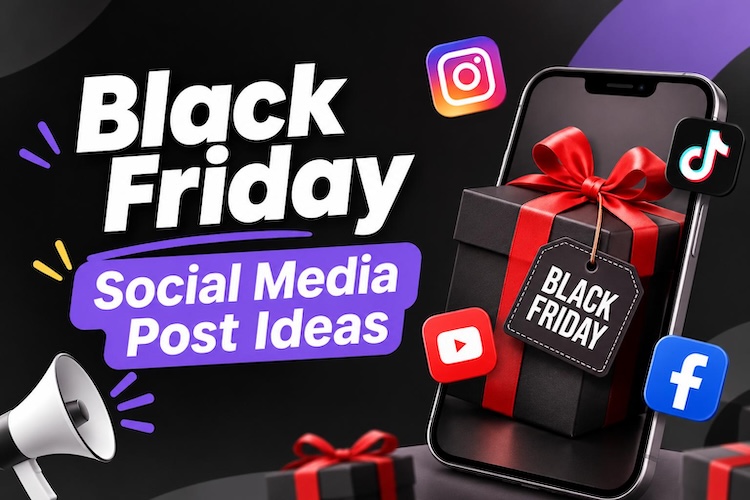
Black Friday gives businesses a valuable opportunity to attract customers and increase sales. However, generic discount announcements can easily disappear in crowded social media feeds. The right Black Friday social media post ideas help brands capture attention and encourage customers to act.
This guide shares 15 practical examples for different campaign goals. You will also learn how to create promotional images and videos using AI tools.
How to Write an Effective Black Friday Social Media Post
Effective Black Friday social media posts examples communicate value quickly. Customers should understand the offer, its benefits, and the next step without searching for details. Use these six principles to make your promotional content more engaging.
- Attention-Grabbing Hook: Start with a short opening that encourages people to stop scrolling. Try phrases such as “Your Biggest Deal of the Year Is Coming” or “Ready to Save on Your Favorites?” Match the hook to your audience’s interests.
- Clear Discount Details: State the discount, eligible products, and important conditions. For example, write “Save 30% on Selected Products” instead of simply announcing a massive sale. Clear details help customers understand the offer before clicking.
- Urgency Without Hype: Give customers a genuine reason to act promptly. Mention the sale’s end date, a real stock limitation, or the time remaining. Avoid fake countdowns and unsupported scarcity claims.
- Eye-Catching Visuals: Use strong contrast, readable text, and product-focused images. Keep the main message visible on mobile screens. Consistent fonts, colors, and branding also help customers recognize your business.
- One Clear Call to Action: Tell viewers what to do next. Use direct phrases such as “Shop the Sale,” “Claim Your Discount,” or “Join the Waitlist.” Link to the relevant product or landing page whenever possible.
- Platform-Friendly Format: Adapt your creative to each platform. Use carousels for Instagram product collections, vertical videos for Reels and TikTok, and clear promotional graphics for Facebook. Avoid overcrowding visuals with too much text.
Best Black Friday Social Media Post Ideas Examples
Different campaign goals require different content formats. The following 15 ideas cover seven categories, from early promotions to final-hour reminders. Each includes example copy, a visual concept, and a recommended format you can adapt to your business.
1 Early-Bird Black Friday Teasers

Teaser posts build anticipation before your sale begins. They help audiences remember your brand and give interested customers a reason to follow upcoming announcements.
Idea 1: The Mysterious Countdown
Example post: “Something BIG is coming! Our Black Friday deals launch soon. Follow us and turn on notifications so you don’t miss the reveal.”
Visual idea: Show a partially hidden product against a dark background. Add a countdown graphic and a bold “Coming Soon” headline.
Suggested format: Instagram Story, Facebook post, or TikTok teaser.
Idea 2: Early Access Announcement
Example post: “Want first access to our Black Friday deals? Join our email list and get notified before the sale goes live!”
Visual idea: Create an exclusive-access graphic with a launch date and a clear sign-up message.
Suggested format: Instagram carousel or Facebook graphic.
2 Black Friday Discount and Offer Posts
Discount announcements make your offer immediately clear. Focus on the actual savings and explain how customers can claim them.
Idea 3: The Biggest Discount Reveal
Example post: “Black Friday is here! Save [X]% on [eligible products] from [start date] to [end date]. Shop your favorites before the offer ends.”
Visual idea: Feature a large discount percentage, a product image, and a prominent “Shop Now” message.
Suggested format: Instagram feed post, Facebook promotion, or Pinterest pin.
Idea 4: Tiered Savings
Example post: “The more you shop, the more you save! Get [X]% off orders over [amount] and [Y]% off orders over [higher amount]. Shop our Black Friday sale today.”
Visual idea: Display both spending thresholds in a simple comparison graphic. Highlight the savings available at each level.
Suggested format: Instagram carousel or Facebook graphic.
3 Product and Bundle Showcase Posts
Product showcases help customers compare options and understand what they are buying. They work particularly well for businesses with popular products or complementary items.
Idea 5: Bestsellers on Sale
Example post: “Your favorites, now for less! Our bestselling [product category] is included in the Black Friday sale. Explore the collection and find your next favorite.”
Visual idea: Display three bestsellers with their promotional prices. Include original prices when the comparison is accurate and permitted.
Suggested format: Instagram carousel or product-focused Reel.
Idea 6: Exclusive Bundle Offer
Example post: “Your perfect bundle is here! Get [products included] for [bundle price] during our Black Friday sale. Save [amount or percentage] compared with buying separately.”
Visual idea: Arrange the products together in a clean composition. Add the bundle price and a short description of its benefits.
Suggested format: Instagram carousel, Facebook post, or short product video.
4 Black Friday Giveaways Posts
Giveaways can encourage engagement and introduce your brand to new audiences. Keep entry instructions simple and publish clear rules and deadlines with these black Friday free giveaway social media post ideas.
Idea 7: The Black Friday Giveaway
Example post: “BLACK FRIDAY GIVEAWAY! Enter for a chance to win [prize]. Follow our account and complete the entry steps in this post. Entries close on [date]. Check the full rules before entering!”
Visual idea: Feature the prize against a festive background. Add an “Enter to Win” headline and the closing date.
Suggested format: Instagram feed post or Facebook giveaway graphic.
Idea 8: Comment-to-Enter Giveaway
Example post: “What is the one thing on your Black Friday wishlist? Tell us in the comments for a chance to win [prize]. Entries close [date]. Full terms apply.”
Visual idea: Create a wishlist-themed graphic with product images and a question that encourages relevant responses.
Suggested format: Instagram carousel or Facebook post.
5 Black Friday Service-Based Posts
Service businesses can benefit from Black Friday promotions without selling physical products. Coaches, consultants, and freelancers can promote discounted packages, discovery calls, or additional bonuses.
Idea 9: A Special Offer for Life Coaches
Example post: “Ready to work toward your next big goal? This Black Friday, get [X]% off my [coaching package] when you book by [date]. Let’s make your next step count.”
Visual idea: Use a professional portrait, a concise benefit statement, and the offer details. Keep the design personal rather than overly commercial.
Suggested format: Instagram carousel, LinkedIn post, or Facebook graphic.
Idea 10: Limited-Time Service Package
Example post: “Black Friday special: Book [service package] for [price] and receive [included bonus]. This offer ends [date]. Send me a message to learn more.”
Visual idea: Present the package, price, and bonus in a simple promotional layout.
Suggested format: Instagram Story, Facebook post, or LinkedIn graphic.
6 Last-Chance and Final-Hours Posts
Final reminders target customers who considered your offer but have not purchased. Make the deadline visible and keep the next step simple.
Idea 11: Sale Ending Soon
Example post: “Your Black Friday reminder! ⏰ The [X]% discount on [eligible products] ends on [date and time]. Shop before the offer expires.”
Visual idea: Pair the deadline with a product image and a bold “Ending Soon” headline.
Suggested format: Instagram Story, Facebook post, or Reel.
Idea 12: Final Hours Reminder
Example post: “Last chance to save! Our Black Friday offer ends in [actual remaining time]. Visit [store or website] before the deadline.”
Visual idea: Use a short countdown animation with the offer and a direct call to action.
Suggested format: Instagram Story or short vertical video.
7 Short-Video Posts for Reels and TikTok
Short videos demonstrate product value through movement and storytelling. Strong opening shots, readable captions, and quick scene changes can help maintain attention.
Idea 13: Before-and-After Transformation
Example post: “Same [product or process], different results! See what changes when you try [solution]. Get [offer] during our Black Friday sale.”
Visual idea: Start with a recognizable problem, reveal the result, and finish with the promotional offer.
Suggested format: Instagram Reel or TikTok video.
Idea 14: Three Reasons to Shop
Example post: “Three reasons to check out our Black Friday sale: [benefit one], [benefit two], and [benefit three]. Explore the offers before [end date].”
Visual idea: Show three quick scenes, each highlighting one benefit. End with your brand name and a clear call to action.
Suggested format: Instagram Reel, TikTok, or YouTube Short.
Idea 15: Product Unboxing or Demo
Example post: “Here’s a closer look at [product]. Watch how it works, explore its key features, and discover the Black Friday offer available until [date].”
Visual idea: Film close-ups of the product in use. Add short on-screen labels and finish with the offer details.
Suggested format: Vertical product video.
From Black Friday Posts Inspiration to Ready-to-Post Visuals
Strong ideas need equally effective visuals. However, small businesses may not have a designer available for every campaign. AI-powered creative tools can help you develop promotional images and videos without advanced design skills.
HitPaw Edimakor provides AI creative tools that can support your Black Friday content workflow. You can experiment with visual concepts, generate images, and explore AI video creation in one application.
Why Use Edimakor for Black Friday Content?
Key Features
- Text-to-Image AI: Turn written prompts into campaign visuals.
- AI Image Editing: Refine generated images to match your concept.
- Commercial Video Maker : Create promotional video content using supported workflows.
- Social Media-Friendly Formats: Prepare assets for different platforms and placements.


These tools can speed up creative exploration, but every asset still needs review. Check product accuracy, promotional details, brand consistency, and text readability before publishing. Follow this workflow to create a promotional images and videos.
Step 1: Open Edimakor and Start a Project
Launch HitPaw Edimakor on your computer and click “New Click” to open the editing workspace. Prepare your Black Friday product images or reference materials so you can use them while developing your campaign.
Step 2: Select Media and AI Image
Open “Media” and select “AI Image.” This opens the image-generation workspace, where you can create campaign visuals from a written prompt or a ready-to-use template.
Step 3: Enter Your Image Prompt
Describe the image you want to create. Include the product, background, lighting, composition, and intended platform. If you need inspiration, use the prompt generator to help develop your idea. Then click “Generate.” Review the result and adjust the prompt or settings if needed.
Step 4: Create a Promotional Video
To explore video creation, click “AI Video.” Choose a supported workflow and provide the required prompt or source materials. Review the result, then refine it for your target platform.
Before publishing, verify every offer detail and deadline. Preview the assets on a mobile screen to ensure that the message remains clear and readable.
Frequently Asked Questions
A1: Post teasers, discount announcements, product demonstrations, bundles, giveaways, and final sale reminders. Choose formats that match your audience and campaign goals.
A2: Start teasing your campaign one to three weeks before Black Friday. Announce offers closer to launch, then share reminders throughout the sale.
A3: Try relevant hashtags such as #BlackFriday, #BlackFridayDeals, #BlackFridaySale, and #HolidayShopping. Add niche-specific hashtags that match your products and target audience.
A4: Use AI image and video tools to develop visuals from written prompts. Add your branding, verify promotional details, and prepare assets in formats suitable for your social platforms.
Conclusion
The best black friday social media post ideas combine clear offers, engaging visuals, and timely calls to action. Use teasers, product showcases, giveaways, short videos, and final reminders to support your campaign. Adapt each post to your audience and platform. Ready to create promotional visuals faster? Try Edimakor to turn your Black Friday ideas into campaign-ready images and videos.
Leave a Comment
Create your review for HitPaw articles