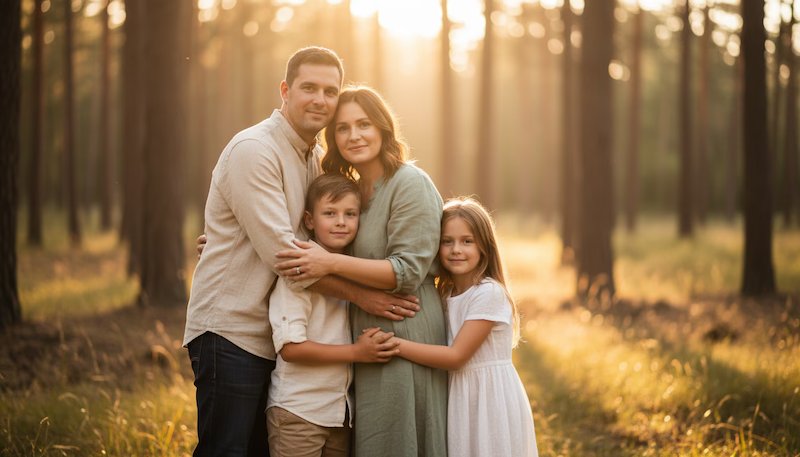
Creating a memorable family portrait doesn’t have to involve elaborate photoshoots or expensive studio sessions. With the help of an AI family photo generator, you can transform simple text prompts into realistic, high-quality family portraits within minutes. Whether you want to create a cozy family gathering, a festive holiday portrait, a multi-generational family photo, or a creative fantasy-themed image, AI makes the process simple and accessible for everyone. In this guide, we’ll introduce the best AI family photo generators to use in 2026 and share the top 5 AI family photo prompts to help you create realistic, heartwarming family portraits.
Part 1: How to Choose the Right AI Family Photo Generator?
As you start your search for the best AI family photo generator, you will quickly realize that there are hundreds of options available online. While many tools claim to produce realistic family portraits, not all of them deliver the same level of image quality. Choosing the right AI generator can save you time and help you generate high-quality family photos. To help you make the right choice, here are the key features you should look for in an AI family photo generator:
- Image Quality: Always select a tool that enables you to generate high-resolution and realistic images with natural facial expressions.
- Customization Options: The best tool offers advanced customization features, allowing you to personalize every aspect for your family portrait.
- Image Style: Select a tool that allows you to generate family photos in multiple styles, such as black-and-white, 3D, anime, cartoon, realistic, and more.
- Prompt Accuracy: A reliable AI family photo generator should accurately understand and follow your text prompt. This feature
Part 2: Top 3 AI Family Photo Generators to Create Realistic Family Photos
As we have mentioned earlier, there are hundreds of AI family photo generators available online, but not all of them are worth trying. After hours of research, we’ve managed to find the top 3 AI family photo generators online in 2026.
1 Edimakor AI
If you want the best AI family photo generator online, we recommend using Edimakor AI. It is an all-in-one AI image generator that enables users to transform existing images into various styles using a simple text prompt. The program's image-to-image feature lets you upload an existing family photo and restyle it while preserving the original composition and facial features. You can also use the Text-to-Image feature to generate completely new family portraits from scratch by simply describing your ideal scene. In addition, Edimakor AI offers a wide range of AI models such as Nano Banana, Nano Banana Pro, Stable Diffusion, Flux, Midjourney, Imagen 4, and more. With its intuitive interface and fast processing speed, both beginners and experienced users can effortlessly create beautiful family photos without any editing experience.
Create NowKey Features of Edimkor AI
- Image-to-Image: Edimakor AI enables users to transform ordinary family photos into stunning, high-quality portraits with just a few clicks. Simply upload an existing image, add a text prompt, and click on the “Generate” button.
- Text-to-Image: The program also supports text-to-image capabilities, allowing users to create high-quality family portraits with simple text prompts — no editing experience or professional help required:
- Multiple Image Style: Edimakor AI provides a wide range of image styles, such as Cyberpunk, 3D, Anime, Realistic, Oil Painting, Artistic, Pencil Drawing, Cartoon, Ghibli, and more.
- Free Version: One of the standout features of this tool is that it enables users to create high-quality family images without spending a single penny. The free version included advanced features and customization options.
- Intuitive Interface: Edimakor AI is specially designed for non-tech and beginner users, making AI image generation simple. Its clean, user-friendly interface allows anyone to create stunning family portraits without editing experience.
2 Midjourney

Midjourney has a reputation as one of the most artistic AI image generators, known for its exceptional visual richness and cinematic image quality. It excels at creating highly detailed family portraits with realistic lighting, vibrant colors, and beautifully composed scenes. The model has a distinctive style signature that leans toward polished, cinematic, and visually rich outputs, even with minimal prompting.
Pros
- Enables users to create family photos in multiple styles, such as Cyberpunk.
- Users can download images in multiple formats, such as JPG and PNG.
- Web-based tool, meaning no software downloading required.
Cons
- Required Discord account to access the tool.
- Include a watermark in images
3 Google Imagen
Google Imagen excels at photorealistic rendering with highly accurate lighting, materials, reflections, and spatial depth. It is one of the best AI family generators available in 2026, allowing users to create images that resemble real photography. The advanced AI model can understand detailed text prompts and generate family portraits with realistic facial features, natural skin textures, accurate body proportions, and a lifelike environment.
Pros
- With Google Imagen, users can create a wide range of family photos.
- Intuitive interface, which is best for non-tech and beginner users.
- Captures details such as expressions, background elements, and realistic shadows.
Cons
- Google Imagen may not be easily available to all users.
- Limited customization options compared to Edimakor AI.
Part 3: 5 AI Family Photo Prompts to Design Meaningful Family Memories
To create high-quality AI family photos, you must have the right AI family photo prompt. Below, we have mentioned the top 5 AI prompts that will help you produce high-quality family portraits.
1. Classic Studio Family Portrait With Timeless Elegance
“ Transform the uploaded family photo into a luxurious professional studio portrait while preserving every family member's facial features and expressions. Dress everyone in elegant coordinated formal outfits with soft neutral colors. Add a seamless beige backdrop, cinematic softbox lighting, subtle shadows, realistic skin textures, natural smiles, perfect posture, DSLR photography, ultra-sharp details, shallow depth of field, premium magazine-quality finish, warm color grading, photorealistic, 8K resolution, award-winning family portrait.”
2. Tropical Beach Vacation with Golden Sunset
“Convert the uploaded family photo into a relaxing tropical beach vacation while keeping everyone's appearance recognizable. Dress the family in stylish summer clothing and barefoot on soft white sand. Add turquoise ocean waves, palm trees, golden sunset lighting, seashells, gentle breeze, realistic water reflections, natural walking poses, joyful expressions, cinematic wide-angle composition, ultra-realistic skin tones, vibrant tropical colors, professional travel photography, shallow depth of field, high-detail textures, 8K quality.”
3. Luxury Mountain Cabin Family Retreat
“Transform the uploaded family photo into an elegant Renaissance-inspired royal portrait while preserving every person's face. Replace modern clothing with luxurious royal gowns, embroidered robes, jeweled crowns, and noble accessories. Add a magnificent palace interior, golden chandeliers, marble columns, dramatic classical lighting, oil painting texture, rich colors, sophisticated poses, ornate decorations, museum-quality artwork, highly detailed brushstrokes, timeless elegance, cinematic atmosphere, masterpiece style, ultra-high-definition rendering, 8K quality.”
4. Enhanced Fantasy Family Kingdom
“Convert the uploaded family photo into a magical fantasy kingdom while preserving each person's recognizable face. Dress everyone in enchanted royal clothing with glowing accessories. Add a fairytale castle, magical forest, floating lights, sparkling waterfalls, mythical flowers, soft golden lighting, dreamy atmosphere, cinematic fantasy composition, realistic magical effects, vibrant colors, intricate environmental details, ultra-realistic rendering, fantasy realism, award-winning digital artwork, immersive storytelling, 8K masterpiece quality.”
5. Blooming Spring Garden Family Portrait
“Transform the uploaded family image into a peaceful spring garden filled with blooming cherry blossoms, colorful flowers, and lush greenery while preserving each family member's face. Dress everyone in pastel-colored outfits suitable for spring. Add soft morning sunlight, butterflies, floral pathways, realistic petals floating through the air, natural smiles, warm family interaction, photorealistic lighting, cinematic depth of field, highly detailed botanical scenery, professional DSLR photography, ultra-realistic quality, 8K resolution.”
Part 4: How to Turn AI Family Prompts into Visual With Edimakor AI?
Once you have the right family photo prompts, the next step is to learn how to convert them into a high-quality visual. For this purpose, we will use Edimakor AI.
Step 1: Choose Image-to-Image Feature
Navigate to Edimakor AI's official site and click on the “Image-to-Image” feature from the main interface. Choose the AI model and enter the AI Family photo prompts into the prompt box.
Step 2: Upload the Image and Adjust the Image Settings
Next, click on the “Upload” button and select the family image that you want to convert. Scroll down and select the output settings, such as aspect ratio, resolution, and image quantity. Click on the “Generate” button to begin the process.
Step 3: Preview and Download
Edimakor will analyze your prompt and convert the image into high-quality AI-generated visuals within seconds. Go to the “My Creation” section and preview the results. If satisfied, click on the “Download” button to save the image in the desired format.
Final Thoughts
In conclusion, this article explored the best AI family photo generators that can help you create realistic and heartwarming family portraits with ease. Tools like Edimakor AI offer powerful features to transform simple text prompts or existing images into stunning visuals.


Leave a Comment
Create your review for HitPaw articles