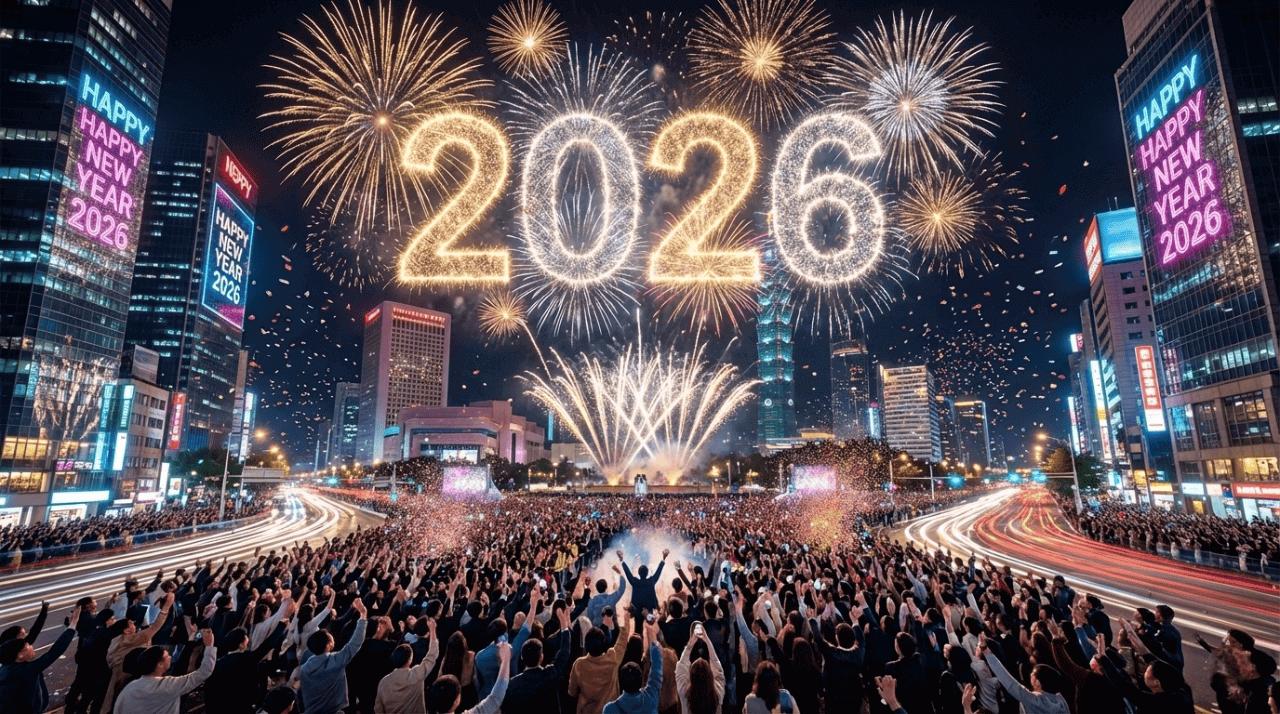
Let’s be real, capturing fireworks on your phone is a struggle. You either get a blurry mess or a dark sky with a tiny dot instead of the beautiful, colorful explosions you wanted to capture. But what if you could create stunning fireworks photography without waiting for the perfect moment or using an expensive camera? That’s where AI comes in. With the right firework photo prompts, you can easily transform ordinary pictures into breathtaking, realistic images featuring vibrant explosions, glowing skies, and magical celebration scenes. In this guide, we’ll explore trending AI prompts to help you create eye-catching fireworks photos in 2026.
Part 1: Top 8 Firework Photo Prompts For High-Quality Images
From rooftop celebrations and city street moments to romantic couple shots under the night sky, these 8+ firework photo prompts will help you transform ordinary pictures into stunning, realistic AI-generated images.
1. Romantic Couple Under Colorful Fireworks

“Transform the uploaded image into a romantic nighttime celebration scene featuring the couple standing close together under a sky filled with spectacular colorful fireworks. Preserve both individuals' original faces, facial features, hairstyles, and identities without making any changes. Add beautiful golden, red, and blue fireworks illuminating the background. Create a dreamy atmosphere with soft cinematic lighting, realistic skin tones, elegant outfits, natural body proportions, and professional DSLR photography quality. Maintain realistic details and an ultra-sharp 8K finish.”
2. Friends Celebrating Together
“Convert the uploaded photograph into an exciting nighttime celebration featuring a group of friends enjoying a spectacular fireworks display. Keep everyone's original faces, expressions, hairstyles, and identities exactly the same. Position the friends naturally together, smiling and enjoying the moment while colorful fireworks explode across the night sky. Add vibrant golden and purple lighting, realistic shadows, and a beautiful outdoor celebration atmosphere. Enhance the image with professional photography details, natural skin textures, sharp focus, balanced exposure, and cinematic 8K quality.”
3. Solo Portrait With Golden Fireworks
“Transform the uploaded portrait into a premium nighttime fireworks photoshoot. Keep the person's original face, identity, hairstyle, expression, and natural appearance completely unchanged. Place the subject in the foreground with a magnificent display of golden fireworks exploding behind them. Add warm golden reflections on the face, subtle background bokeh, and dramatic cinematic lighting. Maintain realistic clothing textures, natural skin details, professional portrait photography composition, and beautiful depth of field. Create an elegant, luxurious atmosphere with ultra-realistic 8K image quality.”
4. Family Enjoying a Fireworks Night
“Convert the uploaded family photograph into a memorable outdoor fireworks celebration. Keep every family member's original face, age, identity, hairstyle, and natural appearance unchanged. Position the family together while they enjoy a beautiful fireworks display in the background. Include colorful explosions of red, blue, green, and gold across the night sky. Add warm ambient lighting, realistic expressions, natural skin tones, and a joyful festive atmosphere. Maintain accurate body proportions, detailed clothing textures, professional family photography composition, and high-resolution 8K quality.”
5. Beachside Fireworks Celebration
“Transform the uploaded image into a beautiful beachside fireworks celebration at night. Keep the original person's face, identity, hairstyle, and physical appearance exactly as they are. Place the subject naturally on a sandy beach with a stunning fireworks display illuminating the ocean behind them. Include colorful reflections across the water, gentle waves, a deep blue night sky, and soft golden ambient lighting. Create a peaceful yet magical atmosphere with realistic environmental details, natural skin textures, professional travel photography composition, and crystal-clear 8K image quality.”
6. Traditional Wedding Fireworks Scene
“Convert the uploaded wedding photograph into a breathtaking nighttime wedding celebration. Preserve the bride and groom's original faces, identities, hairstyles, outfits, and natural expressions. Create an elegant outdoor wedding venue decorated with beautiful floral arrangements, glowing candles, and luxurious lighting. Add a magnificent display of golden and colorful fireworks behind the couple. Enhance the scene with realistic fabric details, natural skin tones, cinematic lighting, and a romantic atmosphere. Maintain professional wedding photography aesthetics and ultra-realistic 8K resolution.”
7. Festival Celebration With Friends
“Use the uploaded group photograph as the main reference to create a vibrant nighttime festival celebration. Preserve every person's original face, identity, hairstyle, clothing, and natural body proportions. Show the friends standing together while holding glowing sparklers and enjoying spectacular fireworks in the background. Add colorful decorative lights, warm golden illumination, and a lively festive atmosphere. Ensure the sparklers look realistic with natural light trails and reflections. Use professional event photography, sharp facial details, balanced exposure, cinematic colors, and ultra-realistic 8K quality.”
8. Friends Celebration on a City Street
“Convert the uploaded group photograph into a vibrant nighttime city celebration. Keep everyone's original facial features, identities, hairstyles, outfits, and natural expressions exactly the same. Place the group standing together on a beautifully illuminated city street with modern buildings and colorful decorative lights. Add massive golden and red fireworks exploding above the skyline. Include realistic reflections on the road, natural shadows, and a lively celebration atmosphere. Maintain accurate body proportions, professional street photography composition, cinematic lighting, sharp details, and stunning ultra-realistic 8K resolution.”
Part 2: Best Tool to Turn Simple Images into Firework-Style Images Using AI
If you’re looking for the best tool that will turn your simple images into firework-style visuals, we recommend using HitPaw Edimakor. It is an amazing AI Video Editor that also offers powerful AI image-generation and editing features. With its intuitive interface, users can easily transform ordinary photographs into eye-catching visuals without requiring professional editing skills. Whether you want to create realistic firework portraits, romantic celebration scenes, or cinematic festival images, HitPaw Edimakor makes the process simple and beginner-friendly. Another amazing feature of this tool is that it supports multiple AI models, including Nano Banana, Midjourney, Flux, Seedance, Stable Diffusion, and more.
Key Features of HitPaw Edimakor:
- Images into Firework-Style: HitPaw Edimakor is one of the best tools to turn images into firework-style visuals. Simply upload the image, enter the text prompt, and click on the “Generate” button.
- Multiple AI Models: The program supports a wide range of AI models, each with unique features and capabilities, such as Nano Banana, Flux, Midjourney, Stable Diffusion, and more.
- Advanced Customization: This tool offers advanced video and image editing tools that allow users to customize their visuals according to their creative needs. Users can experiment with various effects, enhance image quality, and create engaging visuals.
- Text-to-Image: HitPaw Edimakor also supports text-to-image capabilities, allowing users to turn simple text prompts into high-quality visuals. Users can create fireworks-style images with a simple text prompt.
- Intuitive Interface: One of the standout features of this tool is that it offers an easy-to-use interface, which is ideal for non-tech and beginner users — no professional help or editing experience required.


Step-by-Step Guide:
The program enables users to create firework-style images with ease. Follow the instructions below to learn how to do it:
Step 1: Download and Launch HitPaw
Download, install, and launch HitPaw Edimakor on your PC. Choose the “Reference Image” option from the main interface.
Step 2: Select The AI Model
Select the “AI model” and upload the reference image. Enter the firework photo prompt into the prompt box. Make sure to enter a detailed prompt to get accurate results.
Step 3: Generate Firework Image
Next, select the image settings, such as aspect ratio, resolution, and output number. Finally, click on the “Generate” button to begin the image creation process.
Final Thoughts
Whether you want to create stunning firework portraits, capture romantic moments, or transform ordinary pictures into breathtaking celebration scenes, the right AI fireworks photo prompts can make a huge difference. In this guide, we’ve shared some of the best trending prompts to help you generate realistic, high-quality images without requiring professional photography or editing skills. You can use these prompts with HitPaw Edimakor to generate stunning and engaging results.
Leave a Comment
Create your review for HitPaw articles